


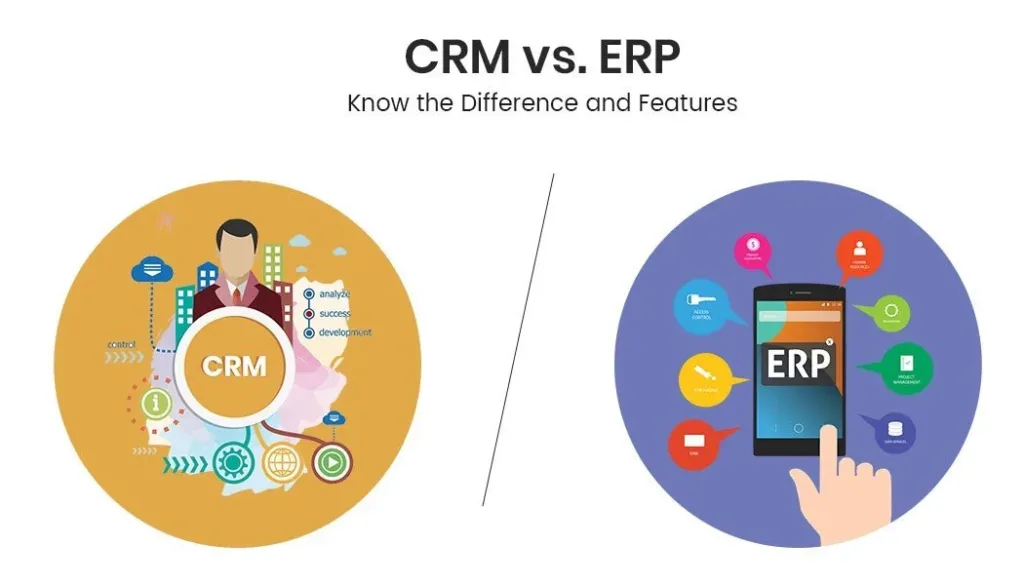
Understanding the CRM vs ERP key differences business owners should know is essential for making smart software investments. Customer Relationship Management (CRM) and Enterprise Resource Planning (ERP) are two of the most important software systems a business can implement. But they serve completely different purposes. CRM manages your relationships with customers—sales, marketing, and support. ERP manages your internal operations—finance, inventory, HR, and supply chain. The CRM vs ERP key differences business owners should know determine which system you need first, whether you need both, and how they should integrate.
According to a 2026 Gartner study, 65% of businesses that implement both CRM and ERP report 30% higher revenue growth than those with only one system. This comprehensive guide explains the CRM vs ERP key differences business owners should know across 10 dimensions: purpose, users, core modules, data focus, deployment, cost, ROI, integration, implementation timeline, and vendor landscape. Whether you are a founder deciding where to invest your first software dollar or a CEO evaluating your technology stack, this CRM and ERP comparison will clarify your path forward.
Table of Contents
CRM vs ERP Key Differences Business Owners Should Know: A Side-by-Side Comparison
Let’s examine the CRM vs ERP key differences business owners should know across every critical dimension. This side-by-side CRM and ERP comparison will help you decide which system your business needs.
1. Primary Purpose
The first and most fundamental of the CRM vs ERP key differences business owners should know is purpose. CRM is customer-facing. Its primary goal is to manage and improve relationships with prospects and existing customers. It tracks every interaction—emails, calls, meetings, support tickets—to help you sell more and retain more.
ERP is operations-facing. Its primary goal is to manage internal business processes efficiently. It tracks inventory, finances, HR, supply chain, and production. It ensures that your business runs smoothly behind the scenes.
CRM purpose: Win more customers, retain existing customers, increase revenue per customer.
ERP purpose: Reduce costs, improve efficiency, eliminate manual processes.
2. Primary Users
The second CRM vs ERP key differences business owners should know is users. CRM is used by customer-facing teams: sales representatives, account managers, marketing professionals, and customer support agents. These are the people who interact with customers daily.
ERP is used by internal operations teams: finance and accounting, human resources, supply chain managers, warehouse staff, and production planners. These are the people who keep the business running.
CRM users: Sales, marketing, support (customer-facing roles).
ERP users: Finance, HR, operations, supply chain (internal roles).
3. Core Modules
The third CRM vs ERP key differences business owners should know is core functionality. A CRM system includes modules for contact management, lead and opportunity tracking, sales pipeline visualization, email tracking and marketing automation, customer service ticketing, and sales forecasting.
An ERP system includes modules for financial management (general ledger, accounts payable/receivable), inventory and supply chain management, human resources and payroll, procurement and purchasing, production and manufacturing, and business intelligence and reporting.
This is perhaps the most important CRM and ERP comparison point: CRM is about people (customers). ERP is about things (inventory, money, employees).
4. Data Focus
The fourth CRM vs ERP key differences business owners should know is the type of data each system manages. CRM manages customer data: contact information, communication history, purchase history, support interactions, and customer preferences. It answers questions like “What did we promise this customer?” and “When did we last contact them?”
ERP manages operational data: financial transactions, inventory levels, supplier information, employee records, and production schedules. It answers questions like “How much inventory do we have?” and “What is our cash flow next month?”
CRM data: External, customer-centric, focused on relationships.
ERP data: Internal, operations-centric, focused on resources.
5. Integration and Data Flow
The fifth CRM vs ERP key differences business owners should know is how data flows between systems. When CRM and ERP are integrated, customer data flows from CRM to ERP (e.g., a new customer’s billing information flows to finance). Operational data flows from ERP to CRM (e.g., inventory availability shows in the CRM so sales reps know what to sell).
Without integration, data is siloed. Finance doesn’t know what sales promised. Sales doesn’t know what inventory is available. This is why many businesses ultimately buy both and integrate them.
CRM integration: Connects to email, calendar, marketing automation, and (ideally) ERP.
ERP integration: Connects to banks, suppliers, logistics providers, and (ideally) CRM.
6. Deployment and Cost
The sixth CRM vs ERP key differences business owners should know is cost and deployment. CRM systems are typically lower-cost, easier to deploy, and faster to implement. A small business can get a CRM like HubSpot running in a few days for under $100/month.
ERP systems are higher-cost, more complex, and take longer to implement. A mid-market ERP like NetSuite or Acumatica can cost $50,000-$500,000 and take 3-12 months to deploy.
CRM cost: $15-$150/user/month. Deployment: 1-4 weeks.
ERP cost: $30,000-$500,000+ total. Deployment: 3-18 months.
7. ROI Timeline
The seventh CRM vs ERP key differences business owners should know is ROI timeline. CRM ROI is faster and more visible. You see improved lead conversion, faster sales cycles, and better customer retention within 3-6 months. The ROI is directly tied to revenue growth.
ERP ROI is longer-term but larger. You see reduced inventory costs, faster financial close, and improved operational efficiency within 6-18 months. The ROI is tied to cost reduction and efficiency gains.
CRM ROI: 3-6 months (revenue growth).
ERP ROI: 6-18 months (cost reduction and efficiency).
8. Implementation Complexity
The eighth CRM vs ERP key differences business owners should know is complexity. CRM is simpler to implement because it involves fewer users, fewer processes, and less data migration. Most CRM implementations are “out of the box” with minimal customization.
ERP is complex because it touches every department, involves thousands of data points, and often requires significant process changes. Customization is common (and expensive). Change management is essential.
CRM implementation: Low complexity, minimal customization, IT-light.
ERP implementation: High complexity, significant customization, IT-heavy.
When to Choose CRM vs ERP (or Both)

Now that you understand the CRM vs ERP key differences business owners should know, when should you choose each?
Choose CRM first if:
- Your primary challenge is acquiring and retaining customers
- Your sales and marketing teams need better visibility into leads
- You have manual tracking of customer interactions
- You have 5-50 employees and limited budget
Choose ERP first if:
- Your primary challenge is operational inefficiency
- You have inventory mismanagement or supply chain issues
- Your finance team spends too long closing the books
- You have 50+ employees and complex operations
Choose both (integrated) if:
- You have 50+ employees and growing revenue
- Sales needs to see inventory availability and customer payment history
- Finance needs to see sales forecasts and customer commitments
- You can afford $100,000+ total investment
Integration: CRM + ERP = Complete Business Visibility
The ultimate CRM and ERP comparison is not about choosing one—it is about choosing both and integrating them. When CRM and ERP are integrated, you get complete business visibility.
- Sales sees real-time inventory before quoting
- Finance sees pipeline forecasts for cash flow planning
- Support sees customer payment history before handling issues
- Operations sees sales trends for demand planning
Integration vendors like Celigo, Workato, and Zapier connect popular CRMs (Salesforce, HubSpot) with popular ERPs (NetSuite, Acumatica, Microsoft Dynamics). Integration costs $10,000-$50,000 but delivers 2-3x ROI through improved efficiency and accuracy.
Common Mistakes
Avoid these errors when navigating CRM vs ERP key differences business owners should know.
Mistake #1: Buying CRM when you need ERP (or vice versa). If inventory is your biggest problem, CRM won’t help. If sales is your biggest problem, ERP won’t help. Choose based on your biggest pain point.
Mistake #2: Buying both without integration. Data silos persist. Your teams still re-enter data. You lose the full benefit.
Mistake #3: Underestimating implementation effort. CRM is fast. ERP is slow. Plan accordingly.
Final Verdict
The CRM vs ERP key differences business owners should know are clear. CRM manages customer relationships to drive revenue growth. ERP manages internal operations to drive efficiency and cost reduction. CRM is lower-cost, faster to deploy, and shows ROI in 3-6 months. ERP is higher-cost, slower to deploy, and shows ROI in 6-18 months. Choose CRM if your challenge is customer acquisition. Choose ERP if your challenge is operational inefficiency. Choose both (integrated) when you have the resources—the combination delivers complete business visibility and 30% higher revenue growth. The business management software landscape offers powerful options at every price point. Start with the system that solves your biggest problem today. Add the other when you are ready.
Frequently Asked Questions (FAQs)
Q1: Can a small business use both CRM and ERP?
Yes, but typically in phases. Most small businesses (under 50 employees) start with CRM (e.g., HubSpot, Pipedrive) because it’s lower-cost and faster to implement. Once they reach 50+ employees or face inventory/operational challenges, they add ERP (e.g., NetSuite, Acumatica). Integration between the two is recommended but can be delayed until the ERP implementation is stable. The CRM vs ERP key differences business owners should know help you decide which comes first. If you sell services (consulting, agency, legal), you may never need full ERP—just CRM + accounting. If you sell products (retail, manufacturing, distribution), you will likely need both.
Q2: How do CRM and ERP work together when integrated?
When integrated, CRM and ERP share data automatically. A new customer created in CRM creates a corresponding customer record in ERP (for billing and credit checks). A sales opportunity closed in CRM triggers an order in ERP (which checks inventory, creates fulfillment, and generates an invoice). A payment recorded in ERP updates the customer’s payment history in CRM. The CRM and ERP comparison shows that integration eliminates manual data entry, reduces errors, and gives every department a complete view of the customer and the business. This is why integrated systems deliver the highest ROI.
Q3: Which is more expensive: CRM or ERP?
ERP is significantly more expensive. A typical CRM costs $15-$150/user/month with minimal implementation costs. A typical ERP for mid-market businesses costs $30,000-$500,000 in first-year costs (licensing + implementation). For a 20-person company, CRM might cost $5,000/year while ERP might cost $100,000+ upfront. However, the ROI of ERP is also larger—reducing inventory costs by 20% on $5M inventory saves $1M/year. The business management software decision should be based on ROI, not just upfront cost.
Q4: Can I use Salesforce as both CRM and ERP?
Salesforce is primarily a CRM. It has some ERP-like features (e.g., Salesforce CPQ for quoting, Revenue Cloud for billing), but it is not a full ERP. For inventory, supply chain, and complex financials, you still need a dedicated ERP (NetSuite, Acumatica, Microsoft Dynamics). However, Salesforce integrates with most ERPs, so you can have the best of both. This is a key CRM vs ERP key differences business owners should know: Salesforce is the best CRM, but it is not an ERP. Choose best-of-breed for each and integrate them.
