


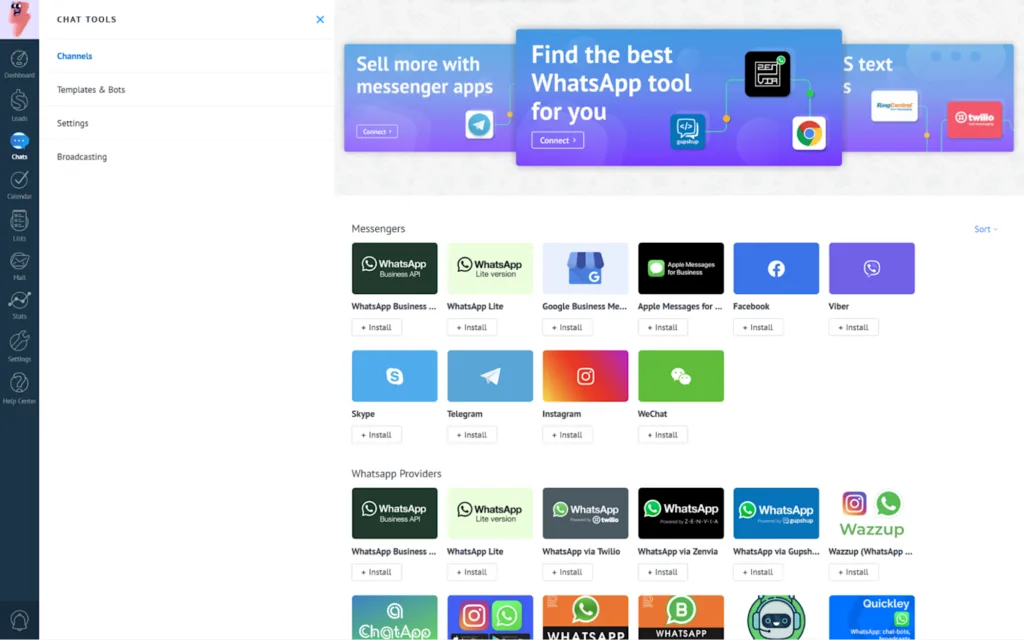
CRM tools for early-stage startups are not a luxury; they are a fundamental necessity for survival and growth. For founders wearing multiple hats, a Customer Relationship Management (CRM) system is the central nervous system of your sales, marketing, and customer service efforts. It organizes your leads, tracks interactions, and automates the tedious tasks that can bog down a small team.
However, with limited runway and resources, choosing the right platform is a critical decision. This list focuses on powerful, scalable, and, most importantly, budget-friendly CRM tools for early-stage startups that grow with you.
Table of Contents
How We Selected These CRM Tools for Startups?
Our selection prioritizes solutions that offer genuine value to cash-conscious early-stage companies. We evaluated each tool based on:
- Cost-Effectiveness: Strong free plans or very affordable, feature-rich entry-level tiers are essential.
- Ease of Use: A low learning curve means your team can adopt it quickly without extensive training.
- Scalability: The tool should have a clear path to grow with your startup, avoiding a disruptive migration later.
- Core Features: We looked for reliable contact management, deal tracking, email integration, and automation basics.
- Startup Ecosystem: Preference was given to tools known for their startup-friendly culture, integrations, and support.
Top 10 CRM Tools for Early-Stage Startups on a Budget
1. HubSpot CRM
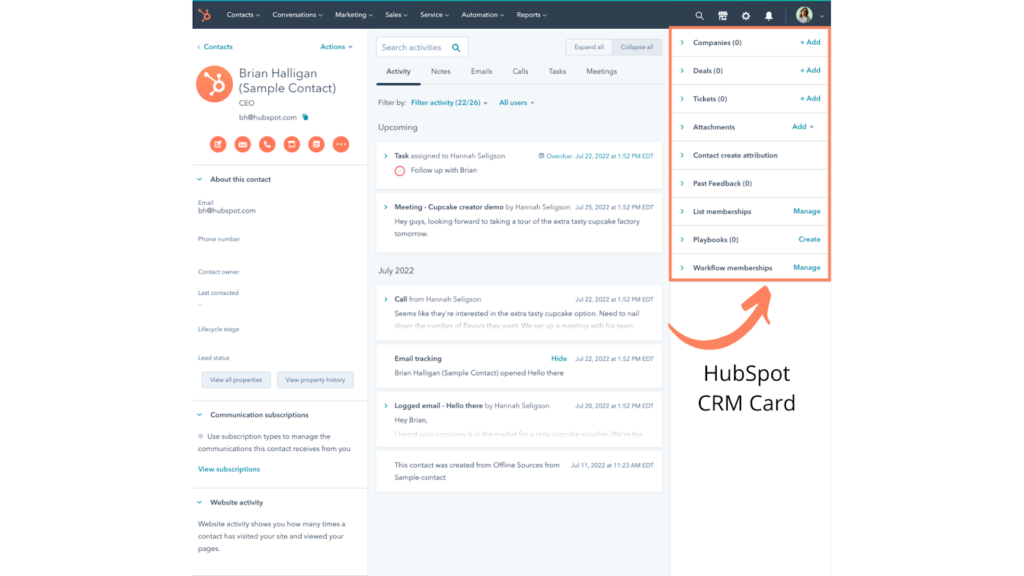
Brief Overview: HubSpot’s free CRM is arguably the industry benchmark for startups. It offers an incredibly robust suite of sales, marketing, and service tools, with the free version being remarkably generous.
Best for: Startups that want an all-in-one growth platform and anticipate leveraging inbound marketing.
Pricing: Free plan includes core CRM, contact management, deal tracking, and email marketing. Paid sales hubs start at $20/month/user.
Pros: Unbeatable free tier; seamless integration with the broader HubSpot ecosystem (Marketing Hub, CMS); incredibly user-friendly.
Cons: Advanced features and higher contact limits require paid upgrades; can feel overwhelming due to the vast array of tools.
2. Zoho CRM
Brief Overview: Zoho offers a highly customizable and affordable CRM that is part of a massive suite of business applications (over 40 apps). Its flexibility is a major strength.
Best for: Startups already using other Zoho apps or those needing deep customization without high costs.
Pricing: Free plan for up to 3 users. Paid plans start at $14/user/month (billed annually).
Pros: Excellent value; deeply customizable workflows, modules, and fields; strong mobile app; integrates with entire Zoho suite.
Cons: The interface can feel dated and complex compared to some competitors; setup requires more time investment.
3. Freshsales (Freshworks CRM)
Brief Overview: Freshsales is built for high-velocity sales teams with a clean, intuitive interface and powerful built-in phone and email capabilities.
Best for: Startups with a sales-heavy focus that need integrated communication tools from day one.
Pricing: Free plan for up to 3 users includes contact, deal, and lead management. Paid plans start at $15/user/month.
Pros: Beautiful, intuitive UI; includes AI-based lead scoring on higher tiers; built-in phone with call recording (paid plans).
Cons: The free plan is more limited than HubSpot’s; marketing automation features are on higher-tier plans.
4. Insightly
Brief Overview: Insightly excels at linking customer relationships with project management, making it ideal for startups where client delivery and relationship management are intertwined.
Best for: Service-based startups, agencies, or startups that need to track projects alongside contacts and deals.
Pricing: Free plan for 2 users. Paid plans start at $29/user/month.
Pros: Strong project management and task linking features; good integration with G Suite and Office 365; visual relationship linking.
Cons: Pricing jumps significantly for the first paid tier; can be less sales-pipeline-focused than others.
5. Capsule CRM
Brief Overview: Capsule is the epitome of simplicity and clarity. It focuses on the core features of contact and sales pipeline management without unnecessary bloat.
Best for: Startups that want a no-fuss, easy-to-understand CRM that gets the job done without complexity.
Pricing: Free plan for 2 users and 250 contacts. Paid plans start at $18/user/month.
Pros: Extremely clean and simple interface; fast setup; excellent contact history tracking.
Cons: Lacks advanced marketing automation; limited customization compared to rivals; free plan contact limit is restrictive.
6. Bitrix24
Brief Overview: Bitrix24 is a sprawling collaboration platform that includes a full-featured CRM. It’s a compelling option if you need CRM, task management, document sharing, and communication in one place.
Best for: Startups looking for an all-in-one workspace beyond just CRM, often at a very competitive price.
Pricing: Free plan for unlimited users (with feature caps). Paid plans start at $49/month for 5 users.
Pros: Unmatched range of tools for the price; strong collaboration features; generous free plan for small teams.
Cons: The interface can be cluttered and overwhelming; performance can be sluggish; better suited as an all-in-one than a best-in-class standalone CRM.
7. Streak
Brief Overview: Streak is a unique “CRM inside Gmail.” It runs entirely within your Gmail or Google Workspace inbox, turning it into a pipeline management tool.
Best for: Solo founders or tiny teams who live in Gmail and want to manage deals without ever switching tabs or contexts.
Pricing: Free plan with basic pipeline management. Paid plans start at $15/user/month.
Pros: Zero-context switching; seamless Gmail/Google Contacts integration; extremely easy to start using.
Cons: Tied entirely to Gmail; lacks the reporting depth and breadth of standalone CRMs; not suitable for complex processes.
8. Pipedrive
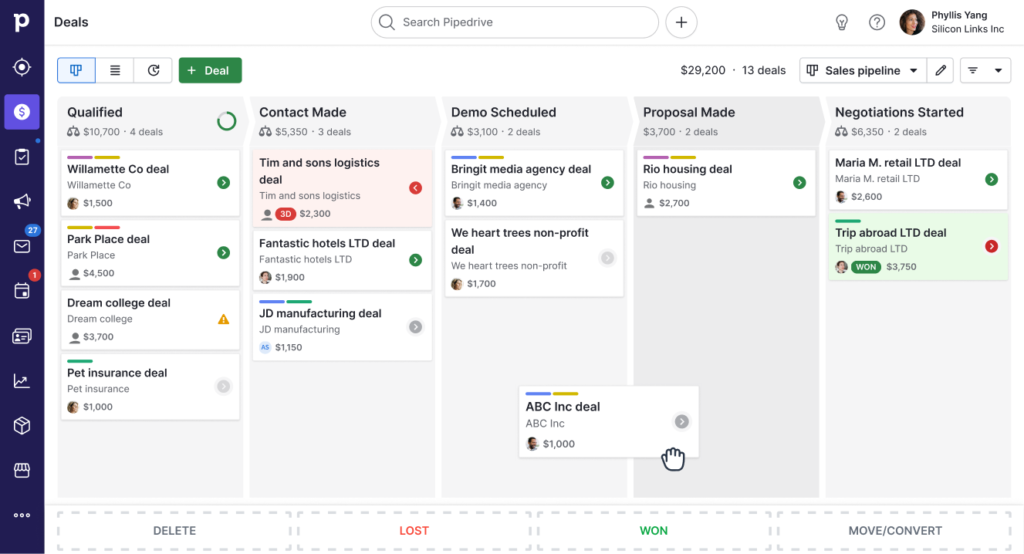
Brief Overview: Pipedrive is a sales-centric CRM built by salespeople. Its visual pipeline is its core strength, making it easy to see exactly where every deal stands.
Best for: Startups with a straightforward, transactional sales process that want a crystal-clear visual pipeline.
Pricing: No permanent free plan, but a 14-day free trial. Entry-level plan is $14.90/user/month (annual billing).
Pros: Intuitive visual sales pipeline; highly actionable interface; strong focus on moving deals forward.
Cons: Lacks a free plan; marketing features are add-ons; can be less flexible for non-standard sales processes.
9. Agile CRM
Brief Overview: Agile CRM packs a surprising amount of features—marketing automation, web analytics, telephony, and helpdesk—into its affordable plans.
Best for: Startups that need a wide array of marketing and service features from the get-go on a tight budget.
Pricing: Free plan for 10 users. Paid plans start at $8.99/user/month.
Pros: Incredible feature density for the price; all-in-one approach reduces need for multiple tools.
Cons: Interface and user experience can feel unpolished; support can be slow; feature richness can lead to complexity.
10. Copper (Formerly ProsperWorks)
Brief Overview: Copper is built specifically for Google Workspace, offering deep, automatic contact syncing from Gmail and Google Contacts. It emphasizes relationship intelligence with minimal manual data entry.
Best for: Startups fully invested in the Google Workspace ecosystem that value automation and a clean design.
Pricing: No free plan, but a 14-day trial. Basic plan starts at $25/user/month.
Pros: Deep, seamless Google Workspace integration; automatically populates contact details and interaction history; very intuitive design.
Cons: No free plan; limited integration outside the Google ecosystem; higher starting price point.
To build a complete post-sales process, startups should also use customer support software for SaaS alongside their CRM tools.
Frequently Asked Questions (FAQ)
Q: When should an early-stage startup invest in a CRM?
A: Immediately. If you have more than a handful of leads, customers, or potential partners, you need a system to track those relationships. Using spreadsheets or your inbox alone leads to missed opportunities and lost information. A simple, free CRM establishes good habits from the start.
Q: Can I switch CRMs later as we grow?
A: Yes, but data migration can be complex. This is why choosing a scalable tool is wise. Look for platforms that offer easy data export and have a proven path from free/cheap plans to more advanced ones. Many of the tools listed here, like HubSpot and Zoho, are designed to scale with enterprise-level features.
Q: What’s the biggest mistake startups make when choosing a CRM?
A: Overbuying. The most common error is paying for a complex, expensive enterprise system with hundreds of unused features. This drains budget and overwhelms the team. Start with a tool that solves your core problems today (contact/lead/deal tracking) and has a clear upgrade path. Building a lean, effective startup software stack is crucial, and your CRM is a pillar of that foundation. For more on essential tools, explore our guide on Top SaaS Tools Every Startup Should Know.
