


Did you know that companies lose up to 20% of their productivity every year due to inefficient workforce processes like onboarding delays, access mismanagement, and manual approvals? According to a Deloitte HR Operations report, organizations still rely on manual employee lifecycle processes and spend 40% more time on administrative HR and IT tasks than those that automate. The consequences are enormous; delayed onboarding leads to slower productivity, inconsistent role changes create compliance risks, and improper offboarding leaves behind security vulnerabilities.
The problem is critical when an employee joins, switches roles, or exits the company. HR teams must manually update records, IT teams must manually provision and revoke access, and managers are unsure of the data security.
This is where workflow automation can be a boon. By automating the employee lifecycle from onboarding to offboarding, organizations can free teams from manual processes and enhance the employee experience.
This blog helps in understanding the importance of workflow automation in transforming workforce lifecycle management, its benefits across different stages of the employee journey, and how platforms like Hire2Retire are helping enterprises simplify and secure their workforce operations.
What is Workforce Lifecycle Management?
Workforce lifecycle management is a process of managing every stage of the employee’s lifecycle, from hiring, onboarding, role changes, to exit. It’s a strategic approach that involves smooth and hassle-free onboarding, ensuring the right access and the right tools for the employees and support at every stage of their lifecycle.
Current Pain Points in Traditional Lifecycle Processes
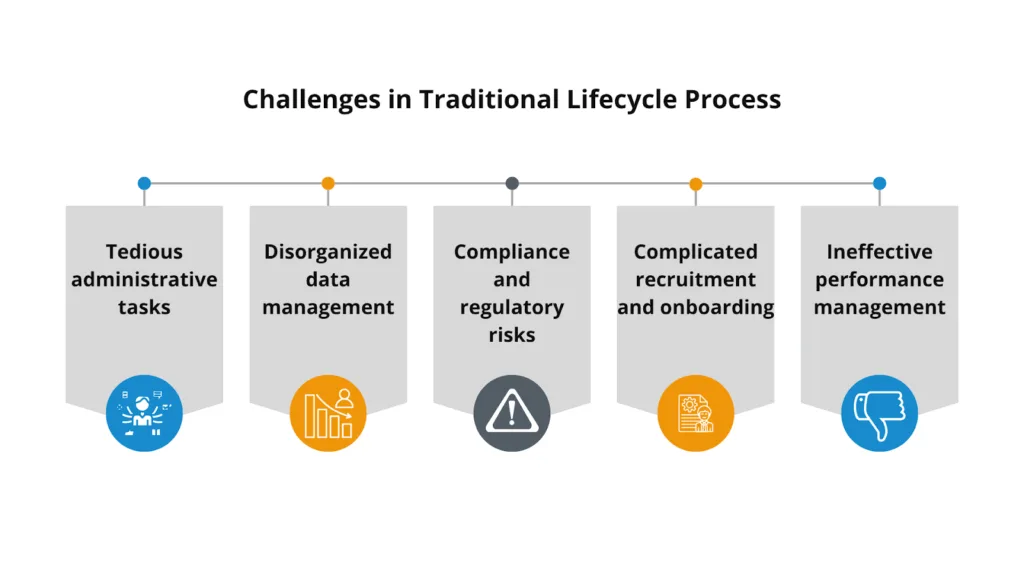
The organizations that have adopted manual lifecycle processes encounter major bottlenecks. HR professionals find themselves in a chaos of administrative tasks, disorganized data management leading to inefficiencies in the recruitment process, and fear of compliance risk. Due to this, they cannot focus on their core activities of people management and talent acquisition. These challenges not only hinder HR teams but also impact the overall organizational performance.
1. Tedious administrative tasks
2. Disorganized data management
3. Compliance and regulatory risks
4. Complicated recruitment and onboarding
5. Ineffective performance management
What is Workflow Automation and How Does it Help in Every Stage of the Workforce Lifecycle
Workflow automation is all about using platforms or tools to automate the processes that HR and IT departments carry out at every stage of an employee, from onboarding to offboarding. Instead of relying on the manual checklist and ticking boxes, automating processes makes the workforce lifecycle more efficient and reliable, reducing manual efforts and security concerns.
1. Preboarding
This phase is between a candidate’s first day and offer acceptance, sustaining their interest and preparing them.
- Automated welcome communication: Workflows can be programmed to automatically send tailored welcome emails with company culture details, introductory videos, and critical information, creating excitement.
- Digital documentation and e-signatures: Substitute paper copies with electronic ones for hire agreements, tax forms, and benefit sign-ups. It brings accuracy, minimizes mistakes, and consolidates files for compliance purposes.
- System account generation: Automation will force the initiation of the new employee’s profile in the Human Resource Information System (HRIS) and other internal systems, providing seamless handoff to IT.
- Manager and stakeholder reminders: The process automatically reminds the hiring manager, IT, and other supporting departments to initiate preparation activities such as equipment setup.
2. Onboarding
This stage is the transition between a new hire to becoming a productive team member. A new member requires all the assets, access to function fully.
IT provisioning: The new hire should receive all the physical equipment, like a laptop, phones, etc, as well as software access, to start without frustrating delays and hit the ground running from day one.
Automated task checklists: An automated checklist with clear deadlines would be send by the system to ensure smooth working and avoid human intervention and follow-ups.
Role-based access control: Automation assigns roles and permissions suitable for the employee and avoids over- or under-access.
Team integration: Employees are automatically added to applicable communication channels to be updated by their teammates and become familiar with the work processes.
Feedback and check-ins: Employees are sent automatic pulse surveys and check-in reminders at important milestones (e.g., 30, 60, and 90 days), so managers and the HR team can gain early insight into feedback from employees and respond accordingly.
3. Role changes
Internal role changes, such as promotions or department transfers, also benefit from automated workflows to ensure a secure and smooth transition.
Access updates: Automation can instantly grant access to new systems and applications while revoking permissions for tools no longer needed. This prevents security risks associated with former access privileges.
Profile and system updates: An automated trigger updates an employee’s role, department, or title change in the HRIS system without having to manually change across the systems.
Workflow reassignment: Automation also reassigns workflow for the new role of an employee and revokes previous tasks to avoid confusion, delays, and overlook of the tasks.
Training and onboarding for the new role: The new role means new responsibilities that call out for new training, which are automated in the workflows.
Manager and team notifications: An automated workflow sends emails and informs the employee’s new as well as old team members about the change in role so that everyone is on the same page.
4. Offboarding
Automating the offboarding process is the most important and tricky part of the workforce lifecycle. It aims to protect company assets and data, ensuring compliance, and creating a positive final impression.
- Deprovisioning – Removing an employee’s access from apps and equipment. The moment an employee enters the last day of his/her tenure, automation instantly revokes access to all company software.
- Asset retrieval: Automation triggers IT and HR teams to reclaim all the company assets, like laptops, keys, and access badges.
- Knowledge transfer: Automated workflows create and assign tasks to ensure the departing employee properly hands over responsibilities and documents critical information before they leave.
- Alert routing: Notifying the appropriate stakeholders when concerning behavior takes place. It also involves notifying the relevant departments, like IT and HR, of the employee’s departure so that they can take the necessary action.
- Exit interviews: Both scheduling them and moving the departing employee’s feedback to the appropriate places.
- Updating payroll: The systems that play a role in managing payroll account for the employee’s departure. Automating final paycheck processing and notifying benefits providers, such as insurance to terminate their coverage for the departing employee.
Workforce automation is not just good to have but a must-have tool to prevent organizations from manual overload, security threats, and hindrances in employee experience. When every stage from onboarding to offboarding is automated, employees stay engaged and motivated, HR and IT teams stay aligned, and operations move faster with fewer errors. Solutions such as Hire2Retire facilitate this by streamlining the JML (joiner, mover, leaver) process and maximizing the business value of organizations. Through automation of user provisioning, access management, and offboarding, Hire2Retire ensures the right access at the right time no delays, no manual headaches, and no security threats. It’s a more intelligent, secure way to manage your people in today’s digital workplace.
