


Software development would be a kitchen and containers would be the well packed lunchboxes that keep everything in order, fresh and easy to carry. Containers have become a necessity in the modern fast-paced technology environment. The name Docker Vs Kubernetes takes up two spaces in this space. They tend to confuse them or even compare them, or even debate on which one is superior. However, the fact is that they are not rivals in the usual meaning of the words. They resolve various issues, usually collectively.
1. Why Containers Matter in Today’s Software World
Containers enable developers to package an application with all it requires code, libraries, dependencies, etc. and run it anywhere. No longer it works on my machine. This uniformity conserves time and minimizes mistakes and accelerates delivery.
2. The Rise of Cloud-Native Development
As cloud computing is the new reality, applications will scale, auto-heal and gracefully manage traffic spikes. This is feasible with containers, and tools such as Kubernetes Docker will bring it to a higher level.
What Is Docker?
1. Understanding Docker in Simple Terms
Docker is a containerizing system. Imagine it as a device that will allow you to bundle your application inside a portable lightweight box known as a container. The box can be implemented anywhere on your laptop, a server or in the cloud without any surprises. When asked What Is Kubernetes and Docker, one will begin with Docker.
2. Core Components of Docker
Docker is based on images, containers and a Docker engine. Blueprints are images, running instances are containers and the worker that works and generates the images and instances is the engine. It is plain, simple and is developer friendly.
3. Real-World Use Cases of Docker
Docker is an excellent developer and tester. It is popular with developers as it allows developers to spin up environments in minutes. Startups rely on Docker to go fast, test ideas in the shortest possible time, and eliminate infrastructure headaches.
What Are Kubernetes?
1. Understanding Kubernetes for Beginners
Kubernetes is a container orchestration system. Whereas Docker builds containers, Kubernetes runs them in large volumes. When Docker is the delivery bike itself, Kubernetes is a whole logistics network that takes hundreds of delivery vehicles simultaneously. This is where the concept of Kubernetes Vs Docker comes in.
2. Key Building Blocks of Kubernetes
Kubernetes deals with clusters, nodes, pods and services. It plans containers, restarts containers which fail, scales containers when traffic grows and automatically balances loads.
3. Where Kubernetes Fits Best
Kubernetes is suitable in the production environment that requires a complex environment. Businesses, SaaS applications and startups that are fast-paced are relying on it to be reliable and scaleable.
What Are Kubernetes and Docker Together?
1. How Docker and Kubernetes Work Side by Side
The trick many novices overlook here is that Kubernetes is not a replacement to Docker, but rather an addition to it. Docker creates the containers and Kubernetes manages them. That is why the question Docker Versus Kubernetes is the one that is not right.
2. Why They Are Often Used Together
With a small scale, the usage of Docker alone with no Kubernetes is okay. However, with the increasing number of applications, Kubernetes intervenes to control complexity turning Docker Kubernetes into a devastating duo.
Docker Versus Kubernetes – The Core Philosophy
1. Container Creation vs Container Orchestration
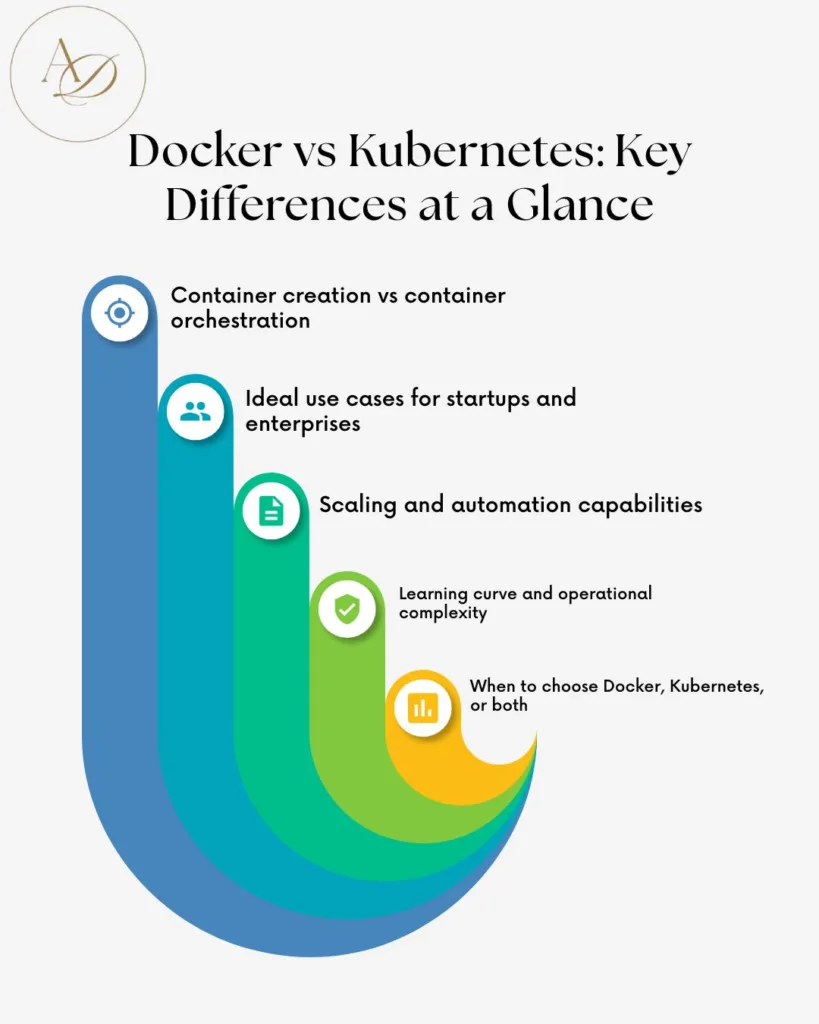
Docker is a container creation and operation focussed application. Kubernetes is concerned with the management of these containers on multiple machines. This is the core of the Diff Between Docker and Kubernetes.
2. Scope and Responsibility Comparison
Docker: What should I package my app? Kubernetes responds to the question of how do I scale hundreds of these applications?
Docker Vs Kubernetes – Feature-by-Feature Comparison
1. Deployment, Scaling, and Management
Docker does not have any issues with single-container deployments. The scaling, rolling updates and self-healing are automated by Kubernetes and Kubernetes Versus Docker is a question of scale.
2. Networking and Load Balancing
Docker provides barebone networking. Kubernetes offers built-in state-of-the-art service discovery and load balancing.
3. Storage and Persistence
Kubernetes helps in persistent storage between clusters, which is essential to production workloads.
Difference Between Kubernetes and Docker
| Aspect | Docker | Kubernetes |
| Primary Role | Container creation | Container orchestration |
| Complexity | Simple to use | Steep learning curve |
| Scaling | Manual or limited | Automatic and advanced |
| Ideal For | Development, small apps | Large, distributed systems |
| Relationship | Works standalone | Manages Docker containers |
Kubernetes Vs Docker in Real-World Scenarios
1. Startups and Small Teams
Early-stage startups often start with Docker alone. It keeps things simple and fast. Introducing Kubernetes too early is one of the common startup mistakes
2. Enterprises and Large-Scale Systems
Kubernetes can be used to advantage large organizations due to its automation and resilience. Scaling makes a manual management impossible.
Dockers Vs Kubernetes – Which One Should You Learn First?
1. Learning Curve and Skill Requirements
Docker is beginner-friendly. Kubernetes also needs more knowledge on infrastructure and networking.
2. Career Perspective for Developers and DevOps
It is best to learn about Docker initially. Kubernetes skills are however high in demand and they increase the growth of the career to very high levels.
Common Startup Mistakes When Choosing Docker or Kubernetes
Many founders rush into Kubernetes thinking it’s mandatory. Overengineering early can slow down startup customer acquisition Another mistake is ignoring operational costs and team expertise.
Docker Kubernetes for Startup Customer Acquisition
Rapid deployments imply rapid iterations. Customers can pick up on the speed and reliability with which the startups pack features. Trust is developed through stability and growth depends on trust.
Content Repurposing Tips Using Docker and Kubernetes Concepts
Technical concepts can be repurposed into blogs, case studies, webinars, and social content. Sharing real Docker and Kubernetes stories builds authority and attracts the right audience—practical content repurposing tips that work.
Expert Guidance by Arunangshudas for Smarter Docker and Kubernetes Decisions
Arunangshudas guide is clear and free of fluff, with practical examples of startups using Docker and Kubernetes. It allows founders to make expensive mistakes, select the appropriate tools and match technology with business objectives rather than fads.
Future of Kubernetes Docker Ecosystem
The future is hybrid and cloud-native. Kubernetes has been continually developed, whereas Docker is the preferred choice when it comes to creating containers. Both of them constitute modern infrastructure.
Final Verdict – What Is the Difference Between Docker and Kubernetes?
Applications are packaged by Docker. The Kubernetes handles them at scale. One is not superior to the other, they address different problems. This difference will save time, money and frustration.

Conclusion
The Difference Between Kubernetes and Docker isn’t about rivalry; it’s about responsibility. Docker simplifies development, Kubernetes simplifies operations. Whether you’re a startup founder, developer, or marketer, choosing the right tool at the right time can make or break your growth journey. Start simple, scale smart, and let each tool do what it does best.
FAQs
1. Can Kubernetes run without Docker?
Yes, Kubernetes can use other container runtimes, but Docker is still widely used.
2. Is Docker enough for production?
For small applications, yes. For large-scale systems, Kubernetes is recommended.
3. Should startups use Kubernetes from day one?
Usually no. It’s better to adopt it when scale demands it.
4. Is Kubernetes harder than Docker?
Yes, Kubernetes has a steeper learning curve.
5. Do Docker and Kubernetes compete?
No, they complement each other in most real-world setups.
