


The software industry has undergone a remarkable transformation over the last several decades. What once centered around physical box software has shifted to digital downloads and, more recently, to cloud-based solutions.
This progression has given rise to two main software delivery models: the SaaS and traditional software business models. Each of these models offers distinct features, benefits, and challenges.
Understanding the differences between them is essential for anyone looking to grasp the modern dynamics of the software business.
Read more blogs : Ultimate Guide to SaaS Tools: Boost Your Business Efficiency
SaaS and Traditional software business models

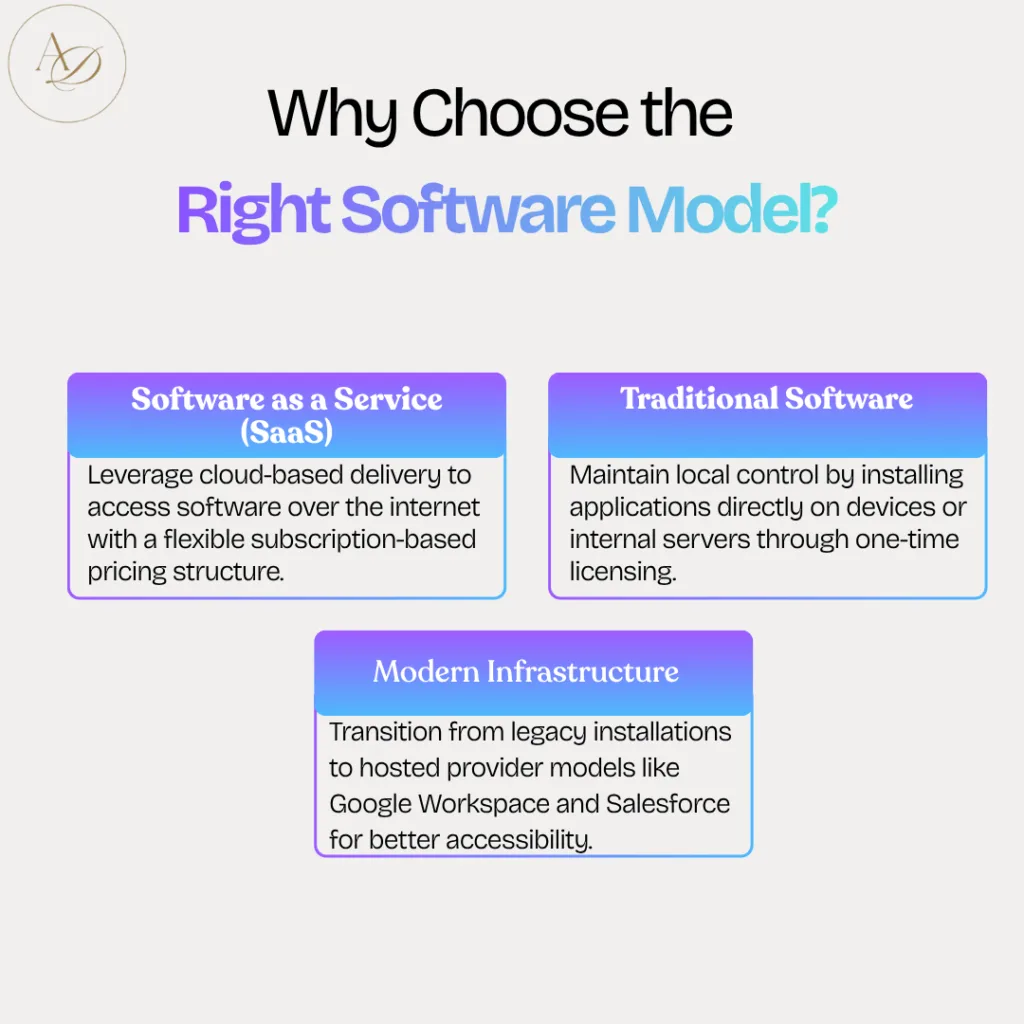
Selecting the right software architecture is a strategic decision that affects your business’s agility, scaling potential, and long-term budget. While SaaS (Software as a Service) offers cloud-native flexibility, Traditional (On-Premise) Software remains a niche choice for high-security, air-gapped environments.
1. Software as a Service (SaaS)
A cloud-based model where the vendor hosts the application.
- Access: Ubiquitous (anywhere with internet).
- Pricing: Subscription-based (OpEx).
- Maintenance: Handled entirely by the provider.
- Examples: Google Workspace, Salesforce, Adobe Creative Cloud.
2. Traditional Software (On-Premise)
Software installed locally on individual devices or private company servers.
- Access: Restricted to local networks.
- Pricing: Perpetual license or one-time fee (CapEx).
- Maintenance: Requires internal IT resources for updates and security.
- Examples: Legacy ERP systems, specialized industrial software, early versions of Microsoft Office.
SaaS vs. Traditional Software
| Feature | SaaS (Cloud) | Traditional (On-Premise) |
| Deployment | Instant (Browser-based) | Lengthy (Manual Installation) |
| Cost Structure | Recurring Subscription (Low Entry Cost) | Large Upfront Capital Expenditure |
| Scalability | On-demand (Instant upgrades) | Hardware Dependent (Requires new servers) |
| Updates | Automatic & Seamless | Manual (Often requires downtime) |
| Data Control | Shared with Provider | Complete Internal Control |
| Customization | Configuration-based (Standardized) | Highly Customizable (Deep Integration) |
Key Differences: SaaS vs. Traditional Software Models
Understanding the fundamental shift from “ownership” to “access” is crucial for any modern digital strategy. Here is a breakdown of the five critical factors that define these business models.
Read more blog : 9 Best Customer Support Software for SaaS Startups
1. Deployment & Accessibility: Cloud vs. Local
- SaaS: Built for the remote-first era. Deployment is near-instant as the software is hosted in the cloud. Users only need a browser and internet connection to work from anywhere.
- Traditional: Best for centralized operations. Requires physical installation on devices or internal servers. While it reduces flexibility, it offers superior performance in environments with unstable connectivity.
- Edge Case: SaaS is infinitely scalable, allowing you to add seats or features with a single click, whereas traditional models require hardware upgrades.
2. Financial Logic: OpEx vs. CapEx
- SaaS (Operating Expenditure): Uses a subscription-based model (Monthly/Annual). It lowers the barrier to entry by eliminating high upfront costs, though the “Total Cost of Ownership” (TCO) over 5+ years should be monitored.
- Traditional (Capital Expenditure): Requires a perpetual license purchase. While the initial investment is high, it can be more economical over a decade, provided you account for the “hidden” costs of internal maintenance and hardware.
3. Maintenance: Automatic vs. Manual Control
- SaaS: The vendor handles the “dirty work.” Security patches, bug fixes, and version updates happen automatically in the background. Your IT team can focus on growth rather than troubleshooting.
- Traditional: You have total environment control. You decide exactly when to update, which prevents unexpected workflow breaks. However, this places the burden of security and compatibility entirely on your internal IT staff.
4. Customization & Ecosystem Integration
- SaaS: Optimized for connectivity. Most modern SaaS tools come with pre-built APIs to “talk” to your other cloud tools. While you can’t change the core source code, configuration options are usually enough for 95% of businesses.
- Traditional: The “Gold Standard” for bespoke needs. Since you own the instance, you can modify the software at a deep architectural level. This is vital for organizations with unique, complex proprietary processes.
5. Security, Governance, and Compliance
- Traditional: Offers data sovereignty. Your data never leaves your physical premises. This is the preferred route for high-security sectors like defense, core banking, or government agencies where “Cloud-First” is not an option due to strict regulatory mandates.
- SaaS: Security is a shared responsibility. Top-tier providers (like those with SOC 2 or HIPAA compliance) offer better security than most small businesses could afford on their own. However, you must trust the vendor’s data residency policies.
That said, taking full responsibility also means bearing the cost and complexity of maintaining a secure environment. Companies must invest in proper infrastructure and skilled personnel to ensure compliance and data protection—factors that significantly impact the total cost of ownership.
Choosing Between SaaS and Traditional Software
Deciding whether to go with SaaS or traditional software hinges on several factors, including your organization’s priorities, resources, and long-term strategy.
If your business prioritizes flexibility, lower upfront costs, and ease of implementation, and is comfortable entrusting data to a third-party provider, then SaaS could be the ideal solution. On the other hand, if your organization values greater control, deeper customization options, and potential long-term cost savings, and is prepared to invest in infrastructure and skilled IT support, traditional software may be a more suitable choice.
In reality, many businesses find that a hybrid model—combining both SaaS and traditional software—offers the best balance. This approach allows companies to leverage the strengths of both models, while reducing their individual limitations.
Ultimately, software delivery is not a one-size-fits-all decision. By thoroughly understanding the distinctions between SaaS and traditional software, your business can choose the path that best aligns with its operational needs and positions itself for success in an increasingly digital world.
Frequently Asked Questions
1. Which model is more cost-effective in the long run: SaaS or Traditional Software?
The answer depends on your time horizon. SaaS is more affordable initially because it follows an OpEx (Operating Expenditure) model with low upfront costs. However, over 5 to 10 years, the cumulative subscription fees might exceed the cost of a Traditional perpetual license. That said, traditional software has “hidden” costs, such as server maintenance, electricity, and dedicated IT staff, which often make SaaS the more economical choice for modern businesses.
2. Is my data safer in the cloud (SaaS) or on my own servers (Traditional)?
Traditional software provides “Data Sovereignty,” meaning you have total physical control over your data, which is ideal for high-security industries. However, SaaS providers typically invest millions in security infrastructure, encryption, and compliance (like SOC 2 and HIPAA) that most small-to-medium businesses cannot afford to implement on their own. In SaaS, security is a “shared responsibility.”
3. Can I customize SaaS as much as I can customize Traditional software?
Generally, no. Traditional software is the “Gold Standard” for deep customization because you own the instance and can modify the core architecture. SaaS is built on a multi-tenant framework, meaning everyone uses the same version. While SaaS offers significant “configuration” (changing settings, workflows, and branding), you cannot usually alter the underlying source code.
4. What happens to my software access if the internet goes down?
This is a key differentiator. Since SaaS is cloud-native, a reliable internet connection is mandatory for access. If your connection fails, you may lose access to the tool. Traditional software is installed locally or on a local area network (LAN), meaning you can continue to work offline or in “air-gapped” environments without any internet dependency.
5. What is a “Hybrid Model,” and why are businesses choosing it?
A Hybrid Model involves using SaaS for general business functions (like CRM or Email) while keeping mission-critical or highly sensitive data on Traditional, On-Premise systems. This allows companies to enjoy the agility and remote access of the cloud while maintaining strict local control over their most proprietary assets.
