Close Menu
Arunangshu Das Blog
  • SaaS Tools
    • Business Operations SaaS
    • Marketing & Sales SaaS
    • Collaboration & Productivity SaaS
    • Financial & Accounting SaaS
  • Web Hosting
    • Types of Hosting
    • Domain & DNS Management
    • Server Management Tools
    • Website Security & Backup Services
  • Cybersecurity
    • Network Security
    • Endpoint Security
    • Application Security
    • Cloud Security
  • IoT
    • Smart Home & Consumer IoT
    • Industrial IoT
    • Healthcare IoT
    • Agricultural IoT
  • Software Development
    • Frontend Development
    • Backend Development
    • DevOps
    • Adaptive Software Development
    • Expert Interviews
      • Software Developer Interview Questions
      • Devops Interview Questions
    • Industry Insights
      • Case Studies
      • Trends and News
      • Future Technology
  • AI
    • Machine Learning
    • Deep Learning
    • NLP
    • LLM
    • AI Interview Questions
    • All about AI Agent
  • Startup

Subscribe to Updates

Subscribe to our newsletter for updates, insights, tips, and exclusive content!

What's Hot

Building Robust APIs: Essential REST API Design Principles for Developers

June 15, 2025

What is Internet of Things? An Ultimate Beginner’s Guide to the IoT

June 2, 2025

6 Web Hosting Services That Offer the Fastest Loading Speeds

November 24, 2025
X (Twitter) Instagram LinkedIn
Arunangshu Das Blog Sunday, May 17
  • Write For Us
  • Blog
  • Stories
  • Gallery
  • Contact Me
  • Newsletter
Facebook X (Twitter) Instagram LinkedIn RSS
Subscribe
  • SaaS Tools
    • Business Operations SaaS
    • Marketing & Sales SaaS
    • Collaboration & Productivity SaaS
    • Financial & Accounting SaaS
  • Web Hosting
    • Types of Hosting
    • Domain & DNS Management
    • Server Management Tools
    • Website Security & Backup Services
  • Cybersecurity
    • Network Security
    • Endpoint Security
    • Application Security
    • Cloud Security
  • IoT
    • Smart Home & Consumer IoT
    • Industrial IoT
    • Healthcare IoT
    • Agricultural IoT
  • Software Development
    • Frontend Development
    • Backend Development
    • DevOps
    • Adaptive Software Development
    • Expert Interviews
      • Software Developer Interview Questions
      • Devops Interview Questions
    • Industry Insights
      • Case Studies
      • Trends and News
      • Future Technology
  • AI
    • Machine Learning
    • Deep Learning
    • NLP
    • LLM
    • AI Interview Questions
    • All about AI Agent
  • Startup
Arunangshu Das Blog
  • Write For Us
  • Blog
  • Stories
  • Gallery
  • Contact Me
  • Newsletter
Home » Software Development » DevOps » Streamlining Your Workflow: How Containerization in DevOps Boosts Efficiency
DevOps

Streamlining Your Workflow: How Containerization in DevOps Boosts Efficiency

RameshBy RameshJune 14, 2025Updated:June 14, 2025No Comments7 Mins Read
Facebook Twitter Pinterest Telegram LinkedIn Tumblr Copy Link Email Reddit Threads WhatsApp
Follow Us
Facebook X (Twitter) LinkedIn Instagram
Share
Facebook Twitter LinkedIn Pinterest Email Copy Link Reddit WhatsApp Threads

Imagine this: You’re working on a software project, and everything seems fine on your computer. But when you send your code to the testing team or move it to the server, it suddenly stops working. The classic “it works on my machine” problem has caused delays, frustration, and wasted time for many developers and teams. This kind of problem slows down projects and makes it hard to deliver software quickly.

Luckily, there’s a powerful solution that many companies use today to fix this problem and speed up their work containerization in DevOps. Containerization helps teams build, test, and deploy software faster and more smoothly by packaging everything the software needs into small, portable units called containers. In this blog, we’ll explain how containerization in DevOps can streamline your workflow and boost your team’s efficiency.

The Problem: Why Software Projects Often Get Stuck

Before we dive into the solution, let’s understand the problem better.

Software development today is complex. Different developers use different computers, operating systems, and tools. When a developer writes code on their laptop, it might work perfectly there. But when someone else tries to run that same code on a different computer or server, problems happen. These could be missing libraries, different software versions, or configuration mismatches.

This mismatch causes bugs, delays in testing, and slow deployment to production. It also means more back-and-forth communication between developers, testers, and operations teams, which wastes valuable time. For businesses trying to move fast and keep customers happy, these delays are a big problem.

Also Read – Cloud-Native Application Development Best Practices

What Is DevOps and Why Is It Important?

Before we talk about containerization, it’s important to know what DevOps means. DevOps is a way of working where development (Dev) and operations (Ops) teams collaborate closely to deliver software faster and more reliably.

The goal of DevOps is to automate and improve the software delivery process, from writing code to testing and deploying it on servers. When DevOps works well, teams can release new features quickly and fix problems faster.

But even with DevOps, teams face challenges like inconsistent environments and complex setups. This is where containerization in DevOps becomes a game-changer.

What Is Containerization?

Containerization is a technology that packages an application and all its dependencies — like libraries, tools, and settings — into a single unit called a container. Think of a container like a small box that holds everything your app needs to run.

This container can then be run on any computer or server that supports container technology without worrying about differences in the environment. It’s like having a portable app that works the same everywhere.

How Containerization in DevOps Solves Common Problems

By using containerization in DevOps, teams can avoid the classic “works on my machine” problem. Here’s how it helps:

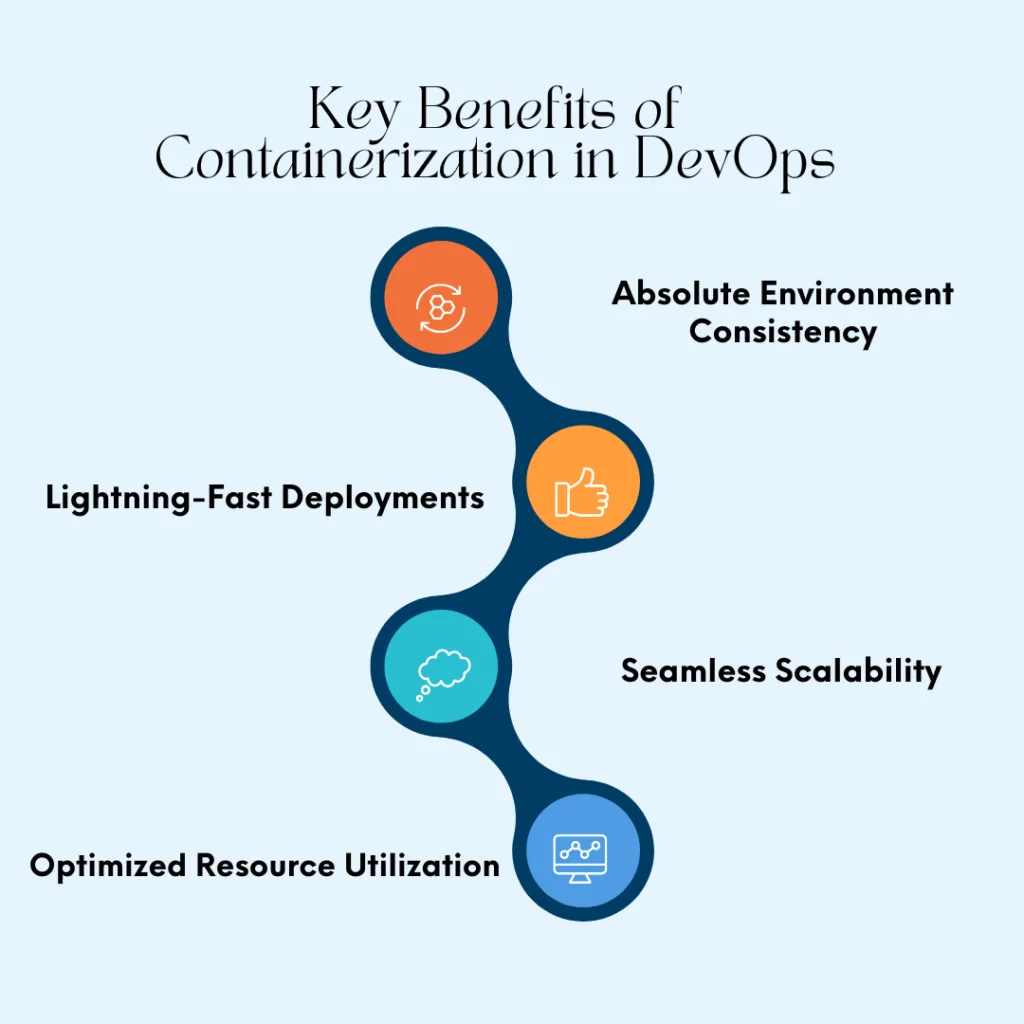
  • Consistent Environments: Containers run the same way on every machine. Whether you’re a developer working on a laptop or a server running the app in production, the container ensures the environment stays the same.
  • Faster Setup: Instead of spending hours configuring servers or installing software, containers let teams start applications instantly. This saves time during development and testing.
  • Simplified Testing: Testers can run the same container images developers used, so tests are more reliable and problems can be found faster.
  • Easy Deployment: Containers can be easily moved between different environments like testing, staging, and production. This makes deployment smoother and less error-prone.

Boosting Efficiency with Containerization in DevOps

Now let’s see how containerization helps your team work better and faster:

1.  Faster Development Cycles

Because containers package everything the app needs, developers don’t have to worry about setting up complex environments. They can focus on writing code and quickly share their work with teammates.

This speeds up the entire development cycle, allowing teams to deliver features and fixes faster.

2.  Improved Collaboration

In DevOps, collaboration is key. Containers provide a common platform that developers, testers, and operations teams can use. Everyone works with the same container images, reducing misunderstandings and misconfigurations.

This shared environment improves communication and teamwork, helping projects move forward smoothly.

3.  Better Resource Usage

Containers are lightweight and use fewer resources than traditional virtual machines. This means more containers can run on the same hardware, saving money on infrastructure.

Efficient resource use is especially helpful for teams using cloud services, where costs depend on how much hardware is used.

4.  Easy Scaling

When apps need to handle more users or traffic, containers make scaling simple. New instances of containers can be launched quickly to meet demand, and they can be stopped just as easily when not needed.

This flexibility helps keep apps running smoothly without wasting resources.

5.  Simplified Maintenance and Updates

Updating software can be risky if environments aren’t consistent. With containers, new versions of apps can be packaged and tested independently.

This makes rolling out updates safer and faster, reducing downtime and keeping users happy.

Also Read – 10 Essential Automation Tools for Software Developers to Boost Productivity

Popular Container Tools in DevOps

Many teams use tools like Docker and Kubernetes to manage containerization in DevOps:

  • Docker: This is the most popular container tool. It helps developers create, share, and run containers easily.
  • Kubernetes: This tool helps manage many containers across multiple servers. It automates deployment, scaling, and management, making it easier to handle complex apps.

Using these tools, teams can get the full benefits of containerization and improve their workflow significantly.

Real-World Example: How Containerization Helped a Team

Imagine a company building an online shopping website. Before using containers, the developers struggled with different versions of software and tools. Testing was slow because the testing team’s environment was different from development.

After adopting containerization in DevOps, they packaged their app into containers. Developers could build and test faster, and deployment became smoother. Scaling during busy shopping days was easier, and bugs caused less disruption.

This real-world example shows how containerization improves efficiency, saves time, and reduces stress for teams.

How to Get Started with Containerization in DevOps

If you want to use containerization in your DevOps workflow, here are simple steps to begin:

  • Learn the Basics: Start with understanding containers and tools like Docker.
  • Containerize Your Apps: Break your application into small parts and package them into containers.
  • Use Container Orchestration: Learn tools like Kubernetes to manage multiple containers.
  • Automate Deployment: Set up continuous integration and delivery (CI/CD) pipelines to automate building and deploying containers.
  • Monitor and Improve: Use monitoring tools to track container performance and fix issues quickly.

With these steps, your team can enjoy the many benefits of containerization in DevOps.

Also Read – Tools and Technologies for Adaptive Software Development Teams

Conclusion

The problems of inconsistent environments, slow development, and complicated deployments have been major challenges for software teams. But with containerization in DevOps, these problems become much easier to solve.

By packaging applications into containers, teams get consistent environments, faster workflows, better collaboration, and easier scaling. This helps companies deliver software more efficiently and keep users happy.

If you want to improve your software development process and boost your team’s efficiency, embracing containerization in DevOps is a smart move. It streamlines your workflow and opens the door to faster, smoother, and more reliable software delivery.

Follow on Facebook Follow on X (Twitter) Follow on LinkedIn Follow on Instagram
Share. Facebook Twitter Pinterest LinkedIn Telegram Email Copy Link Reddit WhatsApp Threads
Previous ArticleThe Next Frontier: Exploring the Future of Frontend Development
Next Article Building Robust APIs: Essential REST API Design Principles for Developers
Ramesh
  • LinkedIn

I’m Ramesh Kumawat, a Content Strategist specializing in AI and development. I help brands leverage AI to enhance their content and development workflows, crafting smarter digital strategies that keep them ahead in the fast-evolving tech landscape.

Related Posts

Hands-Free Deployment: Achieving Seamless CI/CD Pipeline Automation

June 12, 2025

Seeing the Unseen: The Importance of Observability in Modern DevOps

June 11, 2025

What is CI/CD, and why is it important?

December 26, 2024
Add A Comment
Leave A Reply Cancel Reply

Top Posts

Nobody Is Talking About These Undiscovered AI Platforms (But They Should)

May 4, 2026

What are the differences between Docker and Kubernetes?

November 3, 2024

Cybersecurity Stocks: The Next Big Growth Sector for Traders in 2025

September 2, 2025

Beta Testing in SaaS: How to Collect Feedback That Actually Improves Your Product

November 11, 2025
Don't Miss

Where Artificial Intelligence is used?

February 28, 20244 Mins Read

Artificial Intelligence Artificial Intelligence (AI) has emerged as a transformative force across numerous industries, revolutionizing…

The 2026 Backend Developer Roadmap: A Strategic Guide

January 20, 2025

How to Successfully Launch a Shopify Store and Make Your First Sale in 2025?

July 1, 2025

How to Choose the Right SaaS Solution for Your Business? 8 Steps to Follow

June 9, 2025
Stay In Touch
  • Facebook
  • Twitter
  • Pinterest
  • Instagram
  • LinkedIn

Subscribe to Updates

Subscribe to our newsletter for updates, insights, and exclusive content every week!

About Us

I am Arunangshu Das, a Software Developer passionate about creating efficient, scalable applications. With expertise in various programming languages and frameworks, I enjoy solving complex problems, optimizing performance, and contributing to innovative projects that drive technological advancement.

Facebook X (Twitter) Instagram LinkedIn RSS
Don't Miss

8 Challenges in Developing Effective Chatbots

February 17, 2025

Exploring the Benefits of Serverless Architecture in Cloud Computing

July 3, 2025

How does monitoring and logging work in DevOps?

December 26, 2024
Most Popular

Government Cybersecurity Spending: A Boost for Security Stocks in 2025

September 10, 2025

Top 10 Software Development Companies in India for US and UK Companies

January 13, 2026

7 Common CORS Errors and How to Fix Them

February 26, 2025
Arunangshu Das Blog
  • About Us
  • Contact Us
  • Write for Us
  • Advertise With Us
  • Privacy Policy
  • Terms & Conditions
  • Disclaimer
  • Article
  • Blog
  • Newsletter
  • Media House
© 2026 Arunangshu Das. Designed by Arunangshu Das.

Type above and press Enter to search. Press Esc to cancel.

Ad Blocker Enabled!
Ad Blocker Enabled!
Our website is made possible by displaying online advertisements to our visitors. Please support us by disabling your Ad Blocker.