


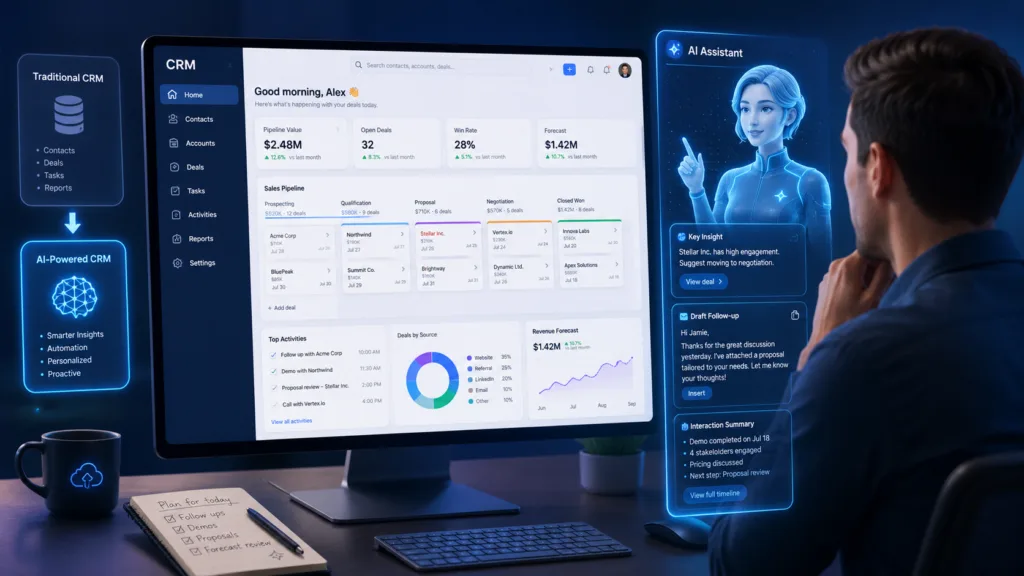
AI is changing CRM software by transforming it from a system that mainly stores customer information into an intelligent platform that can analyse data, recommend actions, automate routine work, and support customer-facing teams. Sales representatives, marketers, and service agents can now use artificial intelligence to understand customers faster and spend less time completing administrative tasks.
Traditional CRM platforms depend heavily on employees entering information, reviewing records, preparing reports, and deciding which customers require attention. An AI-powered CRM can assist with these activities by summarising records, identifying patterns, predicting outcomes, and generating content.
Modern CRM automation is also becoming more advanced. Instead of following only fixed rules, AI-enabled workflows can use customer behaviour, sales activity, and historical information to recommend more relevant actions.
Table of Contents
What Is AI-Powered CRM?
An AI-powered customer relationship management system combines regular CRM capabilities with technologies such as machine learning, generative AI, predictive analytics, natural-language processing, and intelligent agents.
A standard CRM normally stores information such as contact details, emails, sales opportunities, support cases, and purchase history. An AI-powered CRM uses that information to generate insights, suggest next steps, and automate selected activities.
Salesforce describes AI CRM as software that moves beyond storing and organising data by providing proactive recommendations and intelligent automation across sales, marketing, and customer service.
Modern AI features may include:
- Lead and opportunity scoring
- Customer-record summaries
- Sales forecasting
- Email drafting
- Meeting preparation
- Recommended follow-up actions
- Customer-service assistants
- Data enrichment
- Conversational reporting
- Workflow and task automation
The exact capabilities depend on the provider, plan, available data, and system configuration.
How AI Is Changing CRM Software in Daily Work?
Artificial intelligence is not replacing every CRM process. Instead, it is reducing repetitive work and helping employees make decisions with more complete information.
Microsoft’s current Dynamics 365 Sales guidance says its Copilot can summarise leads and opportunities, highlight recent record changes, help sellers prepare for meetings, and answer questions through a natural-language chat interface.
These capabilities show how CRM platforms are shifting from passive databases to active work assistants.
1. Automating Manual Data Entry
Sales representatives often spend significant time updating contact records, writing meeting notes, logging activities, and entering opportunity details.
AI can reduce this administrative work by extracting information from emails, call transcripts, meetings, forms, and other connected sources. The CRM can then suggest updates or automatically populate selected fields.
For example, a system may identify a prospect’s company, requirements, budget, and expected purchasing timeline from a recorded sales call. The representative can review the information instead of manually typing every detail.
This form of CRM automation can improve productivity and make records more complete. However, businesses should still allow users to verify important information because automated extraction can occasionally misunderstand context.
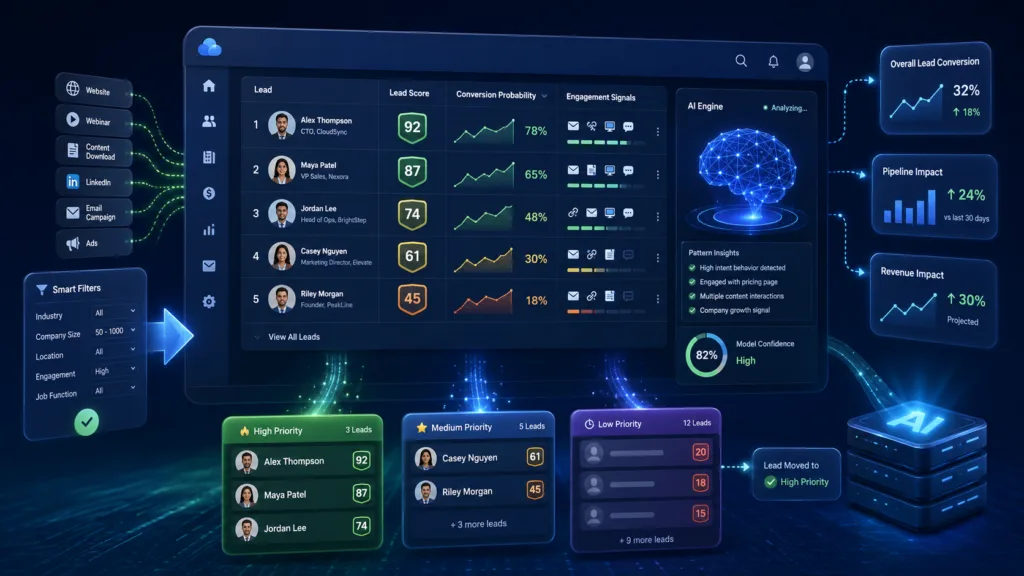
2. Improving Lead Scoring and Prioritisation
Traditional lead scoring usually assigns fixed points for actions such as downloading a guide, opening an email, or visiting a pricing page.
AI-based scoring can analyse a wider range of information, including previous conversions, customer characteristics, engagement patterns, sales activity, and deal outcomes. It can then identify which leads resemble customers who purchased in the past.
Predictive systems may also estimate the probability that an opportunity will close or highlight deals at risk of becoming inactive. Salesforce explains that predictive AI can analyse CRM data, representative activity, and customer engagement to surface win probabilities, deal insights, and pipeline risks.
Sales teams should not depend entirely on a score. A high score is a recommendation, not a guarantee that a prospect is suitable or ready to buy.
3. Generating Sales Emails and Follow-Ups
Generative AI can create first drafts of prospecting emails, follow-up messages, meeting confirmations, proposals, and customer responses.
Because the system can use information stored in the CRM, it may include relevant details about the customer, previous communication, product interest, or current sales stage.
Microsoft lists email assistance alongside record summaries and meeting preparation among its AI-supported sales capabilities. Zoho also offers generative AI functions for creating content, summaries, and CRM-based insights.
Employees should review generated messages before sending them. AI may produce inaccurate details, unsuitable wording, or promises the business cannot fulfil. Human review is especially important for pricing, contracts, complaints, and sensitive customer situations.
4. Summarising Customer Records
A large customer record may contain months of emails, meeting notes, support cases, purchases, and sales activities. Reading everything before a call can take considerable time.
AI can create a concise summary explaining the customer’s history, current opportunity, recent communication, concerns, and required next steps.
Microsoft’s Dynamics 365 documentation includes record summarisation and recent-change highlights among its built-in sales AI features. HubSpot’s AI CRM also allows users to ask questions using information from CRM records, calls, emails, and documents.
These summaries can help employees prepare more quickly, but they should still open the original record when making an important decision.
5. Making Sales Forecasts More Accurate
Sales forecasts are often based on opportunity values, expected closing dates, pipeline stages, and representatives’ personal judgement.
AI can analyse historical outcomes, deal activity, customer engagement, sales-cycle length, and other patterns to estimate which opportunities are likely to close. It may also identify unrealistic closing dates or deals that have received no recent activity.
This can give managers a more evidence-based view of expected revenue. An AI-powered CRM may also identify changes in the pipeline earlier than a monthly manual review.
Forecasts remain estimates. Unexpected customer decisions, market conditions, budget changes, or incomplete CRM data can still affect the result.
6. Supporting Customer-Service Teams
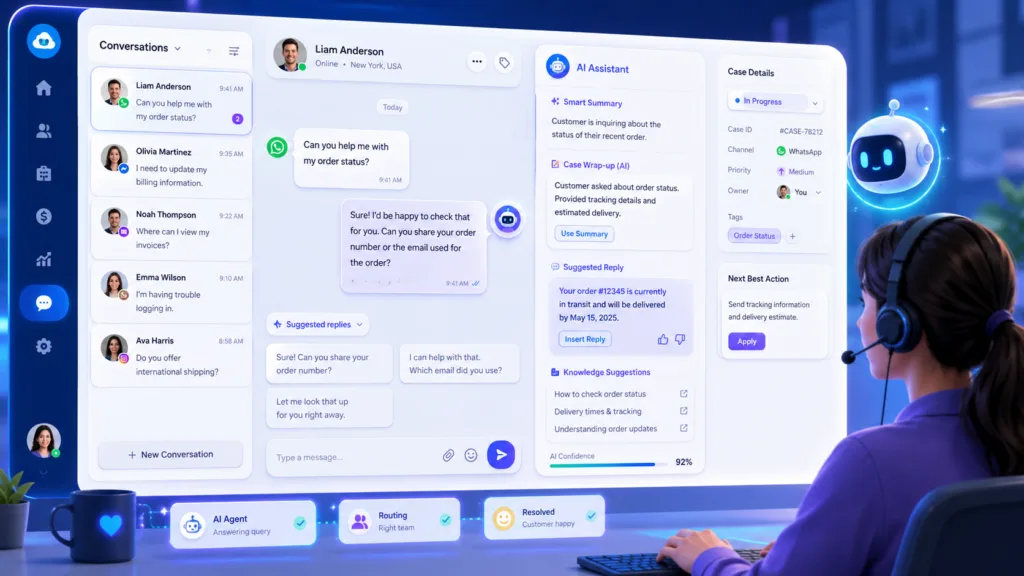
Artificial intelligence is also changing how companies manage customer support.
AI assistants can categorise cases, summarise customer issues, recommend knowledge-base articles, draft responses, and route enquiries to the appropriate team. Chatbots can answer straightforward questions before transferring more complicated cases to a person.
The CRM can give support agents access to purchase history, previous complaints, communication records, and account details. This helps employees avoid asking customers to repeat the same information.
Businesses should provide an easy path to human assistance. Customers may become frustrated when an automated system repeatedly misunderstands a complex or urgent problem.
7. Creating More Personalised Marketing
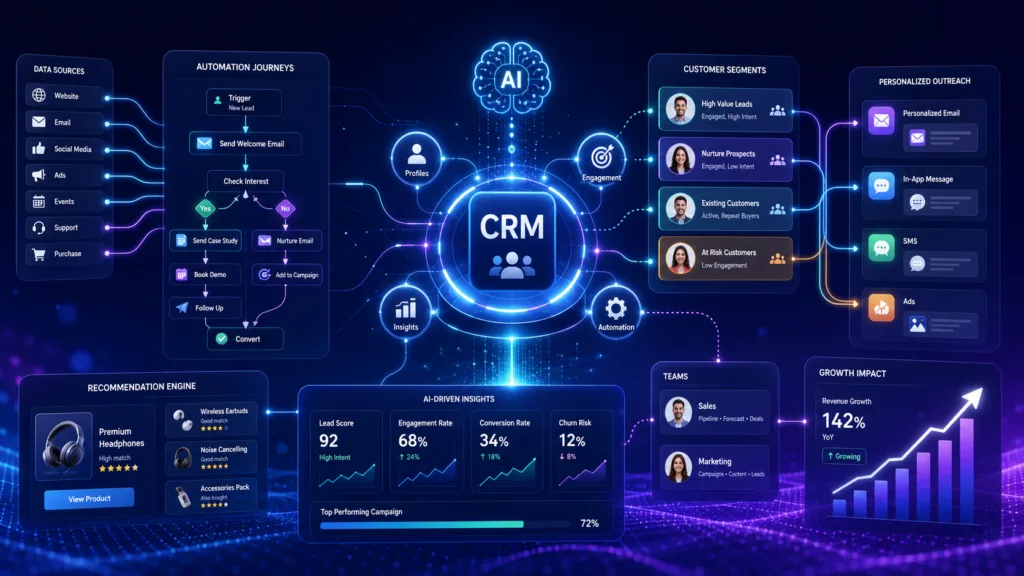
CRM platforms contain information about customer interests, purchases, engagement, location, and lifecycle stage.
AI can analyse this information to create customer segments and recommend more relevant content, products, or communication times. A business could identify customers likely to renew, prospects interested in a particular service, or buyers at risk of becoming inactive.
However, personalisation depends on connected and accurate customer data. Salesforce’s 2026 India marketing findings highlighted that unified data remains critical to effective AI-supported customer engagement.
Businesses must also follow privacy, consent, and communication-preference requirements. Personalisation should be helpful rather than intrusive.
8. Enabling Conversational CRM Analytics
Traditional CRM reporting often requires users to create filters, select fields, and build dashboards.
Conversational AI allows employees to ask questions in everyday language, such as:
- Which deals are most likely to close this month?
- Which leads have not received a follow-up?
- Why did sales decline in a particular region?
- Which customers have open support cases?
- What changed in my pipeline this week?
Zoho’s Ask Zia allows users to interact with CRM information, perform actions, and create reports through a conversational interface. Microsoft is similarly expanding natural-language access to CRM and productivity data through its sales AI tools.
Conversational reporting can make CRM information more accessible to employees who are not experienced in building dashboards.
9. Introducing AI Agents
One of the most important developments is the movement from AI assistants to AI agents.
An assistant generally helps a user complete a task. An agent may be allowed to perform a sequence of actions toward a defined goal, such as researching an account, preparing information, updating records, scheduling follow-ups, or supporting sales outreach.
This could make CRM automation more flexible than traditional workflows that follow a fixed set of rules.
However, agentic systems require careful controls. Businesses should define which data an agent can access, what actions it can complete, when approval is required, and how its activity will be monitored.
Microsoft allows administrators to control AI access at environment, user-group, and application levels within Dynamics 365 Sales.
Risks of AI in CRM Software
AI creates useful opportunities, but businesses should understand its limitations.
Poor-quality CRM data can lead to unreliable predictions and recommendations. Generated content may contain incorrect information. Automated scoring may also repeat patterns or biases found in historical data.
Other concerns include:
- Customer privacy
- Data residency
- Employee access
- Third-party AI models
- Incorrect automation
- Lack of transparency
- Overdependence on generated summaries
Businesses should maintain human review for significant customer, financial, legal, and contractual decisions. They should also test AI features with limited workflows before expanding their use.
How to Prepare Your CRM for AI?
A business should begin by improving the quality of its CRM data. Duplicate contacts, incomplete fields, outdated records, and inconsistent pipeline stages reduce the reliability of AI outputs.
Companies should then identify specific use cases, such as summarising meetings, improving lead prioritisation, or drafting routine emails. Every use case should have a measurable objective.
Before enabling new tools, review security settings, user permissions, integration access, licensing costs, and data-processing terms. Employees also need training on how to check AI-generated information rather than accepting every suggestion automatically.
Successful CRM automation depends on clear processes and accurate information. AI cannot correct a poorly designed sales process by itself.
Conclusion
AI is changing CRM software by making customer data easier to understand and act upon. Modern platforms can summarise records, prioritise leads, support forecasting, draft communication, improve service, and answer questions through natural-language interfaces.
An AI-powered CRM can reduce repetitive work and help teams respond more quickly, but its effectiveness depends on data quality, system configuration, employee training, and responsible governance.
Businesses should begin with practical use cases and maintain human oversight. Companies that combine AI with accurate data and strong customer-management processes can gain greater value from their CRM without sacrificing trust or control.
Frequently Asked Questions
1. What is an AI-powered CRM?
An AI-powered CRM combines customer relationship management features with technologies such as machine learning, generative AI, predictive analytics, and natural-language processing. It can analyse data, generate content, recommend actions, and automate selected tasks.
2. Can AI replace sales representatives?
AI can automate administrative work and provide recommendations, but it cannot completely replace human relationship-building, negotiation, judgement, and understanding of complex customer needs.
3. Is AI in CRM software accurate?
Its accuracy depends on the quality and quantity of data, the model, system configuration, and use case. Businesses should review important predictions, summaries, and generated messages before acting on them.
4. How can small businesses use AI in CRM?
Small businesses can begin with simple features such as email drafting, record summaries, follow-up reminders, lead prioritisation, and conversational reporting. They should select tools that match their budget and actual workflow requirements.
