


For a growing business, choosing a CRM is not just a software decision, it is a revenue decision. The CRM decides how leads enter the system, how sales teams follow up, how marketing activities are tracked, how managers read performance, and how customer relationships are handled as the business scales.
HubSpot, Zoho CRM, and Pipedrive are three popular CRM SaaS tools, but each one is built with a different type of business in mind. HubSpot is a strong choice if you want an all-in-one platform for marketing, sales, automation, customer service, and reporting. Zoho CRM works well if you want a flexible and affordable CRM that can be customized around your business processes. Pipedrive is a good fit if your main focus is sales pipeline management and you want a simple tool your sales team can start using quickly.
For growing businesses, the real question is not, “Which is the best CRM for growing businesses? or, “Which CRM has the most features?” The better question is, “Which CRM fits the way your business actually grows?” That is what this CRM software comparison will help you understand.
HubSpot: Best for All-in-One Growth
HubSpot is best suited for businesses that want one connected platform for marketing, sales, customer service, content, automation, and reporting. Its CRM is part of a broader customer platform that includes Marketing Hub, Sales Hub, Service Hub, Content Hub, Operations Hub, and Commerce Hub.
This makes HubSpot especially useful for companies where growth depends on inbound marketing, lead nurturing, email campaigns, website forms, landing pages, sales sequences, and full-funnel reporting. Instead of keeping marketing data in one tool and sales activity in another, HubSpot connects both teams around the same customer record.
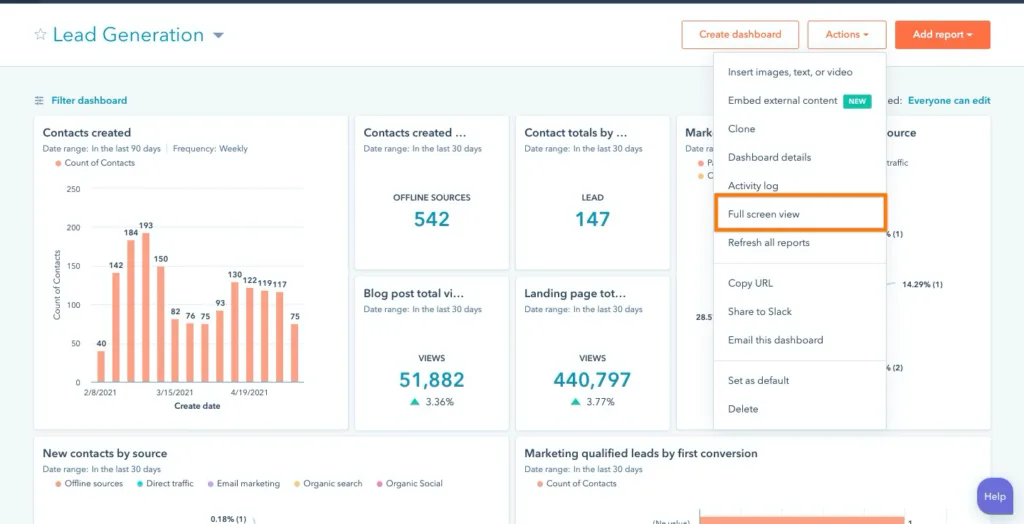
For example, a sales rep can see where a lead came from, which pages they visited, which emails they opened, what form they submitted, and what deal stage they are currently in. That visibility is useful for B2B companies, SaaS businesses, agencies, and service firms that need marketing and sales alignment.
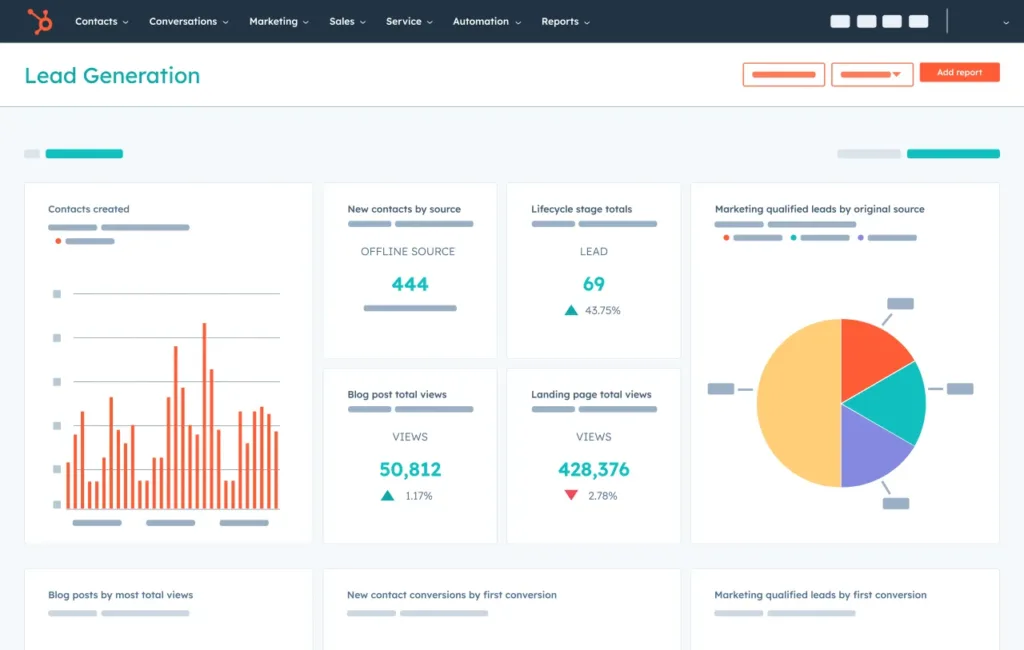
HubSpot also has strong automation and reporting capabilities. Teams can automate lead assignment, follow-up emails, lifecycle stage changes, task creation, sales sequences, and customer service workflows. Its reporting dashboards help teams track lead sources, campaign performance, sales pipeline, revenue attribution, and customer activity.
The main limitation is cost. HubSpot offers a free CRM and starter plans, but costs can rise as businesses add advanced automation, reporting, marketing features, and multiple hubs. So, HubSpot works best when a business is ready to use the full platform, not just basic contact management.
Zoho CRM: Best for Value and Customization
Zoho CRM is the strongest option for businesses that want flexibility, customization, and affordability. It is part of the larger Zoho ecosystem, which includes tools for finance, email, HR, analytics, customer support, projects, and collaboration.
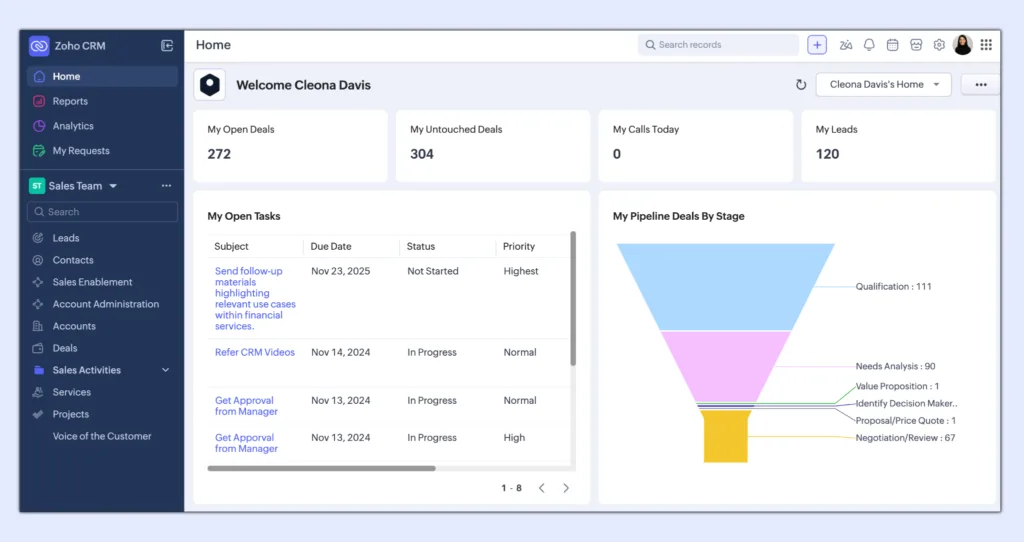
Zoho CRM is particularly useful for businesses that have unique sales processes or internal workflows. It allows teams to create custom fields, layouts, modules, workflow rules, assignment rules, approval processes, dashboards, and automation flows. Its Blueprint feature helps businesses define structured sales processes so that users follow required steps before moving a lead or deal forward.
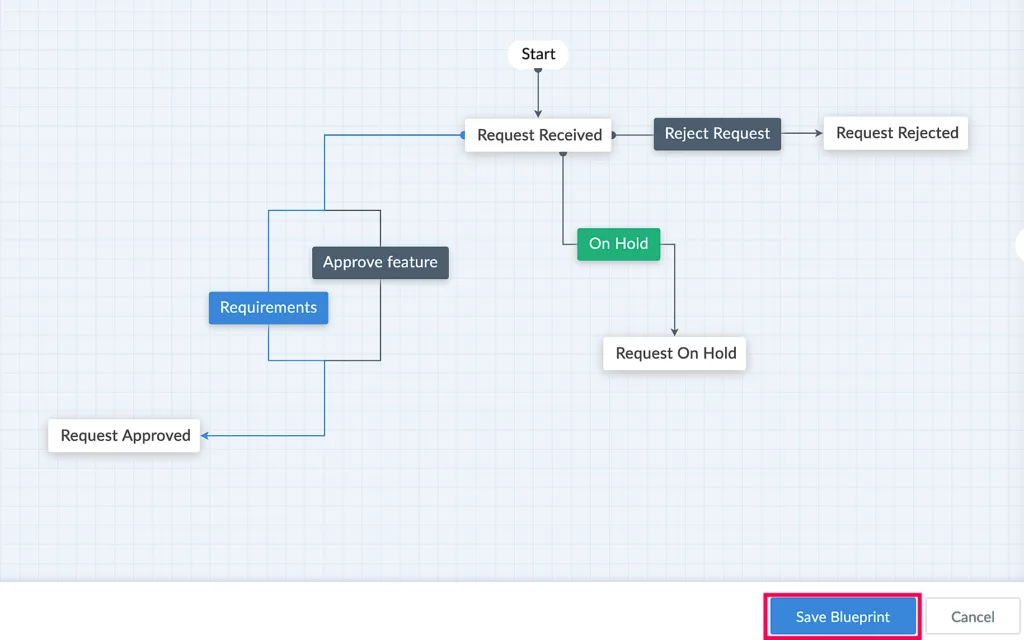
This makes Zoho a strong fit for small and mid-sized businesses that need more control over how their CRM works. For example, a company with multi-stage approvals, regional sales teams, different product lines, or custom reporting requirements may find Zoho more adaptable than a simpler CRM.
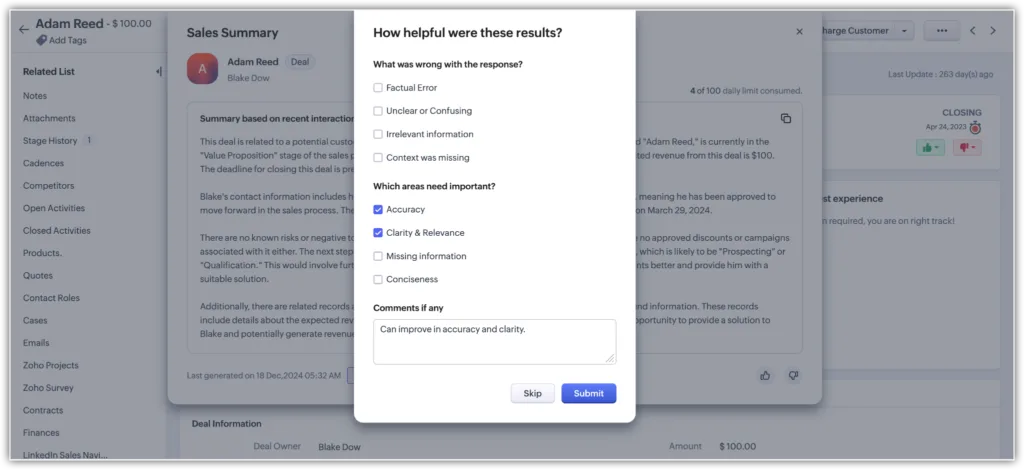
Zoho also has an AI assistant called Zia, which supports sales predictions, recommendations, anomaly detection, workflow assistance, and customer insights. When used with clean data and proper setup, these features can help teams make better sales decisions.
Pricing is one of Zoho CRM’s biggest advantages. Zoho offers a free edition for up to 3 users, and paid plans start at around $14 per user per month when billed annually. This makes it attractive for growing businesses that want CRM depth without high software costs.
The tradeoff is that Zoho CRM may require more setup and configuration. Because it is highly customizable, teams need to invest time in designing the CRM properly. If the setup is rushed, the system can become confusing for users.
Pipedrive: Best for Sales Pipeline Execution
Pipedrive is the cleanest sales-first CRM among the three. It is built around visual pipeline management, deal tracking, activity reminders, email sync, automation, forecasting, and sales productivity.
Its biggest strength is simplicity. Sales reps can quickly see where each deal stands, what activity is due next, and which opportunities need attention. This makes Pipedrive ideal for sales-led teams that want a CRM their reps will actually use every day.
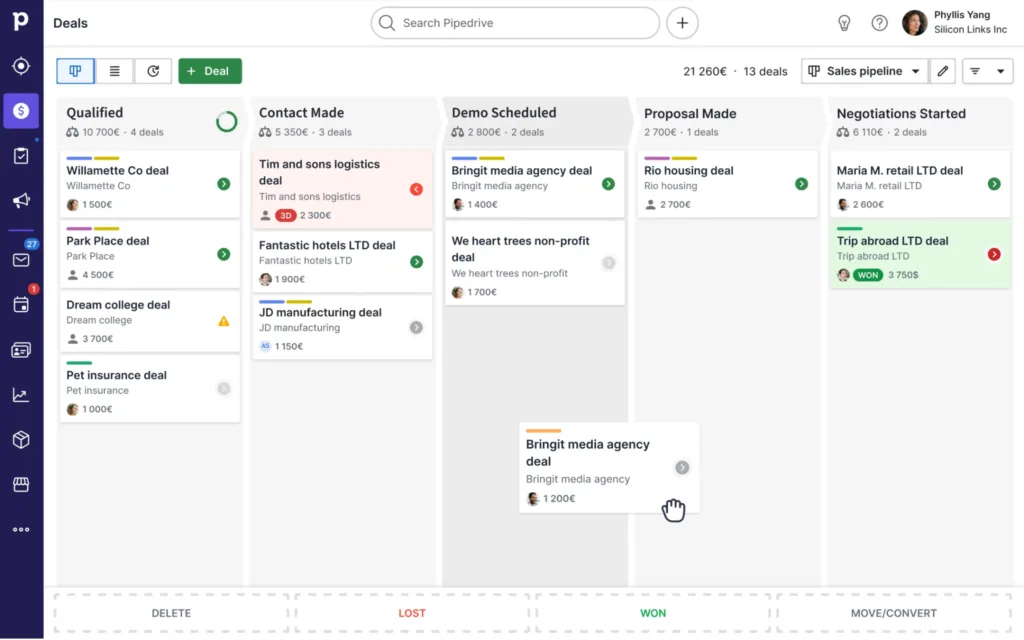
Pipedrive is not trying to be a full marketing, service, or business operations platform. That narrower focus is useful for companies that do not need a heavy CRM suite. Agencies, consultants, outbound sales teams, B2B service providers, and small sales teams often prefer Pipedrive because it reduces admin work and keeps attention on closing deals.
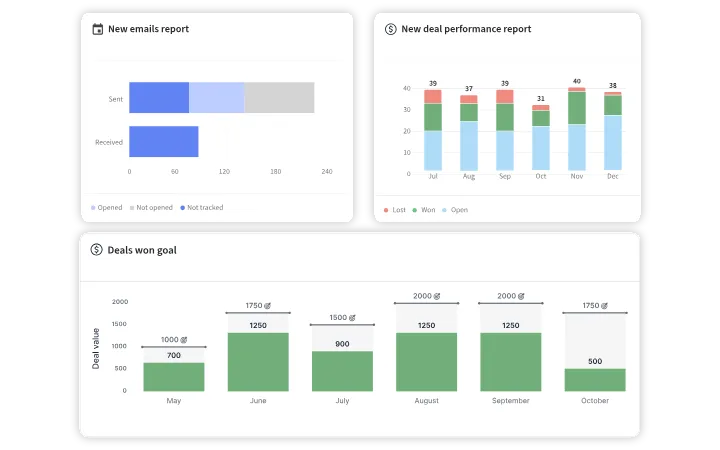
It also includes useful AI and automation features for sales assistance, email support, task automation, and deal management. However, compared to HubSpot and Zoho, Pipedrive is lighter in marketing automation and broader customer lifecycle management.
Recent reviews also highlight Pipedrive’s usability, visual pipeline, mobile support, customizable pipelines, workflow automation, and integration options. However, they also note that it lacks native marketing automation, making it better for sales-led businesses than marketing-led organizations.
HubSpot vs Zoho CRM vs Pipedrive: Feature Comparison
| Comparison Area | HubSpot | Zoho CRM | Pipedrive |
| Best For | Marketing-led and all-in-one growth | Customization and cost control | Sales pipeline execution |
| Core Strength | Unified customer platform | Flexible CRM architecture | Simple visual pipeline |
| Ease of Use | Easy to use, but advanced features need planning | Powerful but requires setup | Easiest for sales teams |
| Marketing Features | Strongest | Moderate, with Zoho integrations | Limited |
| Sales Pipeline | Strong | Strong and customizable | Excellent |
| Automation | Strong across marketing, sales, and service | Strong for workflows and approvals | Good for sales tasks |
| Customization | Good | Excellent | Moderate |
| AI Features | Broad AI across platform | Zia AI for insights and sales support | AI sales assistance |
| Reporting | Strong full-funnel reporting | Strong customizable reporting | Sales-focused reporting |
| Pricing Fit | Can become expensive at scale | Best value option | Good for sales teams |
| Best Business Type | B2B, SaaS, agencies, marketing-led firms | SMBs needing custom workflows | Sales-led teams |
Which CRM Is Better for Small Business?
HubSpot is better if your business growth depends on marketing, lead nurturing, automation, and cross-team visibility. It is the strongest option for businesses that want sales, marketing, service, and reporting inside one system. If your team wants to track the entire customer journey from first website visit to closed deal, HubSpot is the best fit.
Zoho CRM is better if your business needs customization, affordability, and process control. It is ideal for companies that want to design CRM workflows around their own way of working. If your priority is value, flexibility, and connecting CRM with broader business operations, Zoho CRM is the better option.
Pipedrive is better if your business is sales-led and your main goal is to improve follow-ups, pipeline visibility, and deal closure. It is the right choice when your sales team needs a clean, simple, and fast CRM without the complexity of a larger platform.
Stay tuned for more insights and detailed comparisons.
