


In the age of instant messaging, customers expect immediate responses. WhatsApp, with over 2 billion users, has become a primary communication channel for businesses worldwide. However, manually replying to every message is impossible at scale. That is where automation steps in. Finding the best WhatsApp Automation Tools for Businesses is no longer optional—it is critical for customer service, lead generation, and sales.
Unlike standard SMS or email, WhatsApp offers rich media (images, videos, documents) and high open rates (over 98%). The best WhatsApp Automation Tools for Businesses help you send scheduled messages, auto-replies, broadcast lists, and even integrate with your CRM. Without these tools, your team will drown in repetitive queries, and you will lose customers to faster competitors.
Table of Contents
Why Your Business Needs WhatsApp Automation
WhatsApp Automation refers to using software to handle routine tasks like welcome messages, order confirmations, appointment reminders, and FAQ responses. For e-commerce stores, real estate agents, or service providers, this means 24/7 availability without hiring a night shift team.
The best WhatsApp Automation Tools for Businesses offer features like:
- Chatbots to answer common questions instantly.
- Broadcasting to send updates to thousands of customers (with opt-in compliance).
- Labeling and tagging to organize conversations.
- API integration with Shopify, HubSpot, or WooCommerce.
Without automation, a single support agent can handle only 50-100 conversations per day. With the right tool, that number jumps to thousands.
Top 5 Best WhatsApp Automation Tools for Businesses (2025)
After evaluating over twenty platforms based on pricing, ease of use, compliance with WhatsApp’s policies, and scalability, here are the top five tools that truly qualify as the best WhatsApp Automation Tools for Businesses today.
1. WhatsApp Business API (Official Solution)
The official WhatsApp Business API is the gold standard. Unlike the free WhatsApp Business app, the API allows multi-agent access, automated notifications, and integration with third-party software. It is the only solution officially approved by Meta for high-volume sending.
- Pros: Fully compliant; no risk of ban; end-to-end encryption.
- Cons: Requires technical setup or a Business Solution Provider (BSP).
- Best for: Medium to large enterprises.
- Pricing: Pay-per-conversation (approx. $0.002–0.01 per message).
2. WATI (WhatsApp Team Inbox)
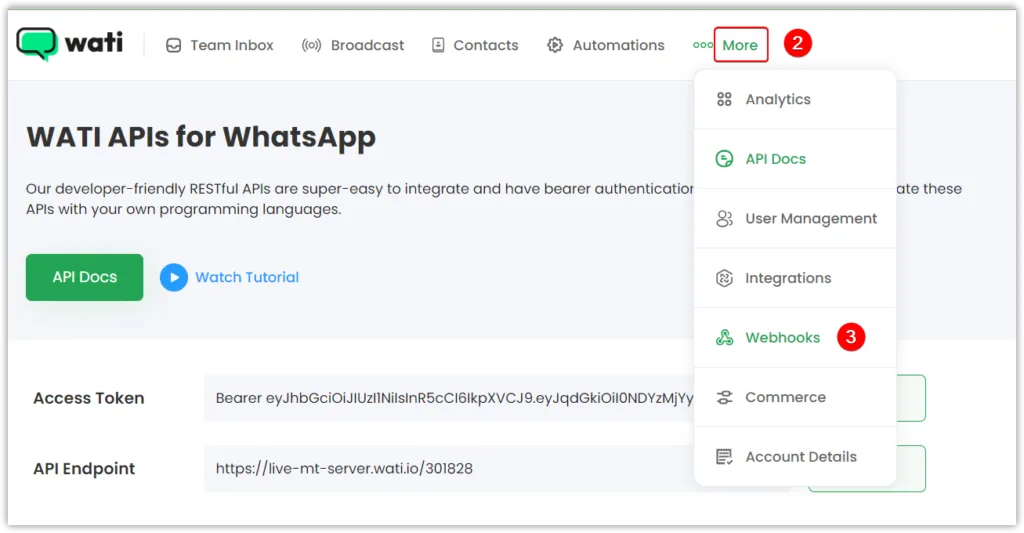
WATI is a user-friendly platform built on top of the WhatsApp Business API. It offers a shared team inbox, broadcast messaging, and no-code chatbot builders. For small to medium businesses, WATI is often considered the best WhatsApp Automation Tool for Businesses needing a balance of power and simplicity.
- Pros: Drag-and-drop chatbot; click-to-chat ads integration.
- Cons: Broadcasts require template approval from Meta.
- Best for: E-commerce and customer support teams.
- Pricing: Starts at $49/month per user.
3. respond.io

respond.io specializes in aggregating messages from WhatsApp, Facebook Messenger, Telegram, and web chat into one inbox. It offers powerful workflow automation, including lead qualification and routing to specific agents based on keywords.
- Pros: Omnichannel support; advanced reporting.
- Cons: Steeper learning curve for beginners.
- Best for: Sales teams managing multiple messaging apps.
- Pricing: Free tier available; paid starts at $49/month.
4. Twilio for WhatsApp
Twilio is a developer-focused platform. It gives you complete control over WhatsApp automation via code. You can build custom integrations, send transactional messages (order updates, OTPs), and scale to millions of messages.
- Pros: Unlimited customization; global reach.
- Cons: Requires coding skills; no visual interface.
- Best for: Tech-savvy teams and large developers.
- Pricing: Pay-as-you-go ($0.005 per message).
5. ManyChat (WhatsApp Integration)
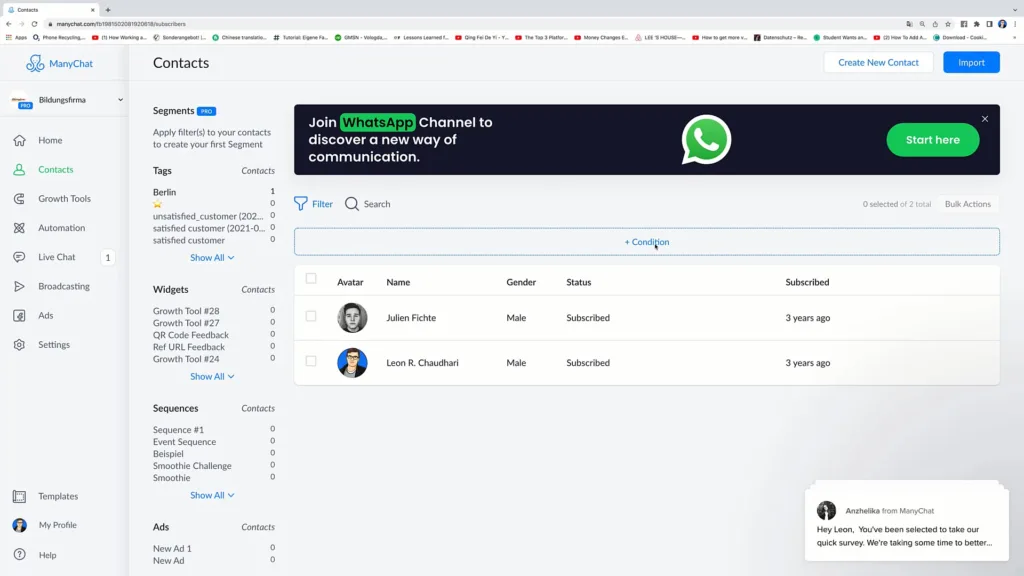
ManyChat started as a Facebook Messenger bot but now supports WhatsApp. It offers a visual flow builder that is incredibly easy to use. You can create interactive buttons, collect user data, and send abandoned cart reminders.
- Pros: Intuitive interface; strong e-commerce templates.
- Cons: WhatsApp features are limited compared to Messenger.
- Best for: Marketers familiar with ManyChat’s ecosystem.
- Pricing: Free plan up to 1,000 contacts; paid from $15/month.
How to Choose the Best WhatsApp Automation Tool for Your Business
Selecting the right platform depends on your business size, technical ability, and use case. The best Tools for Businesses will always align with your specific operational needs. Ask yourself these three questions:
- What is your monthly message volume? Under 1,000 messages? The free WhatsApp Business app might suffice. Over 10,000? You need the API and a tool like WATI or Twilio.
- Do you need multi-agent access? If more than one employee needs to reply from the same WhatsApp number, you cannot use the free app. You must use an API-based tool like respond.io or WATI.
- Are you sending marketing broadcasts or transactional messages? Marketing requires template approval from Meta. Transactional (order updates, appointment reminders) is easier to automate. Tools like ManyChat excel at marketing flows.
Remember, compliance is key. Meta strictly enforces policies against spam. The best WhatsApp Automation Tools for Businesses include built-in opt-out management and template approval workflows.
Top Use Cases for WhatsApp Automation
Automation is not just about chatbots. Here are three high-impact use cases for the best Automation Tools for Businesses:
- Abandoned Cart Recovery: Send an automatic message 1 hour after a customer leaves items in their cart, offering a 10% discount code. This alone can recover 15-20% of lost sales.
- Appointment Reminders: For salons, clinics, or consultants, automated reminders reduce no-shows by up to 70%. Send a reminder 24 hours before and another 1 hour before the appointment.
- Order Tracking: E-commerce stores can automate shipping updates. When a courier marks an order as “delivered,” WhatsApp automatically notifies the customer with a delivery photo.
Compliance and Best Practices
WhatsApp is not an email spam platform. To avoid being banned, follow these rules when using the best WhatsApp Automation Tools for Businesses:
- Always get opt-in consent. Customers must explicitly agree to receive messages from you on WhatsApp. A checkbox at checkout is the standard method.
- Use template approval for broadcasts. Marketing messages (offers, newsletters) must use Meta-approved templates. Transactional messages (receipts, confirmations) have more flexibility.
- Keep response times under 24 hours. WhatsApp charges differently for conversations started by customers vs. businesses. Responding quickly saves money and improves customer satisfaction.
- Provide an opt-out option. Every broadcast must include instructions like “Reply STOP to unsubscribe.”
The Future of WhatsApp Automation
As we move through 2025, the best WhatsApp Automation Tools for Businesses are integrating AI and rich communication services (RCS). We are seeing the rise of “conversational AI” that can handle complex queries (refunds, product recommendations) without human intervention. Meta is also rolling out WhatsApp Flows—native interactive forms and calendars inside chats. The future is not just automated replies, but fully automated transactions within the chat window.
Final Verdict
There is no one-size-fits-all answer when choosing the best WhatsApp Automation Tools for Businesses.
- For developers: Twilio for WhatsApp.
- For small to medium e-commerce: WATI or ManyChat.
- For omnichannel support: respond.io.
- For enterprises: Official WhatsApp Business API with a dedicated BSP.
Start with a free trial of WATI or ManyChat. Test automated workflows on a small segment of your audience (e.g., 500 customers). Measure the reduction in response time and the increase in conversions. The tool that saves your team 20+ hours per week is your winner.
Frequently Asked Questions (FAQs)
Q1: Is WhatsApp automation legal for businesses?
Yes, but with strict conditions. Meta allows businesses to automate WhatsApp as long as they use the official WhatsApp Business API (not third-party unofficial bots). You must obtain explicit customer consent before sending automated messages. Marketing broadcasts require pre-approved templates. Violating these rules can result in a permanent ban.
Q2: Can I use WhatsApp automation for free?
The free WhatsApp Business app allows limited automation (away messages, quick replies, labels). However, it does not support multi-agent logins, API integration, or bulk broadcasting. For true automation at scale, you need a paid tool like WATI ($49/month) or the API (pay-per-conversation). There is no fully free enterprise-grade WhatsApp automation tool.
Q3: What is the best WhatsApp automation tool for small businesses?
For most small businesses (under 10 employees), WATI is the best balance of affordability and features. It offers a shared team inbox, no-code chatbot builder, and broadcast capabilities starting at $49/month. Alternatively, ManyChat is great for businesses already using it for Facebook Messenger, though its WhatsApp features are less mature.
Q4: How do I avoid getting banned while using WhatsApp automation?
Follow these three rules strictly: (1) Never send messages to numbers that have not explicitly opted in. (2) Keep your complaint rate below 0.5% (if more than 5 per 1,000 users unsubscribe or report spam, Meta flags you). (3) Use only Meta-approved Business Solution Providers (BSPs) like WATI, respond.io, or Twilio. Unofficial tools (GB WhatsApp, WhatsApp Plus) will get you banned immediately.
