


| Summary Zoho Books, QuickBooks Online, and Xero are among the best accounting SaaS tools for small businesses, but each fits a different need. Zoho Books is ideal for businesses that want automation, inventory, projects, GST support, and Zoho ecosystem integration. QuickBooks is better for businesses that want a familiar, widely supported accounting platform. Xero works best for teams that need simple cloud accounting, collaboration, and strong bank reconciliation |
Cloud accounting tools have changed the way small businesses manage finance. Instead of storing data locally or depending on manual spreadsheets, these platforms centralize invoices, expenses, bank feeds, reports, and tax records in one online system. That makes it easier to collaborate with accountants, approve transactions remotely, and keep records updated in real time.
If you own a small business, this matters because finance work is rarely isolated. Sales, purchasing, payroll, inventory, and banking all affect the books. A strong cloud accounting platform reduces manual entry, improves visibility, and creates a cleaner audit trail across the business.
Among the best accounting SaaS tools for small businesses, Zoho Books, QuickBooks Online, and Xero are three strong options. All three support cloud accounting, invoicing, expense tracking, bank reconciliation, reporting, and integrations. However, they are built for different types of businesses.
What to Evaluate in the Best Accounting SaaS Tools for Small Businesses
When comparing accounting software for small businesses, the most important factors are not only price and brand recognition. You should also look at workflow automation, integration depth, multi-user access, reporting flexibility, inventory support, and API availability.
A technical evaluation should focus on these areas:
- Bank feed reliability and reconciliation speed.
- Invoice automation, reminders, and recurring billing.
- Expense capture and receipt processing.
- User roles and permission controls.
- Inventory and multi-currency support.
- Third-party integrations and API flexibility.
- Reporting depth and export options.
- Scalability as the business adds users, entities, or channels.
These criteria matter because the right accounting platform should fit your business architecture, not force your team into manual workarounds.
Zoho Books overview
Zoho Books is the strongest option for businesses that want accounting software tightly connected to a broader business application ecosystem. It works especially well if the company already uses Zoho CRM, Zoho Inventory, Zoho Projects, or other Zoho applications, because the native integration reduces connector complexity and helps data move smoothly between departments.
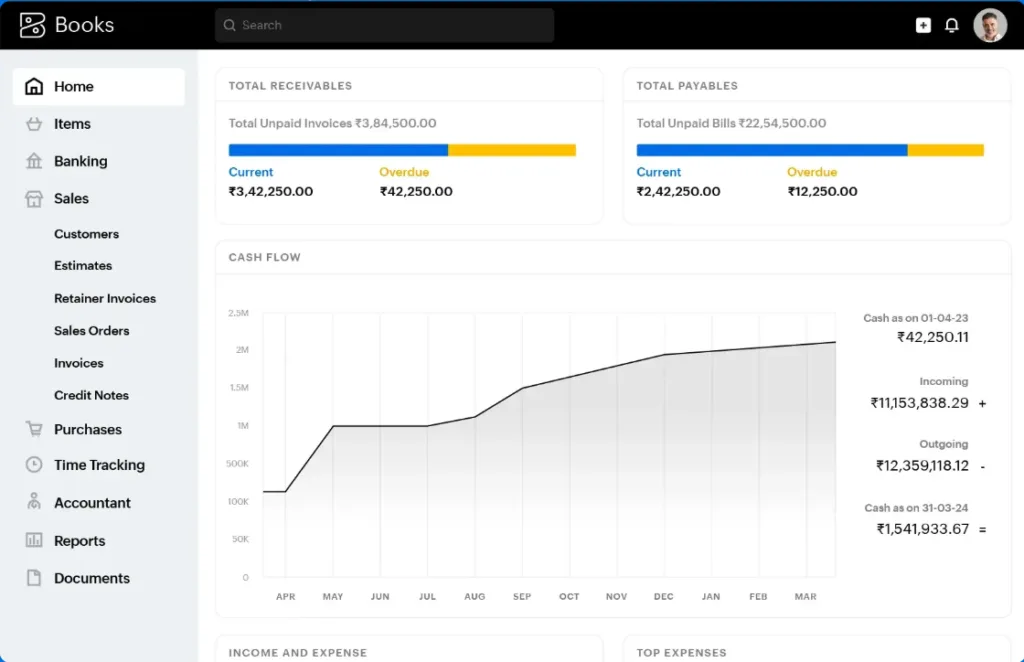
Zoho Books is a great choice of SaaS accounting software because it supports automation-driven workflows, API-based customization, and structured financial processes. That makes it a good fit for teams that want to automate invoice creation, payment reminders, recurring transactions, and inventory-linked accounting without depending entirely on third-party middleware.
Strengths of Zoho Books
- Strong native ecosystem integration.
- Good workflow automation potential.
- Useful for businesses that want CRM-to-accounting connectivity.
- Competitive pricing for feature depth.
- Better fit for companies that value customization and system orchestration.
Limitations of Zoho Books
- Smaller market share than QuickBooks, so some accountants may be less familiar with it.
- Integration quality can depend on how deeply the business uses the Zoho ecosystem.
- Some advanced features are tied to higher plans.
Zoho Books is often the best choice for a small business that wants accounting to behave like part of a connected operations stack rather than a standalone bookkeeping tool.
QuickBooks overview
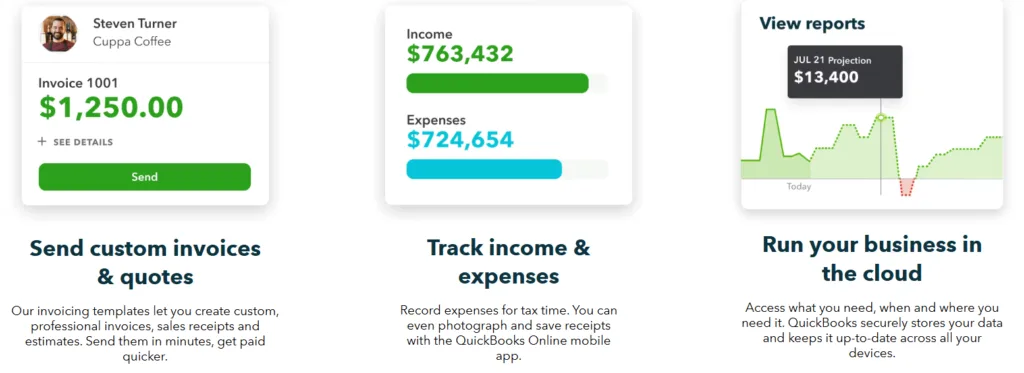
QuickBooks Online is the most widely recognized accounting platform in this group and remains the default choice for many small businesses. Its main strength is breadth: it covers core bookkeeping well and connects to a very large number of third-party applications. That makes it useful for businesses that already rely on a mixed SaaS stack and want a central accounting system that can plug into many services.
QuickBooks is especially strong in day-to-day bookkeeping automation. It offers bank feeds, transaction categorization, invoice management, recurring entries, expense tracking, reporting, and a polished ecosystem for small-business finance operations. For many companies, the value is not a single standout feature but the reliability and familiarity of the entire platform.
Strengths of QuickBooks
- Broad market adoption and strong accountant familiarity.
- Large app marketplace and integration support.
- Good general-purpose accounting features.
- Strong everyday automation for bookkeeping.
- Suitable for businesses that want a mainstream, low-friction option.
Limitations of QuickBooks
- Can become expensive as plan requirements increase.
- Some advanced capabilities are gated behind higher tiers.
- Perceived complexity may rise as the business grows.
QuickBooks is a practical choice when the business wants a robust general accounting platform with wide compatibility and minimal implementation risk.
Xero Overview
Xero is often seen as the best collaboration-first accounting platform. Its unlimited-user approach is especially attractive for growing teams because it avoids the common per-seat licensing pressure found in many SaaS tools. That can be a major cost and usability advantage when owners, bookkeepers, accountants, and managers all need access.
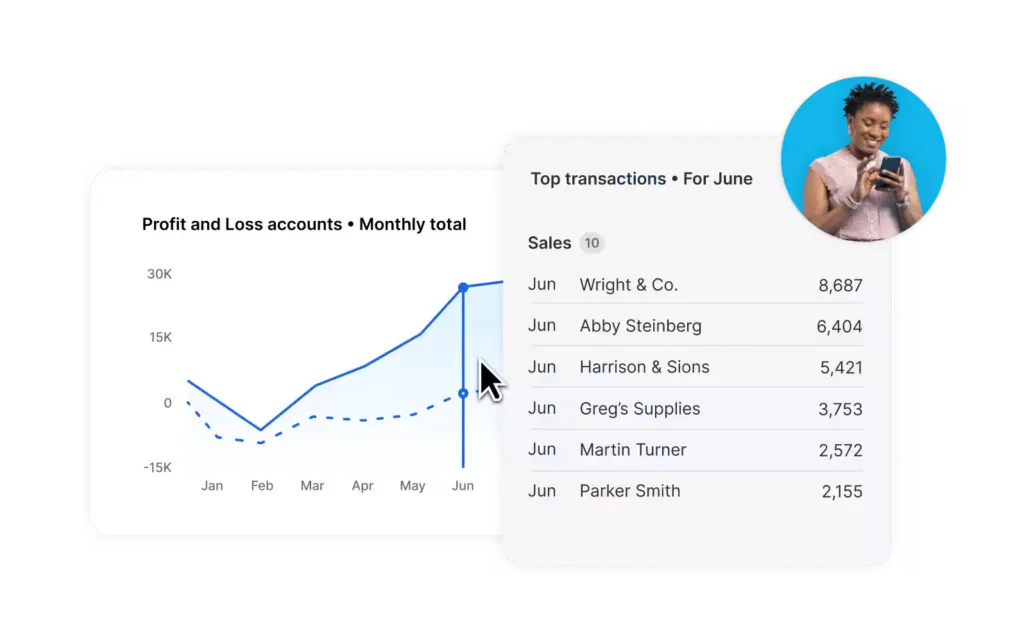
Xero also performs well in cloud-native accounting workflows such as bank reconciliation, invoicing, expense tracking, and reporting. Its ecosystem is broad, and its clean interface makes it suitable for businesses that want a modern, lightweight financial system with good partner support.
Strengths of Xero
- Unlimited users on plans, which helps team collaboration.
- Strong bank reconciliation and cloud usability.
- Good integration ecosystem.
- Clean interface and efficient daily bookkeeping.
- Useful for businesses that expect to grow in team size.
Limitations of Xero
- Some advanced features may require higher plans or add-ons.
- Reporting and inventory depth may not match specialized finance systems.
- Availability and feature sets can vary by region.
Xero is a strong fit for businesses that prioritize accessibility, collaboration, and scalable user access over highly customized finance workflows.
Zoho Books vs QuickBooks vs Xero: Feature comparison
| Area | Zoho Books | QuickBooks | Xero |
| Best for | Workflow automation and ecosystem integration | General-purpose SMB accounting | Collaboration and multi-user access |
| Automation | Strong, especially with native Zoho apps | Strong bookkeeping automation | Solid standard automation |
| Integrations | Best inside Zoho ecosystem | Very broad third-party app support | Broad marketplace and app connectivity |
| User access | Good, plan-dependent | Good, plan-dependent | Strong with unlimited users |
| Inventory | Good, especially with Zoho Inventory | Solid for common needs | Adequate for many SMBs |
| Reporting | Good, with advanced options on higher tiers | Strong mainstream reporting | Clear standard reporting |
| API/customization | Strong | Good | Good |
| Learning curve | Moderate | Moderate | Often easier for collaboration-heavy teams |
My Final recommendation
Choose Zoho Books if your business runs on a connected stack and you want accounting to integrate tightly with CRM, inventory, projects, GST compliance, approvals, and operational workflows. It is the strongest choice for businesses that value automation and system orchestration.
Choose QuickBooks Online if you want the safest mainstream option with strong bookkeeping functionality, broad accountant familiarity, and a large ecosystem of compatible tools. It is practical for businesses that want reliability and low implementation risk.
Choose Xero if collaboration is a major priority and you want clean cloud accounting with strong bank reconciliation, mobile access, accountant collaboration, and app connectivity.
I hope the information was helpful. Stay tuned for more Saas tools comparisons,
FAQs
1. Can I switch accounting software later?
Yes, but it can take time. You’ll need to move invoices, expenses, customer records, bank data, and reports carefully. It’s better to clean your data and involve an accountant before switching.
2. Should I connect my payment gateway with accounting software?
Yes, it can save a lot of manual work. Payments get matched faster, unpaid invoices are easier to track, and your cash flow becomes clearer.
3. Is mobile access really important?
For many small businesses, yes. It helps you send invoices, upload receipts, approve expenses, and check cash flow even when you are away from your desk.
4. Do I still need an accountant?
Yes. Accounting software helps with daily tasks, but an accountant can guide you on taxes, compliance, year-end adjustments, and financial planning.
5. What should I check before importing data?
Check your customer list, vendor list, unpaid invoices, bills, opening balances, tax settings, and chart of accounts. Clean data makes the new system much easier to use.
