


When you search for the best AI productivity tools for creators in 2026, you need solutions that save hours every day without breaking your budget. The creator economy has exploded—over 200 million people now identify as creators, and 78% of them use AI daily to produce content faster.
But with more than 12,000 AI tools available, choosing the right stack is overwhelming. This guide cuts through the noise to give you the best AI productivity tools for creators in 2026 that actually work.
Table of Contents
Why the Best AI Productivity Tools for Creators in 2026 Are Different?
Unlike 2024 or 2025, today’s AI tools are deeply integrated into your existing workflows. You no longer need to copy-paste between 15 different tabs. The best AI productivity tools for creators in 2026 offer native integrations, batch processing, and pay-as-you-go pricing that respects your wallet. According to recent data, creators using AI save an average of 12.5 hours per week—time that can be reinvested into high-value creative work.
The three primary categories you need are:
- All-in-one workspace assistants (like AI AssistWorks)
- Specialized content generators (ChatGPT, Claude)
- Automation connectors (Zapier, Make)
Let’s dive into the top picks.
1. AI AssistWorks – The Only Workspace AI You’ll Ever Need
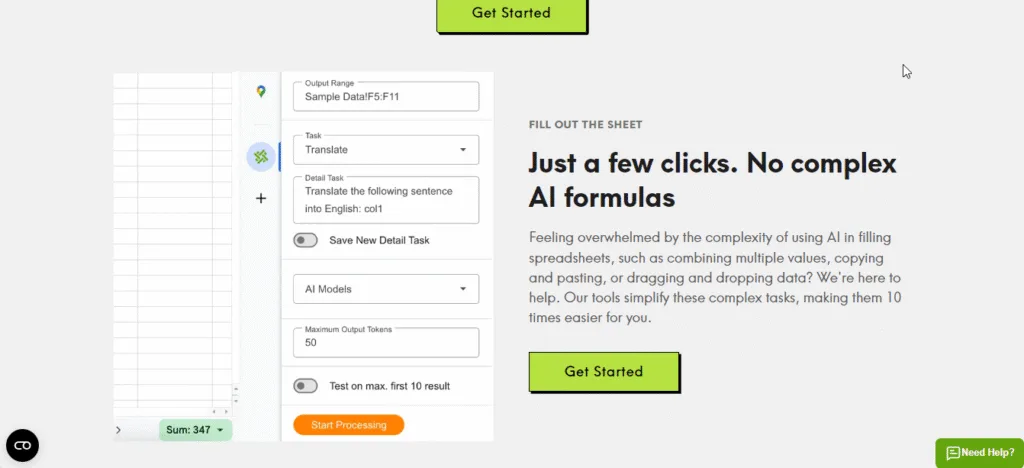
For creators living inside Google Workspace (Docs, Sheets, Slides), AI AssistWorks is unquestionably one of the best AI productivity tools for creators in 2026. It brings over 100 AI models—including GPT-4 Turbo, Claude 3.5, Gemini, and Llama 3—directly into your spreadsheets and documents. No more switching tabs or wrestling with complex formulas.
What Makes AI AssistWorks Essential?
- Batch processing power: You can generate 1,000 SEO meta descriptions, translate 5,000 rows of product data, or summarize 200 meeting notes in under two minutes.
- One-click content generation: Inside Google Slides, type a prompt like “create a 10-slide pitch deck for my YouTube channel” and watch it build itself.
- Unlimited creativity: Because you bring your own API key (from OpenAI, Anthropic, etc.), you pay only for what you use—often pennies per thousand requests.
Pricing Clarification (Very Important)
AI AssistWorks offers two ways to use it:
- Monthly plan: Starts at just $3/month for the Basic plan. This includes access to all features but limits the number of AI calls.
- Lifetime Plus Plan (recommended for creators): Normally valued at $480, you can get it today for a one−time payment of $24.99 (94% off). This gives you permanent access to the tool’s premium features. You still use your own API keys for AI model costs, so you never pay a monthly subscription to AI AssistWorks again. API costs are tiny—for most creators, $5 in API credits lasts months.
Claim Your AI AssistWorks Lifetime Deal Here (Save 94%)
Real Creator Use Case
“I run a faceless YouTube channel with 200+ videos. Using AI AssistWorks, I automated my entire keyword research, script outline, and thumbnail A/B testing inside Google Sheets. My production time dropped from 8 hours per video to just 2 hours.” – Sarah K., educational creator.
2. ChatGPT & Claude – The Brains Behind Your Content

No list of the best AI productivity tools for creators in 2026 is complete without mentioning the two dominant large language models. They work perfectly alongside AI AssistWorks.
- ChatGPT (GPT-4 Turbo): Best for brainstorming, rapid ideation, and creating social media hooks. Use it to generate 50 YouTube titles in 10 seconds.
- Claude 3.5 Sonnet: Superior for long-form writing (5,000+ words) and maintaining consistent tone across a 20-page ebook. Claude also has a 200K token context window—meaning it can digest your entire book manuscript in one go.
Pro tip: Connect both to AI AssistWorks via API keys. Then you can run bulk prompts through either model directly inside your spreadsheets, saving hours of manual copy-pasting.
3. Canva AI + Runway ML – Visual Creation at Scale
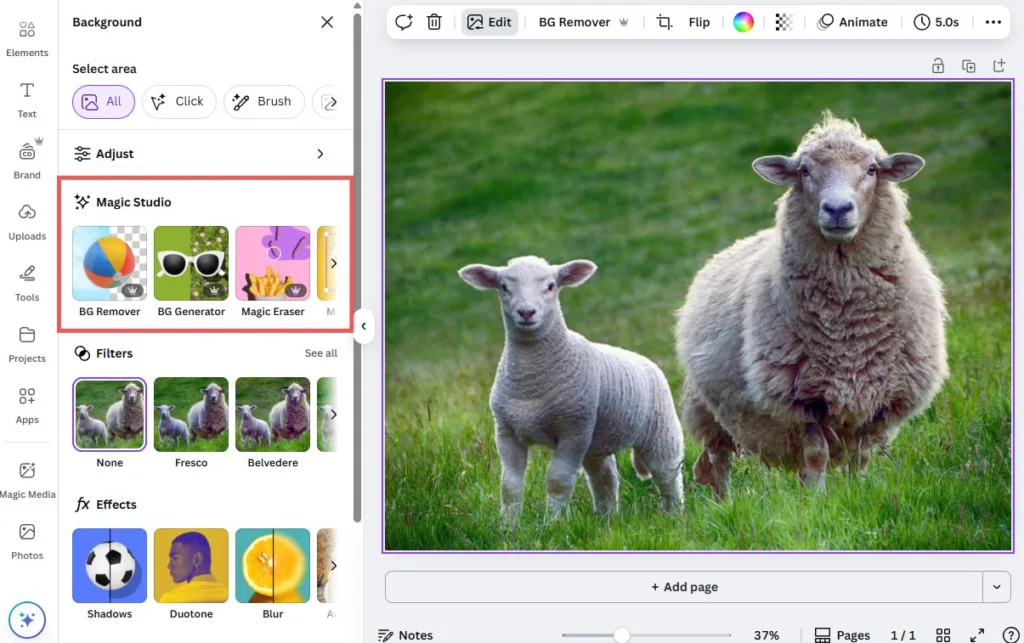
Visual creators need speed. Canva’s AI suite (Magic Media, Magic Write, and Magic Expand) now supports video generation, making it the go‑to for social media graphics. Meanwhile, Runway ML’s Gen‑4 model allows you to generate 4K video clips from text prompts and even remove objects from footage with one click.
These tools integrate with AI AssistWorks? Indirectly yes—you can use AI AssistWorks to generate bulk image prompts (e.g., “create 50 DALL‑E prompts for faceless YouTube backgrounds”) and then feed them into Canva’s AI image generator.
4. Zapier & Make – Automate the Invisible Work
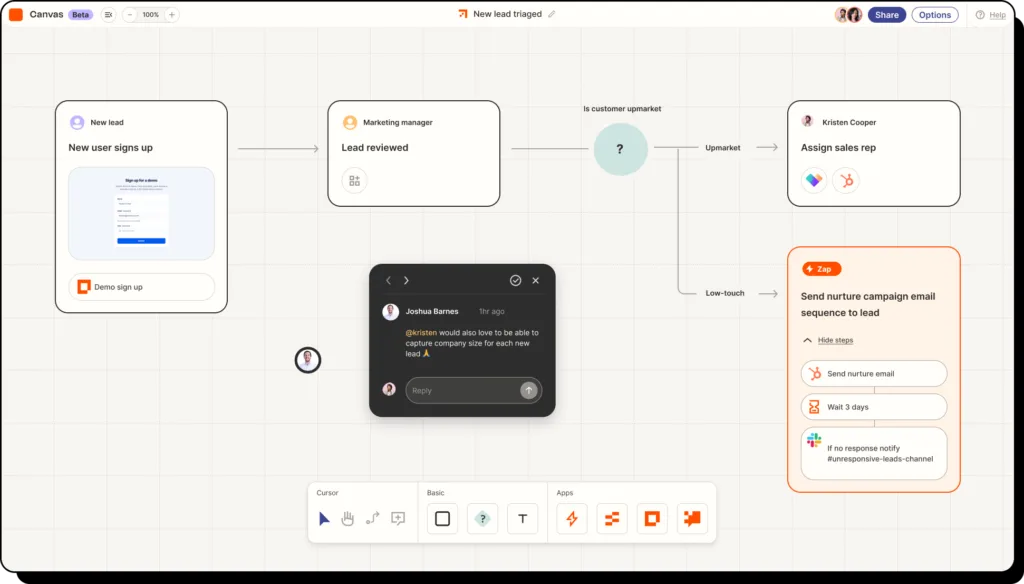
The final pillar of best AI productivity tools for creators in 2026 is automation. Zapier connects over 6,000 apps, allowing you to do things like:
- Save every email attachment to Google Drive automatically.
- Post new blog content to Twitter, LinkedIn, and Facebook simultaneously.
- Send a Slack alert whenever a new row appears in your AI AssistWorks‑powered spreadsheet.
Make (formerly Integromat) is a more visual, powerful alternative with cheaper pricing for high-volume operations. Both offer free plans to start.
How to Build Your Perfect AI Productivity Stack (2026 Edition)
Use this blueprint to combine all the tools above for maximum efficiency:
| Task | Tool | Role |
|---|---|---|
| Bulk data processing & workspace AI | AI AssistWorks (lifetime deal) | Core engine |
| Writing & ideation | ChatGPT or Claude | Content brain |
| Design & video | Canva AI + Runway | Visual factory |
| Workflow automation | Zapier or Make | Glue that connects everything |
Final Verdict: Start with AI AssistWorks Today
After testing 40+ AI tools, I confidently say the best AI productivity tools for creators in 2026 start with AI AssistWorks because it enhances every other tool you already use. It turns Google Sheets into a supercomputer and Google Docs into a co‑writer that never sleeps.
The lifetime deal at 24.99 will not last forever. For the price of two coffees, you get permanent access to a tool that saves you 10+ hours every single week.
Get AI AssistWorks Lifetime Access Here – 94% Off
Frequently Asked Questions (FAQs)
Q1: Do I need to be a tech expert to use AI AssistWorks?
Absolutely not. AI AssistWorks runs as a sidebar inside Google Sheets/Docs. You type plain English instructions like “summarize this text” or “extract all email addresses from column A,” and it does the work. No formulas, no coding.
Q2: How does the lifetime pricing work if I still need an OpenAI API key?
The $24.99 one‑time payment pays for AI AssistWorks software forever. You then create a free account with OpenAI( or Anthropic, Google, etc.),add a small amount of credits (as low as 5). AI AssistWorks uses your API key to run requests. You pay the AI company only for what you consume—no markup. Most creators spend 5–5–10 per year on API costs.
Q3: Can AI AssistWorks replace ChatGPT for writing articles?
Yes, inside Google Docs. But you can also use it to run ChatGPT in bulk—for example, generating 100 article outlines at once. For single, long‑form pieces, you might still prefer the ChatGPT web interface. However, for any repetitive or spreadsheet‑based work, AI AssistWorks is far superior.
Q4: Which is better for video creators: Runway or Pika Labs?
As of 2026, Runway Gen‑4 offers the best motion consistency and camera control. Pika Labs 2.0 is faster for short looping clips. Most serious creators use both, but if you can only pick one, start with Runway. Use AI AssistWorks to generate video prompts in bulk (e.g., “write 50 text‑to‑video prompts for nature B‑roll”) and then paste them into Runway.
