



Prepare your website for cloud migration by reviewing its existing infrastructure, identifying technical dependencies, protecting important data, and creating a detailed transition plan. Moving a website to the cloud can improve scalability, reliability, performance, and disaster recovery, but an unplanned migration may cause downtime, broken functions, security problems, or data loss.
A successful website cloud migration involves more than transferring files from one server to another. Databases, domain settings, applications, email services, security tools, integrations, and user permissions may also need to be moved or reconfigured.
Following a structured cloud migration checklist allows businesses to identify risks before the transition begins. It also helps technical teams test the new environment, communicate responsibilities, and reduce disruption for customers.
Table of Contents
What Is Website Cloud Migration?
Website cloud migration is the process of moving a website, application, database, or supporting infrastructure from an existing hosting environment to a cloud platform.
A business may migrate from:
- Shared hosting to cloud hosting
- A dedicated physical server to cloud infrastructure
- An on-premise data centre to a public cloud
- One cloud provider to another
- A private cloud to a hybrid environment
The migration may involve moving the entire website at once or transferring individual components gradually.
For example, a company might move its website files and database to the cloud while continuing to use its current email provider. Another business may keep sensitive information on private infrastructure while moving its public website to a scalable cloud environment.
Why Businesses Move Websites to the Cloud
Cloud hosting can provide flexible computing resources that adjust according to traffic and business requirements.
Potential benefits include:
- Faster resource scaling
- Improved website availability
- Access to multiple server locations
- Easier backup and recovery
- Better monitoring tools
- Content delivery network integration
- Reduced dependence on physical hardware
- Support for remote technical teams
Cloud platforms can also help websites handle temporary traffic increases caused by advertising campaigns, product launches, seasonal sales, or viral content.
However, migration results depend on architecture, provider selection, application design, and configuration. Moving an inefficient website to the cloud does not automatically make it faster or more secure.
How to Prepare Your Website for Cloud Migration?
The preparation stage determines how smoothly the migration will proceed. Businesses should understand what they currently operate, what they plan to move, and how the new cloud environment will support each component.
The following steps provide a practical migration approach.
1. Audit Your Current Website Environment
Begin by documenting the complete website infrastructure.
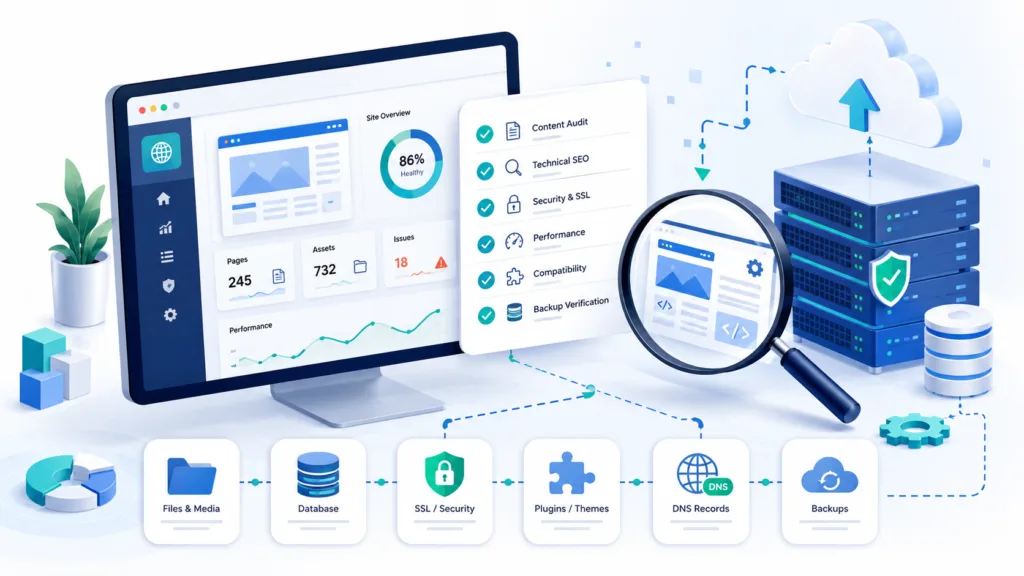
Your audit should include:
- Website files and folders
- Databases
- Content management system
- Themes and plugins
- Server operating system
- Programming languages
- Software versions
- SSL certificates
- Domain and DNS settings
- Email services
- Storage requirements
- Scheduled tasks
- Third-party integrations
You should also identify custom applications, scripts, APIs, payment gateways, analytics platforms, and security services.
This information helps the migration team understand which components must be transferred, replaced, upgraded, or reconfigured. Missing a small dependency, such as a scheduled background task, can cause an important website function to stop working after migration.
2. Define Your Migration Goals
A migration project should have clear technical and business objectives.
Possible goals include:
- Improving page-loading speed
- Supporting more website traffic
- Reducing hosting downtime
- Strengthening backup protection
- Expanding into new regions
- Improving disaster recovery
- Reducing infrastructure maintenance
- Supporting future application growth
Define measurable performance targets where possible. For example, the business may aim to reduce average server response time, support twice the current traffic, or recover the website within a specific period after an outage.
Clear objectives make it easier to choose the right cloud services and evaluate whether the migration was successful.
3. Choose the Right Cloud Deployment Model
Businesses can select public, private, or hybrid cloud infrastructure.
Public cloud services use provider-managed infrastructure shared across multiple customers. They commonly offer flexible scaling and a lower initial infrastructure investment.
Private cloud environments provide dedicated infrastructure for one organization. They may offer greater control but typically require more technical resources.
Hybrid cloud combines public cloud services with private or on-premise infrastructure. This option may suit businesses that want to keep certain sensitive workloads in a controlled environment.
The right model depends on budget, performance, compliance, security, technical expertise, and growth plans.
4. Select a Suitable Cloud Provider
The cloud provider should support the website’s technical requirements and expected traffic.
Compare providers based on:
- Server and data-centre locations
- Scalability
- Storage performance
- Content delivery network options
- Backup services
- Security features
- Monitoring tools
- Technical support
- Pricing structure
- Data transfer costs
- Uptime commitments
- Compliance certifications
Do not compare providers using the introductory price alone. The total cost may include computing resources, databases, storage, bandwidth, backups, support, security services, and managed administration.
During website cloud migration, it is also important to confirm whether the provider supports your operating system, programming language, database, and content management platform.
5. Create a Complete Backup
Before making any changes, create a full backup of the website.
The backup should include:
- Website files
- Databases
- Customer information
- Product details
- Media files
- Configuration files
- SSL certificates
- Email data, when applicable
- DNS records
- Application settings
Store backup copies in more than one secure location. Do not keep the only backup on the server being migrated.
You should also test the restoration process. A backup is valuable only when the team can restore it successfully.
Add backup verification to your cloud migration checklist and record who is responsible for confirming that the copies are complete.
6. Clean and Update the Website
Migration is a good opportunity to remove unnecessary files, outdated plugins, unused themes, old databases, and duplicate content.
Reducing unnecessary data can shorten transfer time and simplify the new environment.
Before migrating, update supported versions of:
- Content management software
- Plugins and extensions
- Programming languages
- Database systems
- Security tools
- Server applications
However, updates should be tested before the migration. A major software change introduced at the same time as the server transfer can make troubleshooting more difficult.
When possible, separate application upgrades from the actual migration or test both carefully in a staging environment.
7. Review Website Security
Security settings may work differently in the new cloud environment.
Review:
- User accounts
- Administrator permissions
- Multi-factor authentication
- Firewall rules
- Database access
- Encryption
- SSL certificates
- API credentials
- Backup permissions
- Logging and monitoring
Remove inactive users and change passwords or credentials that may have been shared previously.
Cloud providers typically protect the underlying infrastructure, but customers remain responsible for website code, user permissions, software updates, database configurations, and account security.
Security should therefore be treated as a shared responsibility rather than assuming the provider protects every part of the website automatically.
8. Build a Staging Environment
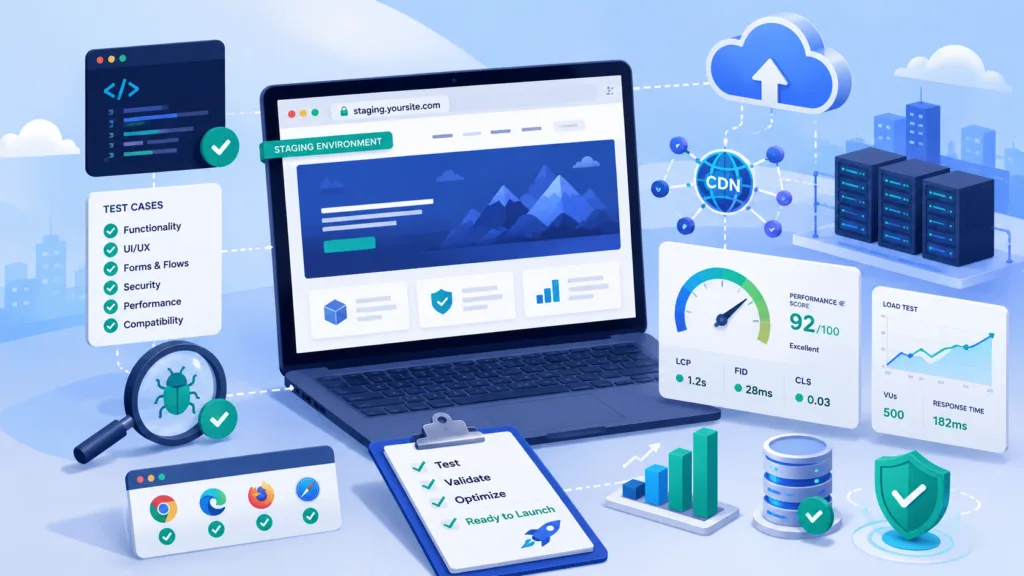
A staging environment is a private copy of the website used for testing.
Create the cloud environment and migrate a copy of the website before moving real traffic. This allows developers to identify technical problems without affecting customers.
Testing should cover:
- Page loading
- Contact forms
- User accounts
- Search functions
- Shopping carts
- Payment processing
- Emails and notifications
- Database connections
- Mobile responsiveness
- Third-party integrations
- Analytics tracking
- Administrative functions
A complete cloud migration checklist should include expected results for every important function.
9. Test Website Performance
Compare performance before and after migration.
Useful measurements include:
- Server response time
- Page-loading speed
- Database response
- Error rates
- Resource usage
- Cache performance
- Uptime
- Performance under heavy traffic
Use realistic traffic simulations to determine whether the new environment can handle expected demand. Testing only with one or two users may not reveal scaling or database problems.
Configure caching, compression, image optimization, and CDN services where appropriate. These features can reduce server load and deliver content more quickly to visitors in different locations.
10. Plan DNS Changes Carefully
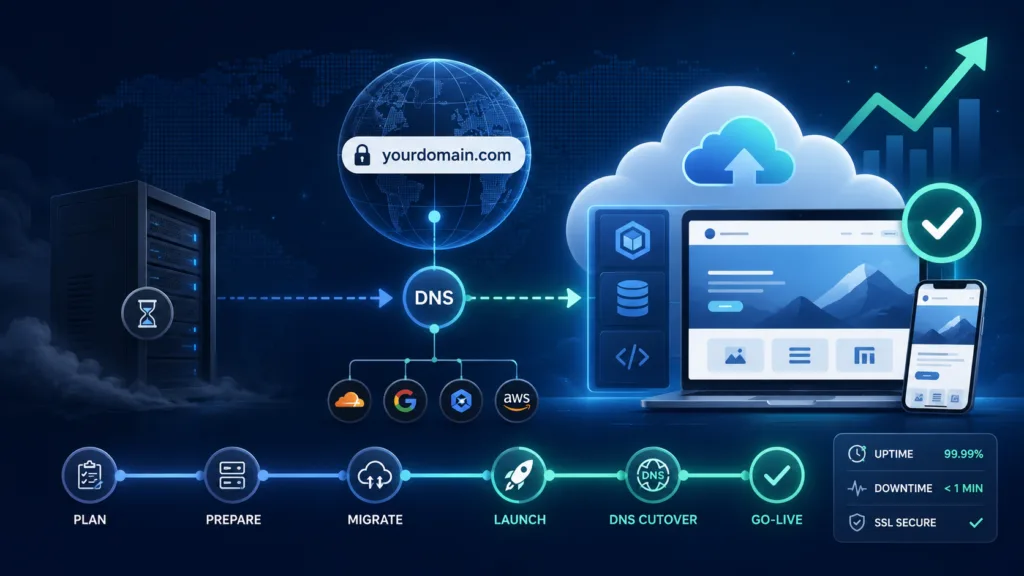
DNS records connect the website’s domain name with its hosting server.
When the website is ready to move, DNS settings must be updated so visitors are directed to the cloud environment.
Before migration, consider reducing the DNS time-to-live value. A lower value may help record changes reach users more quickly, although DNS updates can still take time to spread across networks.
Record all existing DNS entries before making changes. These may include:
- Website records
- Email records
- Domain verification records
- Subdomains
- Third-party service records
Incorrect DNS changes can make the website or email services unavailable.
11. Select the Right Migration Time
Choose a period when website traffic and business activity are relatively low.
Avoid migrating during:
- Major promotions
- Product launches
- Seasonal sales
- Important business events
- High-traffic weekends
- Financial reporting deadlines
Inform employees, customers, and service providers when the migration may affect them. Provide a clear escalation process so technical problems can be reported and handled quickly.
The migration plan should also identify who has authority to approve the final switch.
12. Create a Rollback Plan
A rollback plan explains how the business will return to the previous environment if the migration fails.
Keep the existing server active until the cloud website has been tested with real traffic. Avoid deleting old data or cancelling the previous hosting service immediately.
Define rollback conditions, such as:
- Payment failure
- Major database errors
- Unacceptable downtime
- Missing customer information
- Critical security problems
- Broken integrations
Preparing a rollback process does not mean the migration is expected to fail. It reduces operational risk when an unexpected problem occurs.
13. Monitor the Website After Migration
After the website cloud migration, monitor performance and functionality closely.
Check:
- Website uptime
- Error logs
- Traffic levels
- Server resources
- Database performance
- Security alerts
- Form submissions
- Payment transactions
- Customer complaints
- Email delivery
- Backup completion
Compare the results with the objectives defined at the beginning of the project.
Some problems appear only when real visitors begin using the new environment. Keep technical employees and service providers available during the initial launch period so issues can be investigated quickly.
Common Cloud Migration Mistakes
One common mistake is migrating without documenting the existing environment. Businesses may discover after launch that a plugin, scheduled task, integration, or email service was not transferred.
Other mistakes include:
- Skipping backup testing
- Failing to create a staging environment
- Underestimating data transfer time
- Choosing unsuitable server resources
- Ignoring DNS preparation
- Migrating during peak traffic
- Cancelling old hosting too quickly
- Failing to monitor costs
Following a detailed plan reduces these risks and makes responsibilities clearer.
Conclusion
To prepare your website for cloud migration, begin with a complete infrastructure audit, clear project goals, reliable backups, and a tested staging environment.
A successful migration also requires suitable provider selection, security planning, performance testing, careful DNS changes, and a rollback strategy. Using a structured cloud migration checklist ensures that important technical and operational steps are not overlooked.
When properly planned, website cloud migration can improve scalability, availability, backup protection, and long-term infrastructure flexibility. The strongest results come from treating migration as a controlled business project rather than a simple file transfer.
Frequently Asked Questions
1. How long does website cloud migration take?
The timeline depends on the website’s size, database volume, integrations, traffic, and technical complexity. A simple website may be moved quickly, while a large ecommerce or business application may require several weeks of preparation and testing.
2. Will my website experience downtime during migration?
Some migrations can be completed with little or no noticeable downtime. Careful staging, database synchronization, DNS planning, and scheduling can reduce disruption, but businesses should still prepare for unexpected issues.
3. Should I keep my old hosting after migrating?
Yes. Keep the previous hosting environment active until the cloud website has been fully tested and is operating reliably. This provides a rollback option if a serious problem occurs.
4. Does moving to the cloud automatically improve website speed?
Not always. Cloud hosting provides scalable infrastructure, but speed also depends on website code, images, caching, databases, plugins, server configuration, and content delivery.
