


Imagine you’re launching a startup. You’ve got a killer app idea, a lean team, and a shoestring budget. In your mind, you’re already scaling to millions of users overnight—think TikTok-level virality. But then reality hits: How are you actually going to host this?
Do you rent a fleet of servers, configure them yourself, and pray they don’t buckle under the load? Or do you hand the keys to a “magical” cloud solution that promises to scale automatically? This is the fundamental crossroads of modern infrastructure: Serverless Computing vs. Traditional Cloud Hosting.
I’ve been in those trenches. A few years back, I built a real-time analytics dashboard for a local charity event. I started with a traditional setup on AWS EC2, painstakingly managing virtual machines. Halfway through, I pivoted to a serverless approach using AWS Lambda. The difference was night and day—one felt like managing a data center, the other felt like writing code.
Read more blog : 8 Best Cloud Hosting Platforms for Growing Websites
The Great Cloud Debate: Serverless vs. Traditional Hosting
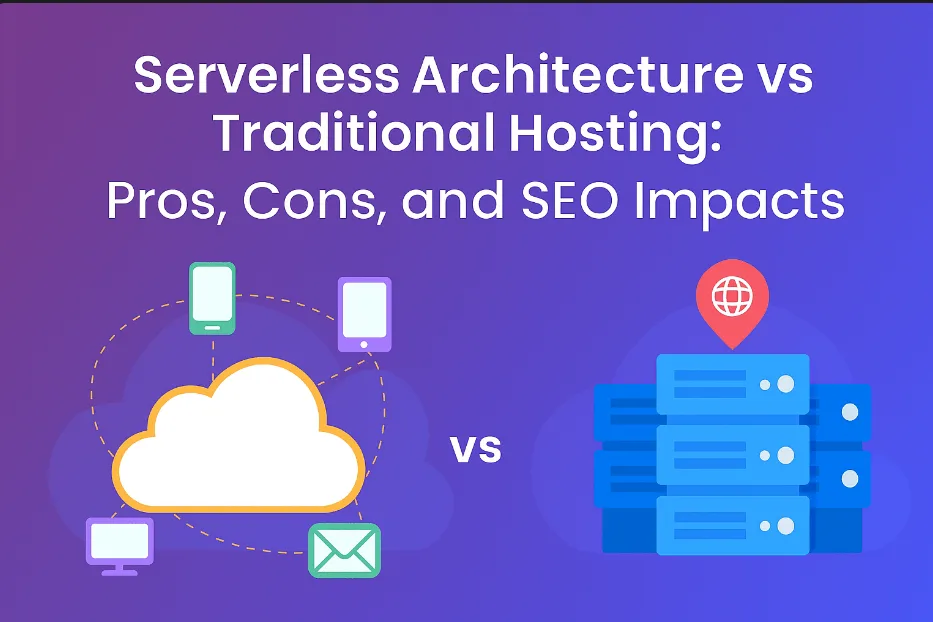
In the modern development landscape, choosing your infrastructure is a defining architectural decision. Whether you lean into the automated future of Serverless or the granular control of Traditional Cloud Hosting, understanding the trade-offs is key to building a resilient system.
Serverless Computing: The “Hands-Off” Revolution
Serverless computing sounds like a sci-fi dream: no hardware to babysit, no operating systems to patch—just pure code running in the cloud. However, the name is a bit of a misnomer. There are servers; they are simply “hidden behind the curtain,” managed entirely by giants like Amazon (AWS), Google (GCP), or Microsoft (Azure).
How it Works: You write your function, upload it, and the provider handles the heavy lifting: scaling, maintenance, and security patching.
- The Restaurant Analogy: Think of serverless like dining out. Someone else cooks, serves, and cleans up; you simply pay for the meal you consumed.
- Best Use Cases: It excels at event-driven tasks—processing a file upload, triggering a notification, or handling short-lived API requests.
- The Catch: While adoption is skyrocketing, serverless can stumble with long-running workloads. It’s perfect for data crunched in short bursts, but if you’re running a 24/7 multiplayer game server, the execution limits and costs may eventually hit a wall.
Traditional Cloud Hosting: The High-Control Workhorse
Traditional cloud hosting is the “Tried-and-True” model that dominated the early cloud era and remains a staple for complex applications.
How it Works: Picture this as renting an apartment. Whether it’s an AWS EC2 instance, a DigitalOcean Droplet, or a Google VM, you have your own dedicated space.
The Trade-off: You pay for the server whether it’s at 100% capacity or sitting idle. Scaling requires manual intervention or complex auto-scaling groups. During a traffic spike, you might find yourself spending hours tweaking configurations instead of focusing on your core business goals.
The “Landlord” Analogy: You are free to decorate (configure) the environment however you like. You install the software, tweak the kernel settings, and manage the stack. It’s yours to control, but you’re also the one “fixing the leaky faucet” when things break.
The Power of Control: Global empires like Netflix were built on this foundation, using Virtual Machines (VMs) to stream billions of hours of content. You have the flexibility to tune the server for specific peak traffic patterns, “flexing your tech muscles” to optimize performance.
Which Should You Choose?
| Scenario | Recommended Approach |
| Rapid Prototyping | Serverless – Get to market faster without infra-overhead. |
| Predictable, High-Volume Traffic | Traditional – Often more cost-effective for constant loads. |
| Variable / Spiky Workloads | Serverless – Scales instantly to meet demand. |
| Custom OS Requirements | Traditional – Total control over the environment and dependencies. |
The Core Differences: A Tale of Two Philosophies
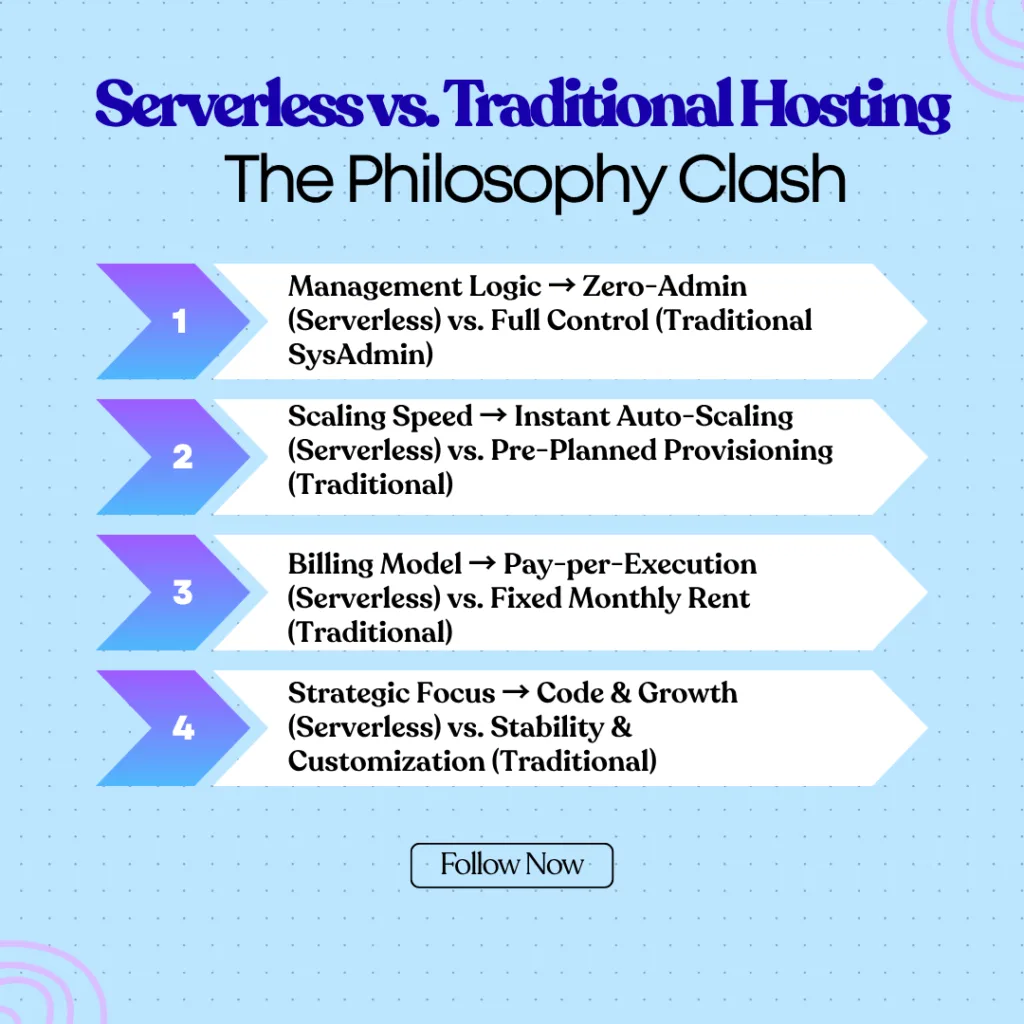
At their heart, serverless and traditional cloud hosting represent two mindsets. Serverless is about abstraction—letting go of the nitty-gritty to focus on code and outcomes. Traditional hosting is about ownership—keeping your hands on the wheel. Let’s break it down:
- Management: Serverless = zero server admin. Traditional = you’re the sysadmin.
- Scaling: Serverless auto-scales instantly. Traditional requires planning (and sometimes over-provisioning).
- Cost: Serverless bills per execution. Traditional charges per hour or month, used or not.
- Flexibility: Traditional wins for custom setups. Serverless locks you into the provider’s ecosystem.
This isn’t just tech talk—it’s a lifestyle choice. A Forrester report found that 40% of developers prefer serverless for its speed-to-market, but 60% stick to traditional hosting for legacy systems or complex apps.
Serverless vs. Traditional: The Epic Showdown Table
Let’s visualize this with a comparison table—because who doesn’t love a good chart?
| Feature | Serverless Computing | Traditional Cloud Hosting |
|---|---|---|
| Management Effort | None—provider handles it all | High—you manage OS, updates, and scaling |
| Cost Model | Pay-per-use (e.g., $0.0000167 per Lambda invocation) | Flat rate (e.g., $5/month for a small EC2 instance) |
| Scaling | Automatic, instant | Manual or auto-scaled with setup |
| Startup Time | Milliseconds (cold starts can lag) | Minutes to provision a VM |
| Use Case | Event-driven apps, microservices | Long-running apps, databases, custom software |
| Control | Limited—provider dictates runtime | Full—customize everything |
| Vendor Lock-in | High—tied to platform APIs | Moderate—easier to migrate between providers |
Serverless vs. Traditional Hosting: No Rose-Colored Glasses Here
Choosing between serverless and traditional cloud hosting isn’t about finding the “best” technology—it’s about finding the right fit for your specific workload. Both have distinct personalities, and understanding their quirks is essential for a stable architecture.
Serverless: The High-Agility Specialist
Serverless (Function-as-a-Service) is designed for developers who want to write code and forget the hardware exists. It’s the “just-in-time” delivery of the cloud world.
The Pros:
- Scalability on Autopilot: When traffic surges—like a sudden viral shoutout—serverless scales instantly and seamlessly. It handles 10x spikes without you ever touching a configuration file.
- Pay-as-you-Go Efficiency: You only pay for the milliseconds your code is actually running. With generous free tiers (like AWS Lambda’s million free requests), it is a dream for bootstrappers and lean startups.
- Rapid Deployment: Deploying updates takes minutes, not days. By abstracting the infrastructure, your team can focus exclusively on shipping features.
The Cons:
- The “Cold Start” Problem: If your function hasn’t been used recently, the initial request can lag as the provider spins up a fresh environment. This hiccup can occasionally frustrate users expecting instant dashboard loads.
- Strict Execution Limits: Most platforms cap execution time (typically 15 minutes). If you’re running marathon data processing tasks, serverless will cut you off mid-stream.
- Vendor Lock-in: Migrating from AWS Lambda to Google Cloud Functions isn’t a simple “copy-paste.” Rewriting triggers and integrations can be a significant technical hurdle.
Traditional Cloud Hosting: The Reliable Veteran
Traditional hosting (Virtual Private Servers or Dedicated Instances) provides a consistent, “always-on” environment. It’s the digital equivalent of owning your own workshop.
The Pros:
- Granular Control: You have total authority over the environment. From custom database configurations to kernel-level tweaks, you aren’t restricted by the provider’s sandbox.
- Predictable Billing: Your monthly invoice stays steady. This makes budgeting easier for established businesses compared to the variable, usage-based billing of serverless.
- Unrestricted Versatility: Whether you’re running a complex AI model or a long-running web server, there are no runtime restrictions. It handles any task, no matter how long it takes.
The Cons:
- Maintenance Overhead: You are the janitor and the architect. Patching OS vulnerabilities at 2 a.m. is part of the job description, and ignoring it leads to security risks.
- The Cost of Idle Time: You pay for the resources you provision, regardless of usage. An EC2 instance sitting at 5% CPU usage still costs 100% of its hourly rate.
- Lumbering Scalability: While auto-scaling groups help, spinning up new virtual machines takes much longer than the near-instant execution of a serverless function.
Real-World Stories: Where the Rubber Meets the Road
Let’s ground this in reality. Take Capital One, a serverless pioneer. They use AWS Lambda to process transactions in real time, slashing costs and boosting agility. On the flip side, Dropbox ditched AWS’s traditional hosting for their own data centers—but they started with VMs, proving traditional hosting’s staying power for massive workloads.
My own tale? After switching to serverless, my charity dashboard cut hosting costs by 70% and deployed updates twice as fast. But when I tried adding a persistent chat feature, I hit serverless’s limits and longed for traditional hosting’s flexibility. Context is everything.
Which One’s Right for You? A Decision Framework
Choosing between serverless and traditional hosting isn’t a coin flip—it’s a calculated move. Ask yourself:
- Workload Type: Short, bursty tasks (e.g., API calls)? Go serverless. Constant, heavy lifting (e.g., video streaming)? Traditional.
- Team Size: Solo or small crew? Serverless saves time. Big team with DevOps pros? Traditional’s fine.
- Budget: Cash-strapped? Serverless’s pay-as-you-go is clutch. Stable funding? Traditional’s predictability wins.
- Timeline: Need to launch yesterday? Serverless. Building for the long haul? Traditional.
For example, a friend built an e-commerce site with serverless APIs for checkout but kept the product catalog on a traditional VM. Hybrid approaches work too—more on that later.
The Hidden Gotchas: What No One Tells You
Serverless Surprises
- Debugging Hell: Distributed systems mean logs are scattered. Tools like Datadog help, but it’s still a puzzle.
- Cost Creep: Tiny per-use fees add up. One runaway function cost a colleague $200 in a weekend.
Traditional Traps
- Security Headaches: You’re on the hook for patches. CVE Details lists endless vulnerabilities to track.
- Idle Waste: I once forgot to shut down a test VM and burned $50 in a month.
Expert Insights: Voices from the Trenches
I reached out to some industry pros for their take. Sarah Drasner, a developer advocate and author, told me, “Serverless is a mindset shift—think in events, not servers. It’s liberating until you hit its edges.” Meanwhile, a DevOps lead at a mid-sized firm swore by traditional hosting: “We tried serverless, but our legacy ERP needed full control. VMs saved us.”
The data backs this up. A 2023 CNCF survey found 30% of enterprises use serverless, but 70% still rely on VMs or containers for core workloads.
Read more blogs :
5 Secure Web Hosting Services Every Website Owner Should Consider
Top 10 Web Hosting Platforms for WordPress Users
Top 7 Affordable Web Hosting Plans Perfect for Small Businesses

Conclusion: The Future Is Yours to Shape
So, where do we land? Serverless computing and traditional cloud hosting aren’t rivals—they’re tools in your arsenal. Serverless is the sprinter: fast, agile, and perfect for the unpredictable. Traditional hosting is the marathoner: steady, customizable, and built for endurance. My charity app taught me that the best choice isn’t universal—it’s personal.
If you’re starting fresh, dip your toes into serverless. Spin up a Lambda function or try Vercel for a low-stakes test. Got a sprawling app with years of baggage? Lean on traditional hosting and ease into serverless for new features. The cloud’s evolving—Kubernetes and containers are blurring the lines, and hybrid models are the next frontier.
Reflect on your goals. Are you chasing speed or control? Cash or customization? Whatever you pick, you’re not locked in forever. Experiment, iterate, and let your app’s needs guide you. The future’s wide open—go build something amazing.
Frequently Asked Questions (FAQs)
1. Which hosting model is more cost-effective for a new startup?
For most startups, Serverless is the more cost-effective choice initially. Since you only pay for actual execution time (and many providers offer generous free tiers), your costs remain near zero until you gain traction. Traditional hosting requires a fixed monthly payment regardless of whether you have one user or one thousand.
2. What is a “Cold Start,” and how does it impact user experience?
A cold start happens in serverless environments when a function hasn’t been used for a while. The provider “powers down” the resource to save energy, and the next user must wait a few seconds for it to spin back up. While this can cause a slight delay in dashboard loads or app launches, it can be mitigated using “provisioned concurrency” or “keep-warm” scripts.
3. Is Traditional Cloud Hosting more secure than Serverless?
Neither is inherently “more secure”; they simply offer different security responsibilities. In Traditional Hosting, you are responsible for patching the OS and securing the server ports. In Serverless, the provider handles the OS security, but you must be extremely diligent about “Function-level” security—ensuring your code doesn’t have vulnerabilities and that your API permissions are strictly limited.
4. Can I migrate easily from Serverless back to Traditional Hosting?
Migration can be tricky. Serverless code is often written to work with specific provider tools (like AWS DynamoDB or S3 triggers). Moving back to a traditional VM often requires refactoring the code to work with standard web servers (like Nginx or Apache) and local databases. It is best to design your code to be as modular as possible from day one.
5. When should I choose Traditional Cloud Hosting over Serverless?
You should stick with Traditional Hosting if your application requires 24/7 consistent high-volume processing, a custom operating system environment, or specific hardware requirements (like high-performance GPUs). It is also the preferred choice for legacy applications that aren’t easily broken down into small, independent functions.
