


Scaling is essential for database management, especially as businesses grow and handle increasing volumes of data. To ensure databases can handle more traffic, we need to understand how scaling works. There are two primary methods: horizontal scaling and vertical scaling. Each has its own approach, benefits, and challenges. Here’s a breakdown of how databases scale and the differences between these two strategies.
1. What is Database Scaling?
Database scaling is the process of adjusting the infrastructure that supports a database to improve its performance, handle more traffic, and accommodate larger datasets. As databases handle increasing requests from applications or users, they need more resources to maintain speed and reliability.
The two main methods of scaling are:
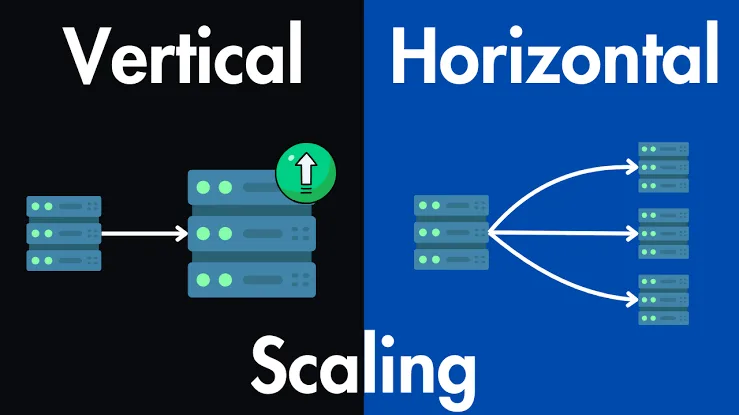
- Vertical Scaling: Increasing the capacity of a single server.
- Horizontal Scaling: Adding more servers to share the load.
Let’s dive into these in more detail.
2. Vertical Scaling (Scale-Up)
Vertical scaling involves upgrading the current database server’s hardware to increase its capacity. This usually means adding more CPU, RAM, or storage to the existing server. In simpler terms, it’s like boosting your computer’s specifications to make it run faster and handle more applications at once.
Benefits of Vertical Scaling
- Simplicity: With vertical scaling, you don’t need to manage multiple servers, making it easier to maintain and administer.
- Software Compatibility: Many applications and databases are easier to configure for vertical scaling since you’re just upgrading one machine.
Read more blog : Backend Developer Interview Questions and Answers for 2026
Drawbacks of Vertical Scaling
- Hardware Limits: There’s a physical limit to how much you can upgrade a single server.
- Higher Costs: High-performance hardware becomes expensive as you increase CPU, memory, and disk space.
- Single Point of Failure: Since everything relies on a single server, if it fails, the entire database can go down.
When to Use Vertical Scaling
Vertical scaling is often suitable for smaller applications or for handling short-term, modest increases in demand. If your database’s performance bottleneck can be solved by adding more CPU or RAM, then vertical scaling might be the simplest and most cost-effective solution.
3. Horizontal Scaling (Scale-Out)
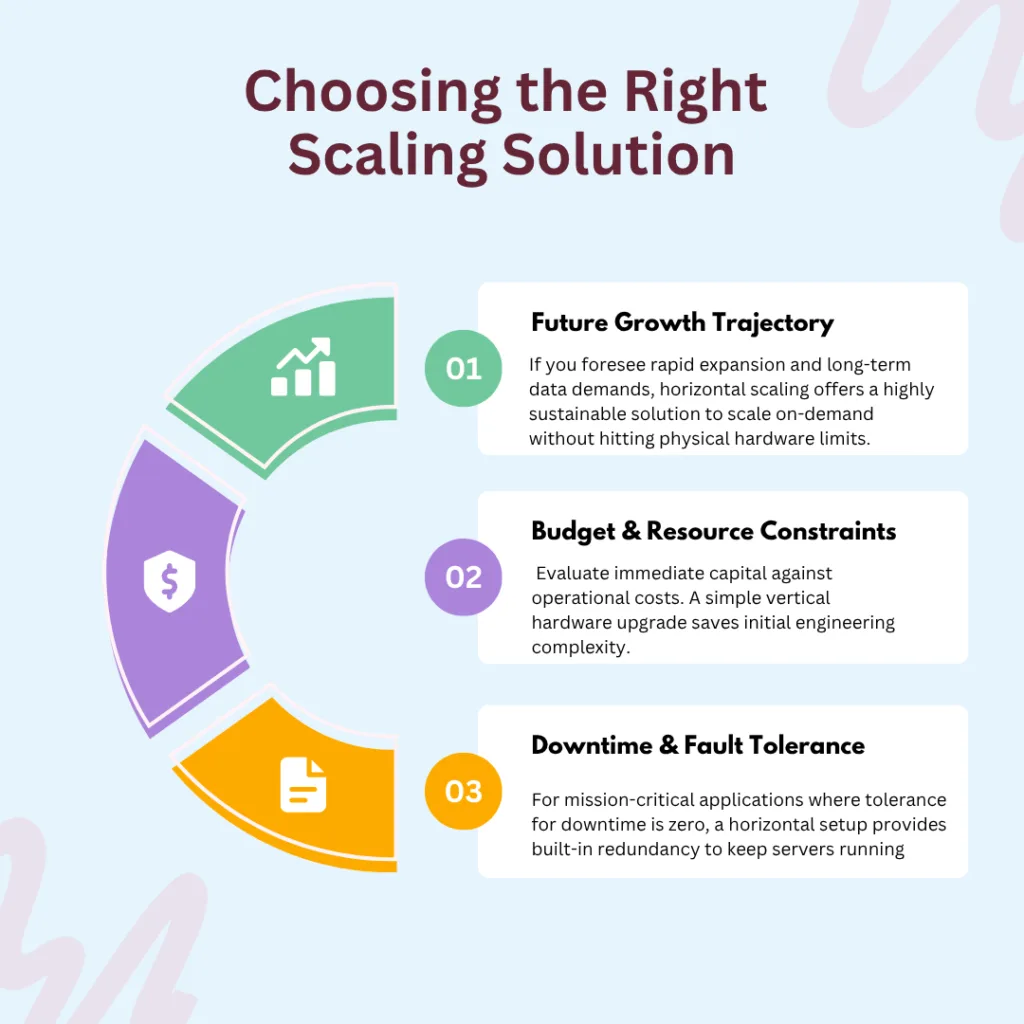
Horizontal scaling involves adding more servers to your infrastructure, distributing the database across multiple machines. Instead of relying on a single powerful server, you have a collection of servers that share the workload.
Benefits of Horizontal Scaling
- Better Performance: By distributing data across multiple machines, horizontal scaling can significantly improve the database’s performance, even under heavy loads.
- Higher Fault Tolerance: With multiple servers, the database can stay operational even if one server fails.
- Infinite Scalability: Theoretically, you can keep adding servers to handle an increasing load.
Drawbacks of Horizontal Scaling
- Complexity: Managing a distributed system can be complicated. Data consistency, synchronization, and network latency must be carefully managed.
- Infrastructure Costs: While individual servers might be cheaper, the total cost of infrastructure, networking, and administration can add up.
- Data Sharding: To distribute data, it often needs to be “sharded,” or split across servers. Sharding can make querying data more complex and may require significant re-engineering.
When to Use Horizontal Scaling
Horizontal scaling is ideal for large applications or high-traffic sites where data storage and processing demands are continually growing. Large companies like Google, Facebook, and Amazon rely heavily on horizontal scaling for their vast data needs.
4. Vertical vs. Horizontal Scaling: A Quick Comparison
| Comparison Metric | Vertical Scaling (Scale-Up) | Horizontal Scaling (Scale-Out) |
| 🔄 Basic Approach | Upgrade a single server: Adds more power (CPU, RAM, Storage) to the existing machine. | Add more servers: Connects multiple machines to distribute the overall workload. |
| 🛠️ System Complexity | Low: Simple to implement since the database architecture and software setup remain unchanged. | High: Complex to manage; requires data sharding, network synchronization, and replication logic. |
| 🛑 Capacity Limits | Hard Ceiling: Strictly limited by the maximum physical specs of a single hardware unit. | Virtually Infinite: Scalable on-demand by continuously adding new commodity servers. |
| 🛡️ Fault Tolerance | Single Point of Failure: If the primary server crashes, the entire database goes offline. | High Redundancy: Built-in resilience; if one server fails, other nodes keep the system running. |
| 💰 Cost Structure | High Per-Unit Cost: Upgrading to high-end, premium hardware becomes exponentially expensive. | Lower Initial Cost: Uses cheaper commodity hardware, though overall network setup costs can add up. |
| ⏳ Implementation Downtime | Often Required: Upgrading physical hardware or shifting server tiers typically causes brief downtime. | Zero Downtime: New nodes can be provisioned and added to the cluster live without interrupting users. |
| 🎯 Best Suited For | * Small to mid-sized apps * Short-term traffic spikes * Systems with low technical overhead | * High-traffic enterprise applications * Massive datasets (e.g., Google, Amazon) * Continuous, long-term business growth |
5. Choosing the Right Scaling Solution
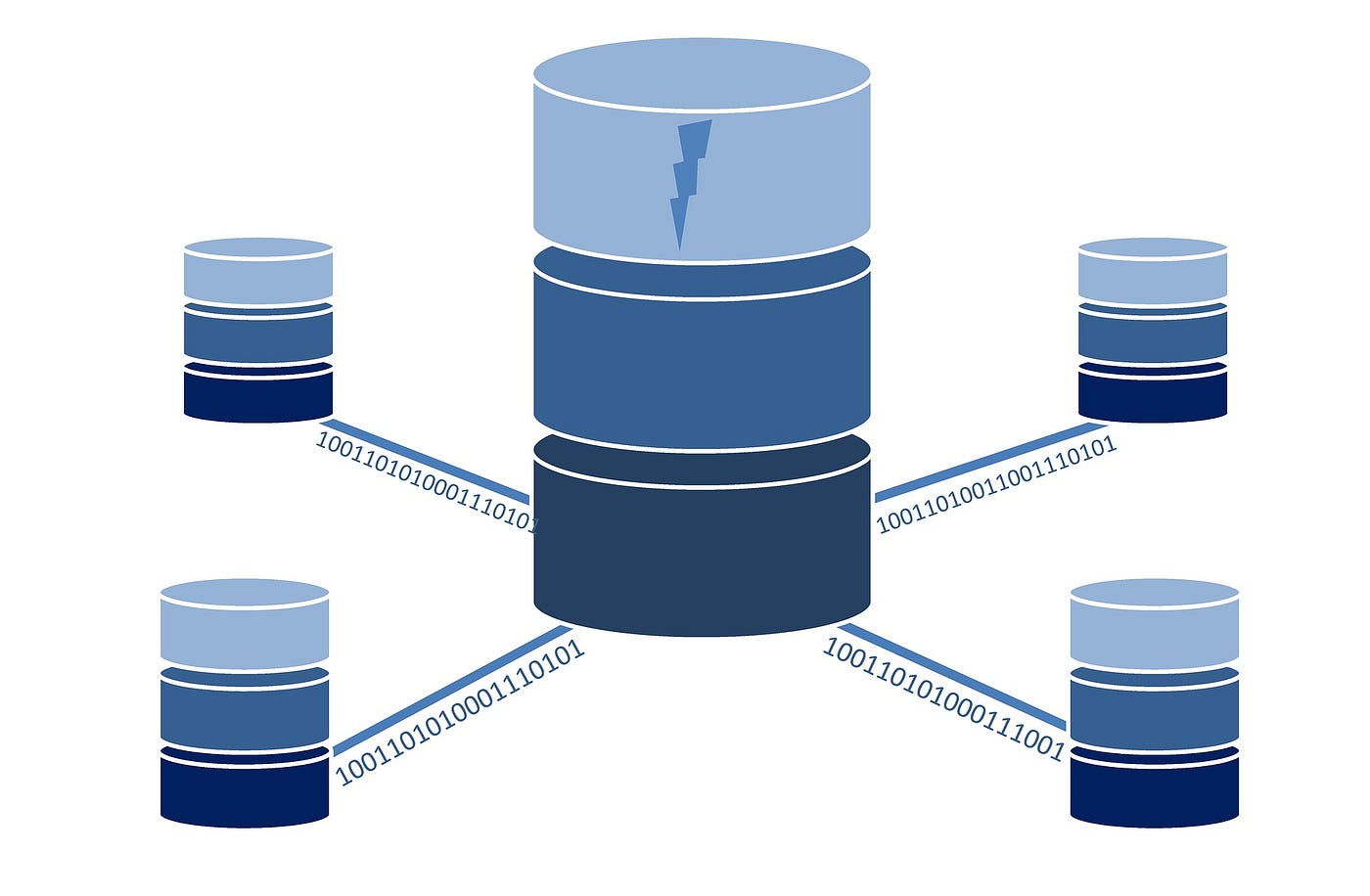
When deciding between vertical and horizontal scaling, consider:
Read more blog : Scaling Databases for High Traffic Applications
- Current and Future Load: If you foresee rapid growth, horizontal scaling may offer a more sustainable solution.
- Budget: If immediate budget constraints exist, a modest upgrade to a single server (vertical scaling) may suffice.
- Technical Resources: Horizontal scaling requires more expertise to manage a distributed system.
- Downtime Tolerance: For critical applications, horizontal scaling offers better redundancy to maintain uptime.
6. Combining Horizontal and Vertical Scaling
In practice, many businesses combine both methods to optimize performance and cost-effectiveness. For instance, you might start with vertical scaling, then adopt horizontal scaling as your database outgrows a single server. This hybrid approach leverages the simplicity of vertical scaling with the long-term scalability of horizontal scaling.
Conclusion
Understanding database scaling and the differences between horizontal and vertical approaches is essential for choosing the best option based on your needs. Both scaling methods have distinct advantages and limitations, so the choice depends on factors like growth trajectory, budget, and fault tolerance requirements. Proper scaling ensures your database can keep up with user demands, maintain high performance, and grow with your business.
Whether you’re just starting or scaling up, knowing these fundamentals will help you make informed decisions to optimize database performance and reliability.
Freqently Ask Question:
What is the core difference between vertical and horizontal database scaling?
Vertical scaling (scale-up) means adding more power—like extra CPU, RAM, or storage—to your existing database server. Horizontal scaling (scale-out) means adding completely new servers to your pool, allowing you to split the database and distribute the overall traffic load across multiple machines.
Horizontal vs. vertical scaling: Which approach is better?
Neither is universally “better,” as it depends entirely on your application’s growth trajectory and infrastructure budget. Vertical scaling is excellent for short-term needs and smaller applications because it is simple to implement and requires zero code changes. However, for massive, high-traffic applications that require infinite scalability and zero downtime, horizontal scaling is the superior long-term strategy.
How does horizontal scaling work in MongoDB compared to vertical upgrades?
In MongoDB, vertical scaling involves upgrading the hardware specs of your primary node or replica set. Horizontal scaling, on the other hand, is achieved natively through a process called Sharding. MongoDB automatically partitions and distributes your large datasets across multiple independent servers (shards), allowing you to scale both storage capacity and throughput seamlessly without hitting hardware ceilings.
What is the difference between database partitioning and database scaling?
While closely related, they handle data differently:
Database Partitioning is the architectural process of splitting a large database into smaller, distinct logical parts (either vertically by columns or horizontally by rows) to make data management easier.
Database Scaling refers to changing the underlying physical infrastructure. Horizontal partitioning often serves as the foundational stepping stone required to execute horizontal scaling across multiple servers.
How do cloud platforms like AWS handle vertical vs. horizontal scaling?
Cloud ecosystems like AWS make both methods highly accessible but handle them through different services:
Vertical scaling in AWS involves changing your instance type (e.g., upgrading an Amazon RDS database from a db.m5.large to a db.m5.2xlarge) to instantly boost RAM and compute power.
Horizontal scaling in AWS involves adding more read replicas to distribute database traffic or deploying fully distributed, cloud-native databases like Amazon DynamoDB or Amazon Aurora, which scale out automatically across multiple availability zones.
