


Software development is evolving faster than ever, and artificial intelligence is playing a huge role in this transformation. Testing, which used to be a slow and manual process, is now becoming automated, intelligent, and significantly faster. One of the biggest breakthroughs in this field is the emergence of AI-powered coding assistants like Copilot. These tools act like a virtual partner for developers and testers, helping them write code, debug issues, and automate repetitive tasks.
The rise of AI coding assistants has dramatically improved productivity across development teams. Studies show that developers using complete tasks up to 55% faster compared to those who work without AI assistance. This speed advantage makes a massive difference when teams are running continuous integration pipelines, automated testing workflows, and frequent software releases.
Testing is particularly suited for AI assistance because it often involves repetitive tasks such as writing test scripts, generating mock data, and debugging failures. Instead of spending hours writing boilerplate test cases, testers can use Copilot to generate entire testing scripts instantly. The AI analyzes existing code and automatically suggests relevant test scenarios, helping teams build better coverage with less effort.
Another important shift is that testing teams are now integrating AI tools directly into their development environments. Instead of switching between documentation, Stack Overflow, and coding environments, testers can ask for help inside their IDE. This creates a seamless workflow where writing, testing, and debugging happen simultaneously.
In short, the integration of AI into software testing is reshaping how teams build reliable software. The focus is moving away from manual scripting toward intelligent automation where tools like Copilot assist humans in writing smarter and more efficient test cases.
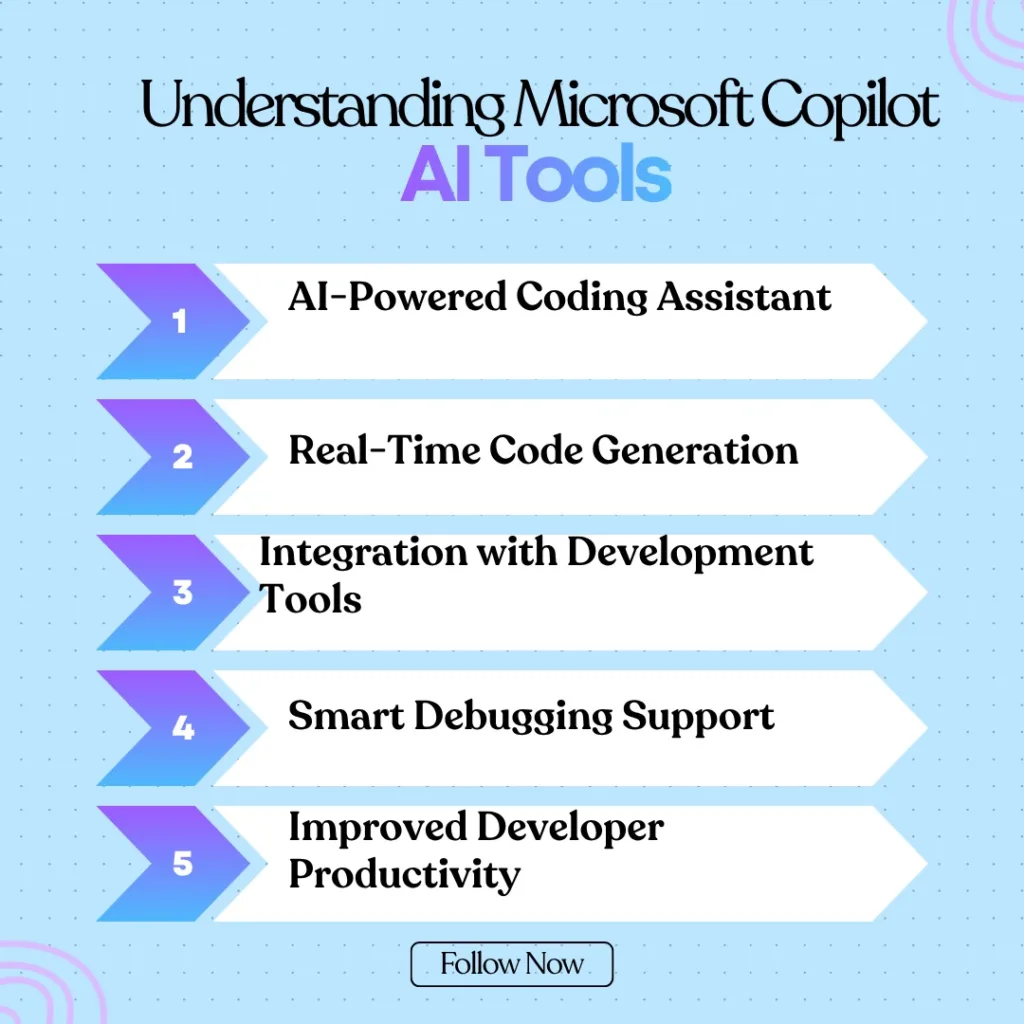
Understanding Microsoft Copilot AI Tools
1. What Are Microsoft Copilot AI Tools
Before diving deeper into testing workflows, it’s important to understand what Microsoft Copilot AI Tools actually are. Copilot is essentially an AI-powered coding assistant developed by Microsoft and integrated with development platforms like Visual Studio Code and GitHub. It uses advanced language models trained on massive code repositories to understand programming patterns and provide context-aware suggestions.
Think of Copilot as a “pair programmer.” Instead of working alone, developers and testers now have an AI assistant sitting beside them, suggesting code snippets, functions, and testing logic in real time. This makes coding and testing significantly faster, especially when dealing with repetitive tasks.
Today, Copilot has seen massive global adoption. Reports indicate that over 15 million developers use Copilot worldwide and more than 50,000 organizations have integrated it into their development workflows. The reason for this rapid adoption is simple: it saves time and reduces cognitive workload.
One of the most powerful aspects of Copilot is that it learns from context. When you write a piece of code, Copilot analyzes the surrounding code structure and suggests relevant test cases automatically. For example, if you are writing a login authentication function, Copilot might suggest tests for invalid credentials, missing input fields, or password length validation.
Another interesting aspect is that Copilot doesn’t just generate code—it also helps developers understand code. If a tester is unfamiliar with a particular function, Can explain the logic and recommend appropriate testing strategies.
In modern DevOps pipelines, Copilot is increasingly used alongside testing frameworks like Jest, Mocha, Cypress, and Playwright. This combination enables teams to generate automated tests faster, detect bugs earlier, and maintain better code quality.
What Can I Do with Copilot in Software Testing
1. Writing Automated Test Cases
One of the most common questions testers ask is: What Can I Do with Copilot when it comes to testing? The answer is surprisingly broad. Copilot can assist in nearly every stage of the testing lifecycle, from writing test scripts to debugging failing tests.
For instance, imagine you are building an e-commerce checkout system. Normally, writing automated test cases for such a system would take hours because you need to test multiple scenarios like payment validation, cart errors, shipping options, and authentication. With, you can simply describe the testing requirement in a comment, and the AI generates the test code automatically.
Example prompt in code:
// write a test case for login API with invalid password
Copilot might generate something like this:
test(“login fails with invalid password”, async () => {
const response = await request(app)
.post(“/login”)
.send({ email: “test@test.com”, password: “wrong123” });
expect(response.statusCode).toBe(401);
});
Instead of writing the entire logic manually, testers can simply review the generated code and modify it if needed. This drastically reduces development time and allows teams to focus on test strategy rather than repetitive scripting.
2. Debugging and Code Suggestions
Another powerful capability is debugging assistance. Test failures often occur because of small errors such as incorrect selectors, API changes, or timing issues in asynchronous code. Copilot analyzes these errors and suggests potential fixes.
For example, if a test fails due to an undefined variable, may automatically recommend adding the correct import statement or modifying the variable declaration. This reduces debugging time significantly and helps testers resolve issues faster.
Copilot can also suggest edge cases that testers might overlook. For example, if you are testing a registration form, Copilot might suggest adding tests for empty input fields, extremely long usernames, or invalid email formats.
This ability to identify potential gaps in testing logic makes Copilot a valuable tool for improving overall test coverage.
Setting Up Copilot for Testing Environments
1. Installing Copilot in VS Code
Getting started with Copilot is surprisingly simple. Most developers and testers install it directly inside Visual Studio Code. The process typically involves installing the extension and authenticating with a GitHub account.
Once installed, Copilot begins analyzing the code inside your project and providing suggestions automatically. These suggestions appear as inline recommendations that you can accept by pressing the Tab key.
The integration works seamlessly with popular testing frameworks. Whether you are writing JavaScript tests using Jest or end-to-end tests using Cypress, Copilot can recognize the framework structure and generate relevant testing code.
2. Connecting Copilot with Testing Frameworks
Copilot becomes even more powerful when integrated with testing frameworks. Some of the most commonly used frameworks include:
| Testing Framework | Usage |
| Jest | Unit testing for JavaScript |
| Mocha | Flexible testing framework |
| Cypress | End-to-end web testing |
| Playwright | Cross-browser testing |
| Selenium | Web automation testing |
When Copilot detects one of these frameworks in your project, it automatically adapts its suggestions to match the syntax and structure of that framework.
For example, if you are using Cypress, may generate commands like cy.visit(), cy.get(), or cy.click() automatically.
End-to-End Testing with Node.js Using Copilot
1. Example of Automated Testing Workflow
One of the most powerful use cases is End-to-End Testing with Node.js. End-to-end testing ensures that the entire application works correctly from the user interface to the backend database.
Consider a typical Node.js application with an authentication system. The testing workflow might involve the following steps:
- User opens login page
- User enters credentials
- Application validates data
- Server returns authentication token
- Dashboard loads successfully
Copilot can generate automated test scripts that simulate this entire process. Instead of manually writing dozens of test steps, testers can simply describe the expected behavior.
Example comment prompt:
// create end-to-end test for login and dashboard access
Copilot may generate a Cypress test that navigates to the login page, fills in credentials, submits the form, and verifies that the dashboard loads correctly.
2. Copilot Generated Test Scripts Example
describe(“Login Flow”, () => {
it(“should login successfully”, () => {
cy.visit(“/login”);
cy.get(“#email”).type(“test@test.com”);
cy.get(“#password”).type(“password123”);
cy.get(“button[type=submit]”).click();
cy.url().should(“include”, “/dashboard”);
});
});
This automation saves hours of manual coding while still allowing testers to review and improve the generated scripts.
Best Practices for Using Copilot
1. Prompt Engineering for Better Results
Using Copilot effectively requires clear instructions. The better your prompts are, the more accurate the generated code will be.
For example:
- Bad prompt: write test
- Good prompt: generate Jest test cases for login API including valid and invalid credentials
Clear prompts help generate more accurate and relevant testing scripts.
2. Ensuring Code Quality and Security
While Copilot is powerful, human review is still essential. Research shows that developers accept around 30–46% of AI-generated suggestions after reviewing them, which highlights the importance of validation.
Testing teams should follow several Best Practices for Using Copilot:
- Always review generated test scripts
- Add additional edge-case tests
- Run security scans on generated code
- Integrate tests into CI/CD pipelines
These practices ensure that AI assistance improves productivity without compromising quality.
AI Tools for Content Creators and Test Documentation
1. Automated Test Documentation
Modern development teams often struggle with documentation. Writing test reports and documentation can take almost as much time as writing the tests themselves. This is where AI Tools for Content Creators come into play.
Can automatically generate documentation for test cases, APIs, and testing workflows. By analyzing the test scripts, the AI can create descriptive summaries explaining what each test does and why it exists.
For example, if a project contains dozens of test cases, can generate a structured testing document that explains each scenario.
This capability helps teams maintain better documentation without spending extra time writing it manually.
2. Generating Bug Reports and Reports
Copilot can also assist with bug reporting. When a test fails, the AI can analyze the failure logs and generate a structured bug report including:
- Error message
- Expected behavior
- Actual behavior
- Suggested fix
This dramatically reduces the time testers spend writing manual bug reports.
Benefits of Using Copilot in Software Testing
The benefits of using Copilot extend far beyond simple code generation. Teams that integrate AI-assisted development tools often experience significant improvements in productivity and efficiency.
Research indicates that developers using complete tasks up to 55% faster, primarily because repetitive coding tasks are automated. This speed boost allows teams to focus more on solving complex problems rather than writing boilerplate code.
Another major advantage is improved learning for junior testers. Beginners often struggle with writing proper test cases because they lack experience with testing frameworks. acts like a mentor, suggesting correct syntax and testing patterns.
Copilot also improves consistency across large projects. When multiple testers work on the same codebase, inconsistencies in testing style can occur. Helps standardize testing practices by suggesting uniform structures for test scripts.
Finally, Copilot helps teams experiment faster. Instead of spending hours implementing a new testing idea, developers can generate a prototype test suite in minutes.
Limitations and Risks of AI Generated Testing
Despite its advantages, Copilot is not perfect. AI-generated code may sometimes contain errors, inefficient logic, or security vulnerabilities. Studies show that some generated code snippets may require manual corrections or improvements before being used in production environments.
Another challenge is overreliance on AI suggestions. Developers may accept generated code without fully understanding it, which can introduce hidden bugs into the codebase.
Security is another concern. AI models learn from public repositories, which means they might generate outdated or insecure coding patterns. Testing teams must therefore combine AI assistance with traditional code review processes.
The key takeaway is that should be used as a productivity tool rather than a replacement for human expertise.

Conclusion
Artificial intelligence is rapidly transforming the world of software development, and testing is one of the biggest beneficiaries of this transformation. Tools like are helping teams automate repetitive tasks, generate test cases faster, and improve overall software quality.
From generating unit tests to performing End-to-End Testing with Node.js, significantly reduces the time and effort required to build reliable testing systems. It also helps testers explore new testing strategies, debug failures quickly, and maintain better documentation.
When combined with proper review processes and clear testing strategies, can become a powerful assistant for development teams. The future of software testing will likely involve even deeper integration between AI tools and testing frameworks, enabling smarter automation and faster release cycles.
FAQs
1. Is Copilot useful for software testing?
Yes, Copilot can generate automated test cases, suggest debugging fixes, and help improve testing coverage across applications.
2. Can Copilot write automated testing scripts?
Yes, They can generate scripts for frameworks like Jest, Cypress, Playwright, and Selenium based on prompts and existing code.
3. Does Copilot replace manual testing?
No, They only assists testers but does not replace human expertise. Manual review and strategy planning are still essential.
4. Can Copilot help with API testing?
Yes, they can generate API test cases using frameworks like Jest, Supertest, and Postman scripts.
5. Is Copilot suitable for beginners?
Absolutely. Beginners can learn testing frameworks faster by observing the code suggestions generated.
