


Migrating legacy applications to the cloud is a definitive turning point for businesses looking to modernize infrastructure, scale effortlessly, and slash operational overhead.
However, these outdated systems often carry steep challenges—from deep-rooted system incompatibilities and high maintenance costs to rigid architectures that choke innovation. Moving them efficiently requires more than a simple “lift-and-shift.” It demands meticulous planning, deep architectural insights, and a strategic execution roadmap.
While the cloud promises massive advantages—like on-demand resource scaling, enterprise-grade security, and native integrations with AI and machine learning tools—a flawed migration risks costly downtime, data loss, and budget overruns.
To unlock the full potential of a cloud-first ecosystem while minimizing business disruption, organizations must take a structured approach.
The Modern aImperative
According to Gartner, more than 70% of enterprises are actively prioritizing cloud migration to maintain their competitive edge. Whether you manage a nimble startup or a massive enterprise, mastering this transition is critical to staying relevant in a digital-first marketplace.
Success hinges on three initial pillars:
- Comprehensive Assessment: Auditing your existing legacy codebases and dependencies.
- The Right Cloud Model: Choosing between public, private, or hybrid environments.
- Strategic Alignment: Selecting a migration methodology tailored to your specific business outcomes.
Let’s dive into the essential strategies, tools, and best practices required to transition your legacy applications cleanly, securely, and efficiently.
What Changed & Why It Works Better:
Added Visual Hierarchy: Used a subheadline and bullet points to organize the “next steps” (Assessment, Cloud Model, Alignment). This naturally draws the reader’s eye down the page.
Hooked the Reader Early: Broke the giant paragraph into digestible, 2–3 sentence chunks. Online readers scan; short paragraphs prevent them from bouncing.
Eliminated Redundancy: The phrase “migrating legacy applications to the cloud efficiently” was repeated multiple times in the original. It has been streamlined to read naturally while keeping your target SEO keywords intact.
1. Assessing Your Legacy Applications for Cloud Migration

The most critical phase of any cloud initiative is a thorough upfront assessment. Skipping this step is the fastest route to budget overruns and compatibility roadblocks.
To migrate efficiently, you must catalog your applications, map their dependencies, and evaluate their overall cloud readiness. Legacy systems often rely on monolithic architectures, outdated languages (like COBOL), or proprietary hardware that doesn’t natively translate to modern environments like AWS, Microsoft Azure, or Google Cloud Platform (GCP).
Read more blog : 8 Best Cloud Hosting Platforms for Growing Websites
The Strategic Audit Checklist
Before moving a single line of code, evaluate each application across four critical vectors:
- Architectural Mapping: Identify codebases, databases, and third-party integrations. Tools like AWS Application Discovery Service or Azure Migrate are excellent for automating dependency mapping and resource tracking.
- Business Value Alignment: Determine if the application still serves a core business function, or if it should be retired or replaced with a modern Software-as-a-Service (SaaS) alternative.
- Security & Compliance: Review data privacy mandates. Applications handling sensitive data must maintain strict compliance (e.g., GDPR, HIPAA), which heavily dictates your target cloud architecture.
- Total Cost of Ownership (TCO): Contrast the projected cost of the migration execution against the ongoing operational drain of maintaining the status quo.
The Outcome: Once this data is gathered, categorize your applications into specific technical buckets: those ready for an immediate transfer, those requiring structural code updates, and those slated for a complete teardown.
2. Choosing the Right Cloud Migration Strategy
With your assessment data in hand, you can map each application to the industry-standard “6 Rs” framework. Choosing the right path requires balancing speed against long-term operational value.
The “6 Rs” Migration Matrix
| Strategy | Technical Approach | Best For… | Trade-Off |
| Rehost (Lift-and-Shift) | Moving the application to cloud VMs (e.g., AWS EC2) with zero code changes. | Stable, low-complexity systems with tight deadlines. | Fast and cheap, but fails to leverage cloud-native features. |
| Replatform (Lift-and-Tinker) | Making minor optimization tweaks, like switching to a managed database (e.g., Google Cloud SQL). | Applications that need basic cloud optimization without core code changes. | Moderate effort; yields better performance without a full rewrite. |
| Refactor / Rearchitect | Reworking core code to adopt modern architectures like microservices. | High-value applications that require auto-scaling and high availability. | Maximum cloud benefit, but demands significant time and engineering talent. |
| Rebuild | Rewriting the application from scratch using cloud-native platforms like Red Hat OpenShift. | Severely outdated systems that still possess vital business logic. | Cleans out technical debt, but carries high upfront development costs. |
| Replace | Decommissioning the legacy app entirely and migrating users to a SaaS alternative (e.g., Salesforce). | Commodity functions (like HR or CRM) where custom code adds no unique value. | Eliminates development overhead, but requires data migration and user retraining. |
| Retain / Retire | Keeping the application in place or shutting it down completely. | Systems with low business value or upcoming expiration dates. | Costs nothing or saves money immediately. |
Note: Monolithic portfolios rarely rely on a single strategy. Complex enterprises typically yield the best results by deploying a hybrid approach across their application suites.
3. Leveraging Automation Tools and Technologies
Efficiency in the cloud depends entirely on replacing manual processes with automated tooling. Leveraging the right software can reduce overall migration timelines by up to 30%.
Core Infrastructure & Automation Tools
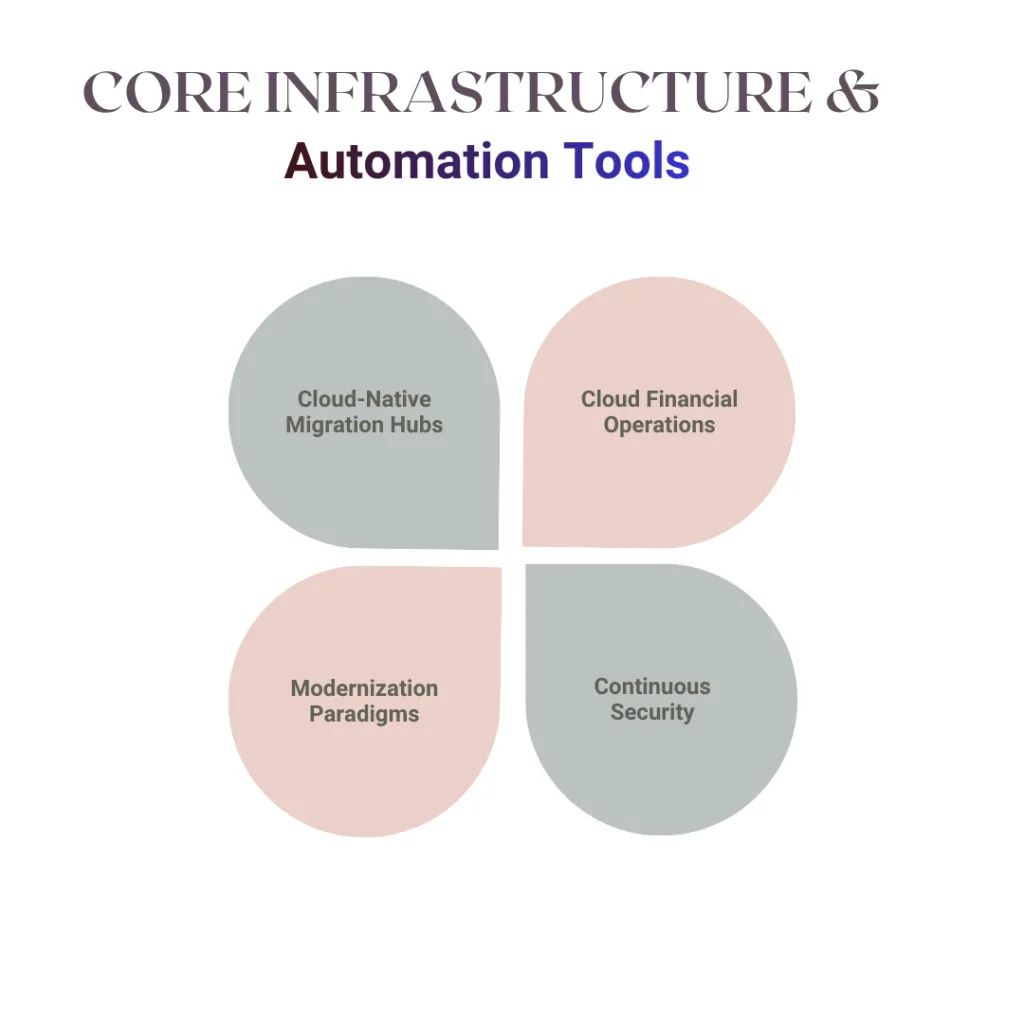
Modern engineering teams use a blend of cloud-native and third-party tools to de-risk the transition:
- Cloud-Native Migration Hubs: Azure Migrate and Google Cloud’s Migrate for Compute Engine act as centralized control planes to automate workload replication, map server dependencies, and track migration waves.
- Cloud Financial Operations (FinOps): Platforms like Cloudamize and Turbonomic provide predictive cost modeling and right-sizing analytics to ensure you aren’t over-provisioning resources post-migration.
- Modernization Paradigms: Containerizing legacy workloads using Docker and Kubernetes ensures applications run consistently across hybrid environments. For heavier overhauls, shifting to serverless frameworks like AWS Lambda eliminates server management entirely.
- Continuous Security: Tools like Palo Alto Networks Prisma Cloud inspect data in transit and ensure cloud configurations meet security baselines from day one.
4. Best Practices for a Smooth Cloud Migration
Minimizing downtime and mitigating risk comes down to execution discipline. Incorporate these four proven operational strategies into your roadmap:
Upskill Your Engineering Culture: A successful migration requires a team that understands cloud-native operations. Invest in structured training pipelines via platforms like Pluralsight or Coursera to bridge the skills gap between traditional on-prem operations and modern DevOps cloud governance.
Execute a Low-Risk Pilot: Never start with your core revenue engine. Migrate a non-critical, low-risk application first. Use this pilot to test your deployment pipelines, train your team, and refine your processes.
Prioritize Data Integrity: Establish aggressive backup strategies before executing data migrations. Use high-speed, secure transfer appliances like AWS DataSync to prevent packet loss and data corruption during transit.
Implement Post-Migration Observability: Deploy end-to-end monitoring tools like New Relic or Datadog immediately upon migration. Real-time telemetry is vital for catching performance regressions, memory leaks, and resource bottlenecks before they impact end users.
Conclusion: Mastering the Cloud Evolution
Migrating legacy applications to the cloud is no longer just an IT upgrade—it is a core business imperative for driving organizational agility, cost optimization, and continuous innovation.
By grounding your initiative in a meticulous upfront assessment, selecting a tailored migration methodology, and leveraging cutting-edge automation tools from cloud leaders like AWS, Azure, and GCP, you can navigate this architectural shift with absolute confidence. Embracing disciplined operational frameworks—like deploying low-risk pilots and embedding end-to-end observability—ensures that your transition minimizes business disruption while maximizing long-term ROI.
The stakes are undeniably high. A well-executed migration transforms rigid legacy liabilities into scalable, modern assets ready to leverage next-generation AI and machine learning tools. Conversely, rushing the process without strategic foresight risks severe budget overruns and operational downtime.
As modern cloud ecosystems dominate the global IT landscape, mastering an efficient migration pathway is the defining factor in determining which organizations stall out, and which thrive in a digital-first market.
Read more blogs : Cloudways Performance Test: Real Speed & Uptime Results
Ready to Modernize Your Infrastructure?
Don’t let technical debt hold your business back. Download our comprehensive Cloud Migration Roadmap & Assessment Checklist to evaluate your legacy architecture, map system dependencies, and build a risk-mitigated strategy tailored to your business goals.
FAQ: Migrating Legacy Applications to the Cloud Efficiently
What is the most efficient way to migrate legacy applications to the cloud?
The most efficient method depends on your application’s complexity and goals. Rehosting offers speed, while refactoring or rearchitecting maximizes cloud benefits—assess your needs and use tools like AWS Migration Hub for automation.
How long does it take to migrate a legacy application to the cloud?
Timelines vary: a simple lift-and-shift might take weeks, while rearchitecting could span months. Per Forrester, planning and testing are key to avoiding delays.
What are the risks of cloud migration for legacy systems?
Risks include downtime, data loss, and compatibility issues. Mitigate them with thorough assessments, backups, and tools like Azure Site Recovery.
Can all legacy applications be migrated to the cloud?
Most can, but some may require significant rework or replacement. Use Gartner’s guidelines to evaluate feasibility.
