


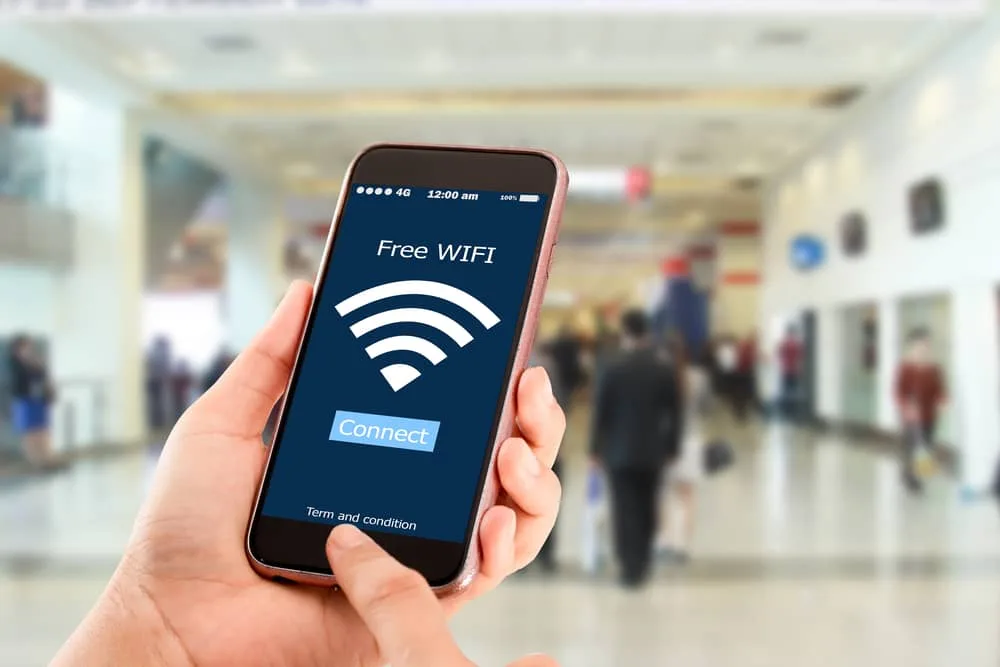
Public Wi-Fi is a modern convenience that powers our on-the-go lifestyles, allowing us to work from coffee shops, check emails at airports, and browse social media in parks. However, this convenience comes with significant risks.
These unsecured networks are hunting grounds for cybercriminals looking to steal sensitive information. The good news is that you don’t have to avoid public Wi-Fi entirely.
By understanding the threats and implementing a few key security practices, you can significantly reduce your risk and learn how to safely use public Wi-Fi for essential tasks without falling victim to hackers.
Table of Contents
Understanding the Risks: Why Public Wi-Fi is a Danger Zone

Before diving into the solutions, it’s crucial to understand what you’re up against. An unsecured public Wi-Fi network lacks the encryption and authentication of your home network, making your data visible to others on the same network. The primary threats include:
- Man-in-the-Middle (MitM) Attacks: This is a common threat where a hacker intercepts the communication between your device and the Wi-Fi router. They can eavesdrop on everything you do, capturing login credentials, personal messages, and financial information.
- Evil Twin Attacks: In this scenario, a cybercriminal sets up a malicious Wi-Fi hotspot with a legitimate-sounding name, like “Airport Free Wi-Fi” or “Cafe Guest.” Unsuspecting users connect to this fake network, giving the attacker direct access to all their unencrypted internet traffic.
- Packet Sniffing: Using readily available software, hackers can “sniff” the data packets being transmitted over the network. On an unencrypted connection, this data can be read in plain text, revealing your sensitive information.
- Snooping and Shoulder Surfing: Sometimes, the threat is physical. A person nearby could simply look over your shoulder to see what you’re typing, capturing passwords or PINs.
Understanding these security risks is the first step toward building a effective defense. The goal is to make your data unreadable and your connection untraceable, even if you are on a compromised network.
Your Essential Toolkit: How to Safely Use Public Wi-Fi
The cornerstone of public Wi-Fi safety is creating a private tunnel for your data. The most effective tool for this is a Virtual Private Network (VPN).
1. Use a Reputable VPN (Virtual Private Network)
A VPN is a non-negotiable layer of protection for anyone regularly using public networks. It works by encrypting all the data that travels between your device and a secure server operated by the VPN service. This creates a private “tunnel” through the public network.
- How it helps: Even if a hacker intercepts your data, all they will see is encrypted gibberish. They cannot decipher your passwords, emails, or bank details. A VPN also masks your IP address, providing an additional layer of privacy.
- Actionable Tip: Always turn on your VPN before connecting to the public Wi-Fi network. Keep it running for the entire duration of your session. Invest in a reputable, paid VPN service, as free versions often have limitations and may compromise your data.
2. Verify the Network and Use HTTPS
A little vigilance can help you avoid the most obvious traps.
- Verify the Official SSID: Always ask an employee of the establishment for the exact name (SSID) of their Wi-Fi network. Evil twin attacks rely on users connecting to a similarly named, fraudulent network. If you see two very similar network names, be suspicious.
- Look for HTTPS: Ensure that any website you visit uses “HTTPS” in the address bar, not “HTTP.” The “S” stands for “secure” and indicates that the connection between your browser and the website is encrypted. Most modern browsers also display a padlock icon. However, remember that HTTPS only protects the data to that specific website; a VPN protects all your device’s traffic.
3. Adjust Your Device’s Sharing Settings and Use a Firewall
Your device may be set to share files or printers with other devices on the same network, which is safe at home but dangerous in public.
- Disable File Sharing: On Windows, turn off “Public folder sharing” and “File and printer sharing” when connected to a public network. On a Mac, ensure “File Sharing” is turned off in System Preferences.
- Enable Your Firewall: Most operating systems have a built-in firewall that helps block unauthorized access. Make sure this feature is turned on before you connect to provide an additional barrier against intrusion.
What to Avoid on Public Wi-Fi?

Even with the best precautions, it’s wise to limit your activities on unsecured networks. A key part of knowing how to safely use public Wi-Fi is knowing what not to do.
- Avoid Accessing Sensitive Accounts: Do not log into your online banking, investment accounts, or make online purchases. If you must, ensure your VPN is active and the site uses HTTPS.
- Never Access Sensitive Work Documents: Avoid logging into your corporate VPN or accessing confidential company files unless you are using a secured, company-managed device and connection.
- Don’t Automatically Connect: Disable the “auto-connect” feature for Wi-Fi on your devices. This prevents your phone or laptop from automatically joining malicious networks without your knowledge.
- Log Out and Forget: After your session, always log out of any services you used. Then, go into your device’s Wi-Fi settings and tell it to “Forget This Network.” This prevents automatic reconnection in the future.
Conclusion: Balance Convenience with Caution
Public Wi-Fi is an invaluable tool for staying connected, but it requires a proactive and security-conscious approach. You now understand the security risks and, more importantly, the practical steps for how to safely use public Wi-Fi.
By making a reputable VPN your first line of defense, verifying networks, adjusting device settings, and being selective about your online activities, you can harness the convenience of these networks without handing over your personal data to cybercriminals. In the digital world, a little caution goes a long way toward ensuring your safety.
Frequently Asked Questions (FAQs)
1. Is it ever 100% safe to use public Wi-Fi?
While you can drastically reduce the risk, no public, unsecured network can be considered 100% safe. Using a VPN is the closest you can get to ensuring your safety, as it encrypts your connection. For the highest level of security, avoid public Wi-Fi for sensitive tasks and use your mobile phone’s personal hotspot instead.
2. What’s the difference between a VPN and just using HTTPS websites?
HTTPS only encrypts the data between your browser and that specific website. A VPN encrypts all data from your entire device—including app data, background updates, and your browsing activity on all sites—before it even leaves your device. This makes a VPN a much more comprehensive solution for public Wi-Fi security.
3. Are password-protected public Wi-Fi networks safe?
They are slightly safer than completely open networks because they require authentication, which keeps casual snoopers out. However, if the password is publicly posted (like in a cafe), it offers little real security. The same risks of MitM and Evil Twin attacks still apply. You should use a VPN on password-protected public networks as well.
4. I only use public Wi-Fi for browsing, not logging in. Am I safe?
While lower risk, you are not entirely safe. A hacker on the same network can still see which sites you are visiting and could potentially redirect you to a malicious fake website. They could also exploit vulnerabilities in your browser or operating system. It is always best to have a VPN active for any use of a public network.
