


SaaS, or Software as a Service, is a model of software delivery and licensing in which applications are accessed online through a subscription instead of being purchased and installed on personal devices.
This business model has numerous benefits for both creators and users, and 33 percent of companies are operating more additional SaaS applications than they accomplished in 2016. More, around 3-quarters of companies will include almost all of their SaaS apps by 2020.
Keep scrolling to understand nicely what is SaaS and know more about the benefits of creating the switch.
Read more blog : Ultimate Guide to SaaS Tools: Boost Your Business Efficiency
SaaS vs. Cloud Computing: Understanding the Difference
Many people use the terms SaaS and Cloud Computing interchangeably, and while they are closely related, they aren’t the same. The simplest way to look at it is that SaaS is a specific subset of cloud computing.
What is Cloud Computing?
Think of cloud computing as the “infrastructure.” It is a broad umbrella of computing services—including servers, storage, databases, and networking—that are accessed over the internet rather than being housed on a physical hard drive or a local office server.
What is SaaS?
Software as a Service (SaaS) is a specific delivery model within the cloud. It refers to application software that is hosted in the cloud and accessed via a web browser or app. Instead of managing the backend, the provider handles everything from security to updates, leaving the user to simply enjoy the interface.
Key Comparison: The Microsoft Office Example
To truly understand the shift, look at how the Microsoft Office suite has evolved:
- Cloud Computing (Hybrid): If you make a one-time purchase of Office, install it on your PC, but save your files to OneDrive for easy access, you are using cloud computing for storage, but the software itself is still traditional “on-premise” tech.
- SaaS (Full Cloud): If you subscribe to Microsoft 365, you are using a SaaS model. The software lives in the cloud, updates automatically without you lifting a finger, and your subscription covers both the application and the data storage.
At a Glance: Cloud vs. SaaS
| Feature | Cloud Computing | SaaS (Software as a Service) |
| Definition | The broad technology that hosts services over the internet. | A specific application delivered through the cloud. |
| Control | Offers more control over the operating system and infrastructure. | The provider manages everything; you only manage the settings. |
| Usage | Used by developers and IT teams to build or store data. | Used by end-users to complete specific tasks (like email or CRM). |
SaaS vs PaaS

When comparing SaaS to PaaS, the key difference lies in the level of service offered. SaaS delivers a complete software solution, including the application and data storage. In contrast, PaaS provides the underlying infrastructure needed to develop and run your own applications, while the applications and their data remain entirely under your management.
Popular SaaS applications include Google Apps, Dropbox, and Salesforce. Examples of PaaS offerings are AWS Elastic Beanstalk and Google App Engine.
Why should you consider moving to a SaaS Model?
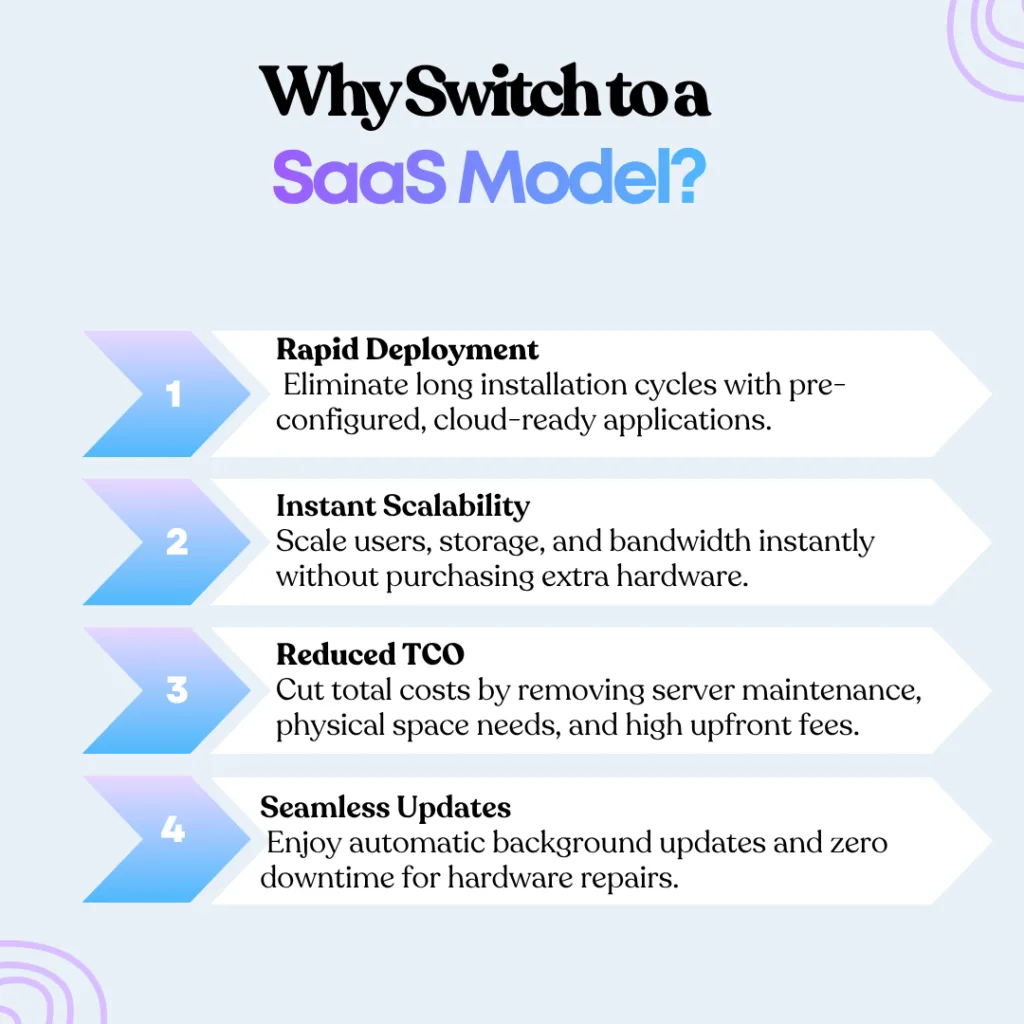
1. Time to Launch
Every SaaS application is already configured and installed in the cloud. This reduces typical uncertainties resulting from usually long traditional software deployment.
After development is complete, the software is immediately ready for use. There’s no need to wait for installation or deal with unforeseen hardware issues on the client’s side once it’s deployed.
2. Scalability
With a SaaS model, organizations don’t need to worry about capacity as their user base or usage grows. They can easily scale by adding new users without the hassle of purchasing extra hardware or infrastructure.
Additional storage or bandwidth can be added instantly, often with just a click. When new user licenses are needed—for example, for new employees—they can simply be created by setting up a new username and password, rather than buying extra physical software.
The product owner must be ready to support this increased demand but can do so cost-effectively by hosting multiple applications on a shared platform. This results in much lower expenses compared to what clients would face upgrading their own systems. Additionally, the provider can offset these incremental costs by charging clients based on actual usage.
3. Costs
Total Cost of Ownership
While clients may focus on recurring subscription fees, the overall cost of ownership is typically lower. This is largely because of reduced hardware expenses and avoiding the decline in performance that occurs as traditional software becomes outdated.
Additionally, clients don’t need to allocate physical space for servers or related equipment.
Initial Setup Costs
Upfront expenses are significantly reduced, often involving little to no initial software cost. Clients also save by not needing to invest in new hardware or renovate space to accommodate it.
Support Costs
Support becomes more efficient, leading to further savings that the provider can either retain as profit or pass along through lower fees.
These efficiencies include fewer on-site service calls, continuous updates acting as preventive maintenance, and the ability to support multiple clients using the same core software instead of maintaining completely separate systems.
Maintenance
With no on-site hardware, maintenance requirements and downtime are greatly minimized. Clients avoid shutting down systems for hardware upgrades or repairs, while providers can share backup infrastructure across applications.
The client’s IT staff also saves time and resources by not having to perform routine hardware checks to ensure system stability.
Who is the SaaS Model Best Suited For?

As outlined by the benefits above, a SaaS model is ideal for businesses aiming to:
- Accelerate time-to-value
- Cut costs
- Simplify software usability
- Expand into new markets
- Establish a more predictable and stable revenue stream
However, SaaS may not be the right fit in the following cases:
1. Dependence on Upfront Payments
While SaaS helps improve long-term revenue forecasting and stability, it can create short-term cash flow challenges. If your business depends on upfront payments to recover development costs or fund day-to-day operations, switching to SaaS might be premature.
2. Need for Accelerated Revenue Recognition
Unlike on-premises software (OPS), which often allows vendors to recognize license revenue upon delivery and service revenue during implementation, SaaS typically delays revenue recognition. Upfront payments for licenses and services are deferred until the software goes live, then recognized over the customer’s lifecycle. Even if cash flow isn’t an issue, this delay could negatively impact reported earnings if faster revenue recognition is essential.
3. Requirement for Full Data Control
Self-hosted software gives organizations greater control over their systems and data. With SaaS, that control rests largely with the provider. Users are generally required to adopt the latest version of the software and may not be able to postpone updates. This can sometimes lead to the removal or alteration of features that are vital to a client’s operations.
How Arunangshudas Can Help You
Navigating the shift from traditional software to a SaaS model can feel like a big leap, but you don’t have to do it alone. Arunangshudas specializes in helping businesses bridge this gap effortlessly. Whether you are a creator looking to build a scalable application or a business owner wanting to cut down on heavy IT costs, we provide the strategic roadmap you need.
From choosing the right infrastructure to optimizing your subscription revenue model, Arunangshudas ensures your transition is smooth, profitable, and future-proof. Let’s turn your software ideas into a service that grows with your users.
Frequently Asked Questions (FAQs)
1. Is SaaS the same as Cloud Computing?
Not exactly. Think of Cloud Computing as the “store” and SaaS as a specific “product” on the shelf. SaaS is a subset of cloud computing that focuses specifically on delivering software applications over the internet.
2. Is my data safe in a SaaS application?
In most cases, yes. Major SaaS providers invest heavily in security and backups—often far more than an average small business could afford for their own local servers. However, since the data lives on their servers, you do trade some direct control for that security.
3. Can I use SaaS applications offline?
Most SaaS apps require an active internet connection to work. However, some apps (like Google Docs) offer “offline modes” that sync your changes once you’re back online.
4. How does the billing work?
SaaS usually follows a subscription model (monthly or yearly). This is great for your “pocket” as you don’t have to pay a massive upfront cost, but you do need to keep paying to maintain access to the service.
