


Password Fatigue is the modern digital malaise that affects nearly everyone who interacts with technology. It is that feeling of exhaustion, frustration, and resignation that comes from the relentless demand to create, remember, and update a seemingly endless list of complex passwords.
For businesses, this isn’t just an employee inconvenience; it’s a critical security vulnerability. When users are overwhelmed, they resort to dangerous habits—reusing passwords across work and personal accounts, creating simple, predictable patterns, or storing them in unsecured locations.
This article will explore the roots of this widespread issue and outline actionable strategies for achieving robust secure credential management, moving beyond the password to a more secure and user-friendly future.
Table of Contents
Understanding the Root Causes of Password Fatigue
The problem of Password Fatigue isn’t born from a single source but from a perfect storm of digital demands. The average employee must manage credentials for dozens of different applications, platforms, and services. Each one comes with its own, often contradictory, set of complexity rules: “must include a symbol,” “cannot use a previous password,” “must be between 8-12 characters.”
This leads to several high-risk user behaviors:
- Password Reuse: The greatest sin in cybersecurity. Once a password for one service is breached (and these breaches are regularly sold on the dark web), hackers can use that same credential to attempt access to other, more critical systems like corporate email or banking portals. This is known as “credential stuffing.”
- Weak Password Creation: Instead of crafting strong, unique passwords, fatigued users create simple variations like “CompanyNameSummer2024!” and increment it slightly each time a change is required.
- Insecure Storage: When the human memory fails, people turn to sticky notes on monitors, unencrypted text files on the desktop, or notes on their phones. Each of these methods is a glaring security risk.
This cycle of creation, memorization, and failure fundamentally undermines an organization’s secure credential management posture. The human brain is not designed to be a vault for hundreds of random character strings, and forcing it to be one creates the very weakness attackers exploit.
The Cornerstone Solution: Embracing a Password Manager
The most effective and immediate step to combat Password Fatigue and enhance organizational security is the widespread adoption of a reputable Password Manager. A password manager is a secure, encrypted digital vault that stores all user credentials. It requires the user to remember only one strong master password to gain access to their entire collection.
The benefits for businesses are transformative:
- Eliminates the Memory Burden: Employees no longer need to remember dozens of passwords. The manager auto-fills login credentials for them, streamlining their workflow and reducing frustration.
- Generates and Stores Strong, Unique Passwords: The best password managers include a built-in generator that can create long, complex, and unique passwords for every single account. This completely negates the risks of password reuse and weak credentials.
- Encrypts and Secures Data: Credentials are stored in an encrypted vault, often with additional security layers like two-factor authentication for the master password. This is far more secure than any physical note or text file.
- Facilitates Secure Sharing: Teams can securely share credentials for shared accounts (like social media or software licenses) without having to email them or message them in plain text.
Implementing a corporate-wide Password Manager is the single biggest leap an organization can take toward solving Password Fatigue and establishing a foundation of secure credential management. It shifts the burden from the fallible human memory to a secure, automated system.
Strengthening the Gate: The Non-Negotiable Role of Multi-Factor Authentication (MFA)

While a password manager drastically improves password hygiene, it should never be the only layer of defense. Multi-Factor Authentication (MFA) is an essential companion that adds a critical barrier between an attacker and your systems. MFA requires a user to present two or more pieces of evidence (or “factors”) to log in. These typically are:
- Something you know (your password).
- Something you have (a code from an authenticator app on your phone or a hardware key).
- Something you are (a fingerprint or facial scan).
Even if a password is stolen through a phishing attack or a third-party breach, MFA prevents the attacker from gaining access because they do not possess the second factor. For businesses, enforcing MFA on all critical applications—especially email, VPNs, and cloud infrastructure—is a non-negotiable component of modern secure credential management. It effectively neutralizes the threat of stolen credentials.
Moving Beyond the Password: The Future of Authentication
The ultimate solution to Password Fatigue is to move beyond passwords altogether. The future of authentication lies in more seamless and secure methods, many of which are already available:
- Passkeys: A revolutionary technology gaining rapid support from major tech companies. Passkeys are a replacement for passwords that use cryptographic key pairs. To log in, you simply unlock your device (phone, laptop) using its built-in biometric sensor (fingerprint, face) or PIN. There is no password for a user to remember or for an attacker to steal. This represents the future of frictionless and ultra-secure access.
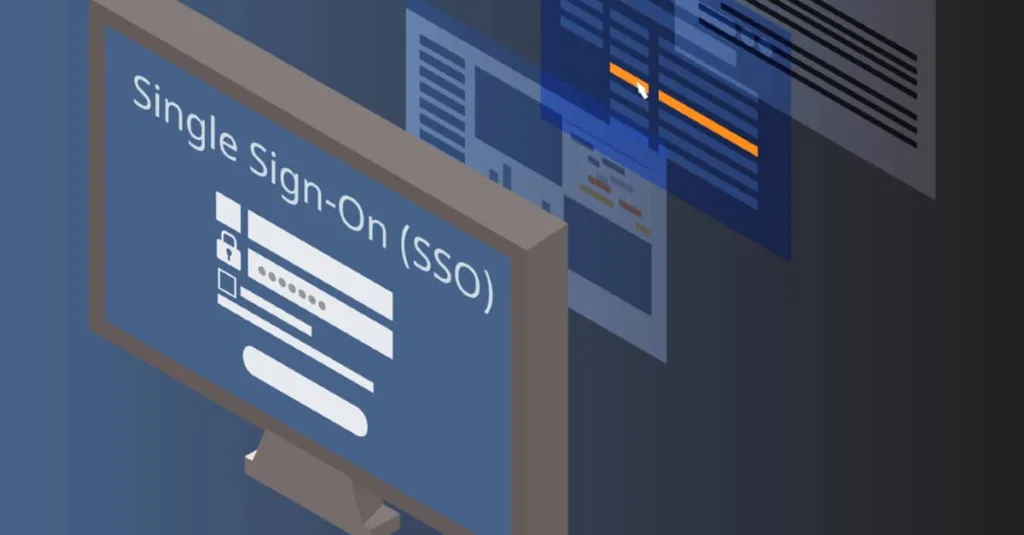
- Single Sign-On (SSO): For enterprises, SSO is a powerful tool. It allows employees to use one set of credentials (often tied to their main corporate account) to access multiple applications. This drastically reduces the number of passwords an individual needs to manage daily, centralizes control for IT, and improves the overall security posture.
Conclusion
Password Fatigue is a pervasive problem, but it is not an insurmountable one. By understanding its causes and implementing a layered defense strategy, businesses can transform their security from a point of weakness to a pillar of strength.
The path forward is clear: deploy a trusted Password Manager to handle existing credentials, enforce Multi-Factor Authentication on every possible account, and begin planning for a passwordless future with technologies like passkeys and SSO. By taking these steps, organizations can protect their assets, empower their employees, and finally conquer the exhausting burden of password management.
Frequently Asked Questions (FAQs)
1. Aren’t password managers a single point of failure?
This is a common concern. While it’s true that all your passwords are protected by one master password, a reputable password manager mitigates this risk in several ways. First, your data is encrypted both on your device and on their servers. Second, they use zero-knowledge architecture, meaning the company itself cannot see your master password or your stored data.
2. What is the difference between a password manager and Single Sign-On (SSO)?
They are complementary technologies. A Password Manager is a tool for individuals to store and manage a wide variety of passwords for any website or service, both personal and work-related. SSO is an enterprise-level system that allows an employee to use one corporate identity to log in to a pre-defined set of company-approved applications. SSO reduces the number of logins, while a password manager securely handles the passwords for everything else.
3. If I use a password manager, do I still need to enable MFA on my accounts?
Absolutely. In fact, it’s more important than ever. Think of it as a two-lock system: your password manager is the first, incredibly strong lock. But if a specific website you use is breached, the attacker would have the password for that site from the breach. If you have MFA enabled on that account, the stolen password is useless to them. Always use MFA on any account that supports it, especially your email, financial, and primary social media accounts.
