


The need for data migration arises when businesses grow, evolve, or adapt to new technologies. A common scenario is migrating from a NoSQL database like MongoDB to an SQL-based system such as PostgreSQL. Whether it’s to leverage Postgres’ relational model, SQL capabilities, or advanced analytics, such migrations must be executed with precision to ensure data integrity and minimal downtime.
As applications scale and business logic matures, teams frequently outgrow the flexible, schema-less nature of NoSQL databases. When requirements shift toward complex relational analytics, strict data integrity, and robust ACID transactions, PostgreSQL emerges as the premier destination.
This comprehensive guide covers everything you need to plan, execute, and optimize a seamless migration from MongoDB to PostgreSQL.
Why Consider Migration?
- Structured Data Needs: PostgreSQL supports robust relational models, making it ideal for applications requiring strict, predictable schemas.
- Advanced Query Capabilities: Built-in SQL support, sophisticated window functions, and powerful full-text search make complex analytics and reporting significantly easier.
- Transactions & ACID Compliance: Native, multi-table ACID compliance ensures bulletproof transaction handling for critical business systems.
- Cost Optimization: In many setups, unified database architectures and efficient query execution drastically trim hosting and operational overhead.
Key Challenges in MongoDB to PostgreSQL Migration
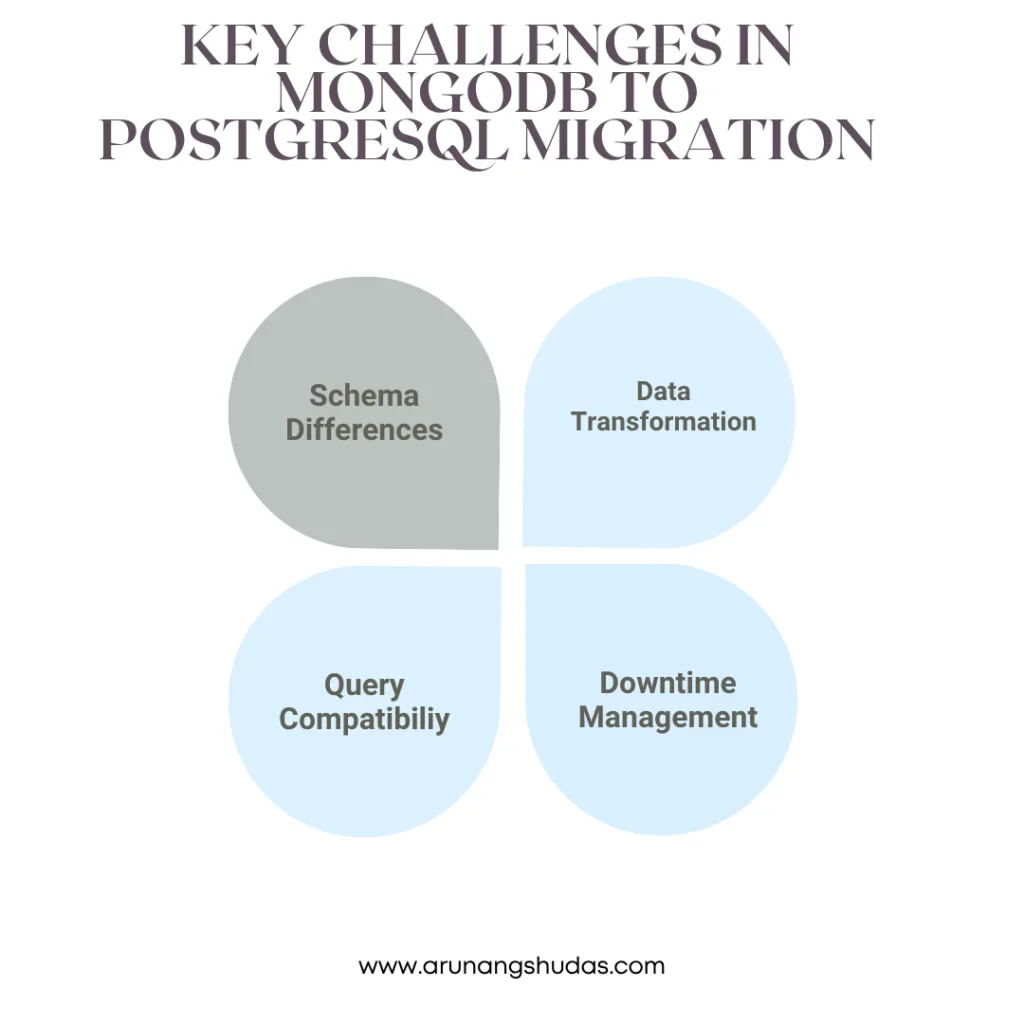
- Schema Differences: MongoDB utilizes a dynamic document model, whereas PostgreSQL enforces rigid, predefined table schemas.
- Data Transformation: Nested objects, embedded documents, and arrays native to MongoDB must be flattened or normalized into relational child tables.
- Query Compatibility: Transitioning from MongoDB Query Language (MQL) to standard SQL requires rewriting application data layers.
- Downtime Management: Orchestrating a zero- or low-downtime transition requires careful incremental syncing strategies.
MongoDB vs. PostgreSQL: Core Feature Comparison
| Feature | MongoDB (NoSQL) | PostgreSQL (Relational SQL) |
| Data Model | JSON/BSON Documents | Relational Tables & Rows |
| Schema Flexibility | Dynamic / Schema-less | Strict / Predefined |
| Transactions | Document-level / Multi-document | Full Multi-Table ACID Compliance |
| Query Language | MQL (MongoDB Query API) | Standard SQL (Joins, CTEs) |
| Scaling | Native Horizontal Sharding | Primarily Vertical (Extensions available) |
Step-by-Step Migration Strategy
1. Planning and Schema Design
- Analyze MongoDB Collections: Audit fields, data types, and access patterns. Watch out for inconsistent types across documents (e.g., a field stored as a string in some rows and an integer in others).
- Define the PostgreSQL Schema: Flatten embedded elements into normalized relational tables. Establish clear primary and foreign key constraints.
- Map Data Types: Convert MongoDB types (e.g.,
ObjectIdtoUUIDorSERIAL,Arrayto PostgresARRAYor junction tables).
Read More Blogs: AI-Powered Data Analytics: Turning Data into Business Insights
Example Transformation:
- MongoDB Document: Contains an embedded
ordersarray inside a user document.- PostgreSQL Schema: Converted into two normalized tables—a
userstable and anorderstable linked via a foreign key (user_id).
2. Implement a Node.js Data Migration Script
Using a programmatic script provides granular control over data transformation and validation during extraction.
- Step 1: Install DependenciesBash
npm install mongoose pg - Step 2: Connect to Both DatabasesJavaScript
const mongoose = require('mongoose'); const { Client } = require('pg'); // MongoDB connection mongoose.connect('mongodb://localhost:27017/sourceDB', { useNewUrlParser: true, useUnifiedTopology: true }); // PostgreSQL connection const pgClient = new Client({ user: 'postgres_user', host: 'localhost', database: 'targetDB', password: 'securepassword', port: 5432, }); pgClient.connect(); - Step 3: Execute the Data TransferJavaScript
async function migrateData() { try { const Users = mongoose.model('User', new mongoose.Schema({ user: String, orders: Array })); const mongoUsers = await Users.find(); for (const user of mongoUsers) { // Insert into PostgreSQL users table const res = await pgClient.query( 'INSERT INTO users (name) VALUES ($1) RETURNING id',
[user.user]
); const userId = res.rows[0].id; // Insert corresponding elements into the orders table for (const order of user.orders) { await pgClient.query( ‘INSERT INTO orders (user_id, product, amount) VALUES ($1, $2, $3)’, [userId, order.product, order.amount] ); } } console.log(‘Migration complete!’); } catch (error) { console.error(‘Migration failed’, error); } finally { await pgClient.end(); mongoose.connection.close(); } } migrateData();
3. Iterative and Incremental Migration
For large-scale databases, migrating everything in a single offline batch can result in extensive downtime. Instead:
- Migrate historical or inactive data first.
- Synchronize real-time updates using MongoDB Change Streams or dual-writes during the transition phase.
4. Testing & Verification
- Test Queries: Run parallel benchmarking queries on test subsets to ensure data accuracy.
- Data Integrity Checks: Validate total row counts, foreign key constraints, and null-safety compliance.
Conclusion
Migrating between MongoDB and PostgreSQL is a critical but achievable task, especially when using Node.js as a reliable intermediary. With proper planning, iterative execution, and robust scripting, businesses can harness the strengths of PostgreSQL without compromising existing data workflows.
You may also like:
1) How do you optimize a website’s performance?
2) Change Your Programming Habits Before 2025: My Journey with 10 CHALLENGES
3) Senior-Level JavaScript Promise Interview Question
4) What is Database Indexing, and Why is It Important?
5) Can AI Transform the Trading Landscape?
Read more blogs from Here
Share your experiences in the comments, and let’s discuss how to tackle them!
Follow me on Linkedin
Frequently Ask Questions
1. How do I handle MongoDB’s schema-less nature when moving to PostgreSQL?
You must analyze your existing document structures to identify standard fields, normalize optional attributes into secondary tables, or use PostgreSQL’s native JSONB data type for unstructured data fields that require long-term flexibility.
2. What is the best way to translate MongoDB ObjectIds to PostgreSQL?
MongoDB Objected values are typically mapped to UUID or SERIAL data types in PostgreSQL. Using UUID v7 is often recommended because it preserves chronological ordering similar to Objected while fitting cleanly into relational indexes.
3. How can I minimize application downtime during migration?
Employ an incremental migration strategy. Move historical data ahead of time, utilize MongoDB Change Streams to capture live delta changes, and execute a brief read-only cutover window to sync final records.
4. Can PostgreSQL handle nested arrays like MongoDB?
Yes and no. While PostgreSQL supports native arrays (TEXT[], INT[]) and flexible JSONB columns, deeply nested arrays of objects are best converted into normalized child tables connected via foreign keys to maximize query performance.
5. Which database performs better for complex analytics?
PostgreSQL significantly outperforms MongoDB on complex analytics, multi-table joins, window functions, and heavy reporting workloads due to its mature, cost-based query optimizer.
