


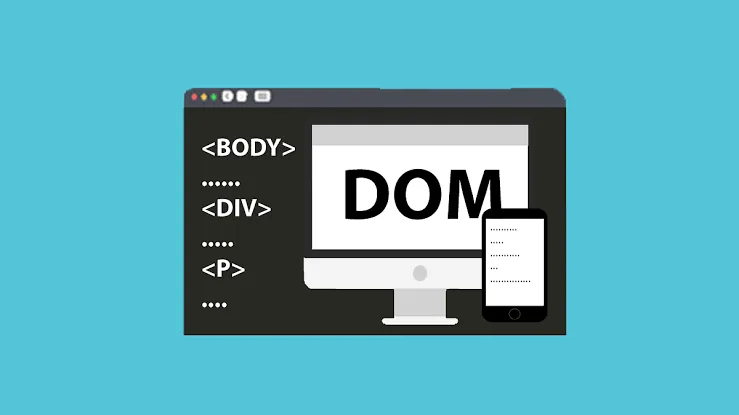
Document Object Model (DOM) is the foundation that allows JavaScript to understand and interact with the structure of a web page. When a browser loads an HTML document, it converts the HTML elements into a structured representation called the DOM. This structure allows developers to access elements, change content, modify styles, respond to user actions, and create dynamic web experiences.
For beginners learning web development, understanding the Document Object Model (DOM) is important because it connects HTML with JavaScript. HTML provides the structure of a page, CSS controls its appearance, and JavaScript can use the DOM to make the page interactive.
In this guide, you will learn what the DOM is, how it represents web pages, how the DOM tree works, the different types of nodes, and how JavaScript interacts with the structure of a webpage.
Table of Contents
What Is the Document Object Model (DOM)?
The Document Object Model (DOM) is a programming interface that represents an HTML or XML document as a hierarchical collection of objects.
When you create an HTML page, you write elements such as headings, paragraphs, images, links, buttons, and forms. The browser reads these elements and creates an internal representation that JavaScript can access.
For example, consider this HTML:
<!DOCTYPE html>
<html>
  <head>
    <title>My Website</title>
  </head>
  <body>
    <h1>Welcome</h1>
    <p>This is my website.</p>
  </body>
</html>
The browser doesn’t simply display this code. It parses the HTML and creates a DOM tree based on the relationships between the elements.
JavaScript can then access this tree through the document object.
For example:
const heading = document.querySelector("h1");
This code finds the <h1> element in the DOM.
How Does the DOM Structure Web Pages?
The DOM represents a webpage using a tree-like structure. Each part of the document becomes a node, and nodes are connected according to their relationships.
The previous HTML could be represented approximately like this:
Document
└── html
    ├── head
    │   └── title
    │       └── "My Website"
    └── body
        ├── h1
        │   └── "Welcome"
        └── p
            └── "This is my website."
The html element is connected to the head and body elements. The body element contains the heading and paragraph.
These relationships are important because JavaScript can navigate through the structure and access specific elements.
Understanding the DOM Tree
The DOM tree is one of the most important concepts for beginners.
A tree contains a hierarchy of connected nodes. In the DOM, an element can have a parent, children, and siblings.
For example:
<div>
  <h2>Hello</h2>
  <p>Welcome to the page.</p>
</div>
Here, the <div> is the parent of the <h2> and <p> elements. The <h2> and <p> elements are siblings because they share the same parent.
This hierarchical structure makes it possible for JavaScript to move between different parts of a webpage.
Developers can use properties such as:
element.parentElement
element.children
element.firstElementChild
element.nextElementSibling
These features are commonly used for DOM manipulation.
Types of DOM Nodes
The DOM contains several types of nodes. Understanding them helps explain how browsers represent web pages internally.
Document Node
The document node represents the entire HTML document.
In JavaScript, it is accessible through:
document
It serves as the starting point for accessing elements on the page.
Element Nodes
Element nodes represent HTML elements.
Examples include:
<h1>
<p>
<div>
<button>
<img>
These are the nodes developers most frequently work with when performing DOM manipulation.
Text Nodes
Text contained inside an HTML element is represented as a text node.
For example:
<p>Hello World</p>
The <p> is an element node, while “Hello World” is its text content.
Attribute Information
HTML attributes such as id, class, src, and href provide additional information about elements.
JavaScript can access and modify many of these attributes through DOM APIs.
HTML vs DOM
HTML and the DOM are closely related, but they are not exactly the same thing.
HTML is the markup language used to describe the initial structure of a webpage. The DOM is the browser’s object-based representation of that document.
For example, HTML may contain:
<h1 id="title">Hello</h1>
JavaScript can access the corresponding DOM element:
const title = document.getElementById("title");
It can then change the content:
title.textContent = "Welcome!";
The visible webpage changes because JavaScript has modified the DOM.
This distinction is particularly important when learning JavaScript DOM concepts.
How JavaScript Interacts With the DOM
JavaScript uses DOM APIs to find and modify elements.
One of the most common methods is getElementById():
const heading = document.getElementById("title");
Another popular method is querySelector():
const paragraph = document.querySelector(".description");
You can also select multiple elements:
const buttons = document.querySelectorAll("button");
After selecting an element, you can change its content, attributes, classes, or other properties.
For example:
heading.textContent = "New Heading";
This simple interaction demonstrates why the DOM is so important in frontend development.
Changing Content Through the DOM
One of the easiest ways to understand the JavaScript DOM is to practice changing webpage content.
Consider this HTML:
<p id="message">Original message</p>
JavaScript can change it:
const message = document.getElementById("message");

message.textContent = "Updated message";
The browser immediately displays the new text.
Developers can also use innerHTML when they need to insert HTML markup:
message.innerHTML = "<strong>Updated message</strong>";
However, innerHTML should be handled carefully when inserting untrusted data because unsafe input can introduce security problems.
Modifying CSS Through the DOM
JavaScript can also modify an element’s appearance.
For example:
const box = document.querySelector(".box");

box.style.fontSize = "20px";
box.style.backgroundColor = "blue";
This changes the element’s inline styles.
A more maintainable approach is often to use CSS classes:
box.classList.add("active");
You can remove the class with:
box.classList.remove("active");
Or toggle it:
box.classList.toggle("active");
Class manipulation is frequently used for navigation menus, dropdowns, modals, dark mode, and interactive components.
Working With DOM Events
Web pages need to respond to user actions. This is where DOM events become important.
Common events include:
clicksubmitinputchangekeydownmouseover
For example:
const button = document.querySelector("#button");

button.addEventListener("click", function() {
    alert("Button clicked!");
});
When the user clicks the button, JavaScript executes the function.
Event handling is an important part of DOM manipulation because it allows developers to connect user actions with changes on the page.
Creating Elements With the DOM

The DOM can also be used to create new elements.
For example:
const paragraph = document.createElement("p");

paragraph.textContent = "This paragraph was created dynamically.";

document.body.appendChild(paragraph);
The createElement() method creates a new element, while appendChild() adds it to the page.
This is useful for applications that need to display content dynamically, such as to-do lists, comments, notifications, and product lists.
Removing Elements From the DOM
JavaScript can also remove elements.
For example:
const message = document.querySelector("#message");

message.remove();
The selected element is removed from the DOM.
This can be useful when closing a popup, deleting a list item, dismissing a notification, or removing an item from an interface.
DOM Traversal
DOM traversal means moving from one node to another within the DOM tree.
For example:
const item = document.querySelector(".item");

console.log(item.parentElement);
console.log(item.children);
console.log(item.nextElementSibling);
These properties allow JavaScript to move between parents, children, and sibling elements.
DOM traversal becomes particularly useful when working with complex page structures where you need to find an element based on its relationship with another element.
Why Is the DOM Important?
The DOM is essential for creating interactive websites.
Without the DOM, JavaScript would have no standard way to directly access and manipulate the elements displayed by a browser.
Developers use it to:
- Change text
- Modify HTML
- Update CSS classes
- Handle events
- Change images
- Validate forms
- Create elements
- Remove elements
- Build interactive components
Learning the DOM also provides a strong foundation for understanding modern frontend frameworks and libraries.
DOM and Modern JavaScript Frameworks
Modern frontend technologies such as React, Vue, and Angular provide abstractions for managing user interfaces.
For example, React uses a virtual representation of UI changes before updating the browser’s actual DOM.
Even when developers use frameworks, understanding the underlying DOM remains valuable. It helps explain what happens when a component changes and makes it easier to troubleshoot browser-related issues.
A developer who understands JavaScript DOM concepts can generally understand frontend behavior more effectively.
How to Learn the DOM as a Beginner
The easiest way to learn the DOM is through practical projects.
Start by learning how to select elements using:
getElementById()
querySelector()
querySelectorAll()
Then practice changing text using textContent, modifying classes with classList, and handling events with addEventListener().
Once you understand those basics, create small projects such as:
- Counter
- To-do list
- Digital clock
- Calculator
- Image slider
- Dropdown menu
- Form validator
These projects allow you to combine multiple DOM concepts and understand how JavaScript interacts with real webpages.
Common DOM Mistakes Beginners Should Avoid
Beginners often try to manipulate elements before the browser has loaded them. Depending on how the script is loaded, this can result in null values or errors.
Using meaningful IDs and classes also makes selecting elements easier.
Another common mistake is performing unnecessary DOM updates. Excessive manipulation can affect performance, particularly in large applications.
It is also important to understand the difference between textContent and innerHTML and to avoid inserting untrusted content as HTML.
Final Thoughts
The Document Object Model (DOM) provides the bridge between HTML documents and JavaScript. It represents a webpage as a structured tree of nodes that developers can access and modify.
Understanding this structure makes it easier to build interactive websites and understand how browsers handle webpage content.
Start with basic element selection, then learn content updates, CSS class manipulation, event handling, element creation, removal, and DOM traversal. Practice these concepts through small projects rather than trying to memorize every available method.
Once you have a strong understanding of the DOM, you will have a much better foundation for learning advanced JavaScript and modern frontend development.
Frequently Asked Questions
1. What is the Document Object Model (DOM)?
The Document Object Model is a programming interface that represents an HTML or XML document as a tree of objects. JavaScript can use this structure to access and modify webpage elements.
2. Why is the DOM important in web development?
The DOM allows JavaScript to interact with webpage elements. Developers can use it to change content, modify styles, handle events, create elements, and build interactive user interfaces.
3. What is DOM manipulation?
DOM manipulation is the process of using JavaScript to change the structure, content, attributes, or styling of elements in a webpage.
4. Is the DOM difficult to learn?
The basic DOM is relatively easy to learn if you already understand HTML and JavaScript fundamentals. Practicing common methods such as querySelector(), textContent, classList, and addEventListener() can help beginners build confidence quickly.
