


Let’s be honest: trying to remember every unique password in 2026 is like trying to remember the phone number of every person you’ve ever met. It’s impossible. From your banking apps and social media to sensitive work tools, your digital life is scattered across a dozen different “front doors.”
When the stakes are this high—your identity, your finances, and your privacy—the question isn’t just “Should I use a manager?” it’s “Which one is a fortress, and which one is just a fence?”
Keeper vs. 1Password: The Showdown
Both Keeper and 1Password sit at the top of the food chain, offering elite encryption, seamless syncing, and that elusive “peace of mind.” But while they share a goal, their execution caters to different needs.
To help you decide, we’re stripping away the jargon and looking at how these tools actually perform in the real world:
- For the Individual: Who offers the most intuitive experience on the go?
- For the Professional: Which one integrates best with a high-speed workflow?
- For the Business: Which provides the granular control needed to protect a team?
Let’s break down the “Basic English” of security to see which manager truly earns its spot on your devices.
Why Password Managers Matter More Than Ever
The Modern Cyber Threat Landscape
Cybercrime isn’t a plot point in a Hollywood movie anymore; it’s a daily reality. Hackers aren’t always looking for a sophisticated back door; they prefer the “low-hanging fruit.” This usually means weak passwords, reused credentials, and clever phishing attacks.
The danger lies in the “domino effect.” If you use the same password for your Netflix as you do for your primary email, a single breach can give an attacker the keys to your entire digital kingdom. Unfortunately, most people are still handing over those keys by recycling easy-to-guess phrases.
Managing the Digital Deluge
Think about your daily digital footprint:
- Personal: Email, social media, and e-commerce apps.
- Financial: Banking, investment platforms, and crypto wallets.
- Utility: Wi-Fi routers, smart home devices, and subscription services.
The list is endless, and the mental load is even heavier. A password manager acts as a secure digital vault. It generates complex, unbreakable codes for every site you visit and locks them behind a single, high-security Master Key. You only have to remember one thing; the manager handles the rest.
Read more blog : NordVPN Review (2026) – The Fastest, Most Secure VPN for Your Digital Life?
Comparing the Titans: Keeper vs. 1Password
What is Keeper?
Keeper is built with a “security-first” DNA, earning it a massive footprint among government agencies and large-scale enterprises. If your digital life were a physical location, Keeper would be a high-tech fortress complete with reinforced walls, biometric scanners, and 24/7 surveillance. It is designed for those who refuse to compromise on even the smallest security detail.
What is 1Password?
1Password strikes a masterclass balance between elite security and effortless usability. It is the go-to choice for families, creative teams, and individuals who want powerful protection without a steep learning curve. While Keeper is a fortress, 1Password is an intelligent, high-end safe: incredibly secure, yet designed to open instantly for the right owner.
Core Philosophies: Power vs. Polish
The fundamental difference between these two lies in their approach to the user experience:
- Keeper focuses on granular control. It provides deep administrative settings and rugged security layers, making it ideal for power users who want to oversee every “bolt” in the vault.
- 1Password focuses on design and intuition. It prioritizes a seamless workflow, ensuring that security never feels like a chore or a barrier to your daily tasks.
The Vault Experience: Organization & Storage
Both tools offer unlimited storage for passwords, secure notes, credit cards, and sensitive documents. However, how you interact with that data differs:
Folders vs. Tags
1Password’s Vaults & Tags: Uses a more fluid system of multiple “Vaults” (e.g., Work, Personal, Travel) combined with powerful tagging. This is highly adaptable for people juggling multiple roles who need to filter information quickly across different contexts.
Keeper’s Folder System: Uses a traditional, hierarchical folder structure. It’s familiar, organized, and perfect for users who like a “place for everything” in a linear way.
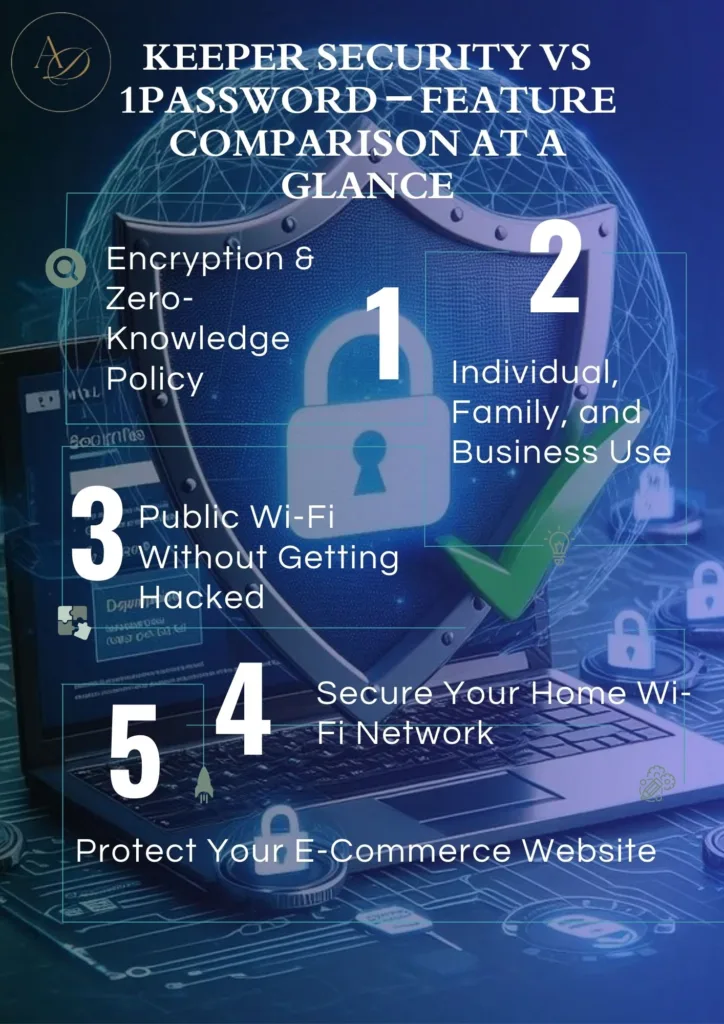
Keeper Security Vs 1Password – Security Architecture
Encryption Standards
Both Keeper and 1Password utilize AES-256 bit encryption, the same “Gold Standard” used by banks and military organizations. This means that even if a hacker managed to intercept your data, it would look like gibberish. Without your Master Password, your information is mathematically impossible to read.
The Power of “Zero-Knowledge”
A “Zero-Knowledge” policy is your ultimate privacy shield. It ensures that neither Keeper nor 1Password has the keys to your vault. They host your data, but they cannot see, read, or reset it.
While both share this architecture, the battle of Keeper vs. 1Password often comes down to extra layers:
- Keeper leans heavily into proactive defense with BreachWatch, a powerful tool that constantly scans the Dark Web for your compromised credentials.
- 1Password counters with Watchtower, which alerts you to weak passwords and data breaches, but focuses more on a user-friendly dashboard of your “security health.”
Authentication & Access Control
Multi-Factor Authentication (MFA)
Both tools support industry-leading MFA options, including authenticator apps (like Google Authenticator), biometrics, and physical hardware keys (like YubiKey).
- Keeper offers more granular, enterprise-grade controls for those who want to set strict access rules.
- 1Password simplifies the process, making it incredibly easy for the average user to set up and maintain a second layer of defense.
Biometrics & Device Access
Whether you prefer Face ID, Touch ID, or Windows Hello, both managers integrate seamlessly with your hardware. This allows you to unlock your entire digital life in seconds without typing your Master Password every single time.
Individual & Family Use: Which Fits Your Life?
For the Individual: Intuitive vs. Industrial
- 1Password feels like having a personal security assistant. The interface is clean, modern, and guides you through the process without ever feeling intimidating.
- Keeper has a more “industrial” feel. It is a powerhouse of a program that might feel slightly technical during the initial setup, but once it’s configured, it is incredibly reliable and sturdy.
For Families: Shared Safety
Both platforms allow families to share passwords safely—perfect for Netflix accounts, Wi-Fi codes, and emergency access to a loved one’s data.
Keeper is equally secure but maintains its business-like structure, which might feel a bit rigid for a casual family setting.
1Password excels here with its Family Dashboard, making it easy for a “Head of Household” to manage permissions for kids or elderly parents.
Business and Enterprise Use Cases
Role-based access
Keeper is a better candidate in business settings. This is because admins are in control of what is viewed to the very minute detail.
Admin controls and auditing
Keeper logging and auditing features prove to be invaluable to those companies dealing with sensitive data. This is where Keeper Password Manager Vs 1password is blatantly leaning on Keeper.
Public Wi-Fi Without Getting Hacked
It is equivalent to telling your secrets in a room full of people by using airport or cafe Wi-Fi. Both apps lock down your credentials and also allow auto-fills to be blocked on suspicious websites which can make you use Public Wi-Fi Without Getting Hacked
Take a scenario where you are at a cafe and you log in to your bank account. With a password manager, it does not matter who is monitoring the network; your credentials are undisclosed.
Practical Security: Beyond Just Passwords
Securing Your Home Wi-Fi Network
Most people forget their router password the moment the technician leaves. However, your Wi-Fi is the “front door” to your home. Using a password manager to secure your router prevents hackers from exploiting weak default settings, especially if you have a house full of smart devices (IoT) that are often vulnerable to attack.
Protecting Your E-Commerce Business
If you run an online store, your payment gateways, hosting panels, and admin logins are prime targets. A password manager helps protect your e-commerce assets by generating unbreakable keys and allowing you to share access with team members securely—without ever revealing the actual password.
The Logistics: Compatibility & Pricing
Seamless Cross-Platform Syncing
Whether you’re on Windows, macOS, Android, or iOS, both Keeper and 1Password offer flawless integration. Their browser extensions make the “leap” between devices painless, ensuring your credentials are ready the second you need them.
Value for Your Investment
- For Individuals & Families: 1Password generally offers a more approachable price point and a “value-first” model that feels tailor-made for household use.
- For Businesses: Keeper is a strategic investment. While it may sit at a higher price tier, the cost is justified by advanced administrative controls and enterprise-grade compliance features.
At a Glance: Pros & Cons
| Where Keeper Shines | Where 1Password Excels |
| Enterprise-Level Security: Built for high-stakes environments. | User-Centric Design: Beautiful, intuitive, and easy to navigate. |
| Advanced Admin Controls: Granular oversight for IT teams. | Family Harmony: The best shared-vault experience on the market. |
| Breach Monitoring: Powerful dark web surveillance. | The “Everyday” Flow: Faster, smoother autofill for casual users. |
The Final Verdict: Keeper vs. 1Password
So, which one deserves a place on your devices?
- Choose Keeper if your primary concerns are maximum surveillance, advanced business controls, and a “fortress” mentality.
- Choose 1Password if you want an elegant, simple, and high-performance tool that protects your family or creative team without getting in the way.
There is no “wrong” choice—only the choice that fits your specific lifestyle.
How the Arunangshudas Guide Simplifies Your Choice
Deciding between two tech giants shouldn’t feel like a chore. The Arunangshudas Guide cuts through the marketing noise by focusing on real-life usage rather than just a checklist of features.
We break down the scenarios that actually matter to you: from managing your personal banking logins and family streaming accounts to securing high-level business credentials. Instead of bombarding you with jargon, we prioritize simplicity, security consciousness, and long-term digital safety.
By comparing how these tools perform when securing a home Wi-Fi network or an e-commerce admin panel, the Arunangshudas Guide ensures you can choose between Keeper and 1Password with total confidence.
Conclusion
In a digital era of vulnerabilities due to the existence of persistent dangers that occur behind the flimsy passwords, the selection of a proper password manager is no longer a luxury. Both Keeper and 1Password are good solutions whether it is personal logins, family access, or business credentials. The dilemma now lies in the choice of the amount of control you prefer and the amount of simplicity you prefer. And make the best decisions that your future self will be thankful.
Frequently Asked Questions
1. Is Keeper more secure than 1Password?
Both platforms are incredibly secure, utilizing bank-grade AES-256 encryption and Zero-Knowledge architectures. However, Keeper is often viewed as the “powerhouse” for security-first users because it offers more advanced enterprise-grade monitoring and granular administrative controls.
2. Which is better for beginners: Keeper or 1Password?
1Password is generally the better choice for beginners. Its interface is widely praised for being intuitive and “human-friendly,” making the transition to using a password manager feel effortless rather than technical.
3. Can I use these tools on public Wi-Fi safely?
Absolutely. Using a password manager is a critical step in learning how to use Public Wi-Fi Without Getting Hacked. Because these tools use secure autofill, your credentials are never exposed to “keyloggers” or snoopers on an unencrypted network.
4. Are password managers safe for e-commerce businesses?
Yes, they are essential. They help Secure Your E-Commerce Website by acting as a guarded gatekeeper for payment gateways, hosting panels, and admin logins. They also allow you to share access with employees without ever handing over the actual “master” password.
5. Do these tools help secure home networks?
Definitely. A password manager allows you to Secure Your Home Wi-Fi Network by safely storing complex, unique passwords for your router and IoT devices. This prevents hackers from exploiting the weak, default passwords that most people forget to change.
