


Your home Wi-Fi is no longer just a way to browse the web—it is the gateway to your digital life. Today, our homes are filled with smart TVs, smartphones, laptops, and connected gadgets. Unfortunately, many people don’t realize that every single one of these devices represents a potential entryway for cybercriminals.
Leaving your Wi-Fi network unsecured is the digital equivalent of leaving your front door wide open.
If a hacker slips inside, they don’t just steal your internet bandwidth; they can intercept your personal traffic, harvest sensitive financial data, and compromise every connected device in your household. Ensuring your home network is properly locked down is the absolute first line of defense in keeping intruders out and protecting your family’s privacy.
Fortunately, securing your network doesn’t require a tech degree. By focusing on a few high-impact settings, you can eliminate nearly all of your network’s vulnerabilities.
The Big 5: Essential Wi-Fi Security Actions
| Security Step | The Immediate Threat | The Actionable Fix |
| 1. Change Default Logins | Factory-preset usernames and passwords (like admin / password) are listed publicly online, allowing anyone to hijack your router. | Create a strong, unique password for your router’s settings portal right away. |
| 2. Use Strong Encryption | Old or disabled encryption leaves your data completely open to being intercepted and read by anyone nearby. | Log into your router and select WPA3 (or WPA2 for older hardware) as your wireless security protocol. |
| 3. Update Firmware Regularly | Routers rarely update themselves, leaving them wide open to known software bugs that hackers exploit. | Check your router’s admin dashboard once a month to install the latest software updates. |
| 4. Verify the Built-In Firewall | If your router’s hardware firewall is accidentally switched off, your devices are exposed to direct internet attacks. | Jump into your router’s security settings and ensure the Hardware Firewall is toggled ON. |
| 5. Kill Remote Administration | Leaving remote access enabled allows attackers to attempt to hack and change your Wi-Fi settings from anywhere in the world. | Turn off “Remote Management” so your settings can only be altered by someone physically inside your house. |
How to Secure Your Home Wi-Fi Network
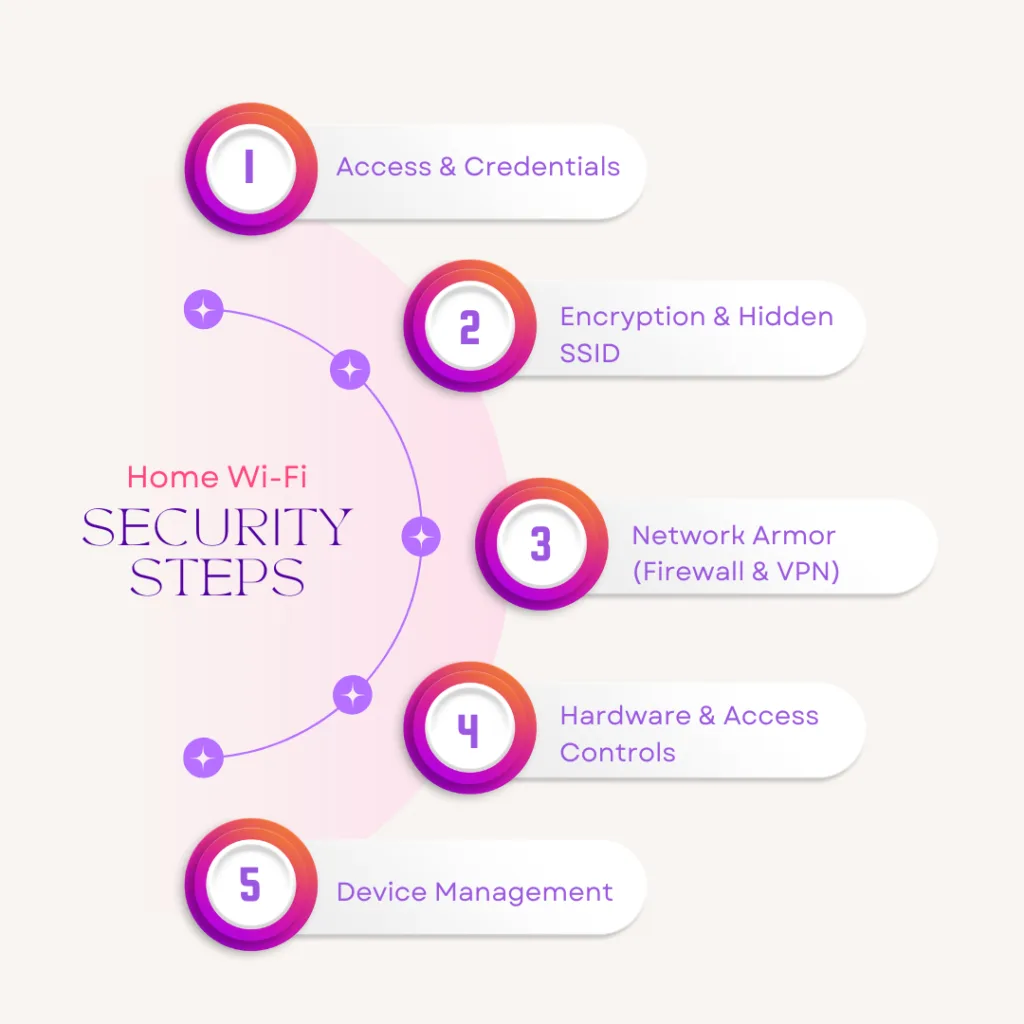
To safeguard your home and defend against hackers, you can take the following steps:
1. Change the default username and password
One of the most effective ways to secure your home Wi-Fi network is to replace the default username and password with stronger credentials. Internet providers assign preset login details, which hackers can easily find online. If attackers gain access, they could change the password, lock you out, and take over your network.
Changing both the username and password makes it harder for cybercriminals to identify your network and infiltrate it. Since hackers often use automated tools to test thousands of combinations, it’s essential to create a strong password that mixes letters, numbers, and special characters to make it harder to crack.
2. Turn on Wireless Network Encryption
Encryption is one of the most reliable ways to secure the data on your network. It works by converting your information or messages into a coded format that hackers cannot interpret.
The safest encryption standard for home Wi-Fi networks is WPA2. However, devices that are more than 10 years old may not support WPA2, so upgrading your equipment is important for better security and performance.
To see if your router is using WPA2, open your network settings and review the wireless properties. This will allow you to select the strongest available encryption option when connecting to a Wi-Fi network.
3. Use a VPN (Virtual Private Network)
A VPN allows you to browse and communicate securely, even over unsecured networks, by encrypting all your online activity. This encryption makes it impossible for hackers to see what you’re doing online or pinpoint your location.
It also masks your IP address, making it appear as though you’re connecting from a different location rather than your home. VPN services work on desktops, laptops, smartphones, and tablets, offering comprehensive protection across all devices.
4. Hide Your Network from View
When setting up your home Wi-Fi, you’ll need to create a network name, known as an SSID (Service Set Identifier), that is visible to others. Many devices come with a default SSID assigned by the manufacturer.
If a neighbor owns equipment from the same brand, there’s a possibility both networks could have the same SSID—creating a potential security risk if they are not encrypted.
Using the SSID hiding feature conceals your network name from being listed to nearby devices. Changing the default SSID also makes it harder for hackers to identify your router type, lowering the risk of targeted attacks.
5. Turn Off Your Wi-Fi When You’re Away
It may seem simple, but one of the most effective ways to secure your home network is to switch it off when you’re not at home. Your Wi-Fi doesn’t need to run 24/7, and powering it down while you’re away reduces the risk of opportunistic hackers trying to infiltrate your network during your absence.
6. Keep Your Router’s Software Updated
Regular updates are essential for maintaining the security of your home network. Just like any other software, your router’s firmware can have vulnerabilities that hackers are eager to exploit. Since most routers don’t automatically update, you’ll need to check for and install updates manually to ensure ongoing protection.

7. Enable Your Firewall
Many Wi-Fi routers come with a built-in network firewall that helps safeguard broadband connections and block attacks from intruders. These firewalls can usually be disabled, so it’s important to confirm that yours is turned on. Keeping the firewall active adds an extra layer of defense to your home network security.
8. Position Your Router at the Center of Your Home
Many homeowners don’t realize that where the router is placed can affect security. If it’s located near a door or window, your Wi-Fi signal is more likely to be intercepted by someone with harmful intentions. To enhance your home network’s safety, position your router as close to the center of your home as possible. This reduces the likelihood of cybercriminals gaining access, especially to your guest network.
9. Activate MAC Address Filtering
Most broadband routers come with a unique identifier known as a Media Access Control (MAC) address. This feature boosts security by controlling which devices can connect to your home network. You can enter the MAC addresses of all your household devices into the router’s settings, ensuring that only these approved devices can connect. This extra step helps keep unauthorized users—and hackers—off your network.
10. Turn Off Remote Administration
Remote administration is another potential entry point for hackers, as it allows someone nearby to view or change your Wi-Fi settings. If you don’t require remote access to your router, it’s safer to disable this feature. You can do this by accessing the administration section of your router’s settings and selecting the option to turn it off.
Wi-Fi Security: Myths vs. Modern Reality
| Security Measure | The Common Belief | The Modern Reality & Best Practice |
| Hiding your SSID (Network Name) | It makes your network invisible and completely safe from hackers. | Myth/Outdated. Free, basic software can easily sniff out “hidden” networks. In fact, it can force your devices to broadcast your home network’s name constantly while you are away, creating a privacy risk. Keep it visible, but use strong WPA2/WPA3 encryption instead. |
| MAC Address Filtering | Only pre-approved devices can connect, blocking all hackers. | Mostly Outdated. Cybercriminals can easily intercept network traffic, see a permitted MAC address, and “spoof” (copy) it onto their own device. It is tedious to maintain and offers a false sense of security. Rely on a strong Wi-Fi password instead. |
| Using a Guest Network | It is only meant for visitors so they don’t slow down your internet. | Modern Best Practice. Use a Guest Network to isolate smart home gadgets (IoT devices like smart TVs and cameras). If a hacker breaches a cheap smart bulb on your guest network, they remain trapped there and cannot access your personal laptop or banking data on your main network. |
| Turning Wi-Fi Off Daily | Unplugging the router every time you leave the house is the best defense. | Impractical. While technically secure, constant power cycling can disrupt automated smart home devices, security cameras, and scheduled nightly firmware updates. A properly encrypted network (WPA3) is secure enough to leave on. |
| Using a VPN on Your Router | A VPN protects your router from being hacked. | Misconception. A VPN encrypts the traffic leaving your house to the wider internet, protecting your privacy from your Internet Service Provider (ISP). It does not stop a hacker from guessing a weak router password. You still need to change default logins. |
Read more blog : How to Safely Use Public Wi-Fi Without Getting Hacked?

Conclusion
Securing your home Wi-Fi network is no longer optional—it’s essential for protecting your personal data, devices, and online activities from cyber threats.
By combining smart practices, such as turning off your network when not in use, updating your router, enabling firewalls, and applying advanced settings like MAC address filtering, you create multiple layers of defense that make it far harder for intruders to gain access.
Even small adjustments, like repositioning your router or disabling unnecessary features, can have a big impact on your overall security. With consistent vigilance and the right configurations, you can enjoy fast, reliable, and—most importantly—safe internet access at home.
Frequently Asked Questions (FAQs)
1. How can you secure your home Wi-Fi network?
The most effective way to secure your network is by locking down your router’s access points. This includes changing the default factory username and password immediately, updating the router’s firmware regularly to patch security flaws, and disabling remote administration so settings can’t be changed from outside your home.
2. What is the best way to secure a wireless network?
Aside from using strong passwords, the best technical defense is turning on modern network encryption and verifying your router’s built-in hardware firewall is active. This ensures that any data moving through the airwaves is scrambled and safely shielded from cybercriminals attempting to intercept it.
3. What security mode is best for a secure home Wi-Fi?
WPA3 (Wi-Fi Protected Access 3) is the absolute best and most modern security mode available. If you have older devices or an older router that doesn’t support WPA3, WPA2 is the minimum standard you should use. Avoid old, outdated modes like WEP or WPA, as they are incredibly easy for hackers to crack.
4. How is Wi-Fi secure?
Wi-Fi is made secure primarily through encryption protocols (like WPA2 or WPA3) and network firewalls. Encryption scrambles the data traveling between your smart devices and your router into an unreadable code, while the firewall blocks malicious incoming traffic and unauthorized access requests from the internet.
5. Do smart home gadgets make my Wi-Fi less secure?
They can if your network isn’t configured correctly. Smart devices (like smart TVs, cameras, and thermostats) often have weaker built-in security, giving hackers an easier target. To minimize this risk, always ensure your main Wi-Fi settings are locked down tightly, or create a isolated “Guest Network” specifically for your smart home gadgets.
