

Close Menu
Arunangshu Das Blog
  • SaaS Tools
    • Business Operations SaaS
    • Marketing & Sales SaaS
    • Collaboration & Productivity SaaS
    • Financial & Accounting SaaS
  • Web Hosting
    • Types of Hosting
    • Domain & DNS Management
    • Server Management Tools
    • Website Security & Backup Services
  • Cybersecurity
    • Network Security
    • Endpoint Security
    • Application Security
    • Cloud Security
  • IoT
    • Smart Home & Consumer IoT
    • Industrial IoT
    • Healthcare IoT
    • Agricultural IoT
  • Software Development
    • Frontend Development
    • Backend Development
    • DevOps
    • Adaptive Software Development
    • Expert Interviews
      • Software Developer Interview Questions
      • Devops Interview Questions
    • Industry Insights
      • Case Studies
      • Trends and News
      • Future Technology
  • AI
    • Machine Learning
    • Deep Learning
    • NLP
    • LLM
    • AI Interview Questions
    • All about AI Agent
  • Startup

Subscribe to Updates

Subscribe to our newsletter for updates, insights, tips, and exclusive content!

What's Hot

The B2B Cold Email That Converts: Templates and Best Practices

October 16, 2025

How do databases scale, and what are the differences between horizontal and vertical scaling?

November 8, 2024

Bootstrap or Seek Funding? A Financial Modeling Guide for Sustainable Growth

October 9, 2025
X (Twitter) Instagram LinkedIn
Arunangshu Das Blog Tuesday, April 28
  • Write For Us
  • Blog
  • Stories
  • Gallery
  • Contact Me
  • Newsletter
Facebook X (Twitter) Instagram LinkedIn RSS
Subscribe
  • SaaS Tools
    • Business Operations SaaS
    • Marketing & Sales SaaS
    • Collaboration & Productivity SaaS
    • Financial & Accounting SaaS
  • Web Hosting
    • Types of Hosting
    • Domain & DNS Management
    • Server Management Tools
    • Website Security & Backup Services
  • Cybersecurity
    • Network Security
    • Endpoint Security
    • Application Security
    • Cloud Security
  • IoT
    • Smart Home & Consumer IoT
    • Industrial IoT
    • Healthcare IoT
    • Agricultural IoT
  • Software Development
    • Frontend Development
    • Backend Development
    • DevOps
    • Adaptive Software Development
    • Expert Interviews
      • Software Developer Interview Questions
      • Devops Interview Questions
    • Industry Insights
      • Case Studies
      • Trends and News
      • Future Technology
  • AI
    • Machine Learning
    • Deep Learning
    • NLP
    • LLM
    • AI Interview Questions
    • All about AI Agent
  • Startup
Arunangshu Das Blog
  • Write For Us
  • Blog
  • Stories
  • Gallery
  • Contact Me
  • Newsletter
Home » SaaS Tools » 10 Budget-Friendly SaaS Tools for Entrepreneurs
SaaS Tools

10 Budget-Friendly SaaS Tools for Entrepreneurs

Bansil DobariyaBy Bansil DobariyaDecember 19, 2025Updated:December 19, 2025No Comments6 Mins Read
Facebook Twitter Pinterest Telegram LinkedIn Tumblr Copy Link Email Reddit Threads WhatsApp
Follow Us
Facebook X (Twitter) LinkedIn Instagram
Share
Facebook Twitter LinkedIn Pinterest Email Copy Link Reddit WhatsApp Threads
Budget-Friendly SaaS Tools for Entrepreneurs 
Budget-Friendly SaaS Tools for Entrepreneurs – Credit

Budget-Friendly SaaS Tools for Entrepreneurs are the great equalizer in the modern business landscape. When capital is tight and every dollar counts, the right software can help a lean startup operate with the efficiency of a much larger company.

The key is knowing which tools deliver maximum value without straining your limited resources. This curated list focuses on powerful, scalable, and, most importantly, affordable SaaS tools for entrepreneurs that cover everything from project management and marketing to design and finance.

Building a smart tech stack from day one allows you to automate tasks, streamline communication, and scale your operations without a massive upfront investment.

Table of Contents

  1. Building Your Foundation with Affordable SaaS Tools
    1. 1. Trello
    2. 2. Mailchimp
    3. 3. Canva
    4. 4. Zoho One
    5. 5. Wave Financial
    6. 6. Grammarly
    7. 7. Buffer
    8. 8. Google Workspace
    9. 9. Calendly
    10. 10. Notion
  2. Implementing Your Cost-Effective Tech Stack
  3. Frequently Asked Questions (FAQs)
    1. 1. Are the free plans of these tools really sufficient for a growing business?
    2. 2. How can I avoid “tool overload” and keep my stack manageable?
    3. 3. What is the biggest hidden cost with “free” or budget-friendly SaaS tools?

Building Your Foundation with Affordable SaaS Tools

Before you start spending, it’s crucial to understand that the most expensive tool isn’t always the best. The goal is to find applications that solve specific problems, integrate well with each other, and offer flexible pricing plans that grow with your business.

These budget-friendly SaaS tools provide a solid foundation upon which you can build a thriving enterprise.

1. Trello

For visual task management, Trello is a top contender. Using its intuitive card-and-board system, you can manage projects, track sales pipelines, and plan content calendars. Its free plan is remarkably robust, offering unlimited personal boards, cards, and members. For advanced features like automation and integrations, its premium tiers remain very affordable.

2. Mailchimp

A staple for marketing, Mailchimp’s free plan is perfect for getting started with email marketing. You can build a subscriber list of up to 500 contacts and send 1,000 emails per month. It includes basic templates, automation features, and a creative assistant, making it one of the most accessible SaaS tools for entrepreneurs looking to build an audience.

3. Canva
SaaS Tools for Content Creators
Credit

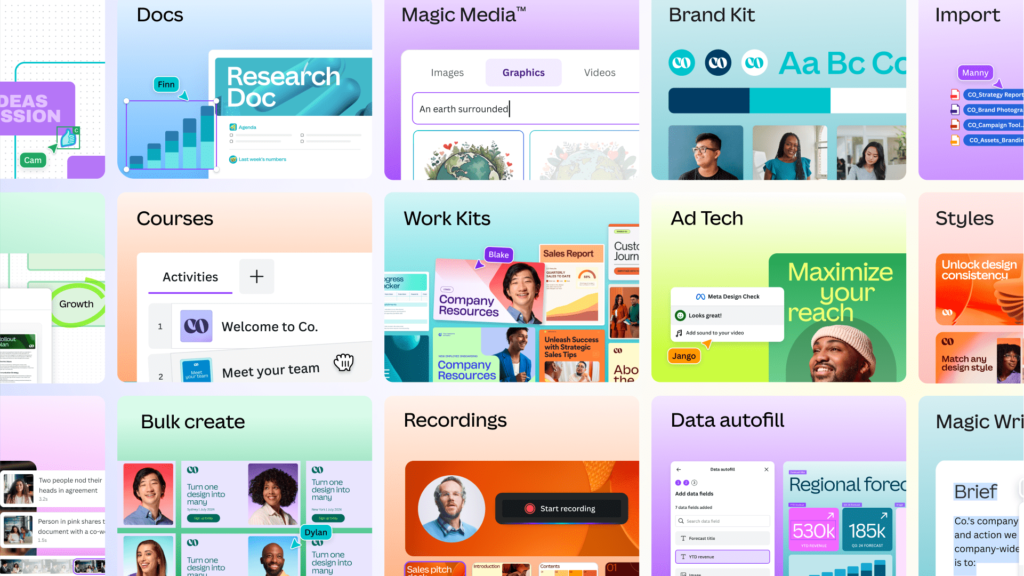
Every entrepreneur needs to create professional-looking graphics for social media, presentations, and marketing materials. Canva’s free version offers a massive library of templates, photos, and design elements. It eliminates the need for a expensive graphic designer in the early stages, allowing you to produce high-quality visuals in-house.

4. Zoho One

While Zoho offers a suite of individual apps, Zoho One can be a cost-effective bundle for growing businesses. It provides an integrated collection of over 45 applications—including CRM, email, accounting, and project management—for a single user price. This can be far more economical than subscribing to separate tools for each function.

5. Wave Financial

For bootstrapped entrepreneurs, Wave is a game-changer. It offers 100% free accounting, invoicing, and receipt scanning software. There are no usage limits or trials; it’s completely free to manage your bookkeeping. Revenue is generated through paid services like payroll and payment processing, which you only adopt when needed.

6. Grammarly

Clear, professional communication is vital. Grammarly’s free browser extension and desktop app check your spelling, grammar, and punctuation across emails, documents, and social media. It ensures your written word is always polished, helping you maintain a professional image with clients and partners at no cost.

7. Buffer

Managing multiple social media accounts is time-consuming. Buffer’s free plan allows you to connect up to three channels and schedule up to 10 posts in advance. This is perfect for maintaining a consistent social media presence without the daily manual effort, making it a key tool in your content strategy.

8. Google Workspace

It’s hard to beat the value of Google Workspace. For a reasonable per-user monthly fee, you get professional email (@yourcompany.com), along with Google Drive, Docs, Sheets, Meet, and Calendar. The seamless collaboration and cloud storage it provides are foundational for any modern business.

9. Calendly
Budget-Friendly SaaS Tools for Entrepreneurs 
https://zapier.com/blog/calendly-tips/Credit

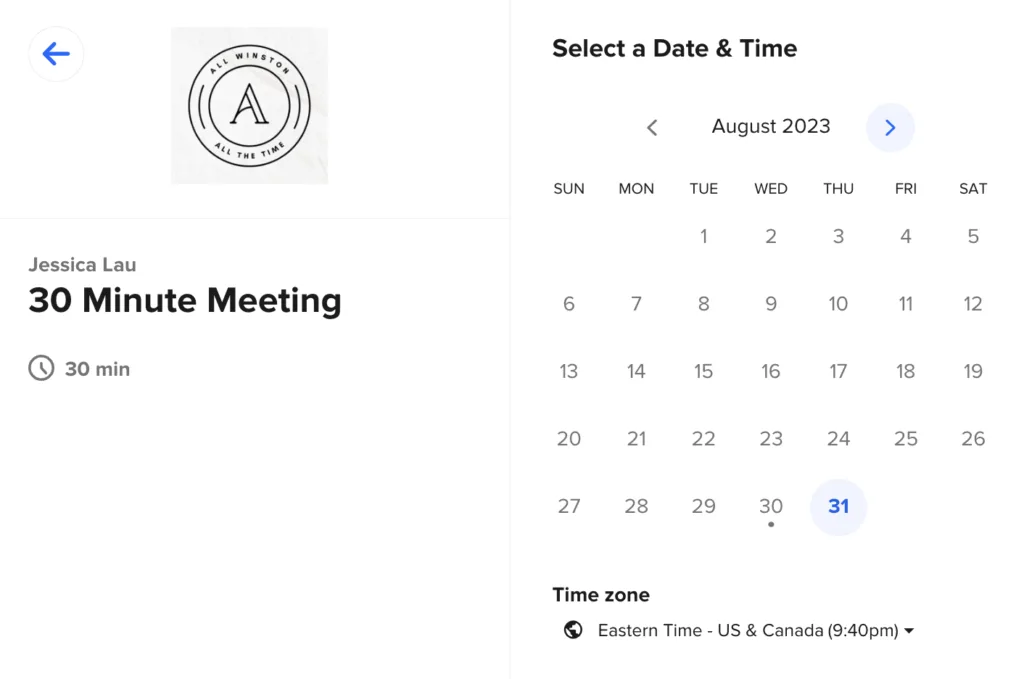
Stop the endless email chain for scheduling meetings. Calendly’s free plan lets you connect your calendar and share a link that allows people to book meetings in your available slots. It automates a tedious administrative task, saving you significant time and projecting a professional, efficient image.

10. Notion

Acting as an all-in-one workspace, Notion’s free personal plan is incredibly powerful. You can use it for note-taking, wiki documentation, project management, and building simple databases. Its flexibility allows you to create a centralized hub for all your business knowledge and operations without any cost.

Implementing Your Cost-Effective Tech Stack

The true power of these tools is realized when they work together. For instance, you can use Trello to manage a project, create graphics in Canva, communicate with your team via Google Workspace, and email your clients through Mailchimp. Look for natural integrations between these platforms to create automated workflows.

Start with the tools that address your most immediate pain points—often project management and communication—and then gradually expand your stack as new needs arise. By strategically selecting these budget-friendly SaaS tools, you can build a powerful, scalable, and efficient operational foundation for your entrepreneurial journey.

Frequently Asked Questions (FAQs)

1. Are the free plans of these tools really sufficient for a growing business?

Yes, for a significant portion of the early startup phase, the free plans are more than enough. They allow you to validate your business idea, build initial processes, and serve your first customers without any software cost. As your team grows and your needs become more complex, you can then confidently upgrade to a paid plan, knowing the tool is already a good fit.

2. How can I avoid “tool overload” and keep my stack manageable?

Start with a core set of 3-4 tools that cover your most critical functions: communication (Google Workspace), project management (Trello), and finance (Wave). Only add a new tool when you have a recurring problem that your current stack cannot solve. Regularly audit your subscriptions to ensure each tool is still providing value.

3. What is the biggest hidden cost with “free” or budget-friendly SaaS tools?

The biggest hidden cost is often time. A free tool might require more manual work or lack a specific integration that a paid tool has. Before committing, consider the time investment required to set up and use the tool. If a $10/month tool saves you five hours of manual work, it’s a worthwhile investment. Always weigh the time saved against the monetary cost.

Lean Startup Scalable Tech stack
Follow on Facebook Follow on X (Twitter) Follow on LinkedIn Follow on Instagram
Share. Facebook Twitter Pinterest LinkedIn Telegram Email Copy Link Reddit WhatsApp Threads
Previous ArticleGenerative AI Examples: Real-World Use Cases Shaping the Future
Next Article Keeper vs 1Password – Which Password Manager Truly Protects You?
Bansil Dobariya
  • Instagram
  • LinkedIn

I'm a professional article writer with over four years of experience producing well-crafted, insightful, and articulate content. I take pride in delivering writing that reflects depth, clarity, and professionalism across a wide range of subjects.

Related Posts

Top 5 AI Website Builders 2026: Which is the Best Platform?

February 2, 2026

Top 10 Influencer Marketing Platforms for Brands & Agencies

January 28, 2026

Top 5 Instagram Hashtag Generators to Help You Go Viral

January 28, 2026
Add A Comment
Leave A Reply Cancel Reply

Top Posts

Building Role-Based Access Control in Node.js Apps with JWT Authentication

December 23, 2024

Big Tech Earnings and Their Impact on Stock Trading

September 3, 2025

10 Hidden Features of Chrome DevTools Every Developer Should Know

December 18, 2024

Exploring the Benefits of Serverless Architecture in Cloud Computing

July 3, 2025
Don't Miss

Implementing Real-Time Data Sync with MongoDB and Node.js

December 23, 20244 Mins Read

In today’s digital era, real-time applications are everywhere—from live chat systems and collaborative tools to…

Why Artificial Intelligence is the Key to Growth?

February 28, 2024

SaaS vs On-Premise Software: Which is Right for You?

August 20, 2025

10 Essential Tasks for Backend Developers

February 17, 2025
Stay In Touch
  • Facebook
  • Twitter
  • Pinterest
  • Instagram
  • LinkedIn

Subscribe to Updates

Subscribe to our newsletter for updates, insights, and exclusive content every week!

About Us

I am Arunangshu Das, a Software Developer passionate about creating efficient, scalable applications. With expertise in various programming languages and frameworks, I enjoy solving complex problems, optimizing performance, and contributing to innovative projects that drive technological advancement.

Facebook X (Twitter) Instagram LinkedIn RSS
Don't Miss

Learning Paths of Machine Learning: A Vast Exploration

February 28, 2024

7 Common Mistakes in Database Transaction Management

February 23, 2025

Equity Dilution 101: Keeping Control as You Take on More Funding

April 26, 2026
Most Popular

Why a Good Backend Developer is the Industry’s Key Decision-Maker

July 14, 2024

The Top 5 Employee Lifecycle Management Challenges and Their Solutions

November 7, 2025

Cloudways vs Kinsta: The Ultimate Managed Hosting Comparison for WordPress Sites

June 20, 2025
Arunangshu Das Blog
  • About Us
  • Contact Us
  • Write for Us
  • Advertise With Us
  • Privacy Policy
  • Terms & Conditions
  • Disclaimer
  • Article
  • Blog
  • Newsletter
  • Media House
© 2026 Arunangshu Das. Designed by Arunangshu Das.

Type above and press Enter to search. Press Esc to cancel.

Ad Blocker Enabled!
Ad Blocker Enabled!
Our website is made possible by displaying online advertisements to our visitors. Please support us by disabling your Ad Blocker.