



Preparing for a frontend development role requires more than knowing React syntax. Candidates should be comfortable with React interview questions, ReactJS technical interview concepts, full stack interview questions, and practical development scenarios. This guide covers frequently asked questions about React components, rendering, props, state, and modern React development to help candidates prepare for a React developer interview. It also provides useful context for candidates preparing across frontend and full-stack roles.
Modern interviews can also include front developer interview questions covering JavaScript, APIs, performance, debugging, and application architecture. Along with React, developers preparing for broader roles may encounter restful api interview questions and java full stack developer interview questions. Understanding how React communicates with backend services and how frontend applications are structured can therefore give candidates an advantage.
Why React Is Important for Frontend Developer Interviews
React is one of the most widely used JavaScript libraries for building interactive user interfaces. Interviewers commonly test whether candidates understand React fundamentals rather than simply knowing how to create a component.
A strong candidate should be able to explain:
- How React components work
- Difference between props and state
- JSX and rendering
- Event handling
- Conditional rendering
- Lists and keys
- Component lifecycle concepts
- Hooks
- State management
- API integration
- Performance optimization
- Error handling
- Reusable component architecture
For experienced candidates, interviewers may also provide coding problems or ask them to troubleshoot an existing React application.
1. What Is React?
React is a JavaScript library used to build user interfaces, particularly single-page applications. It was originally developed at Facebook and is now maintained by Meta and the open-source community.
React uses a component-based architecture, allowing developers to divide an application into reusable UI components.
For example, an application might contain:
- Header
- Navigation bar
- Product card
- Shopping cart
- Login form
- Footer
Each part can be developed as an independent component and combined to create a complete application.
2. What Are React Components?
React components are reusable building blocks of a React application. A component accepts inputs called props and returns UI elements that React can render.
A simple functional component looks like this:
function Welcome() {

  return <h1>Welcome to React</h1>;

}
Components make applications easier to maintain because developers can reuse the same UI logic in different parts of an application.
Types of Components
Historically, React applications used:
- Functional components
- Class components
Modern React applications primarily use functional components with Hooks.
3. What Is JSX?
JSX stands for JavaScript XML. It allows developers to write HTML-like syntax inside JavaScript.
Example:
const element = <h1>Hello World</h1>;JSX makes UI code easier to read and allows developers to combine JavaScript logic with UI structure.
JSX is transformed into JavaScript before it is executed by the browser.
4. What Is the Virtual DOM?
The Virtual DOM is a lightweight representation of the actual DOM maintained by React. When application data changes, React can compare the previous virtual representation with the new one and determine which parts of the actual DOM need updating. This process helps React efficiently update the user interface. Understanding concepts like this is also useful for developers preparing for java spring boot interview questions, especially when working with React and Spring Boot in full-stack applications.
Virtual DOM Process
- State or props change.
- React creates a new UI representation.
- React compares it with the previous representation.
- React identifies the required changes.
- React updates the necessary DOM elements.
5. What Are Props in React?
Props, short for properties, are used to pass data from a parent component to a child component.
Example:
function User({ name }) {

  return <h2>Hello, {name}</h2>;

}

function App() {

  return <User name="Bhumi" />;

}
Here, name is passed from App to User as a prop.
Props are generally read-only. A child component should not directly modify the props it receives.
Important React Hooks
| Hook | Primary Purpose | Common Use Case |
| useState | Manage local state | Forms, counters |
| useEffect | Handle side effects | API requests |
| useContext | Consume context | Themes, auth |
| useReducer | Manage complex state logic | Complex forms |
| useRef | Store mutable values or access DOM | Input focus |
| useMemo | Memoize values | Expensive calculations |
| useCallback | Memoize functions | Callback optimization |
6. What Is the State in React?
State represents data that can change during the lifetime of a component.
For example, a counter can maintain its current number using state.
import { useState } from "react";

function Counter() {

  const [count, setCount] = useState(0);

  return (

    <button onClick={() => setCount(count + 1)}>

      {count}

    </button>

  );

}
When the state changes, React can re-render the component so the UI reflects the new value.
7. What Is the Difference Between Props and State?
| Feature | Props | State |
| Purpose | Pass data | Store changing data |
| Source | Parent component | Component itself or state system |
| Modification | Read-only | Updated through state mechanisms |
| Common use | Component configuration | UI interaction and dynamic data |
| Example | name=”John” | count = 0 |
A common interview question is to explain why props should not be directly modified. Props represent data provided by another component, while state represents data managed by the component or application.
8. What Are React Hooks?
Hooks allow functional components to use features such as state and side effects.
Some commonly used Hooks include:
- useState
- useEffect
- useContext
- useReducer
- useMemo
- useCallback
- useRef
The React hooks interview section is especially important for modern React roles because Hooks are widely used in contemporary applications.
9. What Is useState?
useState is a Hook that allows a functional component to store and update state.
Example:
const [name, setName] = useState("");Here:
- name is the current state value.
- setName updates the state.
- “” is the initial value.
When setName is called, React schedules an update and may re-render the component.
10. What Is useEffect?
useEffect is used to perform side effects in functional components.
Common examples include:
- Fetching API data
- Setting up subscriptions
- Updating external systems
- Registering event listeners
- Running code after rendering
Example:
useEffect(() => {

  console.log("Component rendered");

}, []);
The dependency array determines when the effect should run.
Common Dependency Patterns
useEffect(() => {

  // Runs after relevant renders

});

useEffect(() => {

  // Runs on initial mount

}, []);

useEffect(() => {

  // Runs when userId changes

}, [userId]);
11. What Is the Difference Between useEffect and useLayoutEffect?
Both Hooks can run side effects, but they operate at different points in the browser’s rendering process.
useEffect generally runs after the browser has painted the updated UI.
useLayoutEffect runs synchronously after DOM mutations but before the browser paints.
useLayoutEffect can be useful when DOM measurements or visual adjustments need to happen before the user sees the result.
For most ordinary side effects, useEffect is preferred.
12. What Is React State Management?
React state management refers to how application data is stored, updated, shared, and synchronized across components.
Small applications may use:
- useState
- useReducer
- useContext
Larger applications may use dedicated state-management solutions depending on project requirements.
A good interview answer should explain that not every piece of data needs to be stored globally. Local component state is often preferable when information is only needed by one component or a small section of the UI.
13. What Is the Context API?
The Context API allows data to be shared across components without manually passing props through every intermediate component.
Typical use cases include:
- Theme settings
- Authentication information
- Localization
- Application-level preferences
Example:
const ThemeContext = createContext("light");A provider can then make the value available to components lower in the component tree.
Context is useful, but it should not automatically be treated as a replacement for every form of state management.
14. What Is Prop Drilling?
Prop drilling happens when data needs to be passed through multiple intermediate components even though those components do not directly use the data.
For example:
App

 ↓

Dashboard

 ↓

Profile

 ↓

UserDetails
If UserDetails needs data from App, the data may have to be passed through Dashboard and Profile.
Possible solutions include:
- Component composition
- Context API
- State management libraries
- Restructuring the component hierarchy
15. What Is Conditional Rendering?
Conditional rendering means displaying different UI based on a condition.
Example:
function UserStatus({ loggedIn }) {

  return loggedIn ? <Dashboard /> : <Login />;

}
React developers commonly use:
- Ternary operators
- Logical &&
- if statements
- Early returns
Conditional rendering is frequently tested during practical interviews.
16. Why Are Keys Important in React Lists?
Keys help React identify individual elements in a list.
Example:
const users = [

  { id: 1, name: "John" },

  { id: 2, name: "Sara" }

];

users.map(user => (

  <div key={user.id}>{user.name}</div>

));
A stable and unique key helps React efficiently determine which list items have changed, been added, or removed.
Using array indexes as keys can cause problems when list items are reordered, inserted, or removed.
React Concepts Quick Revision
| React Concept | What It Does | Interview Importance |
| Components | Builds reusable UI | High |
| Props | Passes data between components | High |
| State | Stores changing data | High |
| JSX | Defines UI syntax | High |
| Hooks | Adds React features to functions | Very High |
| Context | Shares data across component trees | High |
| Keys | Helps identify list elements | High |
| Refs | Accesses DOM or persistent values | Medium-High |
17. What Is React.memo?
React.memo is used to memoize a functional component.
If a component receives the same props, React can skip an unnecessary re-render in appropriate situations.
Example:
const UserCard = React.memo(function UserCard({ name }) {

  return <h2>{name}</h2>;

});
However, memoization should not be applied everywhere. Developers should use it when it provides a meaningful performance benefit.
18. What are useMemo and useCallback?
useMemo memoizes a calculated value.
const total = useMemo(() => calculateTotal(items), [items]);useCallback memoizes a function reference.
const handleClick = useCallback(() => {

  console.log("Clicked");

}, []);
They can help prevent unnecessary calculations or re-renders in certain situations, especially when passing values or callbacks to memoized child components.
19. What Is Lazy Loading in React?
Lazy loading allows components to be loaded only when they are required.
Example:
const Dashboard = React.lazy(() => import("./Dashboard"));The component can then be rendered using Suspense:
<Suspense fallback={<p>Loading...</p>}>

  <Dashboard />

</Suspense>
Lazy loading can reduce the initial JavaScript bundle size and improve application startup performance.
20. What Is Code Splitting?
Code splitting divides a large JavaScript bundle into smaller chunks. Instead of downloading the entire application immediately, users can load only the code required for the current page or feature. This concept can also be useful for developers preparing for core java questions asked in interviews, especially when discussing application performance and optimization in full-stack development.
Common approaches include:
- Dynamic imports
- Route-based splitting
- Component-level lazy loading
This is particularly useful for large React applications.
21. How Does React Handle Events?
React uses event handlers such as:
<button onClick={handleClick}>Click Me
</button>Common event handlers include:
- onClick
- onChange
- onSubmit
- onMouseEnter
- onKeyDown
React’s event system provides a consistent programming interface for handling browser events.
22. What Is a Controlled Component?
A controlled component is a form element whose value is managed by React state.
Example:
function Form() {

  const [email, setEmail] = useState("");

  return (

    <input

      value={email}

      onChange={(e) => setEmail(e.target.value)}

    />

  );

}
Here, React controls the input value through state.
Controlled components are useful when validation, conditional behavior, or real-time form processing is required.
23. What Is an Uncontrolled Component?
An uncontrolled component allows the DOM to manage the form value.
A ref can be used to access the current value.
const inputRef = useRef();

<input ref={inputRef} />
Controlled components are often preferred for complex forms, while uncontrolled components can be useful for simpler scenarios.
24. What Is a React Router?
React Router is commonly used to implement client-side routing in React applications. It allows applications to display different components based on the URL without requiring a complete browser page reload for every route. Understanding routing concepts can also benefit developers preparing for java developer interview questions, particularly when discussing how frontend applications communicate with backend services.
Typical routes might include:
/

/about

/products

/contact

/profile
Routing is an important topic for developers working on single-page applications.
React Interview Topics by Experience
| Experience | Topics to Prepare |
| Beginner | JSX, components, props, state, events |
| 1–2 Years | Hooks, API integration, routing, forms |
| 2–4 Years | Performance, state management, architecture |
| Senior | Scalability, performance profiling, testing, architecture |
| Full Stack | React, APIs, authentication, databases, backend integration |
25. How Do You Fetch API Data in React?
API data can be retrieved using tools such as the browser’s fetch API or other HTTP clients.
A simplified example using useEffect is:
useEffect(() => {

  fetch("/api/users")

    .then(response => response.json())

    .then(data => setUsers(data))

    .catch(error => setError(error));

}, []);
In production applications, developers should also consider:
- Loading states
- Error states
- Request cancellation
- Authentication
- Retry behavior
- Caching
- Pagination
26. React Interview Questions on API Integration
Frontend developers may be asked how they would integrate React with a backend.
A typical architecture can look like:
React Frontend

      ↓

HTTP Request

      ↓

REST API

      ↓

Backend Application

      ↓

Database
The frontend sends requests and processes responses to update the UI.
Candidates should understand HTTP methods such as:
- GET
- POST
- PUT
- PATCH
- DELETE
They should also understand status codes, authentication, error handling, and JSON responses.
27. How Can You Optimize a React Application?
Performance optimization can involve several techniques:
- Avoid unnecessary renders.
- Use appropriate memoization.
- Split large bundles.
- Lazy-load routes or components.
- Optimize images.
- Keep component responsibilities focused.
- Avoid expensive calculations during rendering.
- Use pagination or virtualization for large lists.
- Reduce unnecessary network requests.
- Profile the application before optimizing.
A strong candidate should emphasize measurement rather than blindly adding optimization techniques.
28. What Is Reconciliation in React?
Reconciliation is the process React uses to determine what needs to change in the rendered UI after state or props updates.
React compares the new element tree with the previous one and determines the required updates.
Keys are particularly important when reconciling lists because they help React identify elements consistently.
29. What Is Lifting State Up?
Lifting state up means moving shared state to the closest common parent of components that need it.
For example:
      Parent

       /      \

  Component A  Component B
If both children need the same data, the parent can manage the state and pass the required values and callbacks to both components.
This is a common pattern for keeping related state synchronized.
30. What Is the Difference Between React and Angular?
React is primarily a UI library, while Angular is a comprehensive frontend framework.
| Aspect | React | Angular |
| Type | UI library | Full framework |
| Language | JavaScript/TypeScript | TypeScript |
| Architecture | Flexible | Structured |
| State management | Multiple options | Multiple options |
| Learning approach | Gradual | More opinionated |
| Ecosystem | Large | Large |
| Typical use | Flexible UI applications | Structured enterprise applications |
The best choice depends on project requirements, team expertise, and architecture.
Advanced Topics for Full-Stack Interviews
React interviews can sometimes be part of a broader full-stack assessment. Candidates may therefore be asked questions outside React.
For example, backend-focused interviews may include asp net core interview questions when the company uses Microsoft’s .NET ecosystem. Candidates working with C# may also encounter c sharp interview questions and answers covering object-oriented programming, LINQ, collections, exception handling, and asynchronous programming.
Candidates targeting Java-based backend roles may encounter java spring boot interview questions involving dependency injection, REST services, Spring Boot configuration, and application architecture.
For broader Java positions, java developer interview questions may cover OOP, collections, multithreading, exception handling, and Java fundamentals. Interviewers can also ask core java questions asked in the interview to assess whether candidates understand the language rather than only its frameworks.
How to Prepare for a React Developer Interview
1. Strengthen JavaScript Fundamentals
React depends heavily on JavaScript. Revise:
- Variables
- Functions
- Arrow functions
- Arrays
- Objects
- Destructuring
- Spread and rest operators
- Promises
- Async/await
- Closures
- Event handling
- Modules
2. Practice React Coding
Do not only memorize theoretical answers. Build small applications such as:
- Todo application
- Weather application
- Product listing
- Shopping cart
- Login form
- Search interface
- Pagination component
- Dashboard
3. Understand Hooks
You should be able to explain why and when you would use common Hooks instead of simply memorizing their syntax.
4. Practice API Integration
Build an application that:
- Fetches API data.
- Displays loading information.
- Handles errors.
- Displays the result.
- Allows users to interact with the data.
5. Prepare Performance Questions
Be ready to explain:
- Why unnecessary renders happen
- How memoization works
- When to use React.memo
- When to use useMemo
- When to use useCallback
- How code splitting works
- How lazy loading improves performance
6. Prepare Scenario-Based Questions
Interviewers may ask questions such as:
“Your React page is loading slowly. What would you check first?”
A strong answer should mention measuring performance first, checking network requests, bundle size, unnecessary rendering, large lists, images, and expensive computations.
Common Mistakes Candidates Make in React Interviews
1. Memorizing Definitions
Knowing the definition of useEffect is not enough. You should understand when it is appropriate and what problems it solves.
2. Ignoring JavaScript
Weak JavaScript fundamentals can make advanced React questions difficult.
3. Overusing Global State
Not every value needs to be stored globally. Keep state as close as practical to the components that use it.
4. Using Indexes as Keys Everywhere
Array indexes can be problematic when list items change position.
5. Using Memoization Without Understanding It
useMemo, useCallback, and React.memo are optimization tools, not requirements for every component.
6. Not Practicing Coding
Technical interviews often evaluate how candidates approach a problem, not just whether they can recall definitions.
React Interview Preparation Checklist
| Topic | What You Should Know |
| React Fundamentals | JSX, components, props, state |
| Hooks | useState, useEffect, useContext, useMemo |
| Forms | Controlled and uncontrolled components |
| APIs | HTTP methods, JSON, errors, authentication |
| Routing | Client-side navigation |
| Performance | Memoization, lazy loading, code splitting |
| State Management | Local, shared, and global state |
| Testing | Unit, integration, and component testing |
| JavaScript | ES6+, closures, promises, async/await |
| Practical Coding | Build and debug small React applications |
Final Tips for React Interviews
Before attending your interview, make sure you can confidently explain:
- What React is
- How components work
- Props versus state
- JSX
- Virtual DOM and reconciliation
- Hooks
- useState
- useEffect
- Context API
- State management
- Controlled forms
- API integration
- Routing
- Performance optimization
- Lazy loading
- Code splitting
- Component reusability
- Error handling
Most importantly, practice explaining concepts in your own words. Interviewers often ask follow-up questions to determine whether you understand a concept or have simply memorized an answer.

Conclusion
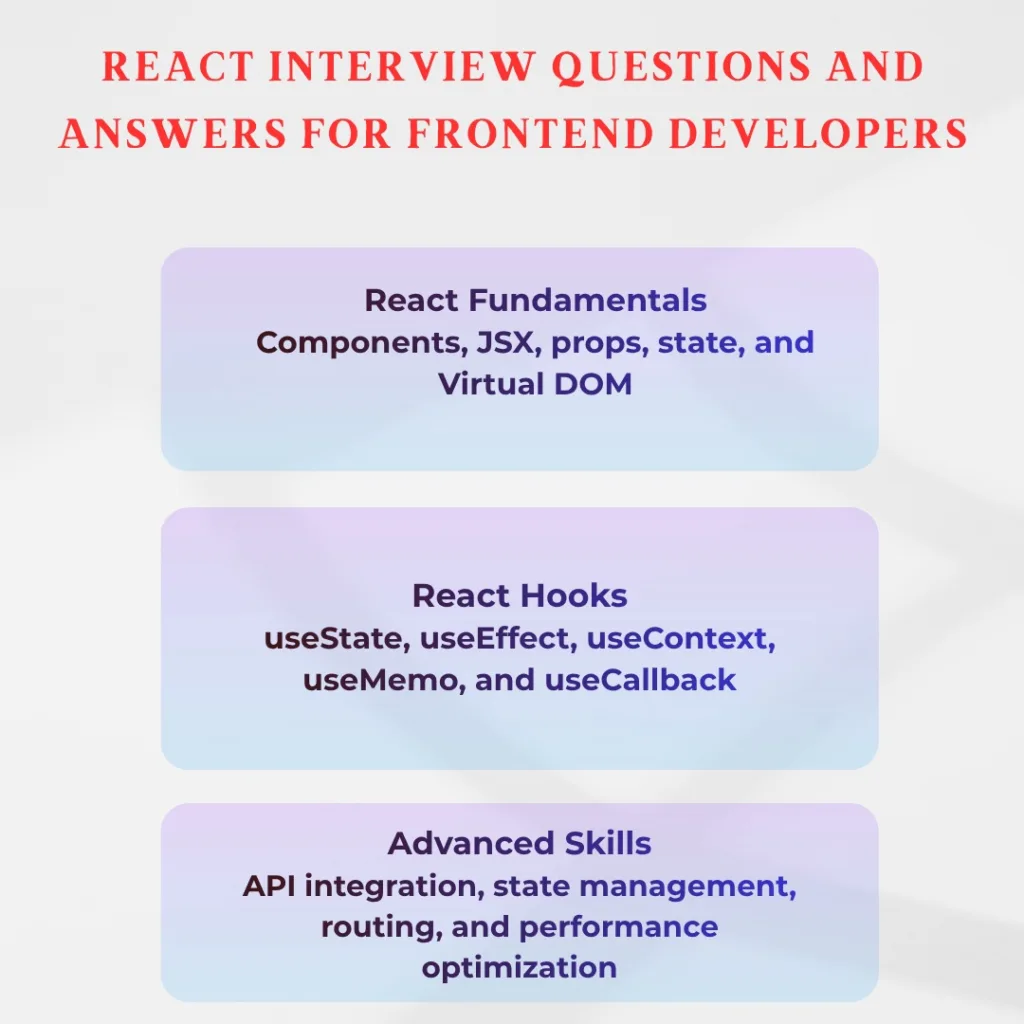
React interviews test both theoretical knowledge and practical development skills. Candidates should understand components, props, state, Hooks, API integration, routing, performance optimization, and modern React development practices.
A successful React developer interview preparation strategy combines concept revision with hands-on coding. If you can explain why a particular React approach is useful, demonstrate it with code, and discuss its trade-offs, you will be better prepared for both technical and scenario-based interview questions.
Frequently Asked Questions
1. What are the most important React interview questions for beginners?
Beginners should focus on React fundamentals such as components, JSX, props, state, event handling, conditional rendering, lists, keys, and basic Hooks. They should also understand JavaScript fundamentals because React relies heavily on JavaScript.
2. Which React Hooks should I prepare for an interview?
At minimum, prepare useState, useEffect, useContext, useRef, useReducer, useMemo, and useCallback. You should understand both their syntax and practical use cases.
3. What coding tasks are commonly given in React interviews?
Common tasks include building a Todo application, search functionality, pagination, forms, API-based lists, reusable components, counters, filtering systems, and simple dashboards.
4. Is JavaScript important for a React developer interview?
-Yes. Strong JavaScript knowledge is essential for React development. Candidates should understand ES6+ features, promises, async/await, closures, arrays, objects, destructuring, modules, and event handling.
