


If you’ve searched for design tools recently, you’ve probably landed on a Canva Pro review or two. The question everyone asks is simple: Is it worth paying for when the free version already does so much?
I’ve used Canva Free for three years and Canva Pro for the last 18 months. I’ve designed social media graphics, ebooks, presentations, and even video thumbnails. In this Canva Pro review, I’ll break down exactly what you get for the $120 annual price tag, who should upgrade, and who can happily stay on free.
Let’s start with the most important question: Canva Pro worth it for the average small business owner, freelancer, or casual user?
Table of Contents
Canva Pro Review: What You Actually Get for $120/Year
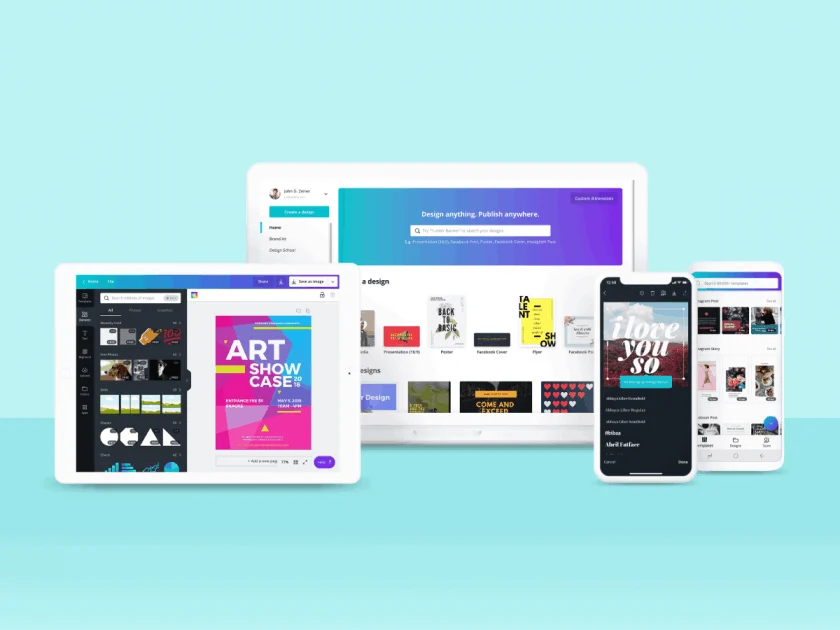
Before we decide if paying is smart, let’s look under the hood. A real Canva Pro review must cover the specific features that free users don’t have.
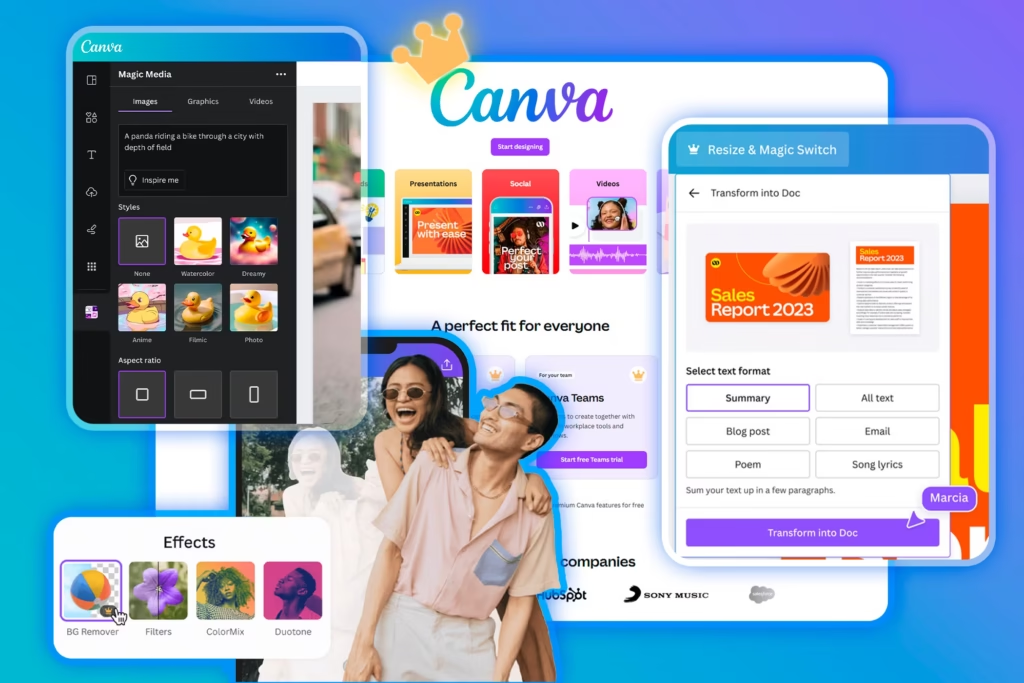
Here are the top five Pro-only features in 2026:
- Background Remover – One-click erase backgrounds. No Photoshop needed.
- Brand Kit – Save your logo, fonts, and colors. Apply them to any design instantly.
- Magic Resize – Turn one Instagram post into a Facebook, LinkedIn, and Twitter version in seconds.
- 100+ Million Premium Assets – Stock photos, videos, audio tracks, and templates.
- Content Planner – Schedule social media posts directly from Canva.
For a casual user making one birthday invitation per month, none of that matters. But for someone designing daily content, these features save hours.
So, Canva Pro worth it if you value time over money. Let me give you a real example.
Canva Pro vs Free: The Feature Breakdown That Matters
The most common comparison is Canva Pro vs free. Here is the honest, side-by-side look.
| Feature | Canva Free | Canva Pro |
|---|---|---|
| Templates | 250,000+ | 1 million+ |
| Stock photos/videos | 1 million+ | 100 million+ |
| Background remover | Manual only | One-click automatic |
| Brand Kit | 0 | 100+ kits |
| Magic Resize | No | Yes |
| Folders & organization | Basic | Unlimited |
| Content scheduling | No | Yes (to FB, IG, LinkedIn, etc.) |
| Team collaboration | Limited | Advanced (with permission controls) |
| Price | $0 | 120/year(or15/month) |
Canva Pro worth it for anyone who posts social media content daily, manages a brand, or sells design services. But if you design once a month, the free version is genuinely excellent.
The Hidden Pro Benefit: Export Options
Free users can export PNG, JPG, and PDF (standard). Pro users get: PDF Print, SVG, MP4 video, GIFs, and transparent PNGs. That transparency feature alone is worth the fee for logo makers and YouTubers.
Canva Pro for Small Business: The ROI Calculation
Let’s talk money. Canva Pro review after 18 months of use – I’ve saved roughly 6 hours per month on design tasks.
- Time saved: 6 hours × 30/hour(yourtimevalue)=30/hour(yourtimevalue)=180/month
- Canva Pro cost: 10/month(10/month(120/year)
- Net gain: $170/month
That’s the math for a solo creator. For a team of three, the gain multiplies.
I also canceled two other subscriptions because of Canva Pro:
- Remove.bg (background remover) – $9/month
- Later (social scheduling) – $18/month
Total saved after switching: $27/month – more than the cost of Canva Pro itself.
So Canva Pro worth it becomes a no‑brainer if you already pay for any of those standalone tools.
Three Reasons You Might NOT Need Canva Pro
An honest Canva Pro review must include the downsides or reasons to skip.
1. You design occasionally
If you make a flyer twice a year and a holiday card once a year, the free version is plenty. Don’t pay for features you’ll never open.
2. You use professional Adobe tools already
If you have a Creative Cloud subscription (Photoshop, Illustrator, Premiere Pro), you already have superior background removal and asset libraries. Canva Pro would be redundant.
3. Your team is small and non‑technical
Canva free works fine for a two‑person team. You can share designs via link. The Pro collaboration features (brand controls, approval workflows) only matter at 5+ team members.
If any of these fit you, save your $120. But if you’re a content creator, marketer, or small business owner, read on.
Canva Pro vs Adobe Express (2026 Update)
Adobe Express is Canva’s biggest rival. In this Canva Pro review, I need to compare because readers always ask.
Canva Pro | Adobe Express Premium | |
|---|---|---|
| Price | $120/year | $120/year (similar) |
| Templates | 1 million+ | 200,000+ |
| Stock assets | 100 million+ (including Pexels/Pixabay) | 200 million+ (Adobe Stock, but limited) |
| Background remover | Excellent | Slightly better (Adobe AI) |
| Brand kits | Easy to use | More complex |
| Learning curve | Very gentle | Moderate |
| Social scheduling | Built‑in | No (requires separate tool) |
Verdict: For most small businesses, Canva Pro wins because of the content planner and easier interface. Adobe Express has better integration with Photoshop files, but that’s niche.
Canva Pro worth it over Adobe Express if you value simplicity and all‑in‑one scheduling.
How to Get Canva Pro for Less
Canva rarely discounts the annual plan, but there are two legit ways to save:
- Team plans – If you have 5+ people, the per‑user price drops to ~$100/year.
- Nonprofit discount – Registered nonprofits get Canva Pro free (apply through TechSoup).
- Affiliate trial links – Try Canva Pro free for 30 days through affiliate links – you can test every Pro feature before committing.
I recommend starting with the free 30‑day trial. Create a few designs. Use background remover five times. Schedule a week of posts. After 30 days, you’ll know if Canva Pro worth it for your workflow.
Final Verdict: Is Canva Pro Worth Paying For?
After 18 months of daily use, here is my final Canva Pro review rating:
| Use case | Pro worth it? |
|---|---|
| Social media manager (10+ posts/week) | Yes – the scheduler and resize alone justify it. |
| Etsy seller (digital products) | Yes – transparent PNGs and 100M assets are essential. |
| Freelance graphic designer | Yes – brand kits for multiple clients save hours. |
| Small business owner (daily marketing) | Yes – ROI positive within weeks. |
| Student | Maybe – free education plan exists (check your school). |
| Casual user (few designs/month) | No – free version is already great. |
Canva Pro worth it for anyone who designs regularly as part of their income or business. It’s not a luxury – it’s a productivity tool. The $120 annual fee pays for itself in time saved and professional polish.
Canva Free remains the best free design tool on the market. But once you hit the limits of free (manual background removal, no scheduling, watermark on premium assets), Pro is the logical next step.
Frequently Asked Questions (FAQs)
1. Can I cancel Canva Pro at any time?
Yes. Canva Pro is a monthly or annual subscription. If you pay monthly, you can cancel anytime before the next billing cycle. If you pay annually, you won’t get a refund for unused months, but you can switch to free when the year ends. All your designs stay safe in the free account.
2. Is Canva Pro a one‑time payment?
No. Canva Pro is subscription‑only. The annual plan costs $120 per year (effectively 10/month). There is no lifetime license. However, you can downgrade to free anytime and keep all your designs (but you lose Pro features).
3. Does Canva Pro remove the watermark?
Yes – 100%. Free users who use premium assets will see a watermark on exports. Pro users export without any watermarks. That alone is the #1 reason people upgrade.
4. Can I use Canva Pro for client work?
Absolutely. In fact, many freelancers and agencies buy the Pro plan specifically for client work. You can create a Brand Kit for each client, share editable templates, and export files without watermarks. Just note: your client cannot edit a Pro template unless they also have Pro (or you share a team account).
