



Managing servers effectively is a critical priority for organizations of every size. Whether dealing with a single on-site server or a complex multi-server environment, the right server management software simplifies control, enhances security, and boosts performance. With so many options available, understanding which features truly matter can make all the difference.
This article highlights the essential capabilities to consider when choosing server management software to help you make an informed decision.
What Is Server Management Software?
Server management software consists of tools and interfaces designed to streamline the work of administrators. These solutions enable efficient monitoring, configuration, and control of servers, ensuring optimal performance and robust security.
By automating tasks, reducing human error, and providing clear insights, such software helps IT teams save time and improve the overall management experience for systems and applications.

Why Does It Matter?
Strong server management practices are key to maintaining uptime, protecting sensitive data, and maximizing resource efficiency. With the right software, organizations can address issues in real time, automate routine processes, and maintain a reliable online presence that supports business continuity.
Server Management Feature Matrix
This table summarizes the essential capabilities discussed in the article to help you compare different software options.
| Core Feature | Primary Function | Business Impact |
| Real-Time Monitoring | Tracks CPU, RAM, and Disk health live. | Prevents downtime by catching issues early. |
| Automated Backups | Creates copies of data on a set schedule. | Ensures fast recovery after data loss or failure. |
| Intrusion Detection | Monitors for unauthorized access attempts. | Protects sensitive data and maintains compliance. |
| Task Scheduling | Runs maintenance during off-peak hours. | Reduces human error and avoids service disruption. |
| Load Balancing | Distributes traffic across multiple servers. | Maximizes uptime and optimizes performance. |
| API Integration | Connects management tools to other apps. | Streamlines workflow and ensures data consistency. |
Essential Features to Evaluate

When assessing server management software, pay special attention to the following core features:
1. User-Friendly Interface
- Intuitive Design
An effective server management solution must feature an interface that’s simple to navigate. Look for software with an intuitively structured layout that enables users to perform tasks like monitoring performance, adjusting settings, and managing resources without extensive training. A clean, well-organized dashboard can greatly streamline everyday operations.
- Customization Options
Personalization is equally important. The ability to customize dashboards, layouts, and views helps you focus on the metrics that matter most. Choose software that allows you to adapt the interface to match your workflow for maximum efficiency.
2. Comprehensive Monitoring Tools
- Real-Time Monitoring
Maintaining server health requires constant oversight. A reliable solution should provide real-time data on CPU usage, memory load, disk space, and network activity. With these insights, you can detect potential problems early and prevent them from escalating.
- Alerts and Notifications
Monitoring tools should also support customizable alerts. Set thresholds for critical metrics such as high CPU usage or low disk space, ensuring you receive timely notifications to take corrective action and avoid downtime.
3. Security Features in Server Management Software
- Built-In Protections
Security must be a top priority. Choose software that includes integrated safeguards like firewalls, intrusion detection systems, and automated backups. These tools help protect sensitive data and maintain compliance with industry standards.
- User Access Controls
Robust access control prevents unauthorized changes to your server. Ensure the software allows you to assign roles and permissions, so only authorized personnel can modify key configurations.
4. Automation Capabilities
- Task Automation
Automation reduces workload and error risk. Look for solutions that allow you to automate critical processes such as backups, updates, and resource allocation—saving time and improving consistency.
- Scheduling Options
Beyond automation, flexible scheduling adds further efficiency. Select tools that let you perform updates and maintenance during off-peak hours to avoid disruptions and maintain a smooth user experience.
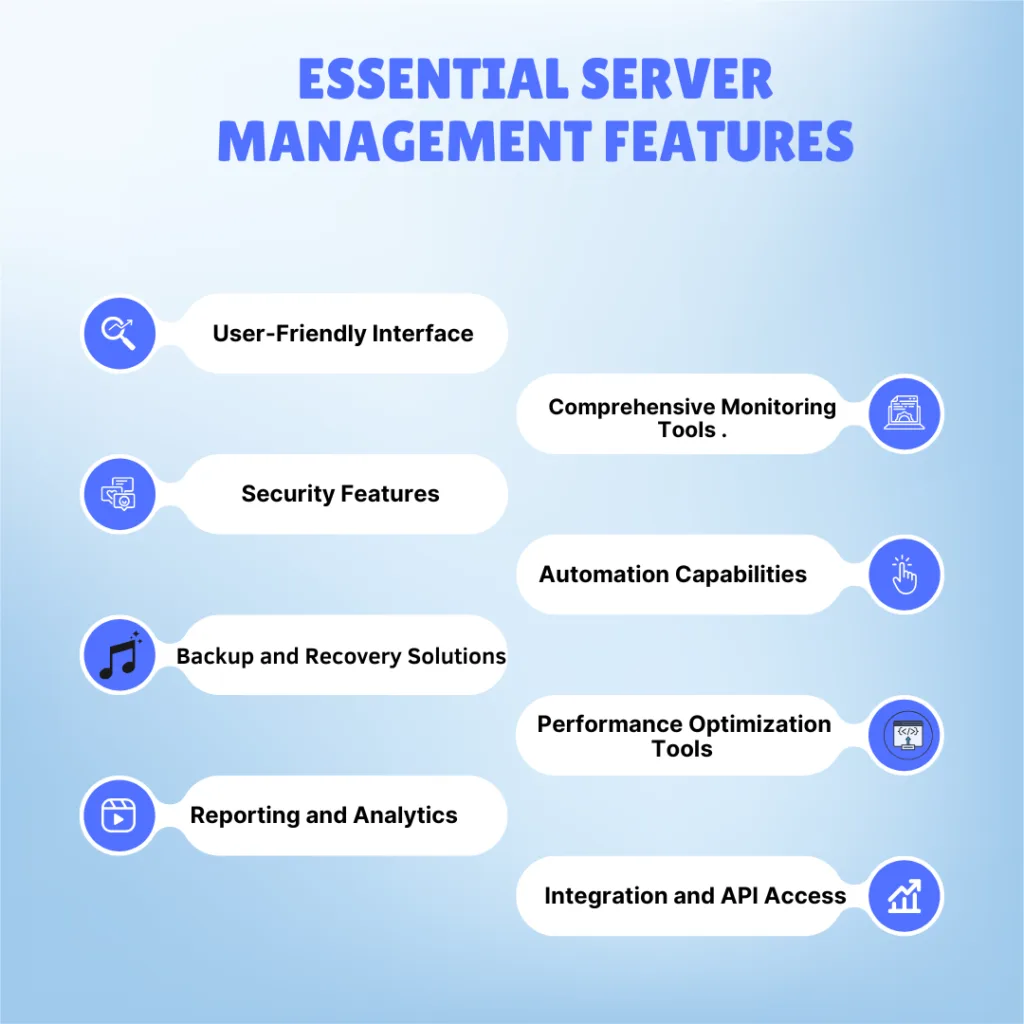
5. Backup and Recovery Solutions
- Automated Backups
Data loss can cripple any business, making automated backup solutions a critical feature in server management software. Regularly scheduled backups safeguard essential data and ensure that systems can be quickly restored in case of failure.
- Disaster Recovery Plans
Beyond routine backups, it’s important to choose software that includes robust disaster recovery capabilities. These plans allow servers to be restored to a previous state after a major incident, significantly reducing downtime and minimizing data loss.
6. Performance Optimization Tools
- Resource Management
Tools that monitor and manage resource usage are key to maintaining optimal server performance. Look for solutions that provide detailed insights into resource allocation, enabling you to identify and reassign underutilized resources.
- Load Balancing
Another vital performance enhancement is load balancing, which distributes incoming traffic across multiple servers. Software with load balancing support helps prevent any single server from becoming overloaded, resulting in smoother operations and an improved user experience.
7. Server Management Software Reporting and Analytics
- Detailed Reports
Comprehensive reporting and analytics are essential for making informed decisions. Opt for software that delivers detailed data on server performance, resource utilization, and security events. These insights help track trends and highlight areas needing attention.
- Customizable Dashboards
Dashboards that can be tailored to your needs make it easy to visualize critical metrics. Choose software that allows custom reporting options to monitor the KPIs most relevant to your organization.
8. Integration with Other Tools
- Compatibility with Other Software
Integration capabilities are crucial for maintaining an efficient workflow. Choose server management software that seamlessly works with the other tools you rely on, such as content management systems (CMS), customer relationship management (CRM) platforms, and analytics solutions. This ensures data consistency and eliminates the hassle of switching between systems.
- API Access
Robust API access extends the functionality of your server management solution by enabling connections to third-party applications. Opt for software that offers a well-documented and powerful API to give you greater flexibility and customization options.
Read more blogs : Why Server Management Tools Are Essential for Scalable Web Hosting in 2026
The Role of Support and Documentation in Server Management Software

1. Customer Support
Strong customer support can make all the difference during critical situations. When selecting server management software, look for providers that offer 24/7 support through multiple channels such as live chat, email, and phone. Prompt and reliable assistance helps minimize downtime and ensures smooth operations.
2. Comprehensive Documentation
Clear and detailed documentation is essential for learning, troubleshooting, and maximizing software performance. Solutions that include user guides, tutorials, and FAQs provide an accessible reference for both beginners and advanced users, reducing the learning curve and improving productivity.
Read more blog : Why Server Management Tools Are Essential for Scalable Web Hosting in 2026?

Conclusion
Server management software is a powerful tool to boost server performance, enhance security, and automate routine administrative tasks. Key features to evaluate include user-friendliness, monitoring, security, automation, backup capabilities, performance optimization, reporting, integration options, and the quality of support.
By selecting a robust, well-integrated solution, businesses can save time, reduce costs, and ensure their digital operations run seamlessly. The right tools not only strengthen infrastructure but also enable confident scaling, knowing that systems are secure, efficient, and future-ready. A properly integrated solution can even complement your existing hosting control panel, providing a comprehensive approach to server management.
Frequently Asked Questions
1. What is the difference between server management and a hosting control panel?
While a hosting control panel (like cPanel or Plesk) focuses on managing websites, emails, and databases, server management software focuses on the underlying infrastructure—monitoring CPU health, managing security patches, automation, and overall hardware/OS performance.
2. Can I manage multiple servers from a single dashboard?
Yes. Most modern server management solutions are designed for “centralized management,” allowing administrators to oversee a complex multi-server environment (on-premise or cloud) through a single unified interface.
3. Is automation safe for critical server updates?
Automation is safe when combined with scheduling and testing. It is best practice to schedule automated updates during off-peak hours and ensure that a backup is created immediately before the update begins.
4. How does “Load Balancing” improve the user experience?
Load balancing acts like a traffic cop, directing incoming visitors to the server that has the most available resources. This prevents any single server from crashing due to high traffic, ensuring the website remains fast and accessible for everyone.
5. Why is API access important for server software?
API access allows different software programs to “talk” to each other. This means you can connect your server management tools to your existing CRM or custom business applications to automate data sharing and reporting.
