


Handling traffic spikes is a challenge for modern web applications, especially when built using Node.js. Whether it’s a sudden influx due to a product launch, promotional event, or viral content, your application needs to remain performant. This is where load testing comes into play—and one of the best tools to achieve this is Artillery.
Artillery is a modern, powerful, and easy-to-use load testing toolkit for developers.
Why Load Testing Matters
Imagine releasing an exciting feature and promoting it to your audience, only to have your application crash due to unanticipated demand. The consequences include lost revenue, user dissatisfaction, and damage to your reputation. Load testing helps you:
- Measure Application Performance: Understand how your app performs under heavy load.
- Identify Bottlenecks: Spot performance hotspots that need optimization.
- Ensure Scalability: Verify your infrastructure can handle future growth.
What Is Artillery?
Artillery is an open-source load testing and functional testing tool. With support for multiple protocols, such as HTTP, WebSockets, and Lambda functions, it’s ideal for simulating real-world user scenarios in Node.js applications. Artillery emphasizes simplicity with a YAML-based configuration and powerful out-of-the-box features.
Setting Up Artillery for Node.js Applications
Step 1: Install Artillery
First, install Artillery globally using npm:
        <pre data-line="">
            <code readonly="true">
                <xmp>npm install -g artillery
This makes the artillery command-line tool available for use.
Step 2: Create a Test Script
Artillery’s configuration is written in YAML. Here’s an example file, load-test.yml, for testing an API endpoint in a Node.js application:
                    config:
  target: "http://localhost:3000"
  phases:
    - duration: 60
      arrivalRate: 20
      name: "Steady Load Test"
scenarios:
  - flow:
      - get:
          url: "/api/v1/resource"
This script tests the /api/v1/resource endpoint by sending 20 requests per second for 60 seconds.
Step 3: Run the Load Test
Execute the load test with the following command:
artillery run load-test.yml
Artillery will provide real-time stats on request latencies, throughput, and error rates.
Interpreting the Results
After running a test, Artillery generates a report summarizing:
- Response Times: Median and 95th percentile latency.
- Request Outcomes: Count of successful and failed requests.
- Throughput: Requests per second served by your application.
These insights help pinpoint areas to optimize, such as slow database queries, insufficient server resources, or unoptimized APIs.
Advanced Scenarios with Artillery
Artillery is highly flexible, supporting advanced use cases:
1. Simulate Complex User Journeys
For applications with multiple user actions, such as login, browsing, and purchase, you can define scenarios with a series of steps:
                    scenarios:
  - flow:
      - post:
          url: "/login"
          json:
            username: "{{ username }}"
            password: "{{ password }}"
      - get:
          url: "/dashboard"
2. Stress Testing
Stress testing pushes your system to the edge by increasing load until performance degrades. Add rampTo to your configuration:
                    phases:
  - duration: 180
    arrivalRate: 10
    rampTo: 100
3. Real-World Simulations
Artillery can simulate traffic from specific geographies or mimic real-world traffic spikes to test edge cases.
Best Practices for Load Testing with Artillery
- Test in a Production-Like Environment: Use staging environments that closely replicate production setups.
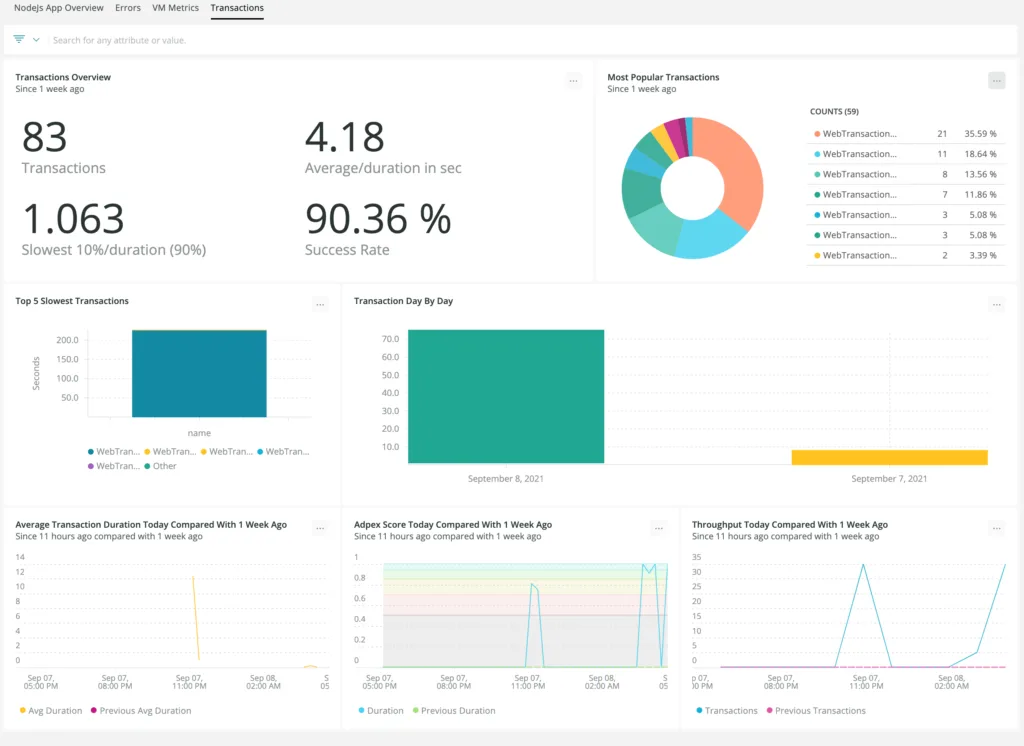
- Monitor During Tests: Leverage tools like Prometheus, Grafana, or New Relic to monitor CPU, memory, and I/O metrics.
- Incremental Testing: Start with low traffic and gradually increase load to pinpoint bottlenecks.
- Automate Tests: Integrate Artillery into CI/CD pipelines to catch performance issues early.
- Test Third-Party Integrations: Include services like APIs or databases that your app depends on.

Conclusion
Load testing is an essential step in building robust, scalable, and high-performing Node.js applications. Tools like Artillery make it easier than ever to simulate traffic and identify weak points before they affect end users.
You may also like:
1) How do you optimize a website’s performance?
2) Change Your Programming Habits Before 2025: My Journey with 10 CHALLENGES
3) Senior-Level JavaScript Promise Interview Question
4) What is Database Indexing, and Why is It Important?
5) Can AI Transform the Trading Landscape?
Read more blogs from Here
Share your experiences in the comments, and let’s discuss how to tackle them!
Follow me on Linkedin
Frequently Ask Question:
1. How does Artillery differ from tools like JMeter, k6, or Autocannon?
Artillery stands out for its developer ergonomics: tests are defined in clean, declarative YAML configurations rather than complex XML GUIs (like JMeter). While tools like Autocannon are great for fast local micro-benchmarks, Artillery excels at simulating multi-step, stateful user journeys and running distributed tests natively across AWS Lambda and Kubernetes clusters.
2. Can Artillery run tests inside automated CI/CD pipelines?
Yes. Artillery can easily integrate into GitHub Actions, GitLab CI, and Jenkins. You can define performance budgets and threshold rules directly in your YAML file (e.g., ensuring p95 latency stays under 200 ms and the HTTP error rate remains under 1%). If these thresholds are breached, Artillery exits with a non-zero status code to fail the build.
3. What is the difference between arrivalRate and rampTo in Artillery?
arrivalRate: The number of virtual users (VUs) initiated per second during a specified phase.rampTo: A parameter used to gradually increase the number of virtual users from the initial arrivalRate up to a target number over the duration of the phase. This is essential for simulating ramp-up traffic and stress-testing system limits.
4. How do I test APIs that require authentication or dynamic data with Artillery?
Artillery supports payload files (CSV or JSON) to inject real test accounts, credentials, and dynamic parameters into your request flows. You can capture tokens, headers, or cookies from an initial login response using the capture clause and pass them into subsequent requests using standard template variables (e.g., {{ token }}).
5. Should I run load tests against my local development machine or a production server?
Never rely solely on local load test results. Single-machine developer environments lack real-world network latency, proxy layers, database connection pooling constraints, and hardware virtualization bottlenecks. Run load tests against an isolated staging environment configured with the same compute specs, network topologies, and database tier as your production system.
