


Deep learning is exciting, but let’s be honest—it’s also overwhelming. Most people immediately jump into TensorFlow or PyTorch (which are great), but there’s an entire hidden ecosystem of tools that can seriously boost your efficiency, debugging, and workflow.
Most deep learning beginners spend all their time tweaking neural network layers. However, industry professionals know that writing model code is only 10% of the job. The other 90% is managing experiments, handling massive datasets, and deploying models to production without tearing your hair out.
If you want to step up your workflow from chaotic scripts to a professional machine learning pipeline, you need to stop brute-forcing your development. Here are five industry-standard tools that will instantly streamline your workflow.
The MLOps Toolkit Comparison Matrix
| Tool | Core Category | Solves This Problem | Best Alternative |
| Weights & Biases (W&B) | Experiment Tracking | “I don’t know which hyperparameters produced my best model version.” | MLflow, TensorBoard |
| FastAPI | Model Deployment | “Deploying models via Flask or Django is too slow and complicated.” | Flask, Ray Serve |
| Netron | Model Visualization | “I have a black-box model file and can’t see the internal layer shapes.” | TensorBoard Graph, HiddenLayer |
| Optuna | Hyperparameter Tuning | “I am wasting hours manually guessing learning rates and batch sizes.” | Ray Tune, Hyperopt |
| DVC (Data Version Control) | Data & Model Versioning | “Git keeps crashing when I try to track my 10 GB dataset and weights.” | Git LFS, LakeF |
1. Weights & Biases (W&B) – The Debugging & Experiment Tracking Powerhouse
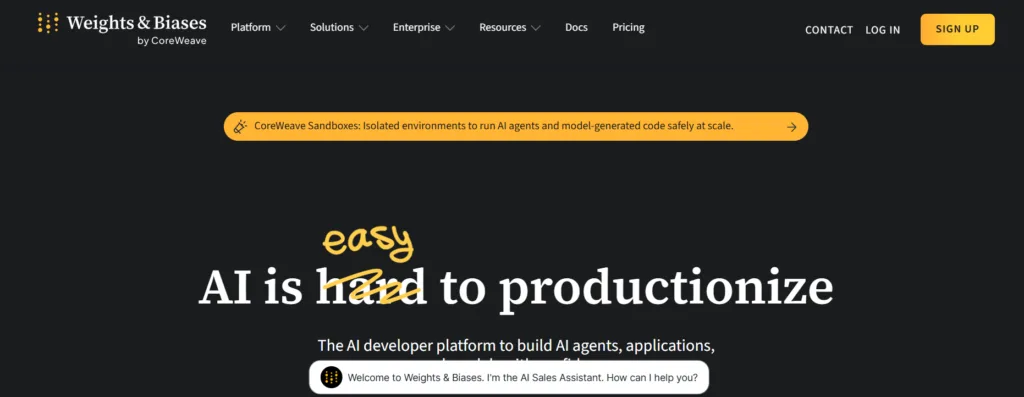
If you are still manually recording hyperparameters, training losses, and validation accuracies in an Excel spreadsheet, stop immediately.
Weights & Biases (W&B) acts as a flight data recorder for your machine learning models, giving you a centralized dashboard to track everything automatically.
- What it does:
- Logs every experiment run automatically (hyperparameters, metrics, loss curves, and system hardware metrics).
- Streams and visualizes training progress in real-time dashboards.
- Allows you to compare hundreds of historical runs instantly to identify architectural breakthroughs.
- Enables painless collaboration and report sharing across engineering teams.
- Why you need it: Your deep learning projects will never feel like an unorganized mess again. Instead of guessing which specific model version achieved that 94% accuracy three weeks ago, you can look up the exact commit, data split, and hyperparameter configuration with a single click.
- Get Started: wandb.ai
2. FastAPI – The Quickest Way to Deploy Your Deep Learning Models
The ultimate goal of training a model is letting users interact with it. While Flask used to be the default choice for Python web development, it lacks the speed and modern features required to handle heavy deep learning inference workloads efficiently.
- What it does:
- Serves your trained deep learning models as production-ready web APIs with just a few lines of code.
- Provides native asynchronous (
async/await) support, making it orders of magnitude faster than standard Flask. - Automatically generates interactive, browser-based API documentation (Swagger UI) straight out of your Python code.
- Why you need it: It strips away the web-infrastructure headache. You can wrap your PyTorch or TensorFlow prediction loops into a blazing-fast API endpoint in minutes, complete with automatic input data validation.
- Get Started: fastapi.tiangolo.com
3. Netron – The Best Model Visualization Tool You’re Not Using
Have you ever downloaded a pre-trained model checkpoint from GitHub or Hugging Face and found yourself completely blind to its internal structure? Netron takes the guesswork out of model architectures.
- What it does:
- Ingests and visually maps out the graph architecture of almost any deep learning format (PyTorch, TensorFlow, ONNX, Keras, TFLite, etc.).
- Displays precise layer-by-layer details, including input/output shapes, weights, biases, and activation functions.
- Runs seamlessly as a lightweight desktop application or directly inside your web browser.
- Why you need it: Instead of print-debugging shape mismatches or trying to visualize a 50-layer convolutional network in your head, you can visually audit your model’s pipeline to catch tensor dimension errors immediately.
- Get Started: netron.app
4. Optuna – The Secret Weapon for Hyperparameter Optimization
Manually adjusting learning rates, batch sizes, and dropout percentages is a massive time sink. Optuna replaces human guesswork with intelligent, automated search algorithms.
- What it does:
- Finds your optimal hyperparameters using efficient Bayesian optimization (specifically Tree-structured Parzen Estimators).
- Features automated “pruning” algorithms that kill off poorly performing training runs early to save expensive GPU hours.
- Integrates natively with any major framework, including PyTorch, TensorFlow, and XGBoost.
- Why you need it: Instead of spending your evening changing a
0.001learning rate to0.0001and watching a terminal, you define a search space in Optuna, go to sleep, and wake up to the mathematically ideal configuration. - Get Started: optuna.org
5. DVC (Data Version Control) – Git for Your Datasets and Models
Git is perfect for tracking text-based source code, but pushing a 10 GB dataset or a 2 GB model checkpoint to GitHub will break your repository. Data Version Control (DVC) brings DevOps best practices to big data.
- What it does:
- Tracks large data files, directory structures, and machine learning models by creating lightweight
.dvcpointer files that Git can easily manage. - Connects your actual heavy assets safely to remote cloud storage systems like Amazon S3, Google Cloud Storage, or Azure Blob.
- Guarantees 100% experiment reproducibility by linking specific code versions directly to specific data versions.
- Tracks large data files, directory structures, and machine learning models by creating lightweight
- Why you need it: It solves the data tracking nightmare. You will never have to work out of a folder named
dataset_v2_final_fixed_fixed2.zipagain. If you need to roll back your project to a state from two weeks ago, DVC checks out the exact training data used at that precise moment. - Get Started: dvc.org
Action Plan: Build Your Stack
Most beginners stay stuck in notebooks, but moving to production requires using the right tool for the job. Use this interactive selector to map your current bottleneck directly to its professional solution:
You may also like:
1) How AI is Transforming the Software Development Industry
2) 8 Key Concepts in Neural Networks Explained
3) Top 5 Essential Deep Learning Tools You Might Not Know
4) 10 Common Mistakes in AI Model Development
5) 6 Types of Neural Networks You Should Know
6) The Science Behind Fine-Tuning AI Models: How Machines Learn to Adapt
7) 7 Essential Tips for Fine-Tuning AI Models
Read more blogs from Here
Share your experiences in the comments, and let’s discuss how to tackle them!
Follow me on Linkedin
Frequently Asked Questions:
1. Do I need to use all 5 tools at once to see an improvement in my workflow?
Absolutely not. Introducing too many new tools simultaneously can derail your development momentum. The best approach is to identify your single biggest operational bottleneck right now and fix it first. If you are drowning in unorganized training logs, start with Weights & Biases. If you have a working model but don’t know how to share it, start with FastAPI. Build your pipeline incrementally.
2. Is FastAPI secure enough to deploy enterprise-grade deep learning models?
Yes, FastAPI is highly secure and production-ready out of the box. Because it is built directly on top of Starlette and Pydantic, it natively supports standard authentication systems (like OAuth2, JWT tokens, and API keys) and strict data validation. For heavy enterprise scaling, you will typically run FastAPI inside a Docker container managed by Kubernetes to handle high-concurrency traffic safely.
3. How does DVC differ from regular Git LFS (Large File Storage)?
While Git LFS replaces large files with text pointers inside Git (similar to DVC), it falls short for complex machine learning pipelines. DVC is specifically built for data science: it tracks data lineage, lets you version-control entire training pipelines, and natively decouples your large assets into standard cloud storage (like AWS S3 or Google Cloud Storage) without binding you to expensive Git-hosting data fees.
4. Can Optuna optimize hyperparameters on multi-GPU setups?
Yes. Optuna is built for highly scalable optimization. It supports distributed computing frameworks, allowing multiple workers/GPUs to query a centralized relational database (like SQLite or PostgreSQL) simultaneously. This means multiple training nodes can actively pull new hyperparameter trials and report results back in parallel, drastically cutting down your total tuning time.
