


As we move deeper into the decade, the remote and hybrid model has solidified from a temporary fix into a foundational business strategy. For startups, this presents both a unique advantage in talent acquisition and a complex operational challenge.
The right digital toolkit is no longer a luxury; it’s the very infrastructure of your company. Selecting the top remote work software for startups in 2026 requires a forward-looking approach, prioritizing integration, intelligence, and flexibility to support a dynamic, distributed team. This guide explores the essential software categories and leading platforms that will empower emerging businesses to thrive in the evolving landscape of work.
Table of Contents
The 2026 Remote Work Landscape: What Startups Need to Know
The remote work tools of 2026 are defined by a shift from disparate applications to cohesive, intelligent ecosystems. The focus is on reducing context-switching, automating routine tasks, and fostering meaningful connection across distances.
For a startup, this means choosing software that scales with growth, minimizes friction in daily workflows, and provides clear data on productivity and team health. Key trends include the deep integration of AI for summarization and task automation, a stronger emphasis on asynchronous-first communication, and platforms that combine multiple functions to avoid tool sprawl.
Essential Categories of Remote Work Software for Startups
A successful startup in a distributed environment rests on a core stack of interconnected tools. Here are the non-negotiable categories for 2026.
1. Communication & Collaboration Hubs
This category forms the digital “office.” It must facilitate both real-time and asynchronous interactions.
- Video Conferencing & Chat: Look for platforms that go beyond simple video calls. Features like AI-powered meeting summaries, automated transcripts, and integrated whiteboarding are becoming standard. Seamless switching between threaded chat channels and quick huddles is crucial.
- Async-First Platforms: Tools that prioritize documentation, video updates, and threaded discussions over live meetings help accommodate flexible schedules and global teams, reducing fatigue and increasing focus time.
2. Project & Task Management
Clarity on who is doing what and by when is the bedrock of remote productivity. The best remote work software in this category offers visual clarity and automation.
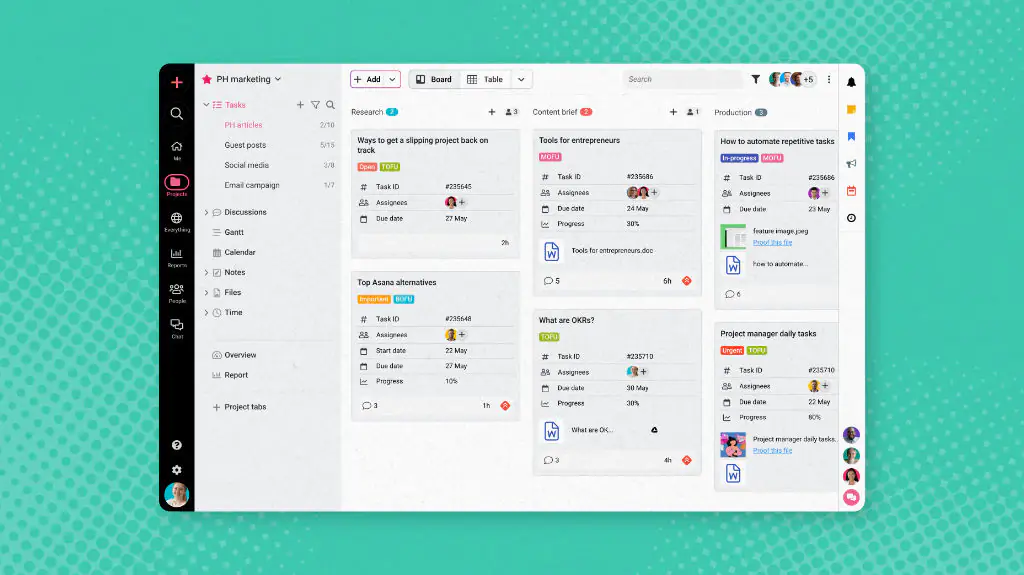
- Visual Workflow Boards: Platforms using Kanban-style boards (like Trello or Asana) provide instant status updates.
- Integrated Task Management: Tools that allow tasks to be created from chat messages, emails, or documents eliminate the need for constant manual entry and ensure nothing falls through the cracks.
- Goal & OKR Tracking: For startups, aligning daily tasks with strategic objectives is vital. Software that connects high-level goals to individual responsibilities keeps the entire team moving in the same direction.
3. Documentation & Knowledge Management
A single source of truth is critical when you can’t lean over a desk to ask a question. This software houses your company’s processes, projects, and culture.
- Living Wikis: Dynamic, easily editable intranets replace static documents. They should be searchable, interlinked, and allow for real-time collaborative editing.
- Centralized File Hubs: Cloud storage solutions that integrate directly with your other collaboration tools ensure files are always accessible and up-to-date, preventing version control chaos.
4. HR, Culture & Operations
Managing people and culture remotely requires intentional tools.
- HR Information Systems (HRIS): Onboard new hires, manage time-off requests, and maintain employee data in a secure, self-service portal.
- Virtual Culture & Connection: Purpose-built platforms for virtual social events, peer recognition, and wellness check-ins help maintain morale and build relationships, combating the isolation that can affect distributed teams.
Evaluating Remote Work Software for Startups in 2026

With countless options, how should a startup leader choose? Prioritize these evaluation criteria:
- Integration Capability: The best remote work software acts as a central hub or integrates deeply with others (via tools like Zapier). Avoid data silos.
- Scalability & Pricing: Seek transparent, per-user pricing that aligns with your growth trajectory. Freemium or startup-friendly tiers are valuable in the early stages.
- Security & Compliance: For startups handling sensitive data, features like SSO, granular permissions, and data encryption are non-negotiable, even at a small scale.
- User Experience (UX): Adoption is critical. Choose intuitive software that requires minimal training. A confusing tool will be abandoned, negating its value.
Top Platform Picks for a Future-Forward Stack
While specific vendors evolve, these platforms exemplify the capabilities a startup should seek in 2026.
- Slack (or its competitors like Microsoft Teams): As a communication hub, it remains essential. The 2026 advantage lies in its ecosystem of integrations and growing AI features that prioritize notifications and summarize channels.
- ClickUp, Asana, or Monday.com: These project management tools have evolved into robust work operating systems. They excel at connecting goals, tasks, documents, and timelines in one place, reducing the need to jump between apps.
- Notion or Coda: The all-in-one workspace model is powerful for startups. These tools combine docs, wikis, databases, and project plans into a customizable platform, perfect for building a transparent and adaptable knowledge base.
- Deel or Rippling: For globally distributed startups, these all-in-one HR and payroll platforms are game-changers. They simplify the immense complexity of hiring, paying, and complying with regulations across international borders.
- AI-Powered Co-pilots: Look for embedded AI across your stack—like Gong for sales calls, Otter for meetings, or GitHub Copilot for developers. These specialized tools augment human capability, a key trend for 2026.
Building Your Cohesive Digital Workspace
Implementation is as important as selection. Start with your core communication and project management tools, ensuring company-wide adoption. Then, strategically add specialized software (like design collaboration or developer tools) that integrates with your core.
Regularly solicit team feedback on tool efficacy and be prepared to adapt. The perfect stack in 2026 is not a static set of apps but a fluid, interconnected system that evolves with your team’s needs.
Conclusion
The top remote work software for startups in 2026 is defined not by a flashy feature list but by its ability to create cohesion, clarity, and connection for a distributed team. By strategically selecting tools that communicate with each other, leverage AI to reduce busywork, and place an emphasis on both productivity and culture, founders can build a resilient and scalable operational foundation.
Investing thoughtfully in this digital infrastructure is an investment in your startup’s agility, talent, and ultimate success in the modern, borderless marketplace.
Frequently Asked Questions (FAQs)
1. As a bootstrapped startup, how do I prioritize which remote work software to pay for first?
Start with a robust communication hub (like Slack or Teams) and a project management tool (like the free tiers of Asana or ClickUp). These form the essential backbone. Next, invest in a documentation/wiki tool to preserve knowledge. Delay specialized paid software until you have a clear, recurring need that free tools can’t adequately address.
2. How can we prevent “tool sprawl” and ensure our team actually uses the software we adopt?
Enforce a “one tool per job” rule and lead by example from the leadership level. Integrate tools to create a single workflow (e.g., tasks from Slack automatically go to Asana). Most importantly, involve team leads in the selection process and provide proper onboarding to demonstrate the software’s value in saving them time.
3. What is the most critical security consideration for remote work software?
Implement Single Sign-On (SSO) and Multi-Factor Authentication (MFA) wherever possible. SSO provides centralized control over who has access to your company’s tools, making it easy to revoke access instantly when an employee leaves. This is far more secure than managing dozens of separate passwords.
4. How do we measure the effectiveness of our remote work software stack?
Don’t just measure tool usage; measure outcomes. Are projects being delivered on time with less confusion? Has the time spent in meetings decreased due to better async communication? Is employee onboarding faster? Use regular anonymous surveys to gauge team sentiment on whether the tools are helping or hindering their work.
