


If you are active on Instagram, TikTok, YouTube, Twitter, LinkedIn, and Snapchat, you have a problem: where do you send your audience? Each platform allows only one clickable link in your bio (or a very limited number). You cannot ask followers to memorize five different URLs. That is why finding the best tools for managing multiple social media links is essential for creators, marketers, and businesses alike.
A dedicated link management tool transforms a single bio link into a branded landing page that houses every important destination—your YouTube channel, latest product, newsletter signup, podcast, affiliate offers, and more. Without such a tool, you are forcing your audience to hunt for your content. With the right tool, you boost click-through rates by over 300%. In this guide, I will review the top platforms, compare pricing, and show you exactly how to organize your digital presence.
Table of Contents
Why You Cannot Rely on Native Platform Links?
Each social network wants to keep users on its own site. Instagram does not allow clickable links in captions (only in Stories and bio). TikTok allows one link in bio for business accounts. Twitter and LinkedIn allow one link in your profile header.
YouTube allows multiple links in the description, but they get buried under “show more.” Relying on native links alone means you are losing traffic. The best tools for managing multiple social media links solve this by creating a central hub that works across every platform simultaneously.
Top 5 Best Tools for Managing Multiple Social Media Links
After testing over fifteen platforms based on ease of use, customization, analytics, and pricing, here are the five tools that truly qualify as the best tools for managing multiple social media links in 2025.
1. Linktree – Best Overall for Beginners
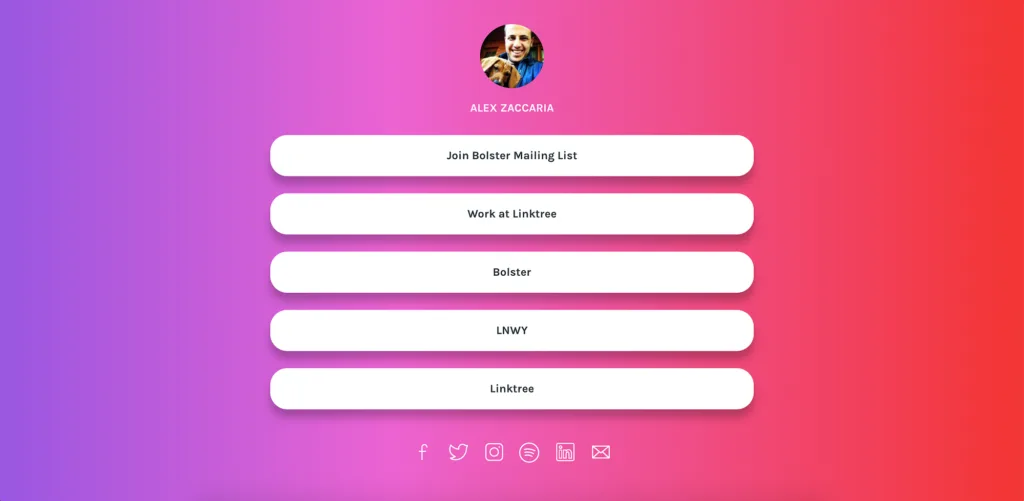
Linktree is the original link-in-bio tool and remains the most popular. It allows you to add unlimited links, customize colors, and schedule link rotations. For creators managing multiple social accounts, Linktree Pro offers advanced analytics showing which platform drives the most clicks.
- Key Features: Unlimited links, link scheduling, email capture, mobile-optimized templates.
- Affiliate Potential: High – recurring 20% commission.
- Pricing: Free plan available; Pro starts at $9/month.
2. Beacons – Best for Creators Selling Products
Beacons was built specifically for multi-platform creators. It includes a digital storefront, media kit builder, email automation, and even a tip jar. If you manage social links across Instagram, YouTube, and TikTok while selling merch or digital products, Beacons is a top contender for the best tools for managing multiple social media links.
- Key Features: Built-in store, video embeds, custom domain, analytics dashboard.
- Affiliate Potential: High – 30% recurring commission.
- Pricing: Free plan available; Pro starts at $10/month.
3. Lnk.Bio – Best for Managing Multiple Brand Accounts
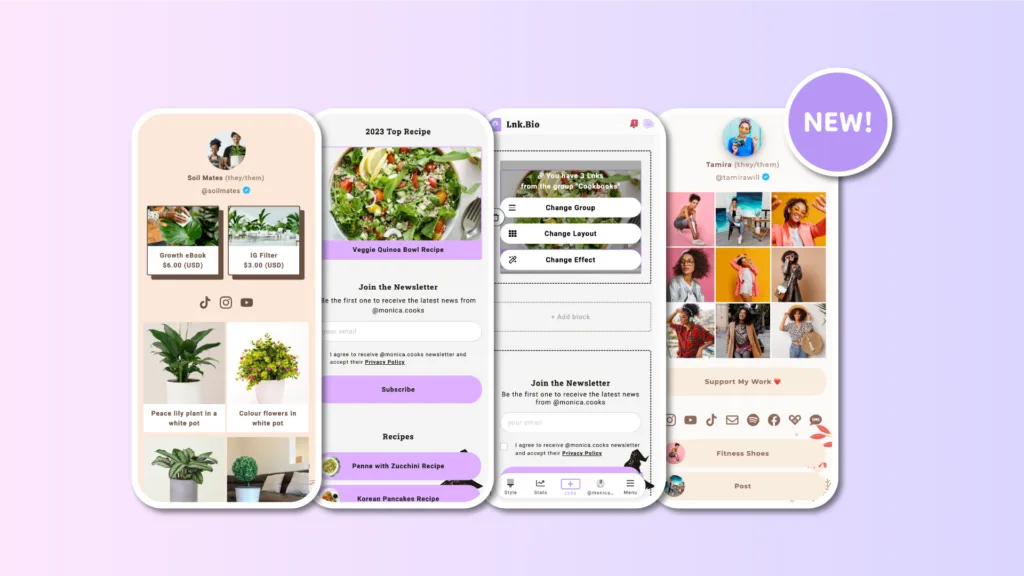
Lnk.Bio is unique because it allows you to manage several different link-in-bio pages from one dashboard. If you run multiple Instagram accounts or YouTube channels (e.g., a personal brand and a business page), this tool saves massive time. It also supports scheduled link changes.
- Key Features: Multi-account management, QR codes, first link free, Instagram Stories linking.
- Affiliate Potential: Medium – one-time commission per upgrade.
- Pricing: Free plan available; Premium starts at $7.99/month.
4. Campsite – Best for Visual Brands and Agencies
Campsite focuses heavily on design. It supports custom fonts, high-resolution image grids, retina display optimization, and heatmaps showing exactly where visitors click. For brands that prioritize aesthetics (fashion, photography, luxury goods), Campsite is among the best tools for managing multiple social media links.
- Key Features: Custom CSS, team collaboration, click heatmaps, A/B testing.
- Affiliate Potential: Medium – 15% recurring.
- Pricing: Free plan available; Pro starts at $12/month.
5. Solo.to – Best for Simplicity and Speed
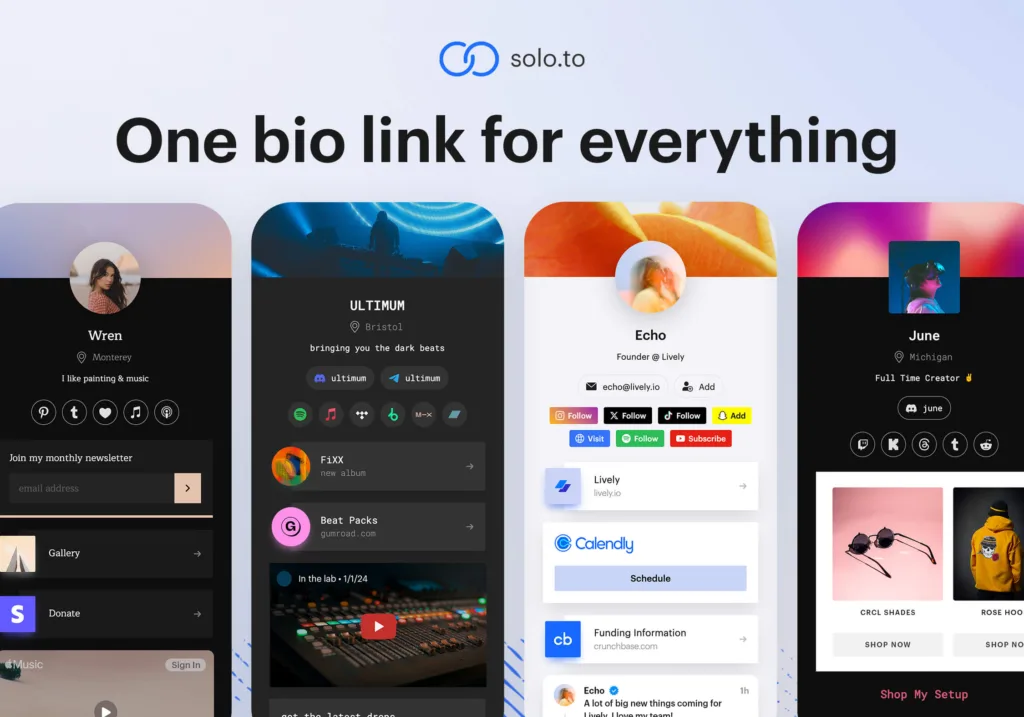
Solo.to is the fastest-loading link tool on this list. It strips away unnecessary features to focus on one thing: displaying your links as clean, tappable buttons. It is ideal for beginners who want a no-fuss solution that works instantly across all social platforms.
- Key Features: Dark mode, custom backgrounds, button animations, analytics.
- Affiliate Potential: Low – one-time $5 payout per referral.
- Pricing: Free plan available; Pro starts at $5/month.
How to Choose the Best Tools for Managing Multiple Social Media Links
Selecting the right platform depends on your specific needs. Ask yourself these three questions:
- How many social accounts do you manage? If you have 1–2 accounts, Linktree or Solo.to is sufficient. If you manage 5+ brand accounts, Lnk.Bio is the best tools for managing multiple social media links for your use case.
- Do you need e-commerce features? For selling physical or digital products, Beacons or Stan Store (not listed above but similar) offers built-in checkout. Basic tools like Solo.to do not support transactions.
- Is team collaboration important? If you work with a social media manager or virtual assistant, choose Campsite or Linktree Pro, both of which offer multi-user access and role-based permissions.
Step-by-Step: Setting Up Your Multi-Link Hub
Once you have chosen a tool from the best tools for managing multiple social media links, follow this setup process:
Step 1: Organize Links by Category
Do not list 15 links randomly. Group them:
- Content: Latest YouTube video, podcast episode, blog post
- Social: Your other social profiles (Instagram, TikTok, Twitter)
- Commerce: Shop, affiliate products, digital downloads
- Contact: Email, booking calendar, WhatsApp
Step 2: Add UTM Parameters for Tracking
Add UTM codes to every link so Google Analytics can tell you which social platform sends the most traffic. Example:
yourwebsite.com/shop?utm_source=instagram&utm_medium=bio&utm_campaign=linkpage
Most tools (Linktree, Beacons, Campsite) have a built-in UTM builder.
Step 3: Customize Your Branding
Upload your logo, choose brand colors, and add a profile photo. Use the same visual identity across all your social profiles. Consistency builds trust.
Step 4: Test on Mobile
Over 85% of link-in-bio traffic comes from mobile devices. Before publishing, test your page on an iPhone and an Android. Ensure buttons are at least 44×44 pixels (thumb-friendly) and text is readable without zooming.
Common Mistakes to Avoid
Even with the best tools for managing multiple social media links, creators make these errors:
| Mistake | Consequence | Solution |
|---|---|---|
| Too many links (10+) | Decision paralysis; visitors click nothing | Limit to 5–6 links maximum |
| No clear primary CTA | Users do not know what to do first | Make one button larger or a different color |
| Generic button text | Low click-through rates | Use action verbs (Shop, Watch, Join) |
| Missing analytics | Cannot optimize what you do not measure | Install Google Analytics or use built-in tracking |
Affiliate Monetization Strategy for Your Link Page
Your multi-link page is prime real estate for affiliate income. Here is how to monetize ethically:
- Dedicated “Favorite Tools” section: Add 3–4 affiliate links to tools you genuinely use (e.g., “My camera gear,” “SEO tools,” “Hosting I recommend”).
- Rotating hero link: Promote a different affiliate offer each week as your top button.
- Affiliate disclaimer: Add a small note at the bottom: “Some links are affiliate links. I earn a commission at no extra cost to you.”
Never let affiliate links exceed 20% of your total links. The majority should serve your audience (your content, freebies, social profiles).
Final Verdict
There is no single “best” tool, but for most creators managing multiple social media links, Linktree Pro offers the best balance of features, analytics, and affordability. If you sell digital products, choose Beacons. If you manage several brand accounts, choose Lnk.Bio.
The best tools for managing multiple social media links all offer free trials or free tiers. Test two tools for 14 days each, then compare your click-through rates. The tool that consistently delivers a CTR above 12% is your winner.
Frequently Asked Questions (FAQs)
Q1: What is the difference between link-in-bio tools and URL shorteners like Bitly?
URL shorteners (Bitly, Rebrandly) simply turn a long link into a short one (e.g., bit.ly/3xyz). They do not create a landing page with multiple links. Link management tools (the ones reviewed above) create a full mobile-optimized webpage that houses many links.
Q2: How do I track which social platform sends the most clicks to my link page?
Use UTM parameters. Add ?utm_source=instagram to the link you put in your Instagram bio, ?utm_source=tiktok to your TikTok link, and ?utm_source=youtube to your YouTube description link. Then view the data in Google Analytics (free) or your tool’s built-in analytics. Linktree Pro, Beacons, and Campsite all offer native UTM tracking dashboards. This data helps you focus your efforts on the platform that drives the most traffic.
Q3: Can I use one link management tool for multiple brands or clients?
Yes, but check the tool’s plan limits. Lnk.Bio is specifically designed for multi-account management, allowing you to switch between different link pages from one login. Linktree Pro and Campsite Pro offer “team” or “agency” plans that support multiple pages and user roles. For agencies managing 10+ client accounts, consider Lnk.Bio’s Agency plan ($29/month) or Linktree’s Enterprise tier (custom pricing). Avoid using separate free accounts for each brand, as that becomes unmanageable.
