



Best VPS for Node.js in 2026 is a common search for developers, startups, agencies, and businesses that need reliable infrastructure for running Node.js applications. From APIs and real-time applications to SaaS platforms and backend services, Node.js can benefit from a VPS that provides dedicated resources, root access, flexible configurations, and reliable networking.
Unlike basic shared hosting, a VPS gives developers significantly more control over the server environment. This makes it easier to install Node.js, configure the application runtime, manage databases, set up reverse proxies, deploy applications, and optimize server performance.
However, choosing the right VPS can be difficult because providers offer different combinations of CPU, RAM, storage, bandwidth, server locations, operating systems, and management options.
This guide compares some of the leading VPS providers and explains what to look for when selecting a server for Node.js applications in 2026.
Table of Contents
Why Use a VPS for Node.js?

Node.js is designed for applications that need to handle multiple connections efficiently. It is commonly used for APIs, web applications, dashboards, real-time applications, automation systems, and SaaS products.
A VPS gives developers more control over the environment where these applications run.
With a VPS, developers can choose the operating system, install specific Node.js versions, configure application processes, manage ports, install additional software, and control server-level settings.
A VPS can also provide more predictable resources than shared hosting because the server environment is isolated from other customers.
For developers running production Node.js applications, this additional control can make a VPS a practical hosting option.
Best VPS for Node.js in 2026: Top Providers
Different applications have different requirements, so there is no single provider that is best for everyone. The following VPS providers are worth considering based on performance, flexibility, developer experience, and infrastructure options.
1. DigitalOcean
DigitalOcean is a popular choice among developers because of its straightforward cloud infrastructure and developer-focused approach.
Its VPS offerings, commonly known as Droplets, can be configured for different application requirements. Developers can deploy Linux-based servers, install Node.js, and configure the environment according to their project.
DigitalOcean is particularly suitable for developers who want a relatively simple way to launch and manage cloud servers.
For small Node.js applications, APIs, development environments, and startups, DigitalOcean can be a strong option.
2. Vultr
Vultr offers a wide range of cloud server configurations and locations, making it another provider worth considering for Node.js hosting.
Its infrastructure can be useful for developers who want to deploy applications closer to their target users.
Vultr provides flexibility in choosing server configurations and operating systems. This allows developers to create environments specifically designed for their Node.js applications.
It can be suitable for everything from small projects to applications that need more computing resources.
3. Hetzner
Hetzner is known for offering competitive infrastructure and a strong selection of cloud and dedicated server options.
Developers looking for high resource availability at a reasonable cost often consider Hetzner for hosting applications.
For Node.js developers, Hetzner provides the flexibility needed to configure Linux servers, install Node.js, deploy applications, and manage server software.
It can be particularly interesting for developers who are comfortable managing their own infrastructure rather than relying on fully managed hosting.
4. Akamai Cloud
Akamai Cloud, formerly associated with Linode, provides cloud computing infrastructure aimed at developers and businesses.
The platform offers virtual servers that can be configured for web applications, databases, APIs, and other workloads.
Akamai’s global infrastructure can be useful for applications that need to serve users across different geographic regions.
For Node.js developers, it provides the control needed to configure a custom server environment and deploy applications using common development tools.
5. Hostinger
Hostinger is another option for users looking for VPS hosting with a relatively accessible management experience.
Its VPS plans can be useful for developers and businesses that want more control than traditional shared hosting provides.
Hostinger may be attractive to smaller businesses, agencies, and developers who want to host websites, APIs, backend applications, and other Node.js projects without building a highly complex infrastructure setup.
How to Compare Node.js VPS Providers?
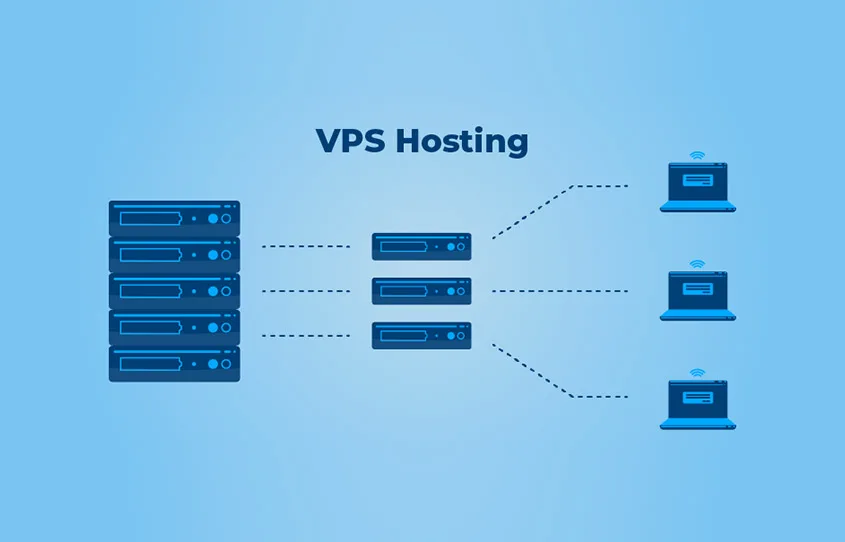
Choosing between VPS providers requires more than simply comparing advertised specifications.
CPU Performance
Node.js applications can benefit from strong CPU performance, especially when handling computational tasks, multiple processes, or demanding backend workloads.
For a simple API, a basic configuration may be sufficient. Larger applications may require additional CPU resources.
RAM
RAM becomes particularly important when running multiple services on the same VPS.
A Node.js application may share resources with a database, reverse proxy, monitoring tools, caching systems, and other services.
A server with insufficient RAM can cause performance problems, especially as application traffic grows.
Storage
Storage requirements depend on the application.
A simple API may need relatively little disk space, while applications handling large databases, uploaded files, logs, or media require considerably more.
SSD or NVMe-based storage can also improve application and database performance.
Server Location
Server location can affect latency.
Choosing a data center geographically closer to the majority of your users can help reduce network delays.
Businesses serving users in different regions may also consider providers with multiple international locations.
Bandwidth
Bandwidth matters when applications serve significant amounts of data.
API-heavy applications, media platforms, SaaS products, and websites with substantial traffic should carefully evaluate bandwidth allowances and network capabilities.
Managed vs. Unmanaged VPS for Node.js
One of the most important decisions is whether to choose managed or unmanaged hosting.
An unmanaged VPS provides extensive control, but the developer is generally responsible for server configuration, updates, security, backups, monitoring, and troubleshooting.
This approach is suitable for experienced developers who are comfortable working with Linux and server administration.
Managed VPS hosting can reduce the technical workload by providing additional assistance with server management.
For businesses without an experienced system administrator, managed hosting may be more convenient.
The right choice depends on the team’s technical expertise and how much server administration they want to handle themselves.
What Makes a VPS Good for Node.js Applications?

A good Node.js VPS should provide enough CPU and RAM for the application’s expected workload.
It should also support the operating system and software stack required by the development team.
Root or administrative access is useful because developers often need to install Node.js versions, process managers, databases, web servers, SSL certificates, and other dependencies.
Reliable networking is equally important for production applications.
Developers should also consider backup options, monitoring capabilities, security features, server locations, and scalability.
How to Deploy Node.js on a VPS
Deploying Node.js on a VPS usually involves several steps.
First, create the VPS and select an appropriate Linux distribution.
Next, connect to the server using SSH and update the operating system.
Node.js can then be installed using an appropriate version-management or package-management method.
After installing Node.js, developers can upload or clone their application onto the server and install its dependencies.
A process manager can be used to keep the application running after crashes or server restarts.
Many developers also configure Nginx or another reverse proxy in front of the Node.js application. SSL can then be configured to secure connections.
Finally, monitoring, firewall rules, backups, and regular updates should be implemented before the application is considered production-ready.
How Much VPS Power Does Node.js Need?
The answer depends heavily on the application.
A small personal project or development API may run comfortably on a modest VPS.
A production SaaS platform with many users, background jobs, databases, and real-time connections will require significantly more resources.
Instead of immediately purchasing a large server, developers can start with an appropriate configuration and scale when application requirements increase.
Monitoring CPU, memory, storage, and network usage can help determine when an upgrade is necessary.
Security Tips for Node.js VPS Hosting
Security should be a priority when hosting production applications.
Developers should use strong authentication methods, keep the operating system and software updated, and avoid exposing unnecessary ports.
A firewall can restrict unwanted network access, while HTTPS protects data transmitted between users and the application.
Regular backups are also important. If a server fails or an application is compromised, backups can make recovery much easier.
Developers should also protect environment variables and avoid storing API keys, database passwords, or other sensitive credentials directly inside publicly accessible source code.
Which VPS Provider Should You Choose?
The right provider depends on your technical requirements.
DigitalOcean can be attractive for developers who value a straightforward cloud experience. Vultr is worth considering when server location flexibility is important. Hetzner can appeal to users looking for strong infrastructure value, while Akamai Cloud provides a broader cloud infrastructure ecosystem.
Hostinger can be considered by smaller businesses and developers who want a more accessible VPS experience.
The best approach is to compare CPU, RAM, storage, bandwidth, locations, backup options, support, scalability, and management features before making a decision.
Conclusion
The Best VPS for Node.js in 2026 depends on the application’s workload, budget, technical requirements, and expected growth.
A good VPS should provide sufficient computing resources, reliable networking, flexible configuration, and the ability to scale as traffic increases.
DigitalOcean, Vultr, Hetzner, Akamai Cloud, and Hostinger are all worth evaluating for different Node.js hosting requirements.
Rather than choosing a provider solely because it offers the lowest price, developers should consider the complete infrastructure package. Performance, reliability, server location, security, support, and scalability can have a much greater impact on a production Node.js application.
With the right VPS configuration, Node.js developers can build and run everything from small APIs to demanding SaaS applications while maintaining greater control over their hosting environment.
FAQs
1. What is the best VPS for Node.js in 2026?
There is no universal best option. DigitalOcean, Vultr, Hetzner, Akamai Cloud, and Hostinger can all be suitable depending on the application’s resource requirements, budget, server location, and technical expertise.
2. How much RAM does a Node.js VPS need?
Small Node.js applications may work with a modest amount of RAM, while production applications running databases, background services, and other workloads may require considerably more. Resource usage should be monitored and the VPS upgraded when necessary.
3. Is VPS hosting better than shared hosting for Node.js?
A VPS generally provides more control, dedicated virtual resources, and server-level configuration options than shared hosting. It can therefore be a better choice for production Node.js applications that need greater flexibility.
4. Can I host multiple Node.js applications on one VPS?
Yes. A sufficiently powerful VPS can host multiple Node.js applications. Developers can use process managers, reverse proxies, separate ports, and appropriate server configurations to run multiple applications on the same server.
