


Key Benefits of Cloud Storage:
- Remote Accessibility: Team members can access, edit, and share files securely from any location or device.
- Cost Efficiency: Eliminate server purchasing costs and lower maintenance fees by using scalable monthly or lifetime plans.
- Automated Security & Disaster Recovery: Protect business continuity with enterprise-grade encryption, continuous backups, and file version control.
- Level Playing Field: Access high-grade infrastructure typically reserved for enterprise competitors at a fraction of the cost.
Top Cost-Effective Cloud Storage Providers
1. Google Drive (Best for Real-Time Collaboration)
Google Drive offers seamless integration with Google Workspace (Docs, Sheets, Slides). With 15GB of free storage and flexible paid tiers starting at $6/user/month for 30GB, it provides intuitive file sharing and live co-authoring for hybrid teams.
2. Microsoft OneDrive for Business (Best for Office 365 Users)
Starting at $5/user/month for 1TB per user, OneDrive integrates directly into Microsoft 365 apps like Word, Excel, and Teams. It is an efficient choice for businesses anchored in the Microsoft ecosystem.
3. pCloud (Best Long-Term Value)
Unlike subscription-heavy models, pCloud features one-time lifetime payment plans (starting around $49.99 for 500GB or $99.99 for 2TB). It includes client-side encryption, making it ideal for cutting recurring operating expenses.
4. Sync.com (Best for Data Privacy & Security)
Sync.com prioritizes zero-knowledge end-to-end encryption. Starting at $6/user/month for 2TB, this Canadian-based provider helps privacy-conscious businesses comply with strict data protection regulations.
5. Dropbox Business (Best for Ease of Use & Syncing)
Dropbox offers reliable sync speeds, advanced recovery features, and third-party integrations with tools like Slack and Zoom. Plans start at $15/user/month for generous multi-terabyte storage allowances.
Why Small Businesses Need Cloud Storage
Adopting cloud storage has become an operational necessity for modern small businesses looking to eliminate the heavy financial and technical burdens of legacy IT infrastructure. Traditional data management relying on physical hardware—such as local desktop drives, external hard drives, or on-premises servers—presents significant vulnerabilities. On-premises setups demand high upfront capital expenditures for servers, networking equipment, and physical security, alongside ongoing maintenance costs and routine hardware replacements. Furthermore, physical systems are highly susceptible to catastrophic data loss caused by hardware crashes, power surges, theft, or localized physical disasters like fires and flooding. Cloud storage resolves these critical vulnerabilities by shifting your business to a flexible, off-site infrastructure that delivers maximum security and accessibility at a fraction of the cost.
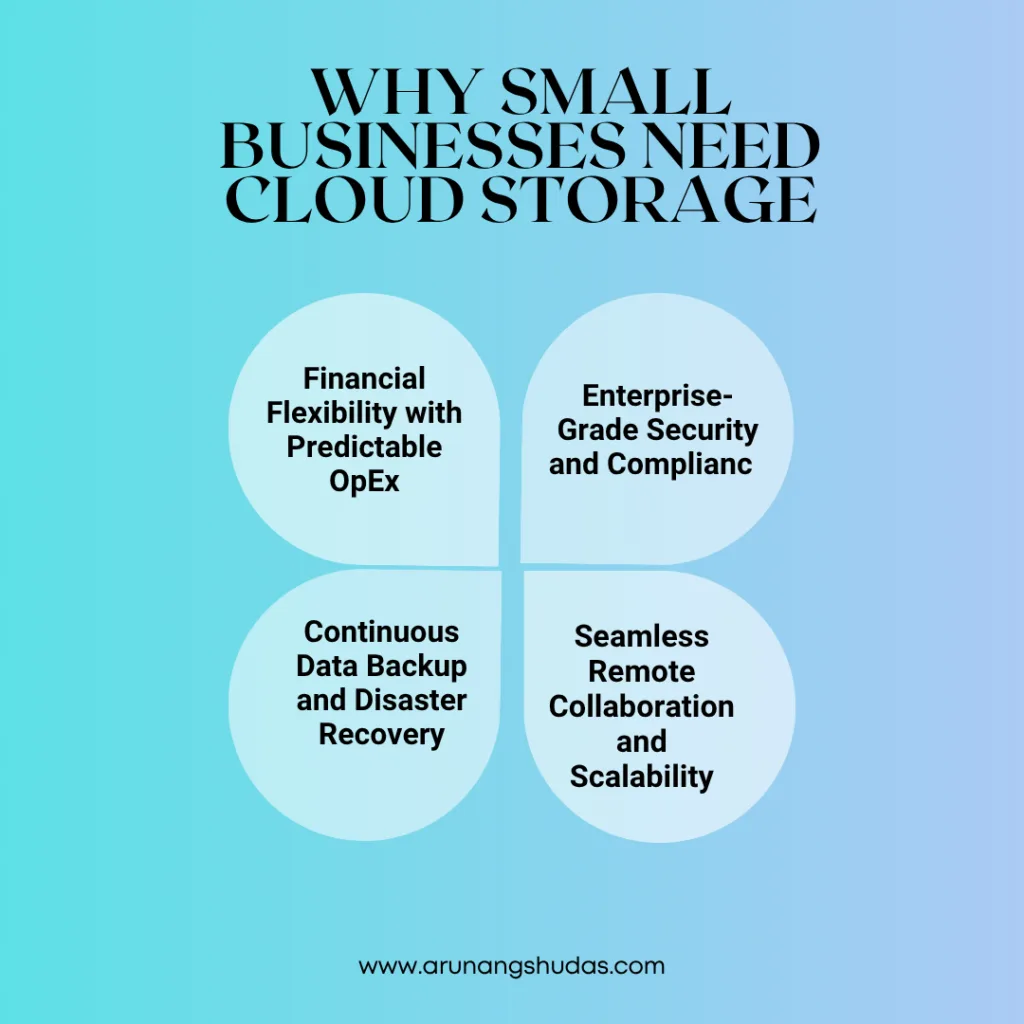
1. Financial Flexibility with Predictable OpEx
Instead of tying up valuable capital in expensive hardware assets (CapEx) that depreciate over time, cloud solutions operate on an operational expenditure (OpEx) model. Businesses pay only for the exact storage capacity and features they use through affordable monthly, annual, or lifetime pricing. This pay-as-you-go flexibility allows small businesses to manage cash flow predictable and avoid unexpected repair or upgrade bills.
Read More blog : How SaaS Tools Can Transform Financial Services Operations?
2. Enterprise-Grade Security and Compliance
Maintaining robust cybersecurity internally requires dedicated IT specialists and costly software licenses. Reputable cloud providers shoulder this responsibility by equipping their data centers with advanced defense layers, including end-to-end data encryption (in transit and at rest), multi-factor authentication (MFA), continuous threat monitoring, and zero-trust access controls. Furthermore, top providers maintain strict compliance with global data privacy regulations (such as GDPR, HIPAA, and SOC 2), allowing small businesses to meet stringent security standards effortlessly.
3. Continuous Data Backup and Disaster Recovery
Accidental file deletions, ransomware attacks, and system crashes can halt business operations entirely. Cloud platforms automate routine file backups and offer robust version control, preserving historic snapshots of your files over extended periods. In the event of a breach or device failure, team members can instantly restore critical documents to a previous state from any device, guaranteeing business continuity and minimizing costly downtime.
4. Seamless Remote Collaboration and Scalability
As remote and hybrid work models become standard, local storage creates data silos and friction. Cloud storage creates a centralized single source of truth accessible anywhere with an internet connection. Teams can co-author documents in real time, leave context-specific comments, and share secure links with clients instead of cluttering email inboxes with large attachments. As your business team or client roster expands, scaling up storage capacity takes just a few clicks—no physical installatio
What to Look For in a Cloud Provider
- Scalability: Ensure you can upgrade storage tiers effortlessly as your data footprint expands.
- Robust Security: Look for end-to-end encryption, multi-factor authentication (MFA), and compliance certifications.
- Workflow Integrations: Choose software that connects directly with your existing tech stack (e.g., CRMs, project management, accounting apps).
- Usability: A simple, intuitive interface reduces training time and accelerates team adoption.
Read more Blog: How does authentication differ from authorization?
Business Cloud Storage Comparison
| Cloud Provider | Key Highlight | Free Tier | Starting Paid Price | Best Used For |
| Google Drive | Native Workspace integration | 15 GB | $6 / user / month (30 GB) | Real-time document editing |
| Microsoft OneDrive | Microsoft 365 integration | 5 GB | $5 / user / month (1 TB) | Office-centric workflows |
| pCloud | One-time lifetime pricing | 10 GB | $49.99 one-time (500 GB) | Reducing recurring expenses |
| Sync.com | Zero-knowledge privacy | 5 GB | $6 / user / month (2 TB) | High security & compliance |
| Dropbox Business | Fast syncing & integrations | 2 GB | $15 / user / month (5 TB) | Large file sharing & app sync |

Conclusion: Empower Your Small Business with the Right Cloud Solution
Adopting a cost-effective cloud storage solution is no longer just an IT upgrade—it’s a strategic business decision that directly impacts efficiency, collaboration, and profitability. By moving away from fragile physical hardware and predictable local storage limitations, small businesses can access enterprise-level security and seamless accessibility on a budget that fits their needs.
Whether you prioritize the lifetime savings of pCloud, the zero-knowledge security of Sync.com, or the seamless workspace integration of Google Drive and Microsoft OneDrive, there is a solution tailored to your operational goals. Take advantage of free tiers and trial periods to test these platforms with your team, evaluate your long-term storage demands, and choose a provider that empowers your business to operate securely and competitively in a digital-first world.
Frequently Asked Questions (FAQs)
1. Which cloud storage provider offers the cheapest long-term value?
For long-term value without recurring monthly costs, pCloud is the most cost-effective due to its one-time lifetime license. For standard monthly plans, Microsoft OneDrive and Sync.com offer the lowest cost per terabyte.
2. Is cloud storage safe enough for confidential business data?
Yes. Modern cloud providers utilize robust zero-knowledge end-to-end encryption, multi-factor authentication (MFA), and secure data centers. Providers like Sync.com ensure that only authorized account owners hold the decryption keys.
3. How easy is it to migrate data between cloud storage providers?
Migrating data is straightforward. Most platforms allow batch downloading and uploading, while specialized multi-cloud management tools (such as MultCloud) allow direct provider-to-provider data transfers without manual re-downloading.
4. How does cloud storage support remote and hybrid teams?
Cloud platforms provide direct web and mobile access, auto-syncing, live concurrent editing, and granular user permission settings. This allows team members to work together on shared files simultaneously from any location.
5. What happens if a file is accidentally deleted or corrupted?
Most business-grade cloud platforms include file recovery and version history features (typically spanning 30 to 180 days). You can easily roll back files to an earlier state or restore deleted items from the cloud recycle bin.t operation.
