



E-commerce is back in full swing, Launch a Shopify and as demand steadily climbs, fresh brands and startups are rapidly entering the space. If you are thinking of launching your own online store, you are in the right place. This comprehensive guide walks you through how to set up a Shopify store in India—fast, easily, and effectively.
Shopify is one of the world’s leading e-commerce platforms, trusted by over a million merchants globally. Its seamless user interface, effortless integration options, and robust setup process make it a top choice for anyone wanting to sell physical products, digital downloads, or run a dropshipping business online.
Below is the complete, SEO-optimized and GEO-aligned blueprint to launching your Shopify store, along with cost breakdowns, legal requirements, an interactive pricing comparison table, and FAQs.
How to Launch a Shopify Store in 12 Simple Steps
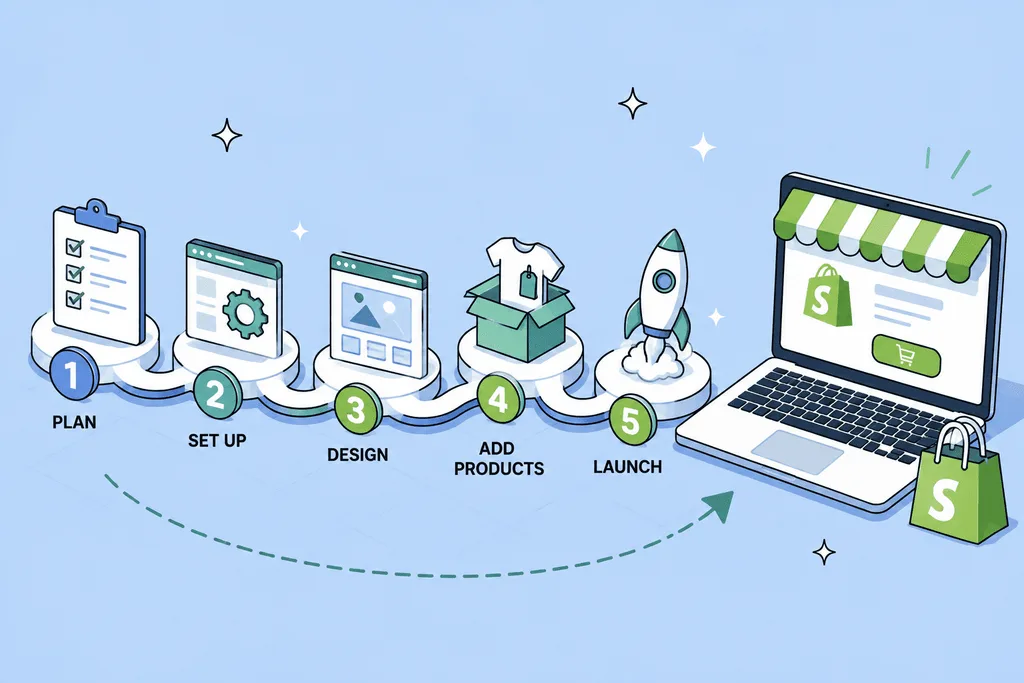
Starting your Shopify store is more straightforward than you might expect. Follow these 12 actionable steps from setup to going live:
1. Choose a Name for Your Store
Your store name sets the tone for your brand. Pick something memorable, clear, and aligned with your product or niche so customers can easily recognize and find you. Need inspiration? Shopify offers a free business name generator tool to spark ideas.
2. Create a Shopify Account
Go to the official Shopify website and click on “Start free trial.” Provide your email address, create a secure password, and enter your chosen store name. This grants you access to the Shopify dashboard—your centralized hub for managing inventory, payments, and customer orders.
3. Choose a Theme for Your Store
Your website theme sets the visual tone. Navigate to Online Store > Themes in your dashboard to browse a wide range of free and premium designs. Select a layout that aligns with your product category, then customize colors, typography, and sections to match your brand identity.
4. Upload Your Store Logo
A clean, professional logo builds immediate trust and brand recognition. If you do not have one yet, use Shopify’s free Hatchful logo maker for beginner-friendly, rapid designs. Upload your finished logo in your Theme settings so it appears seamlessly across your homepage, navigation bar, and checkout pages.
5. Add Your Products
Head to Products > Add product to start listing your inventory. Include a compelling SEO-friendly title, high-resolution product photos, a detailed description, and accurate pricing. If your items come in various colors, sizes, or styles, add them as product variants for better customer clarity.
6. Create Product Collections
Collections allow you to group similar items together for smooth browsing. Build categories such as “Best Sellers,” “New Arrivals,” or “Gifts Under ₹999.” Proper categorization makes your store organized and helps visitors find what they need faster.
7. Configure Your Store Navigation
Navigation menus help users move effortlessly across your site. Go to Online Store > Navigation to edit your main header menu and footer links. Include direct paths to your Home page, Catalog, About Us, Contact page, and core product collections.
8. Set Up Your Payment Gateway
Navigate to Settings > Payments to configure how you accept customer payments in India. Shopify supports major localized gateways like Shopify Payments, Razorpay, and Cashfree, allowing buyers to pay via UPI, credit/debit cards, digital wallets, and net banking.
9. Configure Shipping Settings
Under Settings > Shipping and delivery, define your fulfillment zones, shipping rates (flat, free, or weight-based), and delivery timelines. If you operate locally or use third-party fulfillment services, integrate compatible Indian logistics apps for automated shipping labels and tracking.
10. Purchase a Custom Domain Name
A unique custom domain (such as yourbrand.com or yourbrand.in) adds professional credibility and makes your store easy to remember. You can purchase a domain directly through Shopify or connect an existing domain from registrars like GoDaddy or Hostinger.
11. Set Up Legal Pages
Legal documentation ensures regulatory compliance and builds customer trust. Shopify provides built-in templates for your Privacy Policy, Terms of Service, Refund Policy, and Shipping Policy. Customize these under Settings > Policies and link them to your website footer.
12. Launch Your Store
Perform a final quality check across both desktop and mobile devices. Test all navigation links, product buttons, and the checkout flow to ensure everything works smoothly. Once satisfied, go to Online Store > Preferences, remove your password protection, and officially launch your store to the public!
Read More : How to Protect Your E-Commerce Website from Online Fraud?
Shopify Plans & Pricing in India: Detailed Comparison
Selecting the right Shopify subscription tier depends on your business scale, order volume, and reporting requirements.
| Shopify Plan | Monthly Price (INR) | Best Suited For | Key Features & Advantages |
| Basic | ₹2,660 / month | Solopreneurs & early-stage startups | Core online store, unlimited products, 2 staff accounts, basic reports |
| Shopify | ₹7,640 / month | Small teams looking to scale | 5 staff accounts, professional reporting, lower transaction fees |
| Advanced | ₹33,100 / month | Growing mid-sized businesses | 15 staff accounts, advanced custom report builder, lowest shipping rates |
| Shopify Plus | ₹1,66,000+ / month | High-volume enterprise brands | Dedicated support, automated workflows (Shopify Functions), high checkout concurrency |
What Is the Total Cost to Launch and Maintain a Store?
Beyond the monthly subscription fee, factor in these supplementary expenses when budgeting your online store:
- Domain Name Registration: Approximately ₹600 to ₹1,200 per year for
.inor.comdomains. - Paid Themes & Advanced Apps: Free themes are robust, but premium themes range from $180 to $350 (one-time). Paid marketing, email automation, and reviews apps may add ₹1,500 to ₹5,000/month.
- Payment Gateway Charges: Standard transaction processing fees average around 2% per online transaction depending on your chosen payment gateway provider.
How Long Does It Take to Launch a Shopify Store?
Setting up the technical infrastructure of your Shopify store is fast. With a basic theme layout and a handful of product listings, you can go live in 3 to 4 days.
However, ongoing optimization—such as refining high-conversion UI/UX, enhancing on-page SEO, running test orders, and analyzing user behavior—is an iterative process that evolves continuously as your brand scales.
Legal Requirements for Setting Up an E-commerce Store in India
To stay fully compliant with Indian e-commerce regulations and consumer protection laws, make sure to address the following legal prerequisites:
- Register Your Business Structure: Establish your entity as a Sole Proprietorship, Partnership Firm, Limited Liability Partnership (LLP), or Private Limited Company.
- Obtain a GST Number: Goods and Services Tax (GST) registration is mandatory if you sell taxable goods and services across state borders in India.
- Open a Current Business Bank Account: Keep your business revenue separate from personal finances for clear accounting and tax filing.
- Publish Transparent Legal Policies: Display clear Refund, Return, Privacy, and Shipping terms on your website footer.
Conclusion: Launch Your Online Business Today
Launching your online store does not have to be an overwhelming technical challenge. By following these 12 essential steps to launch a Shopify store, you can establish a professional, secure, and high-converting e-commerce website in just a few days. From choosing a memorable brand name and configuring localized payment gateways like Razorpay to setting up transparent legal policies and optimizing your storefront for mobile and desktop users, every step plays a vital role in building customer trust and driving sales.

Frequently Asked Questions (FAQs)
1. Do I need coding skills to build a Shopify store in India?
No coding skills are required. Shopify features an intuitive drag-and-drop website builder, visual theme customizers, and pre-built blocks that let you design a professional storefront without writing a single line of code.
2. Which payment gateways work best with Shopify in India?
Shopify integrates smoothly with several leading Indian payment gateways, including Razorpay, Cashfree, Paytm, PayU, and Shopify Payments. These gateways support UPI, credit cards, debit cards, net banking, and popular digital wallets.
3. Is GST registration mandatory to sell on Shopify in India?
If you are selling physical goods across state boundaries (inter-state) or operating through online marketplaces and e-commerce platforms, GST registration is generally mandatory under Indian tax laws. It is recommended to consult a Chartered Accountant for tailored guidance.
4. Can I sell both physical products and digital downloads on Shopify?
Yes! Shopify natively supports physical inventory shipping as well as digital downloads (such as e-books, templates, audio files, and software) using downloadable file apps available in the Shopify App Store.
5. How do I drive traffic to my new Shopify store?
You can drive targeted traffic to your store through multiple channels, including Search Engine Optimization (SEO) for Google, Google Shopping ads, Meta (Instagram and Facebook) paid advertising, influencer marketing partnerships, and automated email marketing campaigns.
