


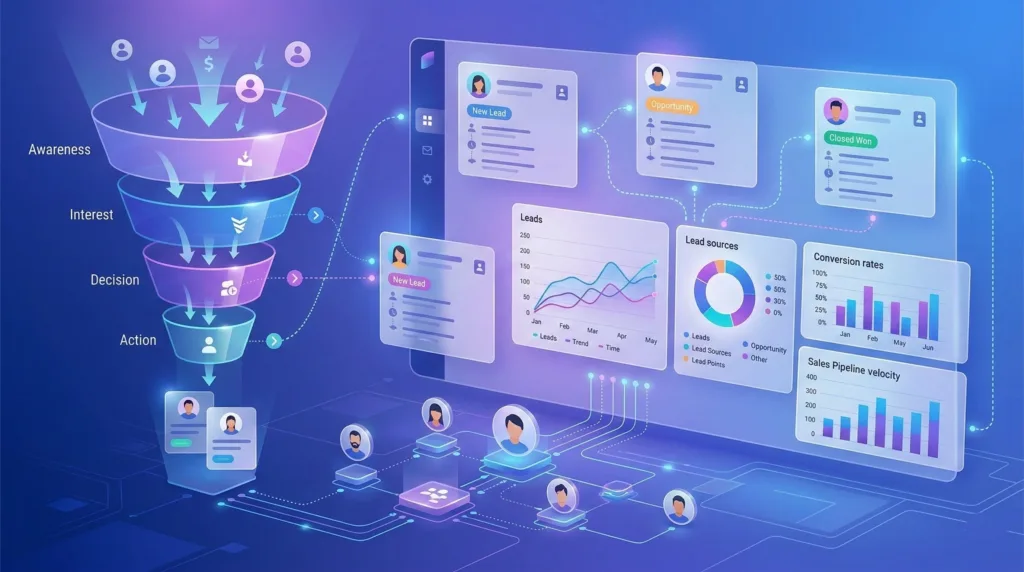
A Sales CRM Guide can help businesses organize prospects, improve follow-ups, and move more qualified leads toward a purchase. In 2026, sales teams cannot depend on spreadsheets, scattered emails, or individual memory to manage growing customer data. They need a structured system that shows where every prospect came from, what they need, and what action should happen next.
Modern customer relationship management platforms bring contact information, conversations, tasks, lead scores, and sales opportunities into one place. With the right lead management software, businesses can respond faster, prioritize promising prospects, automate repetitive work, and gain greater control over revenue opportunities.
This guide explains how businesses can use CRM technology and better sales pipeline management practices to prevent missed follow-ups and improve lead conversion.
Table of Contents
What Is a Sales CRM?

A sales CRM is a platform that helps businesses record and manage interactions with prospects and customers. It creates a central database where sales representatives can view contact details, communication history, deal value, lead source, assigned representative, upcoming tasks, and pipeline stage.
Without a CRM, information may be divided across spreadsheets, inboxes, notebooks, and messaging applications. This makes it difficult to understand which leads are active and which prospects require attention.
A CRM solves this problem by creating a clear process from initial contact to final sale. Microsoft’s Dynamics 365 documentation describes lead management as a process that includes automated lead assignment, scoring, qualification, and conversion into sales opportunities.
How This Sales CRM Guide Helps You Manage Leads?
Effective lead management is not simply about collecting names and email addresses. It involves capturing, organizing, qualifying, nurturing, assigning, and converting potential customers.
A CRM gives every lead a defined status and next action. For example, a new website enquiry can automatically enter the system, receive a welcome email, be assigned to the correct salesperson, and create a follow-up task.
This structured approach reduces confusion and makes sales performance easier to measure. It also helps managers identify where prospects commonly leave the sales process.
1. Capture Leads Automatically
Leads can come from website forms, social media, advertisements, referrals, webinars, phone calls, live chat, and email campaigns. Manually transferring information from these channels increases the risk of delays, typing errors, and lost enquiries.
Modern lead management software can automatically capture prospects and create CRM records. The system can save the person’s name, contact information, company, location, source, product interest, and campaign details.
For example, a prospect completing a pricing form can immediately be classified as a new inbound lead. Zoho CRM supports lead capture from websites, social platforms, landing pages, and field-based sources, showing how modern CRM platforms centralize enquiries from different channels.
Automatic capture also allows businesses to measure which marketing channels generate qualified opportunities rather than simply producing clicks or form submissions.
2. Create Clear Lead Stages

Every company should define the stages a prospect moves through. A simple process might include:
New lead, contacted, qualified, meeting scheduled, proposal sent, negotiation, won, and lost.
These stages should reflect the company’s actual buying process. Adding too many stages can make the CRM difficult to use, while having too few stages can reduce visibility.
HubSpot recommends using lifecycle stages to categorize contacts and companies according to their position in the marketing and sales process. These stages also clarify how leads are transferred between marketing and sales teams.
Consistent stages strengthen sales pipeline management because every team member uses the same definitions. A lead should not be marked as qualified simply because they replied to an email. The company should establish measurable qualification conditions.
3. Qualify Leads Before Spending More Time
Not every enquiry is a suitable sales opportunity. Some prospects may not have the required budget, authority, need, or purchasing timeline.
Sales teams can qualify leads by asking questions such as:
- What problem is the prospect trying to solve?
- Does the company fit the target customer profile?
- Who makes the final purchasing decision?
- What is the expected budget?
- When does the prospect want to purchase?
The answers can be stored in the CRM. Businesses can then prioritize leads that meet their qualification standards.
This prevents representatives from spending equal amounts of time on every contact. It also allows marketing teams to continue nurturing prospects who are interested but not yet ready for a sales conversation.
4. Use Lead Scoring to Set Priorities

Lead scoring assigns points according to a prospect’s characteristics and actions. A company may give points when someone visits a pricing page, downloads a product guide, requests a demonstration, opens several emails, or matches the ideal customer profile.
Points may be removed when information suggests a poor fit. For example, a student downloading free content may receive a lower score than a decision-maker from a target company requesting pricing details.
AI is making scoring more advanced. Microsoft explains that predictive lead scoring uses historical data and machine learning to calculate scores for open leads, helping representatives prioritize prospects and reduce the time needed for qualification.
However, businesses should not blindly accept an automated score. Scoring criteria must be reviewed regularly to confirm that highly rated leads are actually converting.
5. Assign Leads to the Right Salesperson
A lead can lose interest when it remains unassigned or is sent to the wrong representative. CRM routing rules can assign prospects according to territory, language, industry, product interest, company size, workload, or sales expertise.
For example, an enterprise software enquiry from Mumbai could be assigned to an enterprise representative responsible for western India. A smaller local enquiry could go to an inside-sales team.
Automatic routing supports faster responses and creates clear ownership. Every CRM record should show the assigned salesperson, required action, and follow-up deadline.
Businesses should also create reassignment rules for representatives who are unavailable or fail to respond within a defined period.
6. Automate Follow-Ups Without Losing Personalization
Sales representatives often repeat the same administrative tasks, including sending introductory emails, creating reminders, updating fields, and scheduling follow-ups.
CRM automation can handle these actions. A workflow may send a confirmation email after a form submission, create a call task for the next business day, and notify a manager when a valuable prospect remains untouched.
Salesforce describes sales AI as a way to automate prospecting, prioritize leads, summarize information, and recommend actions based on available customer data.
Automation should support salespeople rather than make communication feel robotic. Personal messages should still consider the prospect’s company, challenges, previous conversations, and buying stage.
7. Maintain Accurate CRM Data

Even powerful lead management software becomes unreliable when records are incomplete, duplicated, or outdated.
Businesses should decide which fields are compulsory and establish consistent formats for names, phone numbers, industries, locations, and lead sources. Duplicate records should be merged, and inactive data should be reviewed periodically.
Salespeople should also record important calls, emails, objections, and next steps. When representatives leave the company or transfer an account, another team member should be able to understand the complete relationship from the CRM record.
Permissions are equally important. Employees should only access the customer information required for their roles, especially when the CRM contains confidential or personally identifiable data.
8. Monitor the Right Sales Metrics
CRM reporting helps managers understand both activity and results. Useful measurements include:
- Lead response time
- Contact-to-qualification rate
- Lead-to-opportunity conversion rate
- Opportunity win rate
- Average sales cycle
- Pipeline value
- Lost-deal reasons
- Revenue by lead source
Strong sales pipeline management focuses on quality as well as quantity. A large pipeline may appear impressive, but it has little value when most deals are inactive or unlikely to close.
Managers should review aging opportunities and ensure every active deal has a realistic value, expected closing date, and next action. Sales forecasts should be based on evidence rather than optimism.
Choosing the Right Sales CRM in 2026
The best CRM depends on the company’s size, sales process, budget, technical requirements, and existing software.
Businesses should compare contact limits, customization, automation, lead scoring, reporting, mobile access, integrations, data security, customer support, and total subscription costs. They should also check whether the platform can connect with email, calendars, accounting tools, marketing platforms, websites, and customer-service systems.
A smaller business may benefit from a simple CRM that employees can learn quickly. A larger organization may require advanced permissions, AI tools, multiple pipelines, custom reports, and regional controls.
The most feature-rich platform is not always the best choice. Adoption is more important than complexity. A simple system used consistently provides more value than an advanced platform employees avoid updating.
Conclusion
This Sales CRM Guide shows that better lead management requires more than purchasing software. Businesses need clear stages, qualification standards, ownership rules, follow-up processes, accurate data, and meaningful performance metrics.
The right lead management software centralizes customer information and reduces manual work, while effective sales pipeline management helps teams prioritize realistic opportunities. In 2026, AI-powered scoring, automated assignment, intelligent summaries, and workflow automation can further improve productivity.
However, technology cannot replace a well-defined sales process. Businesses that combine CRM tools with consistent human follow-up will be better positioned to convert leads, strengthen customer relationships, and build predictable revenue.
Frequently Asked Questions
1. What is the main purpose of a sales CRM?
The main purpose of a sales CRM is to centralize prospect and customer information. It helps businesses track conversations, assign leads, schedule follow-ups, manage opportunities, and monitor sales performance.
2. How does a CRM improve lead management?
A CRM improves lead management by automatically capturing enquiries, organizing contact data, tracking lead stages, assigning ownership, scoring prospects, and reminding representatives about required actions.
3. Can small businesses benefit from a sales CRM?
Yes. Small businesses can use a CRM to replace disconnected spreadsheets, prevent missed enquiries, maintain communication records, and create a repeatable sales process. They should begin with a simple platform that matches their current needs.
4. How often should a sales pipeline be reviewed?
Active sales pipelines should generally be reviewed weekly. Sales representatives should update deal stages, closing dates, values, and next steps regularly, while managers should identify inactive or unrealistic opportunities.
