


Choosing the right hardware is one of the most critical decisions in any machine learning project. The ongoing debate surrounding CPU vs GPU for AI training workloads sits at the center of modern deep learning and data science discussions.
Whether you are developing complex neural networks, optimizing a workflow, or scaling machine learning models, understanding how these processors function will save you time, compute costs, and hardware frustration.
When analyzing CPU vs GPU for AI training workloads, this comprehensive guide breaks down the definitions, core differences, specific roles in AI training, and practical advice on when to choose a CPU, a GPU, or a hybrid approach.
What is a CPU (Central Processing Unit)?
The Central Processing Unit (CPU) is often called the “brain” of the computer. It handles fundamental system instructions, manages operating systems, launches applications, and oversees overall device performance.
- How it works: A CPU is designed for sequential processing. It features a few powerful cores (typically 4 to 24+ cores) optimized to handle complex, logic-heavy tasks one after another at very high clock speeds.
- Role in everyday computing: Essential for running operating systems, handling web browsing, word processing, and general multi-threaded office applications.
- Role in AI: While not primarily built for heavy machine learning model training, a powerful CPU is indispensable for data preprocessing, loading datasets into system memory, and orchestrating workflow pipelines.
Read More blog: How Natural Language Processing Is Revolutionizing Industries: Applications and Future Trends
What is a GPU (Graphics Processing Unit)?
The Graphics Processing Unit (GPU) was originally created to render high-end 3D graphics, video editing animations, and visual effects. Today, it is the powerhouse behind modern artificial intelligence.
- How it works: A GPU is built for parallel processing. Instead of a few powerful cores, it contains thousands of smaller, specialized cores designed to execute multiple independent calculations simultaneously.
- Role in computing: Accelerates gaming performance, 3D rendering, video encoding, and intensive data computations.
- Role in AI: Crucial for deep learning frameworks (like PyTorch and TensorFlow), large language model (LLM) training, and processing heavy matrices and vectors simultaneously.
Understanding the Core Differences: CPU vs. GPU
To fully grasp why hardware choice matters for AI, look at how each processor tackles a workload:
- CPU (The Smart Manager): Think of a CPU as a veteran project manager who solves complex, sequential problems with high analytical reasoning. It excels at branching logic, decision-making, and handling tasks step-by-step.
- GPU (The Fast Team of Workers): Think of a GPU as a massive assembly line of workers. They cannot handle complex structural decision-making on their own, but they are exceptionally fast at performing millions of repetitive calculations all at once.
Comparison Table: CPU vs. GPU for AI Training
| Feature | CPU (Central Processing Unit) | GPU (Graphics Processing Unit) |
| Primary Architecture | Few high-performance cores (Sequential processing) | Thousands of smaller, efficient cores (Parallel processing) |
| Best Suited For | General computing, logic tasks, operating systems, data preprocessing | Deep learning, matrix multiplication, parallel calculations |
| Speed for AI Training | Slower; handles operations one-by-one | Significantly faster; processes thousands of operations simultaneously |
| Task Handling | Complex decision-making and workflow orchestration | Repetitive, high-volume mathematical calculations |
| Role in AI Workflows | Data loading, pipeline management, host coordination | Model training, neural network execution, weight optimization |
How CPU and GPU Work Together in AI Training Workloads
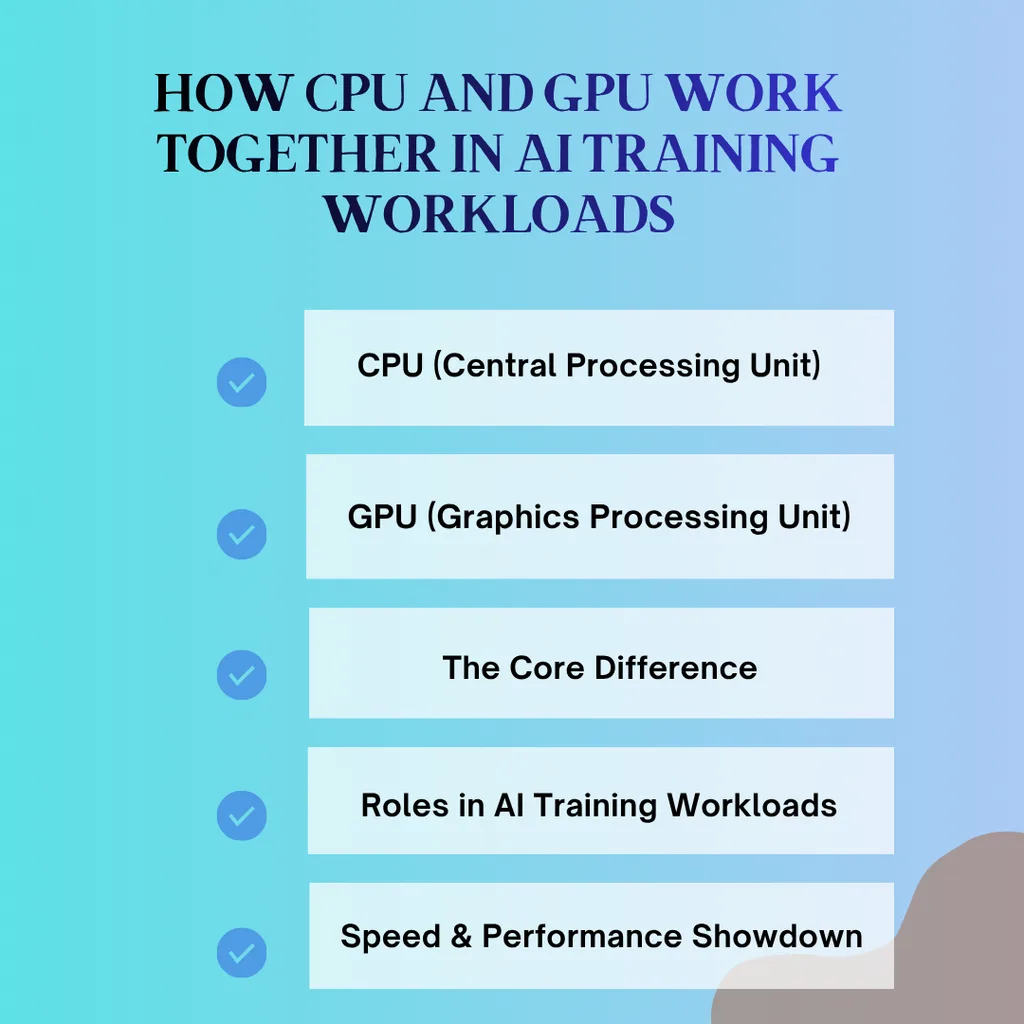
Running an AI training workload is a collaborative team effort. Imagine managing a high-volume professional kitchen:
- CPU (Central Processing Unit)
- Features a few high-performance cores optimized for sequential processing.
- Handles complex, logic-heavy tasks and overall system instructions one step at a time.
- GPU (Graphics Processing Unit)
- Contains thousands of smaller, specialized cores built for parallel processing.
- Executes multiple independent calculations simultaneously at high speeds.
- The Core Difference
- CPU: Acts as a smart project manager handling workflow orchestration and decision-making.
- GPU: Functions as a massive assembly line performing high-volume, repetitive mathematical computations.
- Roles in AI Training Workloads
- CPU Responsibilities: Loading datasets from disk, data preprocessing, tokenization, and pipeline coordination.
- GPU Responsibilities: Training deep neural networks, handling computer vision/NLP parameters, and accelerating backpropagation.
- Speed & Performance Showdown
- GPU Advantage: Completes deep learning tasks in hours that could take days or weeks on a CPU.
- CPU Exception: Ideal for lightweight, classical machine learning models on smaller datasets.
Read More Blog : Advanced Java Interview Questions for Experienced Developers
When to Rely on the CPU During AI Workloads:
- Loading massive datasets from disk into RAM.
- Data augmentation, tokenization, and text cleaning.
- Managing system flow, logging, and checkpoint saving.
When to Rely on the GPU During AI Workloads:
- Training deep neural networks (CNNs, RNNs, Transformers).
- Processing millions of parameters in computer vision or natural language processing (NLP).
- Accelerating forward and backward passes during backpropagation.
Speed Showdown: Which is Faster?
When measuring pure performance metrics for training deep learning architectures, the GPU wins by a massive margin.
The Exception: For lightweight classical machine learning models (like Linear Regression, Decision Trees, or Random Forests using libraries like Scikit-Learn on small datasets), a CPU is often faster, more efficient, and eliminates the overhead of data-transfer latency between system RAM and GPU VRAM.
The Time Difference: Training a deep learning model that takes hours on a modern enterprise GPU (like an NVIDIA A100 or H100) can easily take days or even weeks on a standard multi-core CPU.

Conclusion: Choosing the Right CPU vs. GPU Balance for AI Training Workloads
Ultimately, navigating the choice of CPU vs. GPU for AI training workloads comes down to recognizing that these two processors are teammates rather than competitors. While the CPU acts as the essential organizer managing data pipelines and logical operations, the GPU serves as the high-speed powerhouse executing millions of parallel calculations required for modern deep learning. Achieving efficient and scalable AI development means leveraging the strengths of both—pairing a reliable CPU with a high-performance GPU to eliminate bottlenecks, reduce training times, and build faster, smarter AI solutions for the future.
Frequntly Ask Questions :
1. Can I train an AI model using only a CPU?
Yes, you can train AI models using only a CPU. It is often recommended for learning the basics, running small datasets, or experimenting with simple algorithms. However, for deep learning, large datasets, or neural networks, CPU training is too slow for practical, production-level development.
2. Why are GPUs better than CPUs for deep learning?
Deep learning relies heavily on matrix multiplication and vector calculations. GPUs feature thousands of cores designed for parallel processing, allowing them to calculate thousands of matrix equations at the same time. CPUs process instructions sequentially, creating a massive performance bottleneck for neural networks.
3. Do I need a dedicated GPU for machine learning?
It depends on the complexity of your project. If you are doing basic data analysis and traditional machine learning, a strong CPU is sufficient. If you plan to work with deep learning, computer vision, audio processing, or large language models, a dedicated GPU (or cloud GPU instance) is mandatory.
4. Can I use integrated graphics (iGPU) instead of a dedicated GPU for AI?
Integrated GPUs share system RAM and have far fewer compute cores than dedicated GPUs (like NVIDIA or AMD discrete cards). While they may offer a slight speedup over a standard CPU for minor tasks, they are generally inadequate for serious AI model training.
5. How do I balance CPU and GPU specs when building an AI workstation?
A balanced AI rig requires both components. Avoid “bottlenecking” your powerful GPU with an outdated or underpowered CPU. Ensure you have a capable CPU (with enough threads to feed data quickly to the GPU), a high-speed NVMe SSD, ample system RAM (at least double your GPU VRAM), and a robust power supply.
