



Securing enterprise backend architectures requires a defense-in-depth approach focused on robust Node.js APIs security. Because Node.js is widely used for microservices and mission-critical backends, an unpatched vulnerability or insecure default can expose customer databases to massive risks.
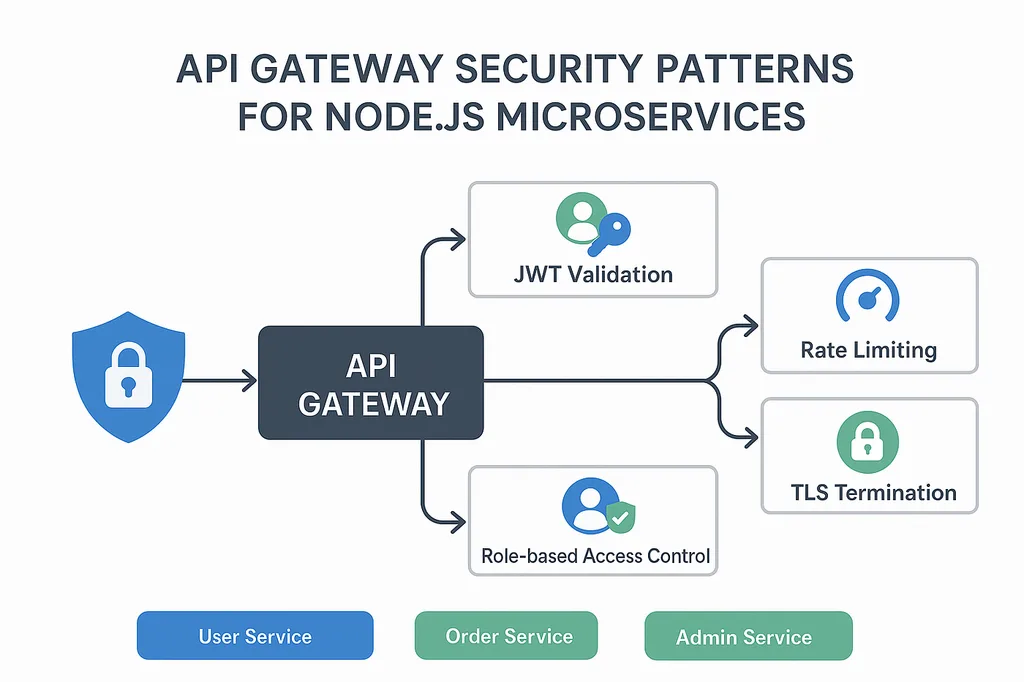
Adopting proven Express security best practices is essential to secure your Node.js backend and prevent API data breaches that lead to severe financial damage. Applying the top 10 security best practices detailed below will harden your REST APIs against critical vulnerabilities from the OWASP API Security Top 10.
1. Implement Strong Authentication and Authorization
Flawed authentication mechanisms are the primary entry point for unauthorized data access.
Production-Grade Authentication
- Avoid custom cryptography: Do not roll custom cryptographic functions. Use proven libraries or Identity Providers (IdPs) like Auth0, Keycloak, or Passport.js.
- Password Hashing: Hash passwords using modern, memory-hard algorithms such as Argon2 (preferred) or bcrypt with an appropriate work factor (salt rounds $\ge 12$).
Read more blog : 7 Essential Tips for Backend Security
JavaScript
const argon2 = require('argon2');

async function hashUserPassword(password) {
  return await argon2.hash(password, {
    type: argon2.argon2id,
    memoryCost: 2 ** 16,
    timeCost: 3
  });
}
- Stateless JWT Handling: Use asymmetric signing algorithms (
RS256orES256) instead of symmetric shared secrets (HS256). Always set explicit token expirations and validateiss(issuer) andaud(audience) claims.
Role-Based Access Control (RBAC) & ABAC
Ensure that every endpoint checks authorization beyond checking if a valid token is present:
JavaScript
const authorizeRoles = (...allowedRoles) => {
  return (req, res, next) => {
    if (!req.user || !allowedRoles.includes(req.user.role)) {
      return res.status(403).json({ message: 'Forbidden: Insufficient privileges' });
    }
    next();
  };
};

app.delete('/api/v1/users/:id', authenticateToken, authorizeRoles('admin'), deleteUserHandler);
2. Prevent SQL and NoSQL Injection
Injection attacks happen when untrusted input is interpreted directly as database execution commands.
- SQL Databases: Avoid raw string concatenation (
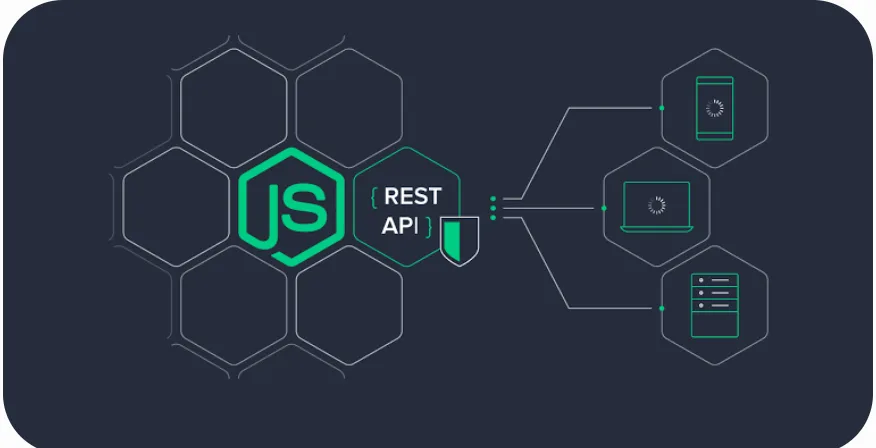
SELECT * FROM users WHERE id = '${req.body.id}'). Use parameterized queries or Query Builders / ORMs like Prisma, Sequelize, or Knex.js. - NoSQL Databases (MongoDB): Attackers can bypass authentication via query selector injection (e.g., passing
{ "username": "admin", "password": { "$ne": null } }). Prevent this by sanitizing inputs against MongoDB operators:
JavaScript
const express = require('express');
const mongoSanitize = require('express-mongo-sanitize');

const app = express();
app.use(express.json());

// Strips out keys starting with '$' or containing '.'
app.use(mongoSanitize());
3. Strict Input Validation and Type Sanitization
Validating and sanitizing inputs at the controller boundary stops malformed payloads before they reach business logic.
Use schema validation libraries like Zod, Joi, or express-validator:
JavaScript
const { z } = require('zod');

const userRegistrationSchema = z.object({
  email: z.string().email(),
  age: z.number().int().min(18).max(120),
  role: z.enum(['user', 'manager']).default('user')
});

const validate = (schema) => (req, res, next) => {
  const result = schema.safeParse(req.body);
  if (!result.success) {
    return res.status(400).json({ errors: result.error.flatten() });
  }
  req.validatedBody = result.data;
  next();
};

app.post('/api/users', validate(userRegistrationSchema), (req, res) => {
  res.status(201).json({ message: 'Payload is verified and typed.' });
});
4. Enforce TLS/HTTPS with Proper Certificate Management
All data in transit must be encrypted to defend against Man-in-the-Middle (MITM) attacks.
While production Node.js applications typically terminate TLS at an ingress layer (such as NGINX, AWS ALB, or Cloudflare), Node-native servers must enforce HTTPS and redirect legacy HTTP traffic:
JavaScript
const express = require('express');
const https = require('https');
const fs = require('fs');

const app = express();

const tlsOptions = {
  key: fs.readFileSync(process.env.TLS_KEY_PATH),
  cert: fs.readFileSync(process.env.TLS_CERT_PATH),
  minVersion: 'TLSv1.2'
};

https.createServer(tlsOptions, app).listen(443, () => {
  console.log('Secure server active on port 443 with TLSv1.2+');
});
5. Set HTTP Security Headers with Helmet
The Helmet middleware configures essential HTTP response headers to defend against clickjacking, MIME sniffing, and cross-site scripting:
JavaScript
const express = require('express');
const helmet = require('helmet');

const app = express();

app.use(
  helmet({
    contentSecurityPolicy: {
      directives: {
        defaultSrc: ["'self'"],
        scriptSrc: ["'self'"],
        objectSrc: ["'none'"]
      }
    },
    hsts: {
      maxAge: 31536000, // 1 year
      includeSubDomains: true,
      preload: true
    }
  })
);
| Security Header | Purpose |
Strict-Transport-Security (HSTS) | Forces clients to communicate exclusively over HTTPS. |
X-Content-Type-Options: nosniff | Prevents browsers from MIME-sniffing the response type. |
X-Frame-Options: DENY | Protects users against UI redressing / clickjacking attacks. |
Content-Security-Policy (CSP) | Restricts resource loading and inline script execution. |
6. Prevent Cross-Site Scripting (XSS)
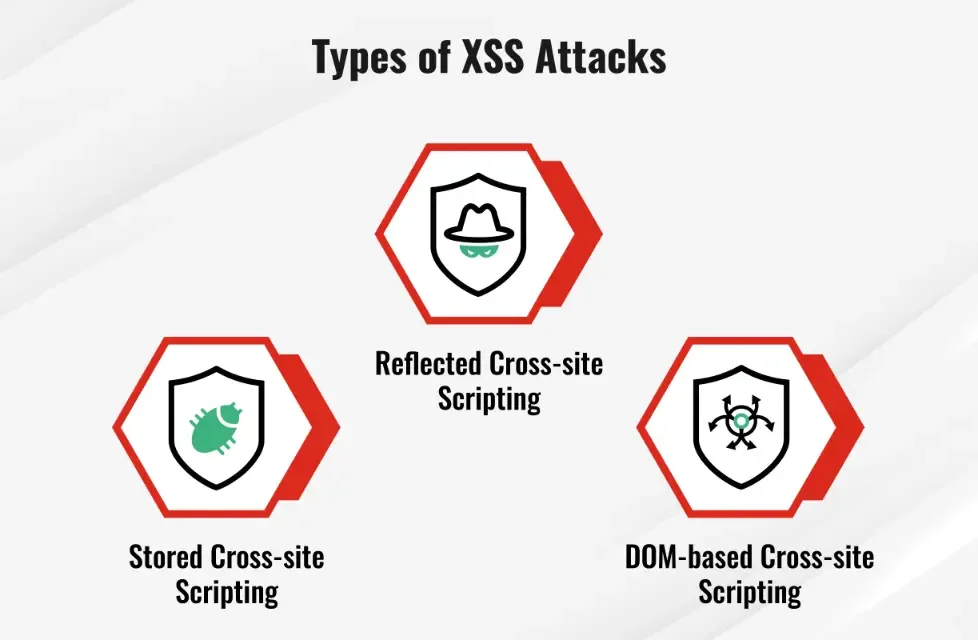
Cross-Site Scripting occurs when an application includes unvalidated data in an HTTP response sent to a browser.
- API Decoupling: Pure REST APIs should return structured JSON instead of rendered HTML (
res.json()instead ofres.render()). - HTML Sanitization: When handling user-generated rich text or markup, sanitize the string with DOMPurify before persisting or serving:
JavaScript
const createDOMPurify = require('dompurify');
const { JSDOM } = require('jsdom');

const window = new JSDOM('').window;
const DOMPurify = createDOMPurify(window);

const cleanHTML = DOMPurify.sanitize(userInput);
7. Apply Rate Limiting and DoS Throttling
Exposing unmetered public endpoints leaves APIs vulnerable to brute-force credential stuffing and denial-of-service (DoS) attacks.
Use express-rate-limit backed by a distributed store like Redis for clustered environments:
JavaScript
const rateLimit = require('express-rate-limit');
const RedisStore = require('rate-limit-redis');
const { createClient } = require('redis');

const redisClient = createClient({ url: process.env.REDIS_URL });
redisClient.connect();

const authLimiter = rateLimit({
  store: new RedisStore({
    sendCommand: (...args) => redisClient.sendCommand(args)
  }),
  windowMs: 15 * 60 * 1000, // 15 minutes
  max: 10, // Max 10 failed attempts per IP
  standardHeaders: true,
  legacyHeaders: false,
  message: { error: 'Too many login attempts. Please try again later.' }
});

app.use('/api/v1/auth/login', authLimiter);
8. Modern CSRF Mitigation Strategies
Security Alert: The legacy
csurfpackage is deprecated and contains known architectural risks. Do not usecsurfin new applications.
Read more blog : The Significance of HTTP Methods in Modern APIs
If your API uses cookie-based sessions:
- Configure SameSite Cookie Attributes: Set
SameSite=StrictorSameSite=Laxalong withSecureandHttpOnlyon all session identifiers:JavaScriptres.cookie('session_id', token, { httpOnly: true, secure: true, // Requires HTTPS sameSite: 'strict' }); - Modern CSRF Tokens: For stateful endpoints requiring token synchronizers, use maintained libraries like
csrf-csrf(Double Submit Cookie Pattern) orcsrf-sync. - Stateless Authorization Headers: If your API strictly uses the
Authorization: Bearer <JWT>header without ambient browser cookies, it is inherently immune to standard browser CSRF attacks.
9. Dependency Scanning and Supply Chain Security
Node.js applications rely on large dependency graphs, creating supply-chain security risks.
- Audit dependencies regularly:Bash
npm audit --audit-level=high - Integrate automated pipeline scans: Add Snyk, Trivy, or GitHub Dependabot to your continuous integration (CI) pipeline to fail builds that introduce known CVEs.
- Pin Dependency Versions: Maintain a strict
package-lock.jsonand runnpm ciin production container builds to guarantee reproducible environments.
10. Implement Structured Logging, Tracing, and Monitoring
Timely detection of anomalous traffic depends on structured observability.
- Structured Logging with Winston/Pino: Log in JSON format to support indexing in tools like Datadog, ELK, or AWS CloudWatch.
- Redact Sensitive Information: Ensure passwords, access tokens, and PII are stripped before writing to stdout.
JavaScript
const pino = require('pino');

const logger = pino({
  level: process.env.LOG_LEVEL || 'info',
  redact: ['req.headers.authorization', 'req.body.password', 'req.body.creditCard']
});

app.use((req, res, next) => {
  logger.info({ path: req.path, method: req.method, ip: req.ip }, 'Incoming request');
  next();
});
- Application Performance Monitoring (APM): Instrument APIs with OpenTelemetry, Prometheus, or Datadog to capture real-time spikes in
4xxand5xxerror rates.
Key Takeaways
Securing enterprise Node.js APIs requires hardening every layer of the application lifecycle:
- Operations: Automate CI dependency vulnerability scanning, redact logs, and retire unmaintained libraries.
- Identity: Enforce modern asymmetric JWT validation, Argon2/bcrypt hashing, and strict RBAC.
- Data Layer: Validate every payload using schema engines (Zod/Joi) and parameterize all database calls.
- Network & Gateway: Add Helmet security headers, enforce TLSv1.2+, and implement Redis-backed rate limiting.
Conclusion:
Securing an enterprise Node.js API requires a defense-in-depth approach across every layer of the tech stack. Implementing robust authentication mechanisms, validating incoming requests, configuring standard HTTP security headers, and automating dependency scanning systematically closes off common attack vectors outlined in the OWASP API Security Top 10. By treating security as an active, continuous engineering discipline rather than a one-time setup, engineering teams can safeguard proprietary data, maintain compliance standards, and deliver resilient cloud backends.
You may also like:
1) How do you optimize a website’s performance?
2) Change Your Programming Habits Before 2025: My Journey with 10 CHALLENGES
3) Senior-Level JavaScript Promise Interview Question
4) What is Database Indexing, and Why is It Important?
5) Can AI Transform the Trading Landscape?
Read more blogs from Here
Share your experiences in the comments, and let’s discuss how to tackle them!
Follow me on Linkedin
Frequently Ask Question:
What is the most common security vulnerability in Node.js APIs?
Broken Object Level Authorization (BOLA / IDOR) and injection attacks (SQL/NoSQL) are among the most widespread vulnerabilities. BOLA occurs when an endpoint relies directly on user-provided IDs without verifying whether the requesting user actually owns or has permission to view that resource.
Why is the csurf middleware deprecated?
The csurf package is unmaintained and contains inherent architectural vulnerabilities related to how secret tokens and cookies are handled. For applications requiring anti-CSRF protection, modern alternatives like csrf-csrf (which implements the Double Submit Cookie pattern) or csrf-sync should be used instead.
How does Helmet protect Express applications?
Helmet acts as a middleware suite that sets essential HTTP response headers. It helps block clickjacking attacks (X-Frame-Options), disables client-side MIME-type sniffing (X-Content-Type-Options), restricts malicious script execution (Content-Security-Policy), and forces encrypted communication over HTTPS (Strict-Transport-Security).
What is the difference between bcrypt and Argon2 for password hashing?
While both are adaptive hashing algorithms, Argon2 (specifically Argon2id) is designed to resist GPU-based and ASIC-based hardware cracking attacks by utilizing memory-hard computations. Argon2 won the Password Hashing Competition (PHC) and is the current industry-standard recommendation over bcrypt for new systems.
