


Cloud ERP vs On-Premise ERP is an important comparison for businesses planning to modernize finance, inventory, procurement, manufacturing, human resources, and other essential operations in 2026. Although both deployment models can connect business data and automate processes, they differ in cost, implementation, maintenance, accessibility, scalability, security, and control.
Cloud ERP is hosted on infrastructure managed by a software provider and is usually accessed through the internet. An on-premise ERP system is installed on infrastructure controlled by the organization, making the company responsible for servers, maintenance, upgrades, backups, and much of the security.
For most growing businesses, cloud ERP software provides faster deployment and easier scalability. However, on-premise solutions may remain suitable for organizations with complex legacy systems, specialized customization requirements, or strict infrastructure policies.
Table of Contents
What Is Cloud ERP?
Cloud ERP is enterprise resource planning software hosted in a cloud environment. Employees access the platform through a browser, mobile application, or secure internet connection instead of depending entirely on software installed within a company office.
Microsoft defines cloud ERP as a solution hosted on a vendor’s servers that helps businesses manage core processes such as finance, supply chains, manufacturing, procurement, and project management.
The provider generally manages the underlying infrastructure, software availability, maintenance, and product updates. The customer remains responsible for areas such as user permissions, business configurations, integrations, data quality, and internal processes.
Modern cloud ERP platforms may include:
- Financial management and accounting
- Inventory and warehouse management
- Procurement and supplier management
- Manufacturing and production planning
- Human resources
- Project management
- Reporting and analytics
- Workflow automation
- AI-supported recommendations
Businesses usually pay a monthly or annual subscription based on users, modules, usage, or a combination of these factors.
What Is an On-Premise ERP System?
An on-premise ERP system is installed on servers located within the organization’s facilities or in infrastructure directly controlled by the company.
The business is generally responsible for purchasing or licensing the software, maintaining the servers, managing databases, installing updates, monitoring performance, creating backups, and protecting the environment.
Oracle describes traditional on-premises applications as software historically deployed within an organization’s infrastructure, often involving perpetual licences and annual maintenance fees.
This deployment model can give companies greater control over infrastructure, data storage, upgrade schedules, and low-level customization. However, it normally requires experienced IT employees, ongoing investment, and detailed disaster-recovery planning.
Cloud ERP vs On-Premise ERP: Main Differences
The best choice depends on how much control, flexibility, and technical responsibility a business wants.
| Comparison area | Cloud ERP | On-premise ERP |
|---|---|---|
| Hosting | Vendor-managed cloud infrastructure | Company-controlled infrastructure |
| Pricing | Usually subscription-based | Often licences plus maintenance |
| Initial investment | Generally lower | Usually higher |
| Deployment | Often quicker | Usually more complex |
| Maintenance | Mainly handled by the vendor | Managed by the company |
| Updates | Regular or automatic | Planned and installed internally |
| Remote access | Generally built in | May require extra configuration |
| Scalability | Resources can be added more easily | May require new hardware |
| Customization | Within the vendor’s framework | Greater low-level control |
| Internet requirement | Usually required | Local access may remain available |
These are general differences. The exact responsibilities, features, and costs vary between products and deployment arrangements.
1. Implementation Time
Cloud ERP can usually be implemented faster because businesses do not need to purchase and configure the same amount of physical infrastructure.
Implementation teams can focus on configuring workflows, cleaning and importing data, establishing user permissions, connecting other applications, testing processes, and training employees.
Implementing an on-premise solution may also involve acquiring servers, preparing databases, configuring networks, installing security tools, and creating backup environments.
However, cloud deployment is not automatically simple. Inaccurate data, unclear processes, unnecessary customization, and poor employee training can delay any ERP project.
2. Cost and Total Ownership
Cloud solutions normally require a lower initial infrastructure investment. Businesses pay recurring subscription fees rather than purchasing all the required hardware and software at the beginning.
The cost of cloud ERP software can rise as the organization adds users, storage, business modules, automation, AI functions, integrations, and premium support. Companies should therefore calculate expected spending over several years.
An on-premise deployment may involve:
- Software licences
- Physical or privately hosted servers
- Database licences
- Implementation services
- Internal IT salaries
- Security and monitoring tools
- Backup infrastructure
- Electricity and physical facilities
- Maintenance and future upgrades
SAP’s January 2026 guidance identifies lower costs, continuous innovation, automation, and access to new functionality among the potential benefits of modern cloud ERP.
Businesses should compare total cost of ownership rather than looking only at the initial software price.
3. Maintenance and Updates
The provider normally maintains the infrastructure behind a cloud platform and delivers security patches, product improvements, and feature updates.
This reduces the amount of routine technical work handled by the company’s internal IT department. It can also provide quicker access to developments such as AI-assisted reporting, predictive analytics, automated reconciliations, and intelligent workflows.
With an on-premise ERP system, the company has greater control over when updates are installed. This is useful when every change must undergo extensive testing or regulatory approval.
However, internally managed upgrades can be expensive and time-consuming. Organizations may delay them because of compatibility concerns, custom code, or a lack of technical resources. Delayed upgrades can leave the company using outdated features and unsupported technology.
4. Accessibility and Remote Work
Cloud ERP can generally be accessed by authorized employees from different offices, homes, warehouses, stores, or customer locations. This supports remote teams and organizations operating across several regions.
Employees may be able to approve purchases, check inventory, view financial reports, update projects, or manage customer orders without connecting directly to an office computer.
On-premise systems can also support remote access, but they may require virtual private networks, secure gateways, additional identity controls, and careful network management.
Businesses should assess where employees work, which devices they use, and whether operations must continue when internet connectivity is limited.
5. Scalability and Business Growth
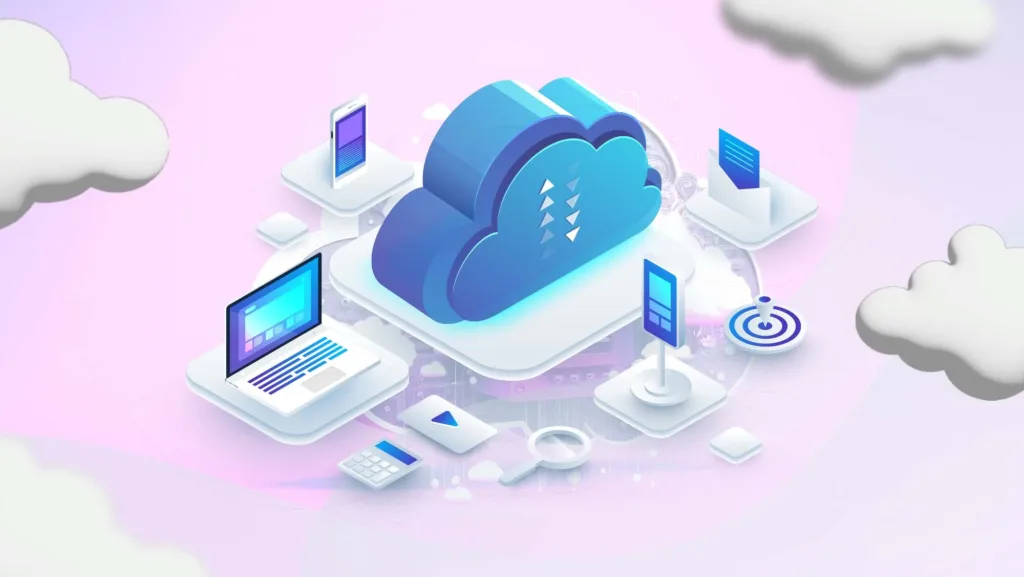
A growing company may need to add employees, locations, products, warehouses, transactions, or legal entities.
Cloud ERP software can make this expansion easier because organizations can upgrade subscriptions or activate additional resources without immediately purchasing new physical servers. Oracle identifies scalability, flexibility, accessibility, and reduced internal infrastructure demands among the common advantages of cloud ERP.
Scaling an on-premise environment can require additional hardware, database capacity, licences, storage, and technical planning. Businesses must estimate future demand in advance or risk paying for unused capacity.
Cloud scalability is convenient, but it must be governed carefully. Unused user accounts, unnecessary storage, premium modules, and inefficient integrations can increase recurring costs.
6. Customization and Control
An on-premise ERP system can offer greater control over infrastructure, databases, software versions, and certain forms of custom development. This may suit large organizations with highly specialized processes or older systems that require deep integration.
The disadvantage is that heavy customization can make testing, maintenance, and future upgrades more difficult.
Cloud platforms also provide customization through configurable workflows, application programming interfaces, custom fields, extensions, low-code tools, and integration platforms. However, modifications usually need to remain within the provider’s supported framework.
Standardization can sometimes be beneficial. Instead of recreating outdated processes, businesses can use ERP implementation as an opportunity to simplify workflows and adopt industry practices.
7. Security, Compliance, and Data Control
Neither deployment model is automatically secure. Security depends on system design, configuration, access management, monitoring, employee training, backup procedures, and incident response.
Cloud providers may offer encryption, identity controls, security monitoring, redundant infrastructure, certifications, and automated backups. Customers must still manage user accounts, permissions, integrations, data classification, and secure business configurations.
An on-premise deployment gives the organization direct control over infrastructure and data location. However, the company must provide the expertise and budget required to patch systems, monitor threats, protect backups, and recover from incidents.
Organizations should examine data residency, industry regulations, encryption, multi-factor authentication, role-based access, logging, recovery objectives, and vendor responsibilities before choosing a platform.
8. Integration and AI Capabilities
ERP platforms need to connect with banking systems, ecommerce websites, CRM platforms, payroll software, warehouse tools, supplier networks, and business intelligence applications.
Cloud platforms often provide ready-made connectors and APIs that can reduce integration time. They are also receiving frequent additions involving artificial intelligence, workflow automation, forecasting, and natural-language reporting.
Oracle and SAP currently position embedded AI and automated processes as central capabilities of their cloud ERP offerings.
On-premise platforms can integrate deeply with internal legacy applications, but connecting older infrastructure to newer cloud services may require middleware or custom development.
Which ERP Model Is Better in 2026?
Cloud ERP may be better when a business:
- Wants a lower initial infrastructure investment
- Needs faster implementation
- Has remote or distributed employees
- Expects to scale quickly
- Has limited internal IT resources
- Wants frequent updates and AI capabilities
On-premise ERP may be suitable when an organization:
- Requires direct infrastructure control
- Has complex legacy applications
- Needs specialized low-level customization
- Must carefully control update schedules
- Has an experienced internal IT team
- Operates under specific data or regulatory requirements
A hybrid model is another option. SAP notes that hybrid ERP can combine cloud and on-premise components, helping businesses support regulatory needs, specialized applications, or gradual cloud migration.
Conclusion
The Cloud ERP vs On-Premise ERP decision should be based on business requirements rather than the assumption that one model is perfect for every organization.
For most startups and growing businesses, cloud ERP software is likely to be the more practical option in 2026 because it offers flexible scaling, remote access, regular updates, and reduced infrastructure management.
An on-premise ERP system may still be appropriate for organizations requiring extensive control, specialized customization, or close integration with existing internal systems.
Before choosing, compare long-term costs, implementation complexity, security responsibilities, customization, integrations, scalability, employee access, and future business plans. The right ERP should simplify operations and support growth without creating unnecessary technical or financial pressure.
Frequently Asked Questions
1. Is cloud ERP cheaper than on-premise ERP?
Cloud ERP generally requires a lower initial investment, but subscription fees can increase as users and features are added. On-premise ERP often requires higher upfront spending on licences, servers, implementation, maintenance, and IT employees.
2. Is cloud ERP suitable for small businesses?
Yes. Cloud ERP can be suitable for small businesses because it reduces infrastructure requirements and allows organizations to add features as they grow. The selected platform should still match the company’s budget and operational needs.
3. Is on-premise ERP more secure than cloud ERP?
Not automatically. On-premise ERP gives a company more direct control, but the organization must maintain its own security systems. Cloud security also depends on the provider’s protections and the customer’s access controls, configurations, and employee practices.
4. Can a business use cloud and on-premise ERP together?
Yes. A hybrid ERP approach allows a company to keep certain applications or data on private infrastructure while using cloud services for other processes. This can support gradual migration, legacy integrations, or specialized compliance requirements.
