


Preparing for a DevOps role requires more than memorizing commands. Candidates should understand how containers work, how Docker fits into CI/CD pipelines, and how to troubleshoot containerized applications. This guide covers interview questions on HTML CSS, full stack interview questions, and front developer interview questions alongside practical Docker concepts that frequently appear in technical interviews.
For candidates preparing across multiple development and DevOps roles, these questions can also complement Java full stack developer interview questions preparation. Whether you are targeting a dedicated DevOps position or a role involving application deployment, understanding Docker can help you explain how applications move from development environments to production.
What Is Docker?
Docker is a platform used to package, distribute, and run applications in isolated environments called containers. Instead of installing every application dependency directly on a server, developers can package the application with its required libraries, configurations, and runtime dependencies.
This approach makes applications more portable and reduces the common “works on my machine” problem.
Why Is Docker Important for DevOps?
Docker supports several important DevOps practices:
- Application containerization
- Consistent development and production environments
- Faster application deployment
- Easier scaling
- Efficient resource utilization
- Simplified CI/CD workflows
- Application isolation
- Reproducible deployments
Docker Interview Questions and Answers
1. What is Docker?
Docker is a containerization platform that allows developers and DevOps engineers to package applications and their dependencies into portable containers.
A Docker container contains everything required to run an application while sharing the host operating system’s kernel.
2. What is a Docker container?
Docker containers are lightweight, isolated environments used to execute applications. Unlike traditional virtual machines, containers do not require a complete guest operating system, allowing them to start quickly and consume fewer resources. For example, a Node.js application can run inside a container with its specific Node.js version and dependencies without requiring the same setup directly on the host machine. Similarly, developers may use containers to run database services while practicing concepts such as SQL joins in a consistent development environment.
3. What is a Docker image?
A Docker image is a read-only template used to create containers. It contains the application code, dependencies, libraries, environment configuration, and instructions required to run the application.
Images are typically created using a Dockerfile.
Example:
FROM node:20

WORKDIR /app

COPY package*.json ./

RUN npm install

COPY . .

EXPOSE 3000

CMD ["npm", "start"]
This Dockerfile creates an image containing a Node.js application and its dependencies.
4. What is the difference between a Docker image and a container?
| Feature | Docker Image | Docker Container |
| Nature | Template | Running instance |
| State | Read-only | Can have a writable layer |
| Purpose | Creates containers | Runs applications |
| Creation | Built or pulled | Created from an image |
| Example | nginx:latest | Running Nginx instance |
Think of an image as a blueprint and a container as the running implementation of that blueprint.
5. What is a Dockerfile?
A Dockerfile is a text file containing instructions for building a Docker image.
Common Dockerfile instructions include:
- FROM
- WORKDIR
- COPY
- ADD
- RUN
- EXPOSE
- ENV
- CMD
- ENTRYPOINT
For example:
FROM python:3.12

WORKDIR /app

COPY requirements.txt .

RUN pip install -r requirements.txt

COPY . .

CMD ["python", "app.py"]
6. What are Docker commands commonly asked in interviews?
Several Docker commands are essential for DevOps interviews.
| Command | Purpose |
| docker ps | Lists running containers |
| docker ps -a | Lists all containers |
| docker images | Lists local images |
| docker pull | Downloads an image |
| docker build | Builds an image |
| docker run | Creates and starts a container |
| docker stop | Stops a running container |
| docker start | Starts a stopped container |
| docker rm | Removes a container |
| docker rmi | Removes an image |
| docker logs | Displays container logs |
| docker exec | Executes a command inside a container |
7. What is containerization?
Containerization is the process of packaging an application and its dependencies into an isolated, portable execution environment.
In a containerization interview, candidates may be asked to compare containers with virtual machines.
Containers vs Virtual Machines
Containers share the host operating system kernel, while virtual machines typically include their own guest operating system.
Containers are generally:
- Faster to start
- More lightweight
- Easier to replicate
- Efficient for microservices
- Convenient for CI/CD pipelines
Virtual machines can provide stronger isolation and are useful when different operating systems or complete OS environments are required.
8. What is Docker Hub?
Docker Hub is a cloud-based registry where developers can store, share, and retrieve Docker images.
For example:
docker pull nginxThe command can retrieve the Nginx image from a configured registry, commonly Docker Hub.
Organizations can also use private registries to store internal images.
9. What is a Docker registry?
A Docker registry is a service used to store and distribute container images.
Common registry concepts include:
- Public registries
- Private registries
- Image repositories
- Image tags
- Image versions
A typical workflow is:
Developer → Build Image → Push to Registry → CI/CD → Pull Image → Deploy Container10. What is Docker Compose?
Docker Compose is used to define and manage multi-container applications through a YAML configuration file.
For example, an application might contain:
- Frontend
- Backend API
- Database
- Cache
A simplified Compose file might look like:
services:

  app:

    build: .

    ports:

      - "3000:3000"

  database:

    image: postgres:16

    environment:

      POSTGRES_PASSWORD: example
Compose makes it easier to start multiple related services together.
11. What is the difference between CMD and ENTRYPOINT?
Both define what happens when a container starts, but they behave differently.
| Feature | CMD | ENTRYPOINT |
| Main purpose | Default command/arguments | Defines executable |
| Can be overridden | Easily | Requires specific override behavior |
| Typical usage | Default runtime command | Fixed application executable |
| Example | CMD [“npm”, “start”] | ENTRYPOINT [“python”] |
A Dockerfile can use both together when appropriate.
12. What is a Docker volume?
A Docker volume provides persistent storage that exists independently of a container’s writable layer. Volumes are particularly important for databases and applications that need data to survive container recreation. They can also be useful when working on frontend applications, where React interview questions may cover topics related to application data, development environments, and deployment.
Example:
docker volume create app-dataThen:
docker run -v app-data:/data my-appIf the container is removed, the volume can continue to hold the stored data.
13. What is Docker networking?
Docker networking allows containers to communicate with each other and with external networks.
Common Docker network types include:
- Bridge
- Host
- None
- Overlay
For example, containers connected to the same user-defined bridge network can communicate using container or service names.
14. What is Docker port mapping?
Port mapping connects a port on the host machine to a port inside a container.
For example:
docker run -p 8080:80 nginxHere:
- 8080 is the host port.
- 80 is the container port.
A request to port 8080 on the host can therefore reach port 80 inside the Nginx container.
15. What are Docker layers?
Docker images are built from multiple layers. Many Dockerfile instructions create filesystem layers that can be cached and reused.
For example:
COPY package*.json ./

RUN npm install

COPY . .
Keeping dependency installation separate from application source code can improve build-cache efficiency when only the source code changes.
16. What is Docker image tagging?
Tags are used to identify different versions or variants of Docker images.
Example:
docker build -t myapp:1.0 .Here:
myapp is the image name.

1.0 is the tag.
Using meaningful version tags is generally better for controlled deployments than relying exclusively on latest.
17. How do you troubleshoot a Docker container that keeps stopping?
A good troubleshooting approach includes:
- Check running and stopped containers.
- Inspect container logs.
- Inspect the container configuration.
- Verify environment variables.
- Check the startup command.
- Confirm required ports and dependencies.
- Inspect resource usage.
- Run an interactive shell if necessary.
Useful commands include:
docker ps -a

docker logs <container>

docker inspect <container>

docker stats
18. What is Docker Swarm?
Docker Swarm is Docker’s native container orchestration technology. It allows multiple Docker hosts to operate as a cluster and provides features such as:
- Service management
- Scaling
- Load balancing
- Service discovery
- Desired-state management
Modern DevOps environments may also use Kubernetes for container orchestration, but Docker Swarm remains an important concept for technical interviews. Candidates preparing for asp net core interview questions may also benefit from understanding how ASP.NET Core applications can be containerized and deployed using Docker orchestration tools.
19. How does Docker help CI/CD?
Docker can create consistent build and deployment environments throughout the software delivery lifecycle.
A typical CI/CD pipeline can look like:
Code Commit

     ↓

Automated Tests

     ↓

Docker Image Build

     ↓

Security Checks

     ↓

Push Image to Registry

     ↓

Deploy

     ↓

Monitor
This consistency can reduce environment-related deployment problems.
20. What security practices should be followed when using Docker?
Important Docker security practices include:
- Use trusted base images.
- Keep images updated.
- Avoid running applications as root when possible.
- Scan images for vulnerabilities.
- Do not hardcode secrets into Dockerfiles.
- Minimize unnecessary packages.
- Restrict container privileges.
- Use appropriate network segmentation.
- Apply least-privilege principles.
Security is increasingly important in Docker technical questions, particularly for senior DevOps positions.
Docker vs Other Technical Interview Topics
DevOps candidates often prepare for multiple technical rounds. Docker knowledge can complement preparation for application development interviews as well.
| Interview Area | Important Topics |
| Node.js | APIs, asynchronous programming, middleware, event loop |
| SQL | Queries, indexes, transactions, SQL joins |
| React | Components, hooks, state, props, performance |
| Python | Data structures, OOP, exceptions, modules |
| ASP.NET Core | Middleware, dependency injection, Web API |
| C# | OOP, LINQ, delegates, exception handling |
| Java Spring Boot | REST APIs, dependency injection, Spring Security |
| Core Java | OOP, collections, exceptions, multithreading |
Candidates preparing for a Node.js backend interview can also expect questions about containerizing Node.js applications and managing environment variables.
Similarly, React interview questions may include deployment-related scenarios where a React frontend is packaged into a Docker image.
Those preparing for a Python technical interview should understand how Python applications can be packaged and deployed through containers.
Scenario-Based Docker Interview Questions
Technical interviews frequently include practical scenarios rather than definition-based questions.
21. A container cannot connect to a database. What would you check?
Check:
- Database container status
- Docker network configuration
- Database hostname
- Port configuration
- Credentials
- Environment variables
- Database readiness
- Firewall or security restrictions
When containers communicate through Docker Compose, using the service name as the hostname is often appropriate.
22. How would you reduce Docker image size?
You can reduce image size by:
- Choosing smaller appropriate base images
- Using multi-stage builds
- Removing unnecessary packages
- Avoiding unnecessary files
- Using .dockerignore
- Combining appropriate build steps
- Keeping runtime images separate from build environments
For example, a multi-stage build can compile an application in one stage and copy only the required runtime artifacts into the final image.
23. What is a multi-stage Docker build?
A multi-stage Docker build uses multiple FROM statements in one Dockerfile. This approach is useful for applications built with different technologies, including projects that may be discussed during a Python technical interview, where candidates may need to explain how an application is packaged and deployed efficiently.
Example:
FROM node:20 AS builder

WORKDIR /app

COPY package*.json ./

RUN npm ci

COPY . .

RUN npm run build

FROM nginx:alpine

COPY --from=builder /app/dist /usr/share/nginx/html
The final image contains only the files required to serve the application rather than the complete build environment, resulting in a cleaner and more efficient production image.
24. What is the purpose of .dockerignore?
.dockerignore prevents unnecessary files from being sent to the Docker build context.
Example:
node_modules

.git

.env

npm-debug.log
This can improve build performance and help prevent sensitive or unnecessary files from entering the build context.
25. How would you deploy a Dockerized application?
A basic deployment process could be:
- Build the Docker image.
- Test the image locally.
- Scan the image.
- Tag the image with a version.
- Push it to a container registry.
- Pull the image on the deployment environment.
- Start or update the container.
- Configure networking and environment variables.
- Monitor application health and logs.
- Roll back if required.
Quick Docker Interview Revision Table
| Concept | Key Point |
| Docker | Platform for containerized applications |
| Image | Template used to create containers |
| Container | Running instance of an image |
| Dockerfile | Instructions for building an image |
| Volume | Persistent container storage |
| Registry | Stores and distributes images |
| Compose | Defines multi-container applications |
| Network | Enables container communication |
| Layer | Building block of a Docker image |
| Multi-stage build | Helps create smaller production images |
Docker Interview Preparation Tips
Before attending an interview, practice Docker commands rather than only reading theoretical concepts. Create a small application, containerize it, connect it to a database, expose a port, add persistent storage, and troubleshoot intentionally broken configurations.
Candidates applying for broader development roles may also encounter asp net core interview questions, c sharp interview questions and answers, java spring boot interview questions, or java developer interview questions during technical rounds. Docker knowledge can strengthen these profiles because modern application development increasingly involves containerized deployment.
For Java-focused roles, candidates should also revise core java questions asked in interview, particularly OOP, collections, exception handling, multithreading, and JVM concepts.
Final Thoughts
Docker is an important technology for modern DevOps because it provides a consistent way to package, ship, and run applications across environments. A strong interview preparation strategy should cover fundamentals such as Docker containers, Docker images, networking, volumes, Dockerfiles, Compose, security, troubleshooting, and CI/CD integration.
Instead of memorizing isolated answers, practice real scenarios: build an image, run a container, inspect logs, connect services, manage persistent data, and optimize an image. This practical experience will help you handle both basic Docker interview questions and more advanced Docker technical questions with confidence.
Frequently Asked Questions
1. Is Docker important for DevOps interviews?
Yes. Docker is commonly associated with containerization, CI/CD, microservices, application deployment, and modern DevOps workflows. Candidates should understand both Docker concepts and practical commands.
2. What Docker topics should I prepare first?
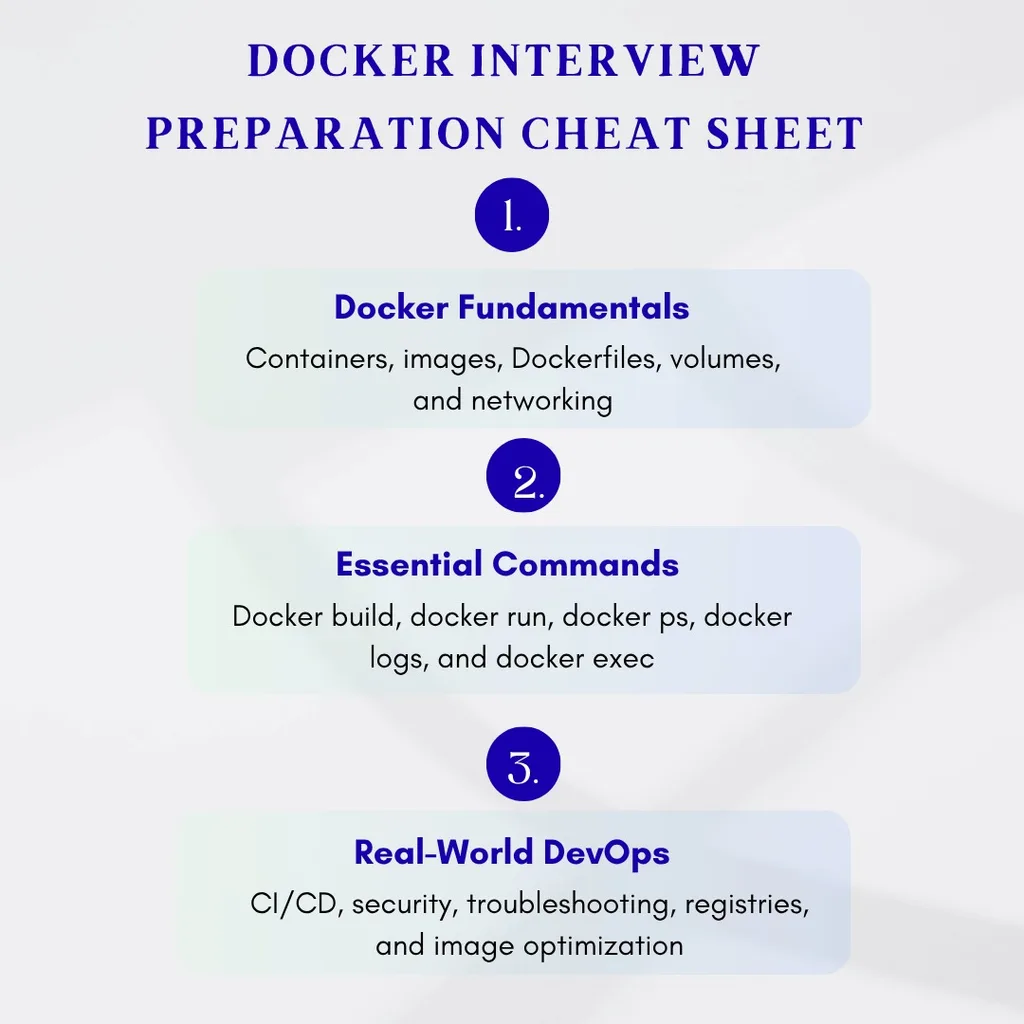
Start with Docker images, containers, Dockerfiles, basic Docker commands, networking, volumes, Docker Compose, registries, image optimization, security, and troubleshooting.
3. Is Docker the same as a virtual machine?
No. Docker containers generally share the host operating system kernel, while virtual machines typically run complete guest operating systems on virtualized hardware.
4. What are the most important Docker commands for interviews?
Focus on commands such as docker build, docker run, docker ps, docker images, docker pull, docker stop, docker rm, docker logs, docker inspect, and docker exec.
5. Should DevOps engineers know Kubernetes along with Docker?
Yes, especially for roles involving container orchestration. Docker focuses primarily on containerization, while Kubernetes provides orchestration capabilities such as scheduling, scaling, service management, and automated recovery.
