


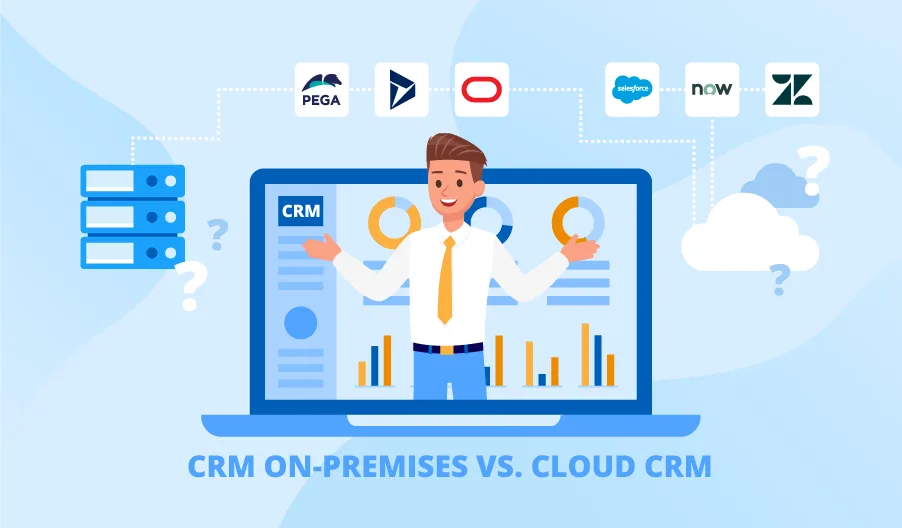
Cloud CRM vs Traditional CRM is an important comparison for businesses choosing how to store customer data, manage sales activities, automate follow-ups, and support their teams in 2026. Both systems can centralize customer information, but they differ significantly in deployment, cost, maintenance, accessibility, scalability, security, and customization.
A cloud-based CRM is hosted by a software provider and accessed through the internet, usually through a monthly or annual subscription. A traditional or on-premise CRM is installed on servers controlled by the business, with the organization responsible for operating and maintaining much of the supporting infrastructure.
Neither option is automatically right for every company. The better choice depends on your budget, technical resources, security requirements, workforce, growth plans, and need for control.
Table of Contents
What Is a Cloud CRM?
A cloud CRM is a customer relationship management platform hosted in the provider’s cloud infrastructure. Employees normally access it through a web browser or mobile application without installing the complete system on individual devices.
The provider usually manages the underlying servers, availability, infrastructure maintenance, and platform updates. Customers manage their users, permissions, data, workflows, integrations, and business processes.
Salesforce identifies flexibility, unified customer data, reduced infrastructure requirements, accessibility, and automatic updates as major benefits of cloud CRM systems.
Popular cloud platforms may include tools for:
- Contact and lead management
- Sales pipeline tracking
- Marketing automation
- Customer support
- Reporting and forecasting
- Email and calendar integration
- Workflow automation
- Mobile access
- AI-supported recommendations
This model is widely used by startups, remote teams, growing companies, and businesses that want to launch a CRM without maintaining their own servers.
What Is a Traditional CRM?
A traditional CRM is generally installed and operated within a company’s own data centre or private infrastructure. It is also called an on-premises CRM.
The company may purchase licences, install the software, manage databases, maintain servers, apply patches, monitor performance, and protect the environment. Oracle describes traditional on-premises applications as software historically deployed within an organization’s infrastructure, often using perpetual licences with annual maintenance fees.
Running an on-premise CRM may require supporting technologies such as server operating systems, directory services, databases, networking equipment, and web servers. Microsoft’s requirements for Dynamics 365 Customer Engagement on-premises, for example, include Windows Server, Active Directory infrastructure, and Internet Information Services.
This model may appeal to organizations with strict infrastructure policies, complex legacy systems, specialized customization requirements, or established internal IT teams.
Cloud CRM vs Traditional CRM: Key Differences
The main differences between the two systems involve ownership, responsibility, access, cost, and control.
| Comparison area | Cloud CRM | Traditional CRM |
|---|---|---|
| Hosting | Provider’s cloud infrastructure | Company-controlled servers |
| Payment model | Usually subscription-based | Often licences plus maintenance |
| Initial investment | Generally lower | Usually higher |
| Deployment speed | Often quicker | Commonly requires more planning |
| Maintenance | Mainly managed by provider | Managed by the company or partner |
| Updates | Frequently automatic | Planned and installed internally |
| Remote access | Usually built in | May require additional configuration |
| Scalability | Subscription or usage-based | May require additional infrastructure |
| Customization | Controlled by platform options | Can offer deeper infrastructure control |
| Internet dependency | Usually required | Local access may remain possible |
These are general differences. Actual features, costs, and responsibilities vary between vendors and deployment models.
1. Implementation Time
A cloud system can often be deployed more quickly because the business does not need to purchase and configure the same level of physical infrastructure.
The implementation team can focus on importing customer data, setting up pipelines, creating fields, configuring permissions, connecting applications, and training employees.
A traditional system usually requires additional technical preparation. The company may need to acquire servers, configure databases, establish backup processes, test network access, and prepare disaster-recovery arrangements.
However, selecting a cloud product does not make implementation effortless. Poor-quality data, unclear sales processes, excessive customization, and weak employee training can delay any CRM project.
2. Cost and Total Ownership
Cost is one of the biggest factors in the Cloud CRM vs Traditional CRM decision.
Cloud platforms generally charge per user, per month, or according to selected features and usage. This can lower the initial investment because the provider supplies the underlying infrastructure.
However, subscription costs can increase as the company adds employees, storage, automation, integrations, analytics, AI features, or premium support. Businesses should calculate expected costs over several years rather than comparing introductory prices only.
An on-premise CRM may involve licence fees, implementation services, servers, databases, networking, backup storage, electricity, security tools, IT salaries, maintenance, and future upgrades. The initial expense may be higher, although some companies prefer owning or directly controlling the infrastructure.
The best comparison should include the total cost of ownership, not merely the software price.
3. Accessibility and Remote Work
A cloud-based CRM is normally accessible from any approved location with a suitable device and internet connection. This benefits remote sales representatives, travelling employees, field-service teams, and companies operating from multiple offices.
Authorized users can view customer records, update opportunities, schedule tasks, and respond to enquiries without connecting directly to an office computer.
Traditional systems can also provide remote access, but the company may need virtual private networks, secure gateways, identity controls, and additional network configuration.
Businesses should consider where their employees work and whether they need reliable access from mobile devices, customer locations, or international offices.
4. Scalability and Business Growth
Cloud systems make it relatively simple to add users, storage, workflows, or CRM modules. The business can upgrade its plan rather than purchasing and installing new physical servers immediately.
This flexibility makes cloud CRM attractive to startups and growing companies whose future resource requirements are difficult to predict.
Scaling a traditional environment may require additional hardware, database capacity, licences, network resources, and technical planning. Companies must also ensure that their infrastructure can manage seasonal traffic or sudden business growth.
However, cloud scalability can raise monthly expenses. Businesses should monitor licence usage and remove unnecessary accounts, storage, integrations, and premium features.
5. Customization and System Control
Traditional CRM can provide greater control over servers, databases, upgrade schedules, network configurations, and certain types of custom development. This may benefit large organizations with specialized business processes or complex legacy integrations.
The disadvantage is that deeper customization can make maintenance and future upgrades more difficult. Heavily modified systems may require specialist developers and extensive testing whenever the software changes.
Cloud CRM platforms also offer custom fields, workflows, dashboards, APIs, integrations, and low-code development tools. Salesforce lists automation, AI, analytics, collaboration, scalability, mobile access, and customization among the major capabilities available in modern CRM platforms.
Cloud customization is usually performed within the provider’s supported framework, which may limit low-level infrastructure control but simplify future updates.
6. Updates, Maintenance, and Innovation
Cloud providers generally release platform improvements, security patches, and new features without requiring every customer to perform a separate server installation.
In 2026, this is especially relevant because CRM platforms are rapidly adding AI-generated summaries, automated data entry, predictive scoring, sales recommendations, customer-service agents, and conversational interfaces.
Automatic updates can give businesses quicker access to new capabilities. However, companies must still review feature changes, test important workflows, and train employees.
Traditional systems give organizations more control over when major updates are installed. This can be useful when extensive testing or regulatory approval is required. The disadvantage is that companies may delay upgrades and continue using older versions that require increasing maintenance.
Microsoft provides dedicated guidance for migrating supported Dynamics CRM on-premises databases to Dynamics 365 and Microsoft Dataverse, demonstrating that cloud migration remains an active modernization path.
7. Security and Data Control
Security is not determined by whether a CRM is cloud-based or on-premises. It depends on architecture, configuration, monitoring, access management, staff training, and incident-response processes.
Cloud vendors may provide encryption, security monitoring, backups, authentication features, certifications, and geographically distributed infrastructure. Nevertheless, customers remain responsible for matters such as user access, password policies, integrations, data classification, and secure custom code.
Oracle’s cloud compliance guidance notes that customers retain responsibilities including authentication settings, user access, log monitoring, data management, integrations, and incident response.
A traditional deployment gives the company direct control over data location and infrastructure. However, the organization must fund and maintain its own security controls. A poorly patched internal server is not safer simply because it is located inside the company.
Before choosing a platform, review:
- Data residency and privacy requirements
- Encryption in transit and at rest
- Multi-factor authentication
- Role-based permissions
- Backup and recovery processes
- Security logs and alerts
- Compliance certifications
- Vendor incident-response procedures
8. Integrations and Business Applications
CRM platforms rarely operate alone. They often need to connect with email, accounting software, marketing tools, ecommerce platforms, customer-support systems, websites, and business intelligence applications.
A modern cloud platform may provide ready-made connectors and APIs that reduce integration time. Cloud integrations can also support real-time synchronization between remote teams and applications.
Traditional CRM may integrate deeply with internal systems that were designed for the same network environment. However, connecting older applications to modern cloud services can require custom development or middleware.
Companies should list every required integration and test critical data flows before making a final decision.
Which CRM Is Right for Your Business?
A cloud CRM may be more suitable when your business:
- Wants a lower initial infrastructure investment
- Needs quick deployment
- Employs remote or mobile teams
- Expects to grow or change rapidly
- Has limited internal IT resources
- Wants frequent feature and AI updates
Traditional CRM may be worth considering when your organization:
- Requires direct infrastructure control
- Has strict data-location policies
- Operates complex legacy applications
- Has an experienced internal IT department
- Needs specialized low-level customization
- Must control update schedules carefully
A hybrid approach may also be possible. Some businesses keep certain data or systems on private infrastructure while connecting them to cloud applications.
Conclusion
The Cloud CRM vs Traditional CRM choice depends on business requirements rather than one system being universally better.
A cloud-based CRM generally provides faster deployment, easier remote access, flexible scaling, and less infrastructure maintenance. It is often practical for startups, growing businesses, and distributed teams.
An on-premise CRM can provide greater infrastructure control and may suit organizations with specialized technical, regulatory, or legacy-system requirements. However, it normally demands more internal resources for maintenance, updates, security, and disaster recovery.
Before deciding, compare total ownership costs, integrations, security responsibilities, scalability, employee access, customization, and long-term business plans. The right CRM should support your customer strategy without creating unnecessary operational complexity.
Frequently Asked Questions
1. Is cloud CRM cheaper than traditional CRM?
Cloud CRM generally requires a lower initial infrastructure investment, but subscription costs can increase as users and features are added. Traditional CRM often has higher upfront and maintenance expenses. Businesses should compare total costs over several years.
2. Is cloud CRM secure?
Cloud CRM can be secure when the provider and customer apply appropriate controls. Businesses must still manage user permissions, authentication, integrations, customer data, and employee security practices.
3. Can an on-premises CRM support remote employees?
Yes, but remote access may require additional technologies such as VPNs, secure gateways, identity management, and network monitoring. Cloud platforms generally provide remote accessibility as a standard capability.
4. Can a business migrate from traditional CRM to cloud CRM?
Yes. Migration usually involves assessing existing data, removing duplicates, mapping fields, rebuilding integrations, testing workflows, training users, and creating a transition plan. The difficulty depends on the size and customization of the existing system.
