


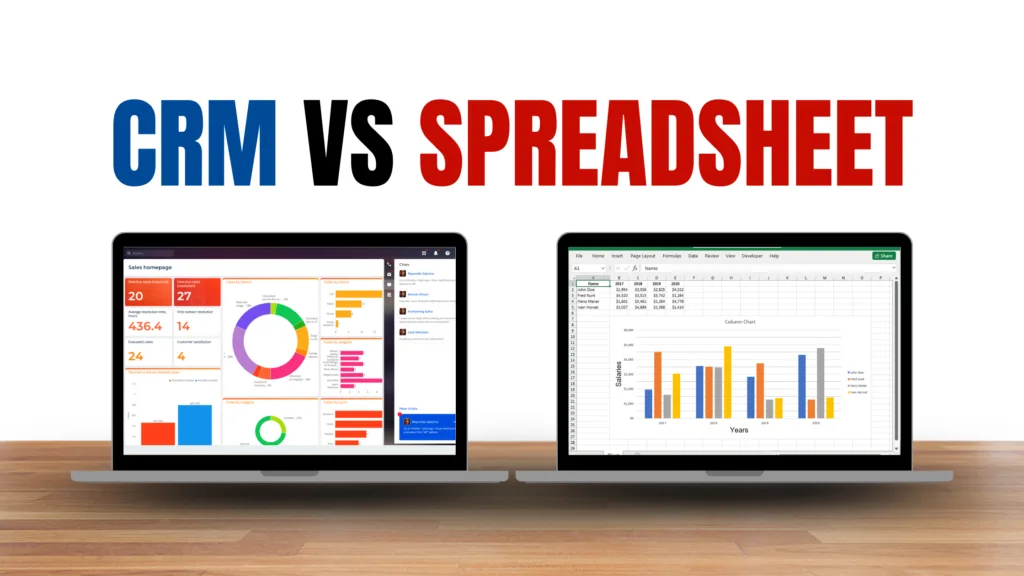
CRM vs Spreadsheets: Which Is Better for Small Businesses? is a common question for business owners who want to organize customer information, manage leads, and keep track of sales without increasing unnecessary costs. Both options can help businesses store customer data, but they work in very different ways.
Spreadsheets are familiar, flexible, and inexpensive. A business can create a simple customer database within minutes and customize it according to its needs. However, spreadsheets can become difficult to manage when the number of customers, leads, and employees increases.
CRM software is specifically designed for managing customer relationships. It can organize contacts, track leads, manage sales pipelines, schedule follow-ups, automate repetitive tasks, and provide reports.
For a small business, the right choice depends on its size, sales process, number of customers, and future growth plans.
Table of Contents
CRM vs Spreadsheets: Which Is Better for Small Businesses?
When comparing CRM vs spreadsheets, neither option is automatically better for every business. Spreadsheets can be suitable for simple customer tracking, while CRM software can become more useful when sales activities become more complex.
The main difference is that spreadsheets are general-purpose tools, while CRM platforms are designed specifically for customer relationship management.
A spreadsheet generally requires employees to manually enter and update information. A CRM can combine customer records with sales pipelines, reminders, communication history, automation, and reporting.
What Are Spreadsheets?
Spreadsheets are among the simplest ways for a small business to organize customer information.
A business can create columns for names, phone numbers, email addresses, lead status, purchase information, follow-up dates, and other details.
Tools such as Microsoft Excel and Google Sheets make it easy to create and share these files.
For a business with a small number of customers and a simple sales process, a spreadsheet may be enough.
Spreadsheets are also highly customizable. Businesses can create formulas, filters, tables, and charts according to their requirements.
However, the flexibility of spreadsheets can also become a disadvantage as the business grows.
What Is CRM Software?
CRM software is built specifically to help businesses manage customer relationships and sales activities.
A typical CRM can store customer profiles, contact information, communication history, sales opportunities, tasks, notes, and other relevant information in a centralized system.
Many CRM platforms also provide sales pipelines that show where each lead is in the purchasing process.
For example, a business could organize leads into stages such as:
- New lead
- Contacted
- Qualified
- Proposal sent
- Negotiation
- Won or lost
This structure gives employees a clearer view of active opportunities.
CRM vs Spreadsheets: Key Differences
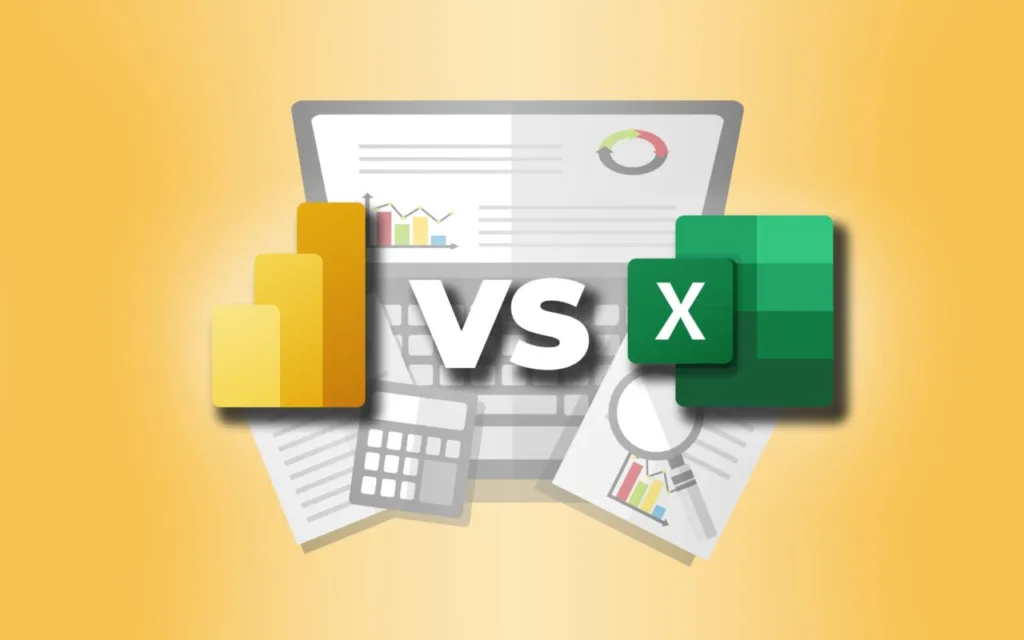
The biggest differences between CRM vs spreadsheets involve automation, collaboration, scalability, reporting, and customer management.
1. Ease of Setup
Spreadsheets are extremely easy to start using. A business can create a new file and begin entering customer information immediately.
CRM platforms usually require more initial setup. Users may need to configure fields, pipelines, permissions, integrations, and workflows.
However, many modern CRM platforms offer templates and simple setup processes designed for small businesses.
2. Customer Management
Spreadsheets can store customer information, but employees usually have to create and update records manually.
CRM software is designed around customer management. Each customer can have a dedicated profile containing contact information, notes, previous interactions, deals, tasks, and other information.
This can make customer information easier to access and understand.
3. Lead Tracking
Tracking leads in a spreadsheet is possible, but businesses need to create their own system.
For example, employees may use different columns to indicate whether a lead is new, contacted, qualified, or converted.
A CRM usually provides a built-in sales pipeline.
Employees can move leads between stages and quickly see which opportunities require attention.
4. Automation
This is one of the biggest differences between the two options.
Spreadsheets generally rely heavily on manual work, although advanced spreadsheet formulas and integrations can provide some automation.
CRM software commonly includes automated reminders, lead assignments, email sequences, notifications, and workflow automation.
This can save time when a business has many repetitive sales tasks.
5. Collaboration
Spreadsheets can support collaboration, especially through cloud-based platforms.
However, problems can occur when several employees update information inconsistently or create separate versions of the same file.
CRM systems are designed for team-based customer management. Employees can generally access the same customer records while permissions determine what different users can view or modify.
6. Reporting and Analytics
Spreadsheets can create powerful reports and charts, but these often require manual setup.
CRM software usually provides dashboards and predefined reports for sales activities, pipelines, conversion rates, revenue, and other metrics.
This can make it easier for business owners to understand sales performance without manually creating every report.
Advantages of Using Spreadsheets
Spreadsheets continue to be useful for many small businesses.
Low Cost
Many spreadsheet tools are inexpensive or already included in software subscriptions that businesses use.
Flexibility
Businesses can create custom columns, formulas, tables, and reports according to their requirements.
Familiarity
Most employees already understand basic spreadsheet functions, reducing the need for extensive training.
Simple Customer Databases
For businesses with a small customer base, a spreadsheet may provide everything necessary for basic contact management.
Advantages of CRM Software
CRM platforms provide several features that spreadsheets typically do not offer as easily.
Centralized Customer Information
Customer details, communication records, sales opportunities, notes, and tasks can be stored in one location.
Better Lead Management
CRM systems can help businesses organize leads and track their progress through different sales stages.
Automated Follow-Ups
Businesses can create reminders and automated workflows to reduce the possibility of missed follow-ups.
Improved Sales Visibility
Managers can view pipelines, sales activity, and other performance information through dashboards and reports.
Scalability
A CRM can generally support a growing number of customers, employees, and sales opportunities without requiring the business to redesign its entire tracking system.
When Should a Small Business Use a Spreadsheet?
A spreadsheet can be a reasonable option when the business has a small customer base and a straightforward sales process.
For example, a freelancer with 20 regular clients may only need a simple table containing contact information, invoices, project status, and follow-up dates.
A spreadsheet may also be suitable for businesses where only one person handles customer relationships.
The key factor is whether the current system is easy to maintain.
If employees can quickly find information and no leads or follow-ups are being missed, switching to CRM software may not be necessary immediately.
When Should a Small Business Switch to a CRM?
A business should consider CRM software when its existing spreadsheet starts creating problems.
Common warning signs include:
- Lost or forgotten leads
- Missed follow-ups
- Duplicate customer records
- Multiple versions of spreadsheets
- Difficulty tracking sales opportunities
- Increasing numbers of customers
- Several employees managing the same customers
- Too much time spent updating records
- Lack of useful sales reports
At this point, the benefits of structured CRM software may outweigh its additional cost.
CRM vs Spreadsheets: Cost Considerations

Cost is an important factor when comparing CRM vs spreadsheets.
Spreadsheets can be extremely affordable, particularly when a business already has access to a spreadsheet platform.
CRM software typically uses subscription-based pricing. Costs can vary depending on the number of users, features, storage, integrations, and automation capabilities.
However, businesses should consider more than the monthly subscription.
If employees spend several hours every week maintaining spreadsheets, searching for customer information, or manually creating reports, that time also has a business cost.
A CRM may therefore be worthwhile when it saves enough employee time or helps prevent lost sales opportunities.
Can a Business Use Both?
Yes. Businesses do not necessarily have to choose only one.
A company may use CRM software as its primary customer management system while continuing to use spreadsheets for financial calculations, specialized analysis, inventory tracking, or custom reporting.
The important point is to avoid maintaining the same customer information across multiple systems unnecessarily.
Duplicate information can create inconsistencies and make customer data harder to manage.
Final Thoughts
The comparison of CRM vs spreadsheets ultimately depends on the complexity of a small business’s customer management process.
Spreadsheets are affordable, flexible, and easy to use, making them suitable for businesses with simple requirements.
CRM software provides specialized features for lead management, sales pipelines, customer information, automation, reporting, and team collaboration.
A small business does not need to adopt a CRM simply because it is growing. However, when spreadsheets start causing missed follow-ups, scattered information, reporting difficulties, or excessive manual work, CRM software can provide a more structured approach.
The best choice is the system that allows the business to manage customers efficiently without adding unnecessary complexity or cost.
FAQs
1. Is a CRM better than Excel for a small business?
It depends on the business’s needs. Excel can be sufficient for simple customer tracking, while CRM software can be more suitable when a business needs lead management, automation, sales pipelines, and detailed customer records.
2. When should a small business move from spreadsheets to a CRM?
A business should consider moving to CRM software when it starts losing leads, missing follow-ups, managing multiple spreadsheets, or spending too much time manually updating customer information.
3. Are CRM systems more expensive than spreadsheets?
Generally, CRM software can have higher direct costs because many platforms charge monthly or annual subscription fees. However, businesses should also consider the time saved through automation and better organization.
4. Can CRM software replace spreadsheets completely?
Not necessarily. A business can use CRM software for customer and sales management while continuing to use spreadsheets for calculations, financial analysis, or other specialized tasks.
