


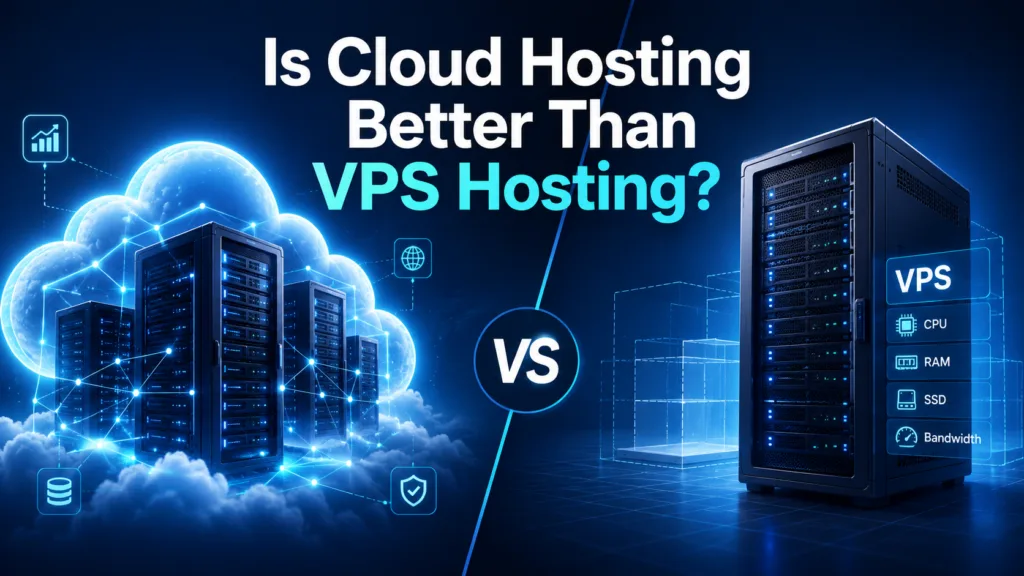
Cloud hosting is often considered a more scalable and reliable alternative to traditional VPS hosting, but that does not mean it is automatically the right choice for every website. Both hosting solutions provide more control, resources, and performance than basic shared hosting, yet they use different infrastructure and pricing models.
VPS hosting divides a physical server into multiple isolated virtual environments. Each website receives allocated resources such as processing power, memory, and storage. Cloud hosting distributes website resources across a network of connected physical or virtual servers. If one server experiences a problem, another server in the cloud infrastructure may continue handling the workload.
The better option depends on your website’s traffic, budget, technical requirements, expected growth, and need for availability. This guide compares cloud hosting vs VPS hosting to help you choose the right solution for your website or business application.
Table of Contents
What Is Cloud Hosting?
Cloud hosting uses a network of connected servers to host websites, databases, and applications. Instead of depending entirely on one physical machine, website resources can be distributed across multiple servers within the cloud environment.
A cloud hosting platform may provide resources such as:
- Virtual processing power
- Memory
- Cloud storage
- Bandwidth
- Managed databases
- Load balancing
- Automatic backups
- Security monitoring
When website demand increases, cloud resources can often be adjusted without moving the website to a completely different server.
This makes cloud hosting suitable for growing websites, online stores, SaaS platforms, business applications, and websites that experience unpredictable traffic.
Some cloud platforms offer automatic scaling, meaning resources increase during busy periods and decrease when demand falls. However, this feature may also make monthly costs less predictable.
What Is VPS Hosting?
VPS hosting stands for Virtual Private Server hosting. It uses virtualization technology to divide one physical server into multiple isolated virtual servers.
Although several customers may use the same physical machine, each VPS receives a defined amount of:
- CPU resources
- RAM
- Storage
- Bandwidth
- Operating system access
VPS users generally have more control than shared hosting customers. They may be able to install custom software, configure server settings, create user permissions, and choose specific operating systems.
VPS hosting can be managed or unmanaged.
With managed VPS hosting, the provider may handle updates, monitoring, backups, security patches, and server maintenance. With unmanaged VPS hosting, the customer is responsible for most technical tasks.
Cloud Hosting vs VPS Hosting: Main Differences

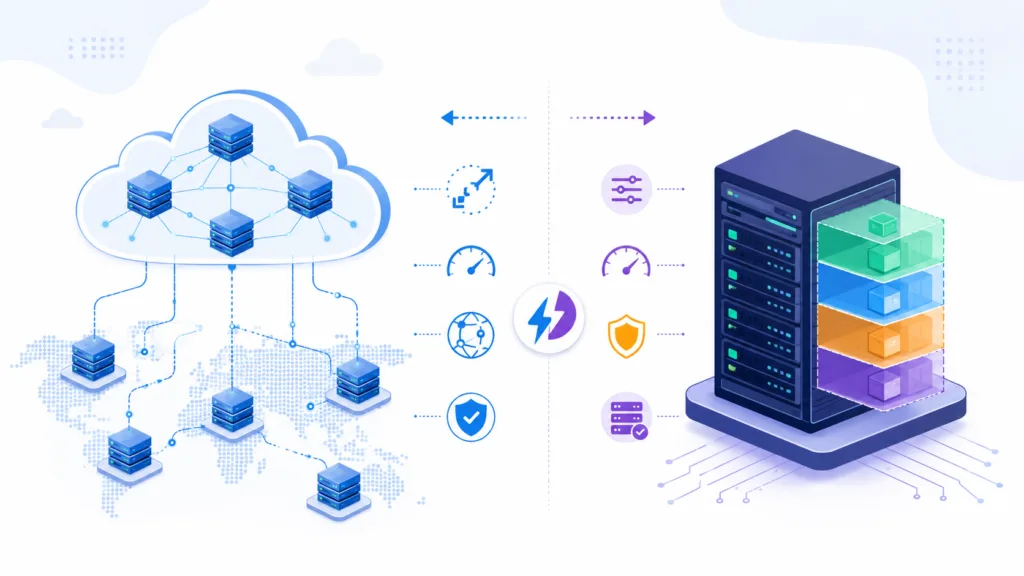
The main difference between cloud hosting and VPS hosting is the infrastructure behind each service.
A traditional VPS usually depends on one physical server, while cloud hosting uses resources from multiple connected servers.
This difference affects performance, reliability, scalability, pricing, and server management.
1. Infrastructure
VPS hosting creates multiple virtual environments inside a single physical machine. Each VPS operates independently, but all virtual servers still depend on the same underlying hardware.
If the physical server experiences a serious hardware failure, every VPS hosted on that machine may be affected.
Cloud hosting uses a larger network of servers. Website files, applications, or resources may be distributed across the cloud infrastructure.
If one server becomes overloaded or unavailable, workloads may be transferred to another server. This distributed model can reduce dependence on a single machine.
2. Performance
Both cloud and VPS hosting can provide strong website performance.
A properly configured VPS offers dedicated virtual resources. Other VPS customers cannot normally use the CPU, memory, and storage assigned to your account.
This can create predictable performance for websites with stable traffic.
Cloud hosting may provide more flexible performance because additional resources can be made available when demand increases. It is especially useful for websites that experience traffic spikes.
However, performance depends on several factors, including:
- Server configuration
- Website optimization
- Data center location
- Storage technology
- Available bandwidth
- Hosting provider quality
- Content delivery network usage
Cloud infrastructure alone cannot fix a poorly optimized website. Large images, inefficient code, excessive plugins, and slow databases can still reduce performance.
3. Scalability
Scalability is one of the biggest advantages of cloud hosting.
Cloud resources such as CPU, memory, storage, and bandwidth can often be increased with minimal disruption. Some platforms support automatic scaling based on real-time demand.
For example, an online store may receive significantly more visitors during a seasonal sale. Cloud hosting can provide additional resources to help manage the temporary increase.
VPS hosting can also be upgraded, but scalability may be limited by the capacity of the physical server.
If the existing machine does not have enough available resources, the website may need to be migrated to another server or a larger VPS environment.
For businesses expecting rapid growth or unpredictable traffic, cloud hosting usually provides greater flexibility.
4. Reliability and Uptime
Cloud hosting generally has an advantage in reliability because it does not rely completely on one physical server.
When the infrastructure is configured correctly, another server can handle the workload if one machine fails.
Traditional VPS hosting has a single-server dependency. Even though the virtual environment is isolated, it still operates on one physical machine.
A hardware problem, network issue, or maintenance event can temporarily affect every VPS on the server.
However, cloud hosting is not completely protected from downtime. Data center failures, network problems, software errors, cyberattacks, or incorrect configurations can still interrupt services.
Businesses should review the provider’s service-level agreement, redundancy systems, backup policy, and uptime history before choosing either option.
5. Security
Both hosting types can provide strong security when configured and maintained properly.
VPS hosting offers an isolated virtual environment. Users can configure firewalls, access controls, security software, and operating system settings according to their requirements.
However, unmanaged VPS customers must handle tasks such as:
- Installing security patches
- Updating server software
- Monitoring suspicious activity
- Configuring firewalls
- Managing backups
- Protecting administrator accounts
Cloud platforms may provide advanced security tools, including identity management, encryption, automated threat detection, activity logs, private networks, and distributed backups.
The complexity of a cloud environment can also create security risks. Incorrect storage permissions, exposed access keys, or poorly configured network rules may make sensitive data vulnerable.
For small businesses without technical staff, managed cloud hosting or managed VPS hosting may be safer than an unmanaged solution.
6. Pricing
VPS hosting normally has predictable monthly pricing.
The customer selects a plan with a fixed amount of CPU, RAM, storage, and bandwidth. The monthly fee usually remains the same unless the plan is upgraded or additional services are purchased.
Cloud hosting may use fixed monthly pricing or usage-based billing.
Usage-based charges may depend on:
- Processing time
- Storage
- Bandwidth
- Database activity
- Backup storage
- Premium support
- Additional cloud services
This model allows businesses to pay for the resources they use, but monthly costs may increase during busy periods.
VPS hosting may provide better cost predictability, while cloud hosting may provide better resource flexibility.
Businesses should compare total costs rather than only the advertised starting price.
7. Server Control
VPS hosting often provides root access, allowing experienced users to control the server environment.
Users may install custom software, configure the operating system, change server settings, and create specialized application environments.
Cloud hosting can also provide extensive control, especially through cloud virtual machines. However, managed cloud platforms may limit some configuration options to simplify server management.
The better choice depends on how much technical control the business requires.
Developers and system administrators may prefer an unmanaged VPS or cloud virtual machine. Business owners without technical knowledge may prefer a managed platform with a simple control panel.
8. Backup and Disaster Recovery
Backup quality depends more on the provider and hosting plan than on the hosting category.
VPS users may need to configure their own backup schedule, external storage, and restoration procedures.
Cloud providers often offer snapshots, automated backups, geographically distributed storage, and disaster recovery services.
However, these features may cost extra and must be configured correctly.
Businesses should confirm:
- How often backups are created
- Where backups are stored
- How long backups are retained
- Whether restoration is included
- Whether backups are stored separately
- How quickly systems can be recovered
A hosting service should never be treated as a complete backup strategy without verifying these details.
Is Cloud Hosting Better Than VPS Hosting for Small Businesses?
Cloud hosting is generally better for small businesses that need scalability, stronger infrastructure redundancy, and support for changing traffic levels.
It may be suitable for:
- Growing online stores
- SaaS applications
- Membership websites
- High-traffic blogs
- Customer portals
- Business-critical websites
- Seasonal businesses
VPS hosting may be better for small businesses with predictable traffic, fixed budgets, and specific server configuration requirements.
It may be suitable for:
- Local business websites
- Development environments
- Business applications with stable usage
- Websites requiring custom software
- Companies with server administration experience
The right decision depends on the business rather than the popularity of the hosting type.
Managed Cloud Hosting vs Managed VPS Hosting
Small businesses without an internal technical team should compare managed options.
Managed cloud hosting provides scalability and distributed infrastructure while the provider handles technical maintenance.
Managed VPS hosting provides dedicated virtual resources and predictable pricing while the provider manages the server.
Before choosing, compare:
- Support response times
- Backup services
- Security monitoring
- Migration assistance
- Resource limits
- Renewal prices
- Scalability
- Website-level support
A managed service may cost more, but it can reduce downtime, security risks, and the need to hire a server administrator.
Which Hosting Option Should You Choose?
Choose cloud hosting when:
- Your traffic changes frequently
- You expect rapid business growth
- Website availability is extremely important
- You need flexible resources
- You want advanced cloud services
- You operate an e-commerce store or online application
Choose VPS hosting when:
- Your traffic is stable
- You want predictable monthly pricing
- You need custom server settings
- You have technical management experience
- You prefer dedicated virtual resources
- Your website does not require automatic scaling
Conclusion
Cloud hosting is not automatically better than VPS hosting in every situation. It generally offers greater scalability, infrastructure redundancy, and flexibility, making it attractive for growing businesses and websites with unpredictable traffic.
VPS hosting provides dedicated virtual resources, strong configuration control, and more predictable pricing. It remains a practical choice for websites with stable workloads and businesses that understand their server requirements.
When comparing cloud hosting vs VPS hosting, consider traffic patterns, technical skills, budget, security, scalability, support, and the business impact of downtime.
The best solution is the one that can support your website reliably today while providing a practical path for future growth.
Frequently Asked Questions
1. Is cloud hosting faster than VPS hosting?
Cloud hosting can provide more flexible performance during traffic spikes, while VPS hosting can offer consistent performance through allocated resources. Actual speed depends on the provider, server configuration, website optimization, and data center location.
2. Is cloud hosting more expensive than VPS hosting?
Cloud hosting can be more expensive, especially when it uses usage-based billing or managed services. VPS hosting often provides fixed monthly pricing, making expenses easier to predict.
3. Which hosting type is better for an e-commerce website?
Cloud hosting is often better for growing e-commerce websites because it offers scalability, traffic management, and infrastructure redundancy. A smaller store with stable traffic may also perform well on a managed VPS.
4. Can I move from VPS hosting to cloud hosting later?
Yes. Websites and applications can usually be migrated from VPS hosting to a cloud environment. The complexity depends on the application, database size, software configuration, and third-party integrations.
