



SaaS Tools That Will Save You Hours are not just a luxury in today’s fast-paced work environment; they are a necessity for anyone looking to reclaim their time and boost productivity. The constant context-switching between apps, manual data entry, and the administrative drag of scheduling and communication can consume a surprising portion of your workweek.
The right software can automate these repetitive tasks, streamline your workflows, and free you up to focus on high-impact, strategic work that truly moves the needle. This guide explores seven powerful SaaS tools designed specifically to give you the gift of time, potentially saving you hours every single week.
Table of Contents
The Power of Strategic Automation
The goal of integrating these applications is not to add more complexity to your day, but to simplify it. By strategically implementing SaaS tools that save time, you create automated systems that work in the background. This shifts your role from a perpetual “doer” of small tasks to a “manager” of efficient processes, allowing for deeper focus and reduced mental clutter.
1. Zapier: The Ultimate Workflow Automator
Zapier acts as a digital bridge, connecting your favorite web apps to create automated workflows, known as “Zaps.” It can move information between apps without any manual intervention.
- How It Saves You Hours: Imagine automatically saving email attachments to Dropbox, creating new leads in your CRM from Google Form responses, or posting your latest blog content to all your social media channels. Zapier eliminates the need for you to act as the middleman between the apps you use daily. A task that might have taken 5 minutes, repeated 20 times a week, is now reduced to zero. This is arguably one of the most powerful SaaS tools that save time for knowledge workers.
2. Calendly: Eliminate Scheduling Back-and-Forth
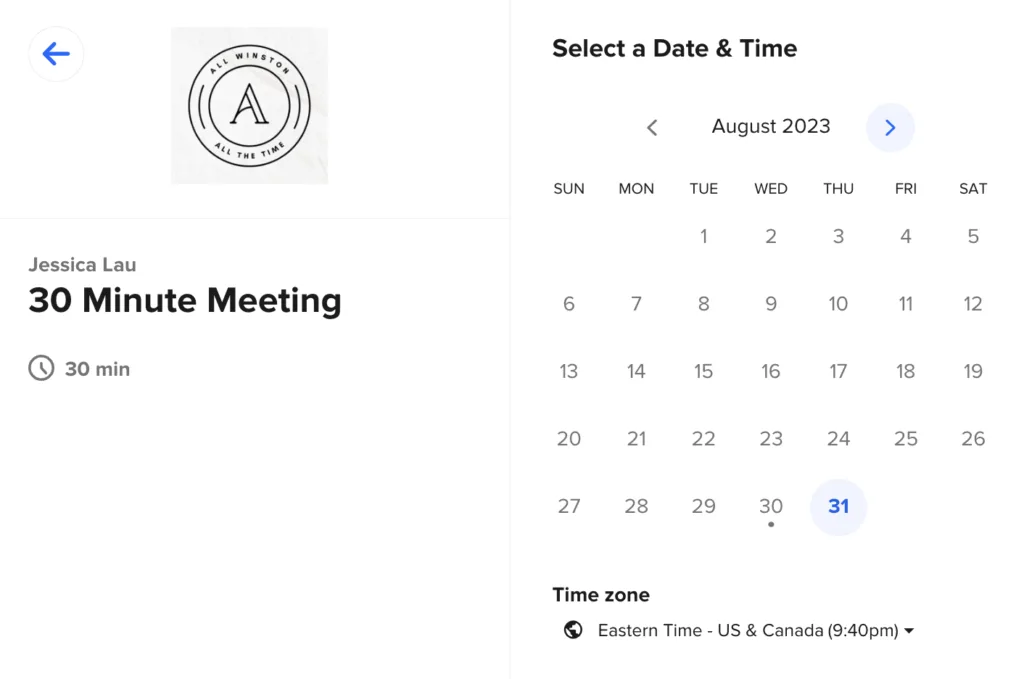
The endless email chain of “How about Tuesday at 2? No? What about Wednesday at 11?” is a massive drain on productivity. Calendly (and tools like it) automates the entire process by syncing with your calendar and letting clients or colleagues book time directly in your available slots.
- How It Saves You Hours: By sharing a single link, you delegate the entire scheduling task. The tool handles time zones, prevents double-booking, and can even integrate with video conferencing software like Zoom to automatically generate meeting links. This can easily save 30-60 minutes of administrative work per week, if not more.
3. Grammarly: Streamline Your Writing and Editing
While known as a grammar checker, Grammarly is a powerful writing assistant that ensures your communication is clear, concise, and mistake-free. Its AI-powered suggestions work across emails, documents, social media, and nearly any other text box online.
- How It Saves You Hours: It drastically reduces the time spent proofreading and revising documents. Instead of carefully scanning every line for errors, you can write with confidence, knowing Grammarly will catch typos, awkward phrasing, and tone inconsistencies. This speeds up the drafting process for everything from client emails to important reports.
4. Loom: Communicate Faster with Async Video
Instead of typing out a long email or scheduling a meeting to explain a complex process, Loom lets you record a short video of your screen, with your face and voiceover, and share it instantly.
- How It Saves You Hours: A 2-minute Loom video can replace a 15-minute meeting or a 10-minute email. It’s perfect for providing project feedback, explaining a software bug, giving quick updates, or creating training materials. This asynchronous form of communication is more personal than text and far more efficient than a live call, saving time for both the sender and the receiver.
5. TextExpander: Stop Typing the Same Thing Again
How much time do you spend typing your email signature, standard responses, or frequently used phrases? TextExpander solves this by allowing you to create custom keyboard shortcuts (snippets) that automatically expand into full text, images, or even code snippets.
- How It Saves You Hours: For example, typing ;sig could instantly insert your full email signature and contact details. ;offer could paste a standard proposal template. Over the course of a week, this can reclaim hours spent on repetitive typing, reducing errors and ensuring consistency in your communication.
6. Notion: Consolidate Your Notes, Wikis, and Projects
If you find yourself juggling notes in Evernote, tasks in a project management app, and company documents in Google Drive, Notion can be a game-changer. It’s an all-in-one workspace where you can write, plan, collaborate, and get organized.
- How It Saves You Hours: By consolidating multiple tools into one, you eliminate the time wasted switching between apps and searching for information. You can link your project tasks directly to your meeting notes and your company wiki, creating a single source of truth. This reduces cognitive load and administrative overhead significantly.
7. HubSpot CRM: Automate Your Sales & Lead Tracking
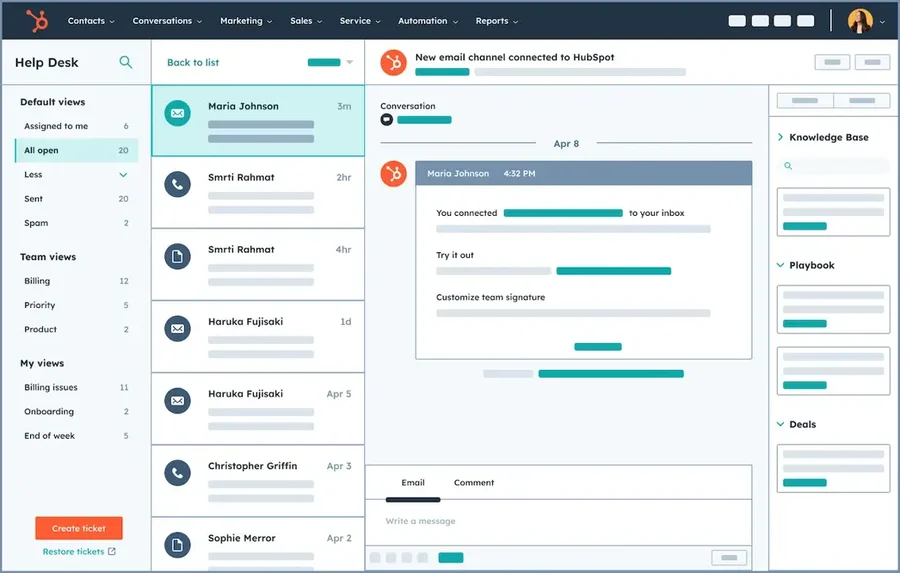
For sales teams and entrepreneurs, managing contacts and follow-ups in a spreadsheet is incredibly time-consuming. HubSpot’s free CRM automatically logs interactions, tracks deal stages, and can automate email sequences.
- How It Saves You Hours: It eliminates manual data entry for your sales pipeline. You can see the entire history of a client interaction at a glance, set up reminders for follow-ups, and use templates to speed up communication. This ensures no lead falls through the cracks and frees up hours previously spent on manual tracking and admin.
Making the Time Investment Pay Off
Adopting a new tool requires a small initial time investment, but the compounding returns are immense. Start by identifying one or two of your most repetitive weekly tasks. Then, trial the tool from this list that best addresses that pain point.
The goal is to build a streamlined tech stack where these SaaS tools work together, creating a seamless and highly efficient workflow that gives you back one of your most precious resources: your time.
Frequently Asked Questions (FAQs)
1. Won’t learning these new tools just take up more time?
There is a small learning curve, but it’s an investment with a high return. Most of these tools are designed for ease of use and can be learned in under an hour. The time saved in the first week of proper use will often far exceed the time spent setting it up. Start with one tool at a time to avoid feeling overwhelmed.
2. How do I choose which tool to implement first?
Conduct a simple “time audit” for a few days. Take note of any repetitive, low-value tasks you find yourself doing repeatedly—such as scheduling, typing the same responses, or moving data between apps. The tool that addresses your most frequent or most time-consuming pain point should be your first priority.
3. Are these tools suitable for small teams or solo entrepreneurs?
Absolutely. In fact, solopreneurs and small teams often benefit the most because they lack large administrative support staff. These tools act as that support system, automating roles that a small business couldn’t otherwise afford to hire for. They are designed to scale, meaning they will remain valuable as your team grows.
