



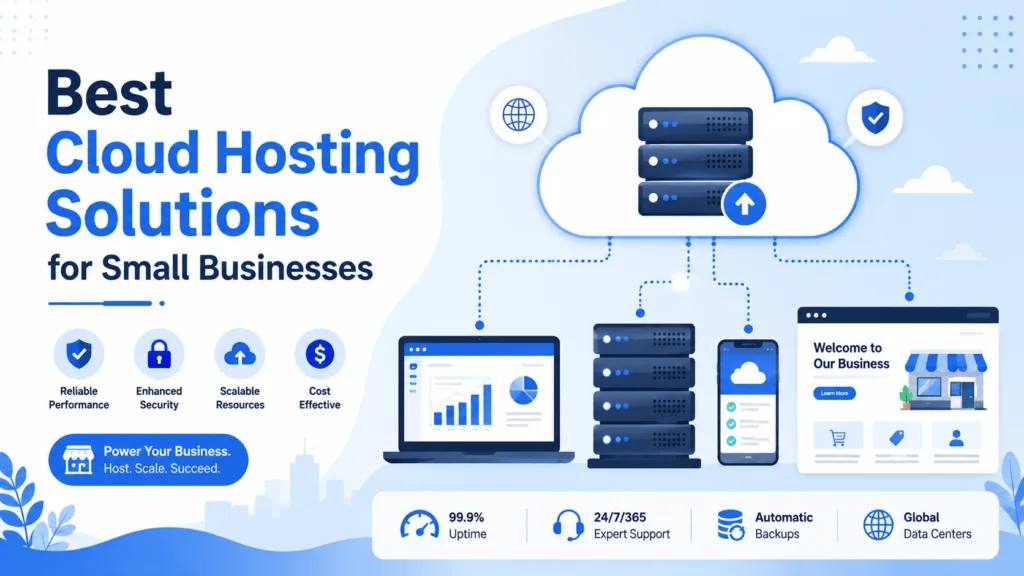
Best cloud hosting solutions for small businesses provide the speed, reliability, security, and flexibility companies need to maintain a strong online presence. Small businesses increasingly depend on websites for generating leads, selling products, accepting bookings, communicating with customers, and managing everyday operations. A slow or frequently unavailable website can therefore affect both revenue and customer trust.
Traditional hosting solutions often rely on a single physical server. Cloud hosting uses a network of connected servers and virtual resources, allowing websites and applications to access additional capacity when required. This structure can improve uptime and make it easier for a growing business to handle increasing traffic.
However, small businesses have different needs. A local service provider may require a simple managed website, while an e-commerce company may need advanced security, automatic scaling, regular backups, and stronger database performance.
This guide explains the most suitable cloud hosting options for small businesses and the features to compare before choosing a plan.
Table of Contents
What Is Cloud Hosting?
Cloud hosting is a hosting model that uses multiple connected servers to store and operate websites, applications, databases, and digital files.
Instead of depending completely on one physical machine, a cloud-hosted website can use resources from a broader network. These resources may include:
- Processing power
- Memory
- Storage
- Bandwidth
- Database capacity
- Backup infrastructure
- Security services
When a website receives more visitors, the cloud environment can often provide additional resources. If one server experiences a technical issue, another server may continue supporting the website, depending on how the hosting platform is configured.
This makes cloud hosting useful for businesses that require scalability, reliability, and flexibility.
Why Small Businesses Should Consider Cloud Hosting

Many small companies begin with shared hosting because it is affordable and easy to manage. However, shared hosting can become limiting when website traffic, storage requirements, or business operations increase.
Cloud hosting for small businesses offers a more flexible infrastructure that can grow with the company.
Its main benefits include:
- Better website performance
- Flexible resource allocation
- Improved reliability
- Easier scalability
- Stronger backup options
- Remote access
- Reduced dependence on physical hardware
- Support for traffic spikes
A business does not need to purchase, maintain, or replace its own physical servers. The hosting provider manages the underlying infrastructure while the company pays for a suitable plan or level of resource usage.
Best Cloud Hosting Solutions for Small Businesses
The best hosting solution depends on the website’s purpose, expected traffic, available budget, technical knowledge, and growth plans.
Below are the main cloud hosting options small businesses should consider.
1. Managed Cloud Hosting
Managed cloud hosting is one of the most practical solutions for small businesses without an internal IT team.
The hosting provider usually manages technical tasks such as:
- Initial server setup
- Operating system updates
- Security patches
- Performance monitoring
- Server maintenance
- Automated backups
- Technical troubleshooting
This allows business owners to focus on sales, marketing, customers, and daily operations instead of managing servers.
Managed plans generally cost more than unmanaged hosting, but they reduce technical responsibility. They can also lower the risk of security problems caused by outdated software or incorrect server configurations.
Managed cloud hosting is suitable for professional websites, agencies, growing blogs, online service businesses, and smaller e-commerce stores.
2. Cloud Hosting for WordPress
WordPress is widely used by small businesses because it supports blogs, company websites, online stores, portfolios, booking platforms, and membership websites.
WordPress cloud hosting is specifically optimized for the platform. Common features may include:
- Pre-installed WordPress
- Automatic updates
- Built-in caching
- Daily backups
- Malware scanning
- Staging environments
- Plugin management
- WordPress-focused support
A staging environment is particularly valuable because it allows businesses to test design changes, software updates, and new plugins before making them available on the live website.
Cloud hosting for small businesses using WordPress should also include a simple control panel, reliable customer support, SSL security, and easy website migration.
3. Scalable Cloud Hosting
Scalable hosting allows a business to increase server resources as its website grows.
Resources may include:
- CPU capacity
- Memory
- Storage
- Bandwidth
- Database resources
A company can start with a smaller plan and upgrade when traffic or website activity increases. This prevents the business from paying for unnecessary capacity during the early stages.
Scalable small business cloud hosting is especially useful for companies expecting:
- Seasonal traffic
- Marketing campaign traffic
- Rapid customer growth
- Product launches
- Larger databases
- Expanding online services
Some platforms offer automatic scaling, where resources increase during busy periods and decrease when demand returns to normal. Businesses using this feature should monitor spending because increased resource usage may lead to higher bills.
4. E-Commerce Cloud Hosting

Online stores need reliable hosting because website speed and availability directly affect sales.
Customers expect product pages to load quickly, shopping carts to work correctly, and payments to be processed securely. Even a temporary outage during a sale can result in lost orders.
Cloud hosting for an e-commerce website should provide:
- SSL certificates
- Secure payment integration
- Automatic backups
- Strong uptime
- Database optimization
- Malware protection
- Traffic scalability
- Content delivery network support
- Reliable technical assistance
The hosting environment should also support the business’s shopping platform, payment gateway, inventory system, and shipping integrations.
E-commerce companies should select a plan that can handle increased traffic during promotions, festivals, holiday seasons, or product launches.
5. Cloud VPS Hosting
A cloud virtual private server provides defined virtual resources within a cloud infrastructure.
Unlike basic shared hosting, a cloud VPS usually gives the business an allocated amount of memory, processing power, and storage. It may also provide greater control over server settings.
Benefits include:
- Dedicated virtual resources
- Custom software installation
- Greater configuration control
- Consistent performance
- Flexible upgrades
- Root or administrator access
Cloud VPS hosting is available in managed and unmanaged forms.
A managed cloud VPS is more suitable for businesses that need additional control but still want the provider to handle maintenance and security. An unmanaged cloud VPS is better for developers or companies with server administration experience.
Small businesses should avoid unmanaged plans unless someone can regularly manage updates, backups, security, monitoring, and performance.
6. Usage-Based Cloud Hosting
Some cloud providers charge according to actual resource consumption instead of offering only a fixed monthly plan.
Costs may depend on:
- Processing usage
- Storage capacity
- Data transfer
- Database activity
- Backup storage
- Additional cloud services
Usage-based pricing can benefit businesses with changing resource requirements. A website may consume fewer resources during quiet months and more during campaigns or seasonal periods.
However, these plans can produce unpredictable monthly expenses.
Businesses should configure spending alerts, review usage reports, and understand additional charges before selecting this model. A fixed-price managed plan may be easier for companies that require predictable monthly costs.
7. Hybrid Cloud Hosting
Hybrid cloud hosting combines cloud infrastructure with private servers, traditional hosting, or on-premise systems.
For example, a business may operate its public website in the cloud while keeping sensitive financial or customer information in a private environment.
A hybrid approach may provide:
- More control over sensitive information
- Support for existing business systems
- Flexible cloud resource usage
- Improved backup and recovery options
- Gradual cloud adoption
However, hybrid infrastructure is more complicated to manage. It is generally more suitable for established businesses with specific compliance, security, or system integration requirements.
Essential Features of Small Business Cloud Hosting
Businesses should compare hosting plans based on practical features rather than choosing only according to price.
Reliable Performance
The hosting plan should provide sufficient processing power, memory, storage, and bandwidth for the website’s current requirements.
Scalability
A growing company should be able to increase its resources without completing a complicated website migration.
Automatic Backups
Backups should be created regularly and stored separately from the main server environment. Businesses should also confirm how long backups are retained and whether restoration is included.
Strong Security
Important security features include:
- SSL certificates
- Firewalls
- Malware scanning
- Software updates
- Access controls
- Login monitoring
- Multi-factor authentication
Responsive Customer Support
Small businesses may not have technical staff available when a website problem occurs. Support through live chat, phone, email, or support tickets can therefore be extremely important.
Simple Management Dashboard
A user-friendly dashboard makes it easier to manage domains, files, databases, backups, security settings, and website applications.
Data Center Locations
Choosing a server location close to the target audience may help reduce loading times. A content delivery network can also improve performance for visitors in different regions.
Migration Assistance
Professional migration support can help move an existing website without losing important data or causing unnecessary downtime.
Managed vs Unmanaged Cloud Hosting
Managed cloud hosting is generally the better choice for small businesses without server management experience.
The provider takes responsibility for many technical activities, including maintenance, security updates, backups, and monitoring.
Unmanaged hosting gives the customer more control, but the business must manage:
- Server installation
- Software updates
- Security patches
- Firewall configuration
- Backup schedules
- Performance monitoring
- Technical failures
An unmanaged plan may have a lower starting price, but hiring a developer or server administrator can increase the total cost.
The choice should therefore be based on available technical skills, not only the advertised hosting price.
How to Choose the Right Cloud Hosting Plan?
Before selecting a provider, consider the following questions:
- How many visitors does the website receive?
- Does the website accept online payments?
- How quickly is traffic expected to grow?
- Does the business need professional email hosting?
- Are automatic backups included?
- Is the website built with WordPress?
- Will technical support be required?
- Can resources be upgraded easily?
- Is the pricing fixed or usage-based?
- Does the provider offer migration assistance?
A small company website may only require a basic managed cloud plan. A growing e-commerce store may need stronger security, more memory, improved database resources, automatic scaling, and around-the-clock support.
Common Cloud Hosting Mistakes to Avoid
A common mistake is selecting the cheapest available plan without reviewing its limitations. Low-cost plans may restrict storage, bandwidth, backups, support, or processing resources.
Other mistakes include:
- Choosing unmanaged hosting without technical knowledge
- Ignoring renewal pricing
- Failing to review backup policies
- Purchasing unnecessary resources
- Not monitoring cloud usage
- Overlooking customer support
- Ignoring website security
- Migrating without testing the new environment
Businesses should choose a plan that meets their present needs while providing a simple upgrade path.
Conclusion
The best cloud hosting solutions for small businesses combine reliable performance, strong security, flexible resources, helpful customer support, and predictable pricing.
Managed cloud hosting is ideal for businesses that want technical assistance, while WordPress cloud hosting supports content-focused websites. Cloud VPS hosting provides greater control, and scalable e-commerce hosting is suitable for online stores experiencing growth.
When comparing small business cloud hosting plans, companies should evaluate total costs, backup policies, security, scalability, management requirements, and customer support.
The right cloud solution should not only keep a website online. It should support business growth, protect important information, improve customer experience, and make it easier to expand digital operations over time.
Frequently Asked Questions
1. What is the best cloud hosting solution for a small business?
Managed cloud hosting is often the best option for a small business because the provider handles technical maintenance, updates, backups, security, and monitoring. The ideal plan still depends on website traffic, budget, and functionality.
2. Is cloud hosting suitable for a new business?
Yes. A new business can begin with an entry-level cloud plan and increase resources as website traffic and operational requirements grow.
3. Is small business cloud hosting expensive?
Cloud hosting may cost more than basic shared hosting, but it can provide better scalability, reliability, and performance. Costs depend on server resources, support, backups, security, and management services.
4. Can I move my existing website to cloud hosting?
Yes. Most websites can be migrated from shared hosting, VPS hosting, or another cloud platform. Many providers offer free or paid migration assistance to reduce downtime and data-transfer risks.
